PS2 Goldeneye Rogue Agent White Screen

valak264

Forum Noob
I've tried to defrag the game but it doesn't fix the problem. I've installed the game with USButil. And i got the region code is SLUS_999.99. But when i check in the original iso file, the region code is SLUS_210.64. How i can fix the problem? Is the region code related with the white screen problem?

Sorry for my bad English :')
 
Check md5 checksum of your ISO:
http://redump.org/disc/6751/.

How to check game md5 checksum:
https://www.psx-place.com/threads/how-to-check-game-md5-checksum.19277/.

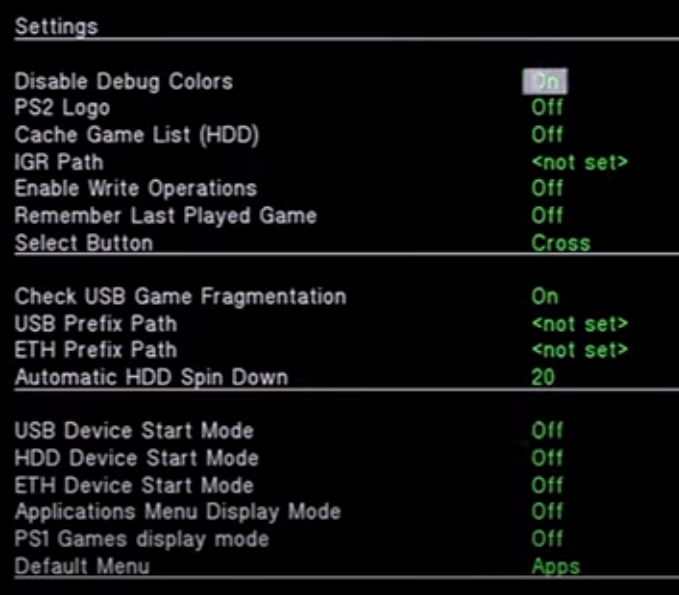
Enable Check USB Game Fragmentation:
offs.png
 
A little more info might help.

Title = GoldenEye: Rogue Agent
ID = SLUS_210.64
Media = DVD-5
OPL version = (?)
Device = Probably USB (?)
Compatibility Mode(s) used = (?)
VMC (Virtual Memory Card) = Used\Not used
PADEMU = Used\Not used
MD5 Checksum = 373d73b216d730f661bda7577a6ff796


One other thing, the game takes less than 4GiB, so it can be copied (ISO) to DVD folder,
so "slicing" it with USButil is not needed.
 

Similar threads

Back
Top