
- Forums
- PlayStation 3 (PS3)
- PS3 Jailbreak CFW and PS3HEN
- Ps3Xploit [Official Forum's] PS3HEN & PS3 Toolset
- PS3Xploit HAN (nonCFW Compatable Models)
You are using an out of date browser. It may not display this or other websites correctly.
You should upgrade or use an alternative browser.
You should upgrade or use an alternative browser.
PS3 HAN [OBSOLETE] [Tutorial] The Great PS3Xploit 3.0 HAN All In One Guide
- Thread starter Fin9ersMcGee
- Start date


Fin9ersMcGee
Senior Member
If a game comes with dlc patch or dlc fix, i have to install that too or what is it?
You need to find the original DLC for your title (matching regions) and sign the PKG, enable HAN and install.
I am unsure what patched DLC does yet...
Maybe Habib can clear this one up?
Edit: Be careful what you discuss here. No piracy chatter. If you own the game you are legally allowed to make a backup of your game (depends on country, here in UK I believe is OK as long as you intend to keep the original game)
I can already tell you've downloaded your game by the "dlc patch" you described..... So, like I said, no piracy chatter.
Last edited:

kaze0704
Member
Ok sorryYou need to find the original DLC for your title (matching regions) and sign the PKG, enable HAN and install.
I am unsure what patched DLC does yet...
Maybe Habib can clear this one up?
Edit: Be careful what you discuss here. No piracy chatter. If you own the game you are legally allowed to make a backup of your game (depends on country, here in UK I believe is OK as long as you intend to keep the original game)
I can already tell you've downloaded your game by the "dlc patch" you described..... So, like I said, no piracy chatter.
So an update comes with the blu ray disc?
Fin9ersMcGee
Senior Member
Ok sorry
So an update comes with the blu ray disc?
No, the update folder inside the iso is an update for ps3 firmware. It's because, way back when ps3 was first released, not everyone had a WiFi hookup. So if the game needed to run on a higher firmware than the ps3 had installed, it could update the firmware without an Internet connection and allow you to play your disk game you just bought....
But I'm rambling now lol...
OK, so in my guide it explains that what CFW2OFW does. It finds an update for your disk game from Playstation Servers, and merges it into the output folders.
If you get an error in CFW2OFW then your game doesn't have an update.
Use ps3tools and select "ps3 update", search for your game and it will tell you if there is an update for your game...
Now, I haven't had to do it yet, but there is an alternative method if CFW2OFW spits and error BUT there is an update for you game... But I will write that part only if I need to. And no one on here has needed it yet


NachoJoestar
Member
I'm getting error with PSN tutorial, i installed the game, then the RIF000 PKG and now i get 80010017, the game is Mortal Kombat Arcade Kollection
Fin9ersMcGee
Senior Member
I'm getting error with PSN tutorial, i installed the game, then the RIF000 PKG and now i get 80010017, the game is Mortal Kombat Arcade Kollection
Is HAN enabled?
Is this a PSN Store GAME? Probably.
Did you download this game? Probably.
Did you also download its corresponding RAP file?... Maybe...?
If you followed my guide (Part 4.B) and it failed, I can't help any further as I will not talk about obtaining RAP files, but I will say this.
Make sure you have both the Game PKG and RAP for your title and try to resign again.
If it fails, then your game and rap don't match.
NachoJoestar
Member
1: Yes
2: Yes
3: Yes
4: Yes, and also converted it to rif
2: Yes
3: Yes
4: Yes, and also converted it to rif
Fin9ersMcGee
Senior Member
1: Yes
2: Yes
3: Yes
4: Yes, and also converted it to rif
Just for clarification, what is the name of your RAP file? The one you copied into your "/resigner/raps"
folder
NachoJoestar
Member
Rap: UP1018-NPUB30468_00-MKAKGAMEUS000001
Game: NPUB30468 Mortal Kombat Arcade Kollection
Game: NPUB30468 Mortal Kombat Arcade Kollection

I will post this here , its copied from the pkg linker thread but may help someone reading this guide too.Is there a way that I can install games of more than 4gb through USB using the split pkgs. I have tried the pkg linker method and no fix I have attempted have fixed the 80710092 error I keep getting. USB is the only way that it works for me.
80710092 is a common error and can be anything that stops you connecting so its a hard error to trace.
- Windows firewall
- Other firewall or AntiVirus
- Cable problem
- Port blocked on server
- Port conflict on server
- Missing dll on system
- Package_list not updated by usb since server settings changed
- Port changed in pkg linker but not changed in server settings
- Port changed in server settings and not changed in pkg linker
- PS3 not rebooted since new package list loaded on
Important things to try after reading trouble shooting tab in first post of pkg linker thread.
- Disable firewalls, inc windows firewall, defender etc
- Make sure the pkg linker app says your PC IP, it may have picked up wrong IP and need to be typed in manually.
- See if you can access server via ps3 web browser
- update package list via usb everytime you change settings until it works (always reboot ps3 to see changes on XMB)
- Try change ports (in app and server)
- Try run other servers (xampp, miniweb, hfs, node.js)
- Read the entire pkg linker thread and try other peoples solutions
- Google how to set up a web server and try learn about it.
- Give up and just split your pkgs


habib
Developer
No ideaYou need to find the original DLC for your title (matching regions) and sign the PKG, enable HAN and install.
I am unsure what patched DLC does yet...
Maybe Habib can clear this one up?
Edit: Be careful what you discuss here. No piracy chatter. If you own the game you are legally allowed to make a backup of your game (depends on country, here in UK I believe is OK as long as you intend to keep the original game)
I can already tell you've downloaded your game by the "dlc patch" you described..... So, like I said, no piracy chatter.
But if I have to guess, it makes the edat license free
As long as stuff is passed through my tool, it will be good to go
Fin9ersMcGee
Senior Member
Rap: UP1018-NPUB30468_00-MKAKGAMEUS000001
Game: NPUB30468 Mortal Kombat Arcade Kollection
Then I'm afraid I can't help you... Give me a moment to do some testing
Fin9ersMcGee
Senior Member
If a game comes with dlc patch or dlc fix, i have to install that too or what is it?
Do some testing, my friend and report back.
habib
Developer
It most likely means that your files have been modified somehow unless you forgot to install rif pkg properly(on the secondary account)I'm getting error with PSN tutorial, i installed the game, then the RIF000 PKG and now i get 80010017, the game is Mortal Kombat Arcade Kollection
NachoJoestar
Member
It most likely means that your files have been modified somehow unless you forgot to install rif pkg properly(on the secondary account)
Nice Habib you're here, 2 questions
Where do i get the make-pkgs from your repo? i'm having problems with the one i have and wanted to make that method of injecting rif as a pkg
Do i need to have the rif in the usb at the momment of the install of the RIF000 Pkg?
habib
Developer
https://github.com/PS3Xploit/PS3xploit-resigner?files=1Nice Habib you're here, 2 questions
Where do i get the make-pkgs from your repo? i'm having problems with the one i have and wanted to make that method of injecting rif as a pkg
Do i need to have the rif in the usb at the momment of the install of the RIF000 Pkg?
It doesn't make pkgs, it resigns the pkg and it's contents
You don't need rif on usb when you have pkg, the pkg must be installed on secondary user though
Hypnotic818
Forum Noob
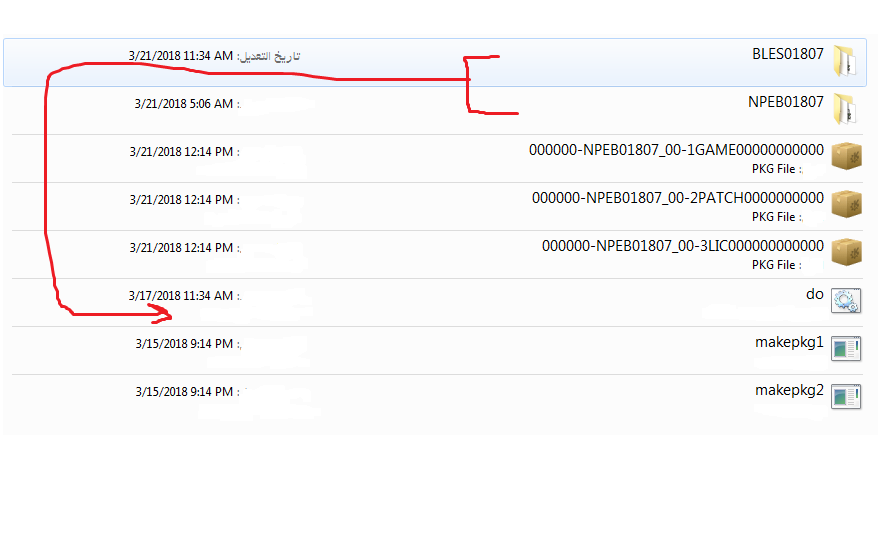
Check there's no spaces like previously suggested...
Make sure everything is in its correct folder like the guide suggests...
It's a pretty broad problem as I've had this many times with command prompt windows, but the solution is not always the same.
Yeah it's all correct like the guide says. C/PlaystationHan/MakeBackupPKG/ both BL and NP folders are in there also.
Similar threads
-
 PS3HEN Using custom configs for PSP games on PS3 (INSTRUCTIONS)
- Started by Zeldukes
- Replies: 0
-
PS3 [Tutorial] Update Frankenstein PS3 Firmware That is Too Low to Initialize RSX (< 3.41) (NAND Models)
- Started by byt3swap
- Replies: 0
-
PS3 [Tutorial] Update Frankenstein PS3 Firmware That is Too Low to Initialize RSX (< 3.41) (NAND Models)
- Started by byt3swap
- Replies: 0
-
 PS4 Games moved to external Storage with App2USB don't work anymore
- Started by fakex
- Replies: 0