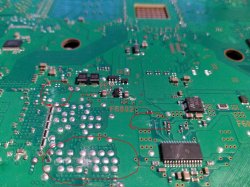
PS3 Overheat problems & CELL delidding

Just a little BTW...
The PS3 motherboard/PSU have a "shout circuit protection" to prevent frying the motherboard completly with a random short circuit

Lets say... if you assemble the metal shields that covers the board like a sandwich in a incorrect way... it could happen that the metal touches in a random point of the motherboard circuits... this creates a permanent short circuit
If you connect the main power cable of the PS3 in this state... the standby led is going to be lighted in red... and when you press the ON button the console ignores it completly (it never changes from red)

Doesnt smells like that ? o_O
I hope this is your problem :encouragement:

So... tear appart all metal parts... and read what i said a few post before in this thread about closing the metal shields "like a book"... this is mandatory in PS3 slims (not sure in PS3 fats, but you are not doing it in the video)
 
I dont know because there are like 200 or 300 solder balls under CELL, the amount of combinations is huge
Lets say...
What happens when ball #63 and #148 are disconnected/broken ?
And with #13 and #72 and #73 ?

I think is imposible to know for sure

Does reflowing with a heat gun of CPU fix the cracked solder balls?
 
Just a little BTW...
The PS3 motherboard/PSU have a "shout circuit protection" to prevent frying the motherboard completly with a random short circuit

Lets say... if you assemble the metal shields that covers the board like a sandwich in a incorrect way... it could happen that the metal touches in a random point of the motherboard circuits... this creates a permanent short circuit
If you connect the main power cable of the PS3 in this state... the standby led is going to be lighted in red... and when you press the ON button the console ignores it completly (it never changes from red)

Doesnt smells like that ? o_O
I hope this is your problem :encouragement:

So... tear appart all metal parts... and read what i said a few post before in this thread about closing the metal shields "like a book"... this is mandatory in PS3 slims (not sure in PS3 fats, but you are not doing it in the video)
Yes it sounds like my problem. I touch the power on switch and nothing happens. I forgot to mention that before i removed the IHS i have been heating the cpu up for 30 max 40 seconds with my hairdryer. I covered up everything else with metals so that only cpu was exposed to heat. My distance of hairdryer and cpu was like 6 to 8 cm.
Tommorow i wil take everything apart and i will actually make a video. I think it will be better for you guys to understand things better.
You guys really do your best to help me out and i don't know how i can thank you guys.
 
Sorry for not making a video but most probably it was not really needed.
I have dissassembled everything and i have cleaned the whole motherboard with isopropyl.
I found traces of thermal paste on few places on my motherboard so i decided to clean the whole motherboard.
i assembled it back checked everything and problem remains same.
So maybe it is the cpu that has a cracked ball or something else... looking/inspecting at the cpu and it does not look damaged at all. sad
After all it's maybe the hairdryer that i shouldn't use...
 
Last edited:
Download the base pkg of multiman, put it on the root of a FAT32 USB drive. Then go to Package Manager > Install > Standard and install it. Then run it and accept the agreement,

Multiman 4.82 https://store.brewology.com/get/homebrew.php?id=24&fid=2111

That is the most up to date Multiman for CFW, its v4.82 but it makes no difference, it will work fine.
Help I have the option to upgrade the firmware from 4.85 to 4.84?
 
I covered up everything else with metals so that only cpu was exposed to heat. My distance of hairdryer and cpu was like 6 to 8 cm.
Tommorow i wil take everything apart and i will actually make a video. I think it will be better for you guys to understand things better.
You guys really do your best to help me out and i don't know how i can thank you guys.
Sorry for not making a video but most probably it was not really needed.
I have dissassembled everything and i have cleaned the whole motherboard with isopropyl.
I found traces of thermal paste on few places on my motherboard so i decided to clean the whole motherboard.
i assembled it back checked everything and problem remains same.
So maybe it is the cpu that has a cracked ball or something else... looking/inspecting at the cpu and it does not look damaged at all. sad
After all it's maybe the hairdryer that i shouldn't use...

I don't think hair dryer is definite cause of problem. Though best method for delidding is using only a sharp tool to cut silicon under IHS without using any heat. Using a heatgun on CELL can damage the chip or solder balls. But hair dryer doesn't blow hot air at such high Temperature as the heatgun.

People sometimes use hairdryer to soften the silicon under the IHS so that its easier to cut. Otherwise you face more resistance while cutting the Silicon and removing the IHS, which may increase chance of cracking of solder balls.

So far there is no DEFINITE method to deal with removing IHS on PS3 motherboard. Its a hit or a miss kind of thing. Remember that Sony never built PS3 motherboard for IHS removal. Luckily PS4 doesn't have this problem with thermal paste underneath IHS.

By the way, if its really cracked solder ball (and not dead CPU), i wonder if it can be fixed by reflowing using heatgun.
 
I don't think hair dryer is definite cause of problem. Though best method for delidding is using only a sharp tool to cut silicon under IHS without using any heat. Using a heatgun on CELL can damage the chip or solder balls. But hair dryer doesn't blow hot air at such high Temperature as the heatgun.

People sometimes use hairdryer to soften the silicon under the IHS so that its easier to cut. Otherwise you face more resistance while cutting the Silicon and removing the IHS, which may increase chance of cracking of solder balls.

So far there is no DEFINITE method to deal with removing IHS on PS3 motherboard. Its a hit or a miss kind of thing. Remember that Sony never built PS3 motherboard for IHS removal. Luckily PS4 doesn't have this problem with thermal paste underneath IHS.

By the way, if its really cracked solder ball (and not dead CPU), i wonder if it can be fixed by reflowing using heatgun.
Yes that was my actual meaning to use hairdryer to soften the silicon. Then i got a better idea to heat up my blade and to cut it like that.
That idea came up to me after i have used the hairdryer. I believe that hairdryer COULD still cause damage. One hairdryer can blow hotter then the other one.. i really made a clean cut it went very smooth as my blade was also heated. Ofcourse i didn't heat my blade in a way that it was red hot... Trying to heat it up with a hotgun was my idea too to probably fix solder ball(s) but i'm waiting for further advice first.
Now i just don't know where to begin. I do know that i assembled my ps3 the way i assembled it already like 8 times before.
I didn't do it differently so i don't know what to think..
 
You are in a complicated situation now, visually everything looks fine, so it looks like the only thing you can do next is reflowing CELL
But... maybe you are missing something, is hard to know, maybe CELL is perfect and the problem is in other place

Is a bit the same i said before about removing IHS... this kind of "life or death" surgery (removing IHS's, or reflowing) are the last resort and should be made only after checking everything else... of after having a confirmation that the problem is really there

The point is... you dont have a confirmation of problems in the solder balls under CELL... it was just something i mentioned because i know it happens to some people when struggling trying to remove IHS

There is only a test that could confirm it, by bending the metal clamps at the back of the heatsink, this adds more pressure to CELL and eventually it could help to restore the electrical connection (only temporally, enought to allow you to see how the PS3 boots)

---------------
Probably what im going to say is not the problem... but i would try to replace the PSU too as a "desperate test"
Also, check very well the switch board (with the buttons) and his ribbon cable... maybe the ON/OF button is inactive (but in this case i guess you could turn ON the PS3 by pressing eject, or a synced dualshock), dunno
 
@place2b

You may not know this, but PS3 has several fault codes which are shown by flashing LEDs (also called LOD - Light of Death) in certain pattern. YLOD is error code of general hardware failure. Usually caused by faulty PSU or bad NEC/TOKIN capacitors. In YLOD your PS3 is on standby mode, when you press power button, it turns green -> yellow -> Red blink

But problem is that your PS3 isn't showing any LED codes. You are simply stuck on standby mode.

@sandungas

Is there any LOD associated with bad CPU? Can bad CPU cause YLOD?
 
You are in a complicated situation now, visually everything looks fine, so it looks like the only thing you can do next is reflowing CELL
But... maybe you are missing something, is hard to know, maybe CELL is perfect and the problem is in other place

Is a bit the same i said before about removing IHS... this kind of "life or death" surgery (removing IHS's, or reflowing) are the last resort and should be made only after checking everything else... of after having a confirmation that the problem is really there

The point is... you dont have a confirmation of problems in the solder balls under CELL... it was just something i mentioned because i know it happens to some people when struggling trying to remove IHS

There is only a test that could confirm it, by bending the metal clamps at the back of the heatsink, this adds more pressure to CELL and eventually it could help to restore the electrical connection (only temporally, enought to allow you to see how the PS3 boots)
It makes sense all what you write to me. I should first of all be at least 90 percent sure that everything else is ok..

---------------
Probably what im going to say is not the problem... but i would try to replace the PSU too as a "desperate test"
Also, check very well the switch board (with the buttons) and his ribbon cable... maybe the ON/OF button is inactive (but in this case i guess you could turn ON the PS3 by pressing eject, or a synced dualshock), dunno
Everything you write to me makes much sense. Ofcourse we have to be sure if everything else is ok before we proceed with reballing or heating the CELL. I bought a sort of a microscope for mobile phones. I will try to make good use of it and check if i didn't destroyed with my hands something on the motherboard because i know i was holding the motherboard with one hand and thus pressing to be able to use my other hand to cut the silicone. Not only that i will check but also pins or other conductors. By doing that i might destroyed some component but i'm not sure.
I'll keep you up to date, i'm going to look at my ps3 now and try my luck to hopefully see a problem.
 
Last edited:
@sandungas

Is there any LOD associated with bad CPU? Can bad CPU cause YLOD?
Im a unbeliever, the error codes should not be considered decisive
I dont know because there are like 200 or 300 solder balls under CELL, the amount of combinations is huge
Lets say...
What happens when ball #63 and #148 are disconnected/broken ?
And with #13 and #72 and #73 ?

I think is imposible to know for sure
 
Im a unbeliever, the error codes should not be considered decisive
I just cleaned with isopropyl the other side of the motherboard (not the side where you see IHS)
It beeped 3 times ofcourse cause there is no cd inserted. So this is definitely a connection problem...
I tried to press again the eject and it didn't do anything but after 4th attempt it did respond.
The power button has not responded yet.
 
I just cleaned with isopropyl the other side of the motherboard (not the side where you see IHS)
It beeped 3 times ofcourse cause there is no cd inserted. So this is definitely a connection problem...
I tried to press again the eject and it didn't do anything but after 4th attempt it did respond.
The power button has not responded yet.
This is my update on my previous comment.
 
:eek: is alive ?
Is needed to know if it have video output

Initially... it looks you are having the problem i mentioned a couple of times before... the metal shields are doing the short circuit and in that state the red led stays ON permanently
When you separate the metal shield with the screwdriver you are removing that short circuit and it allows the PS3 to boot

But what you are doing with the screwdriver is very dangerous btw... you could create a shorct circuit easilly and damage other components... so better dont repeat it (or incase you want to repeat it do it with something made of wood or plastic)
 
So CELL is okay. So you have to look onto other issues.

Two issues that first come to my mind is bad front panel (maybe due bad connecting band) or a short circuit somewhere.

By the way, take a closer look at connecting band on front panel. Do you see its imprints have any decay or dirt?
 
:eek: is alive ?
Is needed to know if it have video output

Initially... it looks you are having the problem i mentioned a couple of times before... the metal shields are doing the short circuit and in that state the red led stays ON permanently
When you separate the metal shield with the screwdriver you are removing that short circuit and it allows the PS3 to boot

But what you are doing with the screwdriver is very dangerous btw... you could create a shorct circuit easilly and damage other components... so better dont repeat it (or incase you want to repeat it do it with something made of wood or plastic)

Also look at this picture under, before i cleaned my board with isopropyl few minutes ago before the screwdriver matter...
 

Attachments

  • not cleaned ps3 motherboard.jpg
    not cleaned ps3 motherboard.jpg
    3.1 MB · Views: 673
Last edited:
You can put some insulation tape on that area of metal shield at those two points near front panel sensors. Then try powering on without lifting the plate.
 

Similar threads

Back
Top