Hardeep singh
Forum Noob
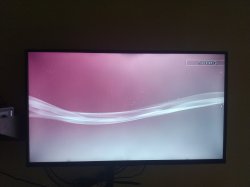
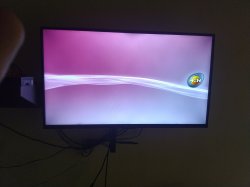
i can install hfw 4.86 in ps3 super slim after installing system restart it turns on then HEN logo theme show but ps3 XMB MENU not showing in screen plzz plzzzz plzzz help me sir plzzz


you need to goto safe mode and install hfw.help me sir
you need to goto safe mode and install hfw.
plug in usb drive with hfw pup on it.
start with ps3 turned OFF (light will be red)
press and HOLD power button untill ps3 comes on and turns off again (the light will turn green an eventually turn red again).
press and HOLD power button untill you hear the third beep. let go of power at third beep
PLUG IN CONTROLLER WITH USB and press ps button (if screen doesnt change just try a different controller)
select "6 system update"
after the update is done then reinstall hen.
if you use hen/han toolbox or other addons wait untill hen is working good by itself before install those
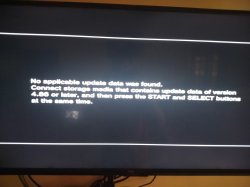
you installed in safe mode?sir i try system update but ps3 says 4.86 or later software i have already install hfw 4.86 so system update demand 4.86 or later plzzz help
yesyou installed in safe mode?
your ps3 wont start normally? is light green and hdd light flash (yellow)?
do you use hdmi?
yes use hdmido you use hdmi?
ps3 turns on normal but XMb menu not showingyes use hdmi
try video reset
when ps3 is off (red light)...press and HOLD power untill hear two beeps...then let go.
it may not work for hdmi but try it
you will lose all files if you do this but maybe will turn on normal again:ps3 turns on normal but XMb menu not showing
ps3 turns on normal but after turns on not showing ps3 xmb menu
safe mode system update ps3 says in this imageyou installed in safe mode?
put hfw 4.86 on usb and press start and select at same time.safe mode system update ps3 says in this image
folder name in capital letters?put hfw 4.86 on usb and press start and select at same time.
make sure update file is in right folder and named correctly.
Make a folder named PS3 on usb. Make folder inside it named UPDATE. place the file in that folder and name it PS3UPDAT.PUP.
if it doesnt work try the other usb port. it should be the one closest to the disc drive.
yes everything is capital...the
folder name in capital letters?