That's Cool.At least now we can tell if we come across something new.
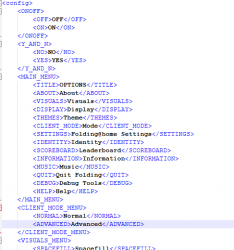
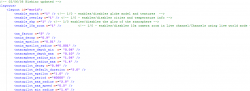
BTW @WailkyS5M5 @Mystyqblaze347 @Joe Robertson or anyone else, If you want to get involved and to help. You could help us map out what all the setting parameters do in the various layout files.
Loads of interesting things to be discovered here and knowing what all of these do will help us to rebuild the missing channels that use the globe UI.
If anyone wants to help:
1. Install the offline test 1 pkg
2. Get familiar with how the globe or any UI element looks normally.
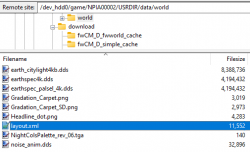
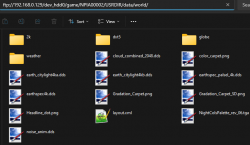
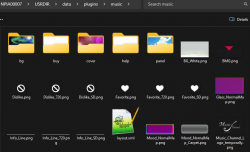
3. Edit the data/world/layout.xml (or any other layout.xml) parameters
4. Start up/Restart the app and look for changes.
5. Try to find out the maximum/minimum values accepted if its not obvious.
6. Document your findings by adding a comment to the xml and resharing it here
I find it can be good to make extreme changes at first, so any differences will be more noticeable, and just change one or two things at a time or you wont be able to to know is changing what. A few of them have comments already too.
I did the first few.
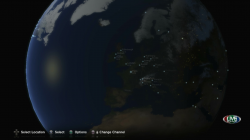
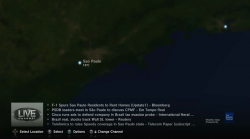
<enable_earth n="1" /> - Changing this to 0 removes the globe model and textures, the city dots and new headlines remain.
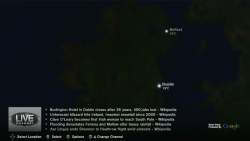
enable_overlay n="1" /> - Changing this to 0 removes the cities and the temperature info from the globe. Also it no longer shows the news headlines. It looks nice and clean.
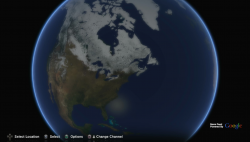
<enable_sky n="1" /> - Changing this to 0 disables the blue glow of the atmosphere.
enable_10x_zoom n="1" /> already has a comment " <!-- Enable 10x zoom in Live channel/Channels using live world mode -->"
This setting applies to autopilot and manual zooming and allow you to zoom in way further. it is disabled by default, This setting could be useful especially if someone wanted to do a mod with way more cities.
There is another related setting lower down autopilot_min_radius_live_10x_zoom. I have not tried much with that yet.
Attachments
Last edited: