PS3 Project RSX Boost: Overclock your Retail PS3 RSX Speeds (ps3 cfw only)

So, I debugged MFW today, made some changes and customisations for some things as I didn't like their default behaviour, then remade the custom firmwares. I might release my version of MFW once I have the data I'm after, I won't release anything that allows people to brick their consoles too easily. Link for the firmwares here; https://mega.nz/file/WlYjmZob#G58Y_5ZqceNfhj5KCjyf1epkzu8VF2o1Aw1NH90JcPg

Now it's time to test anyone that wants to help it'll all be useful information test any game you want the more data there is the clearer the picture will be for the data that needs to be gathered.

Data I want to gather;

- Performance improvement at each step
- At what GPU frequency performance plateaus
- At what vRAM frequency performance plateaus
- Calculate GPU fillrate improvements at each step
- Calculate vRAM in Gbp\s bandwidth improvements
- Temperature increases at each step

To be more specific I want to determine how bottlenecked the RSX is on both the core frequency and vRAM sides. It would also be useful to know the model(s) of PS3 these are tested on so I can categorise things more.

The 550\650 file is a safety net of sorts so people can try it first before jumping to the 600MHz files to try and circumvent lemon GPUs that can't OC for squat. If this file produces artifacts do NOT try using the other files go back to whatever firmware you were using. For anyone that might have a lemon GPU that's what I've included memory frequency increases only for, if what I've seen so far is correct then there are bigger improvements to be had from memory OCs than GPU core frequency increases anyway.

These files have been made with methodology and responsibility in mind I won't be able to get the data I want with random frequencies being tried and likewise I've done everything I can to ensure nobody bricks their console.

Legend:

500- 675- CEX- PS3UPDAT
GPU speed vRAM speed firmware type standard update file name

Note: Delete everything prefixing PS3UPDAT it is just to tell you what each file is.
 
@Tanzu15 Well, it was pretty suicidal to try this without possessing any hardware flasher, buuuut...
IMG_20240527_234634.jpg

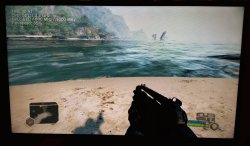
No crash/freeze nor artifacts in Crysis, temps are still excellent.
IMG_20240528_003215.jpg
Do not do this at home kids :)
(RSX string updated !)

New slim is 2503b, old one was a 2003a RIP :( I've still got spares but I don't have the models on hand as there in the loft at the moment.
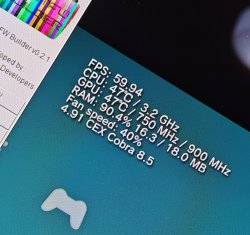
Soz Date code is 0C
Which speeds would you like ?

Are the update files posted here okay to use on a ps3 without a working wifi chip? In particular I was looking at the files posted by Mitsu TM. (I am not allowed to link)

For context, I have a 2504A from 0D, so I want to try 700/850 to start. From what I have read on this forum, that should be safe
Huh, good question. I'm not sure.
 
Last edited:
Huh, good question. I'm not sure.
So I just tried it out, and now I'm stuck in a loop like a dumb dumb. I created a CFM that should be compatible with a PS3 without working wifi, but that doesn't actually help. It already loaded on the bad firmware which it is trying to install, so it doesn't even try to access the potentially good firmware.
If anyone knows how I can still save this situation without having to repair the wifi chip/get a hardware flasher, that'd be awesome.
 
Last edited:
So I just tried it out, and now I'm stuck in a loop like a dumb dumb. I created a CFM that should be compatible with a PS3 without working wifi, but that doesn't actually help. It already loaded on the bad firmware which it is trying to install, so it doesn't even try to access the potentially good firmware.
If anyone knows how I can still save this situation without having to repair the wifi chip/get a hardware flasher, that'd be awesome.
Damn... :\
Can you access recovery menu ?
Maybe try to swap HDDs ?
 
Damn... :\
Can you access recovery menu ?
Maybe try to swap HDDs ?
No dice on the recovery menu and I currently don't have a screwdriver to swap the hard drive. Furthermore, the only hard drive I do have is in my "good" PS3, so I'd rather not risk it.
Probably gonna look into fixing the wifi card, I prefer using my controller wireless anyhow
 
Running good at 750 - 900, 50C Cell 55C RSX in GT6. Its more spooky changing the core clock vs the memory. Do i gamble for 800? 2501a from August 2010
 

Attachments

  • ps3 oc.jpg
    ps3 oc.jpg
    1.8 MB · Views: 1,234
I tried 975MHz VRAM and it's perfectly stable, no artifacts nor crash/freeze !
(I've updated the SYSCON log posted here).
So 800/975 is my highest stable OC on this 2504A (0D - CXD5300CGB) ! :D
View attachment 43218
Can you dump the LV1 info on that? I have it for your 2x 2004B's (0A and 9C, I don't have the full RSX SKU on those yet tho) but not this 2504A.
which level were you testing? I only tested the prologue level and the wet surfaces were purple also noticed the higher res stuff going on. it would crash in the elevator in the 1st chapter.
Red Star Rising about half way through the mission.
Now it's time to test anyone that wants to help it'll all be useful information test any game you want the more data there is the clearer the picture will be for the data that needs to be gathered.

Data I want to gather;

- Performance improvement at each step
- At what GPU frequency performance plateaus
- At what vRAM frequency performance plateaus
- Calculate GPU fillrate improvements at each step
- Calculate vRAM in Gbp\s bandwidth improvements
- Temperature increases at each step

To be more specific I want to determine how bottlenecked the RSX is on both the core frequency and vRAM sides. It would also be useful to know the model(s) of PS3 these are tested on so I can categorise things more.
upload_2024-5-27_19-22-6.png

This is from my CECH-2501A, JTP-001, july/2010. I held the VRAM at 900MHz for each of these core values to gauge only core performance increases where VRAM was not a bottleneck. Later I will start lowering VRAM in 50MHz intervals while maintaining 700 Core to establish the same curve for VRAM.

Note: I was able to replicate @Nascar1243's 300MHz core FPS boost in "Murder" crysis. Now from my own impressions FPS is incorrect! I can clearly tell that it is lagging more than FPS is reporting and more so than it did at 350. When I pan the camera around there is significant delay in shaddow and texture pop-in. It's a slideshow. FPS drops to between 9 and 12 depending on what I look at. So FPS is not calculating correctly when looking at my test spot. When I look at the pile of rocks, it jumps to 17.5FPS but really only that spot and the particles flying in the air I can see jittering from the low frame rate. So it's indeed a quark of the game, how FPS is calculated, and not a "Core Fusion" caused by synchronization between VRAM/Core leading to better performance. It's definitely worse, and about as much worse as I would expect.

I took it as a sign of low core instability and decided not to proceed to 250.
 
Last edited:
Can you dump the LV1 info on that? I have it for your 2x 2004B's (0A and 9C, I don't have the full RSX SKU on those yet tho) but not this 2504A.
Red Star Rising about half way through the mission.
View attachment 43226
This is from my CECH-2501A, JTP-001, july/2010. I held the VRAM at 900MHz for each of these core values to gauge only core performance increases where VRAM was not a bottleneck. Later I will start lowering VRAM in 50MHz intervals while maintaining 700 Core to establish the same curve for VRAM.

Note: I was able to replicate @Nascar1243's 300MHz core FPS boost in "Murder" crysis. Now from my own impressions FPS is incorrect! I can clearly tell that it is lagging more than FPS is reporting and more so than it did at 350. When I pan the camera around there is significant delay in shaddow and texture pop-in. It's a slideshow. FPS drops to between 9 and 12 depending on what I look at. So FPS is not calculating correctly when looking at my test spot. When I look at the pile of rocks, it jumps to 17.5FPS but really only that spot and the particles flying in the air I can see jittering from the low frame rate. So it's indeed a quark of the game, how FPS is calculated, and not a "Core Fusion" caused by synchronization between VRAM/Core leading to better performance. It's definitely worse, and about as much worse as I would expect.
I figured that weird hypothesis of it performing better or good at lower core wouldn't be true at all. High core high memory both do wonders for performance. Both together. It is still a Nvidia gpu after all.
 
@Tanzu15 Well, it was pretty suicidal to try this without possessing any hardware flasher, buuuut...
View attachment 43221
No crash/freeze nor artifacts in Crysis, temps are still excellent.
View attachment 43222
Do not do this at home kids :)
(SYSCON log updated !)


Which speeds would you like ?


Huh, good question. I'm not sure.
you have the aps250 in your ps3? if yes i might be tempted to break the bank and buy one to see if i can break the 700mhz core limit on mine since my rsx runs cooler than yours :p
 
Can you dump the LV1 info on that? I have it for your 2x 2004B's (0A and 9C, I don't have the full RSX SKU on those yet tho) but not this 2504A.
Everything about my 2504A (0D) is here (if anything is missing, tell me) :

Code:
rsx40 a01 800/1000 vpe:ff shd:3f [AP0022751:0:1:6:a:1a:2:0:2][1f:0:a:0:1:0:1][1:1:0]

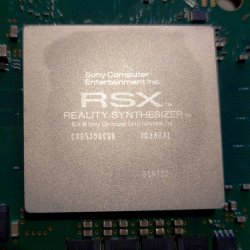
RSX REVISION : CXD5300CGB
DATE CODE : 0D

Firmware Version: 4.91 (build 50754)
Platform ID: CokJ20
Product Code: 00 85
Product Sub Code: 00 0B
Hardware Config: 000000000A03BC3C
Syscon Firmware Version: 08C2.0000000000000000 (EEPROM: 0000000000000000)

Bringup Count: 3122, Shutdown Count: 3012
Runtime: 275 Days, 23 Hours, 33 Minutes, 20 Seconds

Error Log
01: FFFFFFFF Sat Jan 1 00:59:59 2000
02: FFFFFFFF Sat Jan 1 00:59:59 2000
03: FFFFFFFF Sat Jan 1 00:59:59 2000
04: FFFFFFFF Sat Jan 1 00:59:59 2000
05: FFFFFFFF Sat Jan 1 00:59:59 2000
06: FFFFFFFF Sat Jan 1 00:59:59 2000
07: FFFFFFFF Sat Jan 1 00:59:59 2000
08: FFFFFFFF Sat Jan 1 00:59:59 2000
09: FFFFFFFF Sat Jan 1 00:59:59 2000
10: FFFFFFFF Sat Jan 1 00:59:59 2000
11: FFFFFFFF Sat Jan 1 00:59:59 2000
12: FFFFFFFF Sat Jan 1 00:59:59 2000
13: FFFFFFFF Sat Jan 1 00:59:59 2000
14: FFFFFFFF Sat Jan 1 00:59:59 2000
15: FFFFFFFF Sat Jan 1 00:59:59 2000
16: FFFFFFFF Sat Jan 1 00:59:59 2000
17: FFFFFFFF Sat Jan 1 00:59:59 2000
18: FFFFFFFF Sat Jan 1 00:59:59 2000
19: FFFFFFFF Sat Jan 1 00:59:59 2000
20: FFFFFFFF Sat Jan 1 00:59:59 2000
21: FFFFFFFF Sat Jan 1 00:59:59 2000
22: FFFFFFFF Sat Jan 1 00:59:59 2000
23: FFFFFFFF Sat Jan 1 00:59:59 2000
24: FFFFFFFF Sat Jan 1 00:59:59 2000
25: FFFFFFFF Sat Jan 1 00:59:59 2000
26: FFFFFFFF Sat Jan 1 00:59:59 2000
27: FFFFFFFF Sat Jan 1 00:59:59 2000
28: FFFFFFFF Sat Jan 1 00:59:59 2000
29: FFFFFFFF Sat Jan 1 00:59:59 2000
30: FFFFFFFF Sat Jan 1 00:59:59 2000
31: FFFFFFFF Sat Jan 1 00:59:59 2000
32: FFFFFFFF Sat Jan 1 00:59:59 2000
IMG_20240522_212829.jpg

I will look for my 2004B RSX SKUs.
Didn't I post the complete SKU of the 9C ?

Finally you reached the 1000Mhz :)
Finally ! I was so scared haha xD

you have the aps250 in your ps3? if yes i might be tempted to break the bank and buy one to see if i can break the 700mhz core limit on mine since my rsx runs cooler than yours :p
Nope, a "EADP-220BB".
It can help with stability overall but it won't do miracles.
 
Last edited:
I haven't had the opportunity to post over the past fortnight, but I've been doing some ongoing testing. I've picked up another CECH-2502B console with a 1A date code and appear to be stable at 900/1000.

950/1000 produces mild artifacts, and 900/1025 nearly bricked the console. I tested for 3 days on 900/1000 and was entirely issue free, so decided to tentatively try 900/1025 after seeing that 950/1000 was a no go. Immediately upon boot I was presented with redlines on a black background and then the system froze. Subsequent boots just produced a black screen without noise and a green light on the console, honestly thought I was SOL.

I then saw @Kir's post regarding freezing their console, and having written off mine at that point I figured that it couldn't do any further harm to try.

recovery mode stucked up and I had to freeze the console in the freezer for 30 minutes, after that I rolled back to 850\1025, which work absolutely stably.

I disassembled the PS3 and stuck the motherboard alone in the freezer for 30 minutes. I then put it back together and tried to boot, surprisingly it went straight to XMB with no issues. I quickly reinstalled firmware with base clocks which was successful and then disassembled the PS3 again to clean up the condensation.

I've since returned to 900/1000 clocks and have been using the console over the past week without any further issues. It's a shame that this console overclocks so well though, because it is in absolutely terrible condition. It's an absolute rust bucket internally and most of the ports on the console are pretty iffy. The left USB port only works when things are plugged in at the right angle lol

Unfortunately, no :\
The green light is on, if I try to access recovery menu the screen remain black.
I tried to swap HDDs but... nothing.
It seems to be completely bricked.

@Mitsu I know you mentioned earlier that your console was in the same state, might be worth giving the freezer a try?

@RIP-Felix I've also included the details you've been chasing below

RSXNode (nm)DIEFABMFGDSVIDBinMODEL No.MB rev.lvl1 RSX StringDAYS
CXD5300GGB 40 ? 2 SONY 30CECH-2502BJTP-001 rsx40 a01 900/1000 vpe:1bf shd:7e [L6B894300:0:2:15:10:11:3:0:1][20:0:a:0:1:0:1][1:1:0] 405
I'm also getting 38.76 - 38.94 FPS standing in front of the mirror at the start of the last of us, which appears to be the same as I was getting on my 850/950 console.
 
Last edited:
Everything about my 2504A (0D) is here (if anything is missing, tell me) :

Code:
rsx40 a01 800/1000 vpe:ff shd:3f [AP0022751:0:1:6:a:1a:2:0:2][1f:0:a:0:1:0:1][1:1:0]

RSX REVISION : CXD5300CGB
DATE CODE : 0D

Firmware Version: 4.91 (build 50754)
Platform ID: CokJ20
Product Code: 00 85
Product Sub Code: 00 0B
Hardware Config: 000000000A03BC3C
Syscon Firmware Version: 08C2.0000000000000000 (EEPROM: 0000000000000000)

Bringup Count: 3122, Shutdown Count: 3012
Runtime: 275 Days, 23 Hours, 33 Minutes, 20 Seconds

Error Log
01: FFFFFFFF Sat Jan 1 00:59:59 2000
02: FFFFFFFF Sat Jan 1 00:59:59 2000
03: FFFFFFFF Sat Jan 1 00:59:59 2000
04: FFFFFFFF Sat Jan 1 00:59:59 2000
05: FFFFFFFF Sat Jan 1 00:59:59 2000
06: FFFFFFFF Sat Jan 1 00:59:59 2000
07: FFFFFFFF Sat Jan 1 00:59:59 2000
08: FFFFFFFF Sat Jan 1 00:59:59 2000
09: FFFFFFFF Sat Jan 1 00:59:59 2000
10: FFFFFFFF Sat Jan 1 00:59:59 2000
11: FFFFFFFF Sat Jan 1 00:59:59 2000
12: FFFFFFFF Sat Jan 1 00:59:59 2000
13: FFFFFFFF Sat Jan 1 00:59:59 2000
14: FFFFFFFF Sat Jan 1 00:59:59 2000
15: FFFFFFFF Sat Jan 1 00:59:59 2000
16: FFFFFFFF Sat Jan 1 00:59:59 2000
17: FFFFFFFF Sat Jan 1 00:59:59 2000
18: FFFFFFFF Sat Jan 1 00:59:59 2000
19: FFFFFFFF Sat Jan 1 00:59:59 2000
20: FFFFFFFF Sat Jan 1 00:59:59 2000
21: FFFFFFFF Sat Jan 1 00:59:59 2000
22: FFFFFFFF Sat Jan 1 00:59:59 2000
23: FFFFFFFF Sat Jan 1 00:59:59 2000
24: FFFFFFFF Sat Jan 1 00:59:59 2000
25: FFFFFFFF Sat Jan 1 00:59:59 2000
26: FFFFFFFF Sat Jan 1 00:59:59 2000
27: FFFFFFFF Sat Jan 1 00:59:59 2000
28: FFFFFFFF Sat Jan 1 00:59:59 2000
29: FFFFFFFF Sat Jan 1 00:59:59 2000
30: FFFFFFFF Sat Jan 1 00:59:59 2000
31: FFFFFFFF Sat Jan 1 00:59:59 2000
32: FFFFFFFF Sat Jan 1 00:59:59 2000
View attachment 43227

I will look for my 2004B RSX SKUs.


Finally ! I was so scared haha xD


Nope, a "EADP-220BB".
It can help with stability overall but it won't do miracles.
still better than mine with the "EADP-185AB" tbh it's a miracle that i could OC at all with that psu with so little watts it delivers
 
@Tanzu15 Well, it was pretty suicidal to try this without possessing any hardware flasher, buuuut...
View attachment 43221
No crash/freeze nor artifacts in Crysis, temps are still excellent.
View attachment 43222
Do not do this at home kids :)
(SYSCON log updated !)


Which speeds would you like ?


Huh, good question. I'm not sure.

I wanna try a 750 650 - up on both as the firmware's I have loaded at the moment some work such as 750 - 650 but others just report the same stock clocks as OC Evilnat that's the base firmware at the time think it was beta 8 before I tried yesterday at beta 9 and got the same results (To be fair I just think my Samsung USB is dying or the nand is going bad on it) so I'm going to order a new USB on amazon at the moment though any recommended OC's will be fine I do wanna test as many as possible without breaking this console as I'm hoping the other models in my loft are not the 2003b version's as those are common in the UK it's suprisingly hard to get hold of a 25xx model of slim here :/ I've already spent like £200 on more consoles as well as £150 on PS4 that is version 11 (Sorry I'm not converting the amount).

I don't want to go insane at the moment until I confirm I have another model that can also push higher clocks as well as actually show me it's reporting the right speeds for a change again only on some firmware's it does this.

I hope I get lucky to be able to reach as high as that :)

Thanks in advanced!
 
Hy, I've been watching this thread for a while
Until now I only had a fat PS3 CECHH with the 600 750 OC

I've just bought a PS3 slim datecode 1A and RSX model CXD5300A1GB. What OC would you recommend to start with?

Sent from my SM-G991B using Tapatalk
 
Is the motherboards that do 1000mhz memory JTP-001?
Mine is a JSD-001.

Hy, I've been watching this thread for a while
Until now I only had a fat PS3 CECHH with the 600 750 OC

I've just bought a PS3 slim datecode 1A and RSX model CXD5300A1GB. What OC would you recommend to start with?

Sent from my SM-G991B using Tapatalk
A CXD5300A1GB in a "1A" 25XX ?
Well, dates aren't as significant as I thought apparently.
Try 700/900. Then if it's fully stable, try 750MHz.
I wouldn't try 1000MHz on memory with this RSX, especially without hardware flasher. 975MHz at best.
 
Mine is a JSD-001.


A CXD5300A1GB in a "1A" 25XX ?
Well, dates aren't as significant as I thought apparently.
Try 700/900. Then if it's fully stable, try 750MHz.
I wouldn't try 1000MHz on memory with this RSX, especially without hardware flasher. 975MHz at best.
My other boards that OC as well are JSD. My JTP is my 900 core 975 memory stable clocks. So maybe it's a nothing burger but JTP is nice. 5300GGB is the RSX for this one. Just got done taking it appart and repasting it. So GGB seems to be consistent with high OC. I'm guessing I can also do 1000 on memory. But I'm to chicken sh!t to try. Besides, if I can do 1000 and 1025 is unstable, that means at 1000 I'm only 25mhz from instability. That can't be wise. That's why being 50mhz away from instability is a safer longer term bet. Just my two cents.
 
Back
Top