PS3 ps1_netemu - External Configs and Ad Hoc Params

Yes just running a PS1 classic like normal from the XMB and then when in-game the "switch disc" option in the PS menu (when you press the PS button) is Enabled when using Action Replay disc, so i can switch without resetting (and yes cheats work, i have tested with a couple of games to make sure), i can take some screenshots or videos later to show it working.
And good luck getting it to work with Modded images.
cool, thanks for letting me know. no need to make evidence video, but if you want to, I would be pleased. can you tell me which disc version of PAR you are using? maybe the way of starting game is different in the versions you have tried
 
cool, thanks for letting me know. no need to make evidence video, but if you want to, I would be pleased. can you tell me which disc version of PAR you are using? maybe the way of starting game is different in the versions you have tried
Im using Action Replay 4.20's "ARCDX.EXE" in a custom built image (made using mkpsxiso) where i have altered the boot name into a valid game ID (using Dino Crisis game ID which is SLUS00922) so its now just
"SLUS_009.22" and "SYSTEM.CNF" and a "license_data.dat" from a game i had on hand and then it boots fine, i couldn't get the original image to boot at all so i had to do those steps, then i include 1mb image into any image i make in pop-fe as disc2 (i add them as disc2 instead of disc1 so that the game has the correct info since pop-fe grabs it from the first disc) then just use Reset to get to disc2 then once the action replay loads you can use "switch disc" back to disc1 after selecting cheats (or during, the switch disc appears to be enabled as soon as the action replay loads)
 
This happens because pkgcrypt appears to be missing in the windows build, grab a older release and look for the pkgcrypt pyd, it should be called something like
pkgcrypt.cp39-win_amd64.pyd
then copy this into the _internal folder and it will fix the pkg creation issue.

This should be fixed now. the python exe builder on windows must have changed since it changed the layout of the file structure.

The action replay process you describe in a later post, is that something we should add to the README?
 
This should be fixed now. the python exe builder on windows must have changed since it changed the layout of the file structure.

The action replay process you describe in a later post, is that something we should add to the README?
Nice great work Ronnie, now if only i could stop avast finding each version as a virus, i have to keep making exlusions for the last few versions of pop-fe.
The action replay thing is for cheating and i haven't fully tested it yet, only tried it with 2 games and it works with those, it would need more testing before doing anything with it so i wouldn't go adding it to the README yet (personal opinion on the matter but feel free to add it if you want too), im hoping haxxxen can confirm if it works for him and with more games maybe, i have currently only tested Bust a move 2 and Command & Conquer, both work fine with it

EDIT:- @haxxxen i made a small video of the action replay working using ps3 remote play (sorry for the LQ and no sound but the laptop i was using was crap)
 
Last edited:
@Devildwarf
which version of pop-fe are you using? I always get an error in pop-fe when trying to mix 2 different disc IDs. using same ID has worked, and I could switch disc immediately (seems the instant option only appears if switch was already done at least 1 time), but the game could not be loaded. have tried with Vagrant Story
 
Brain Dead 13 (SLUS-00083, SLUS-00171, SLPS-00514, SLPS-00515)
Code:
00 00 20 00 00 00 00 00 12 00 00 00 20 00 00 00
Enables disc swap function at any time, regardless of if a game requests it or not.

@Ronnie Sahlberg You could probably add this config as a checkbox in the UI. Seems like this will be an easy way around the issue above. ;)
 
Brain Dead 13 (SLUS-00083, SLUS-00171, SLPS-00514, SLPS-00515)
Code:
00 00 20 00 00 00 00 00 12 00 00 00 20 00 00 00
Enables disc swap function at any time, regardless of if a game requests it or not.

@Ronnie Sahlberg You could probably add this config as a checkbox in the UI. Seems like this will be an easy way around the issue above. ;)

Thanks. I added this as configs on PS3 since we know this game needs it.
I will add a checkbox in the UI too later today that people can use for games that not yet have configs.
 
@Devildwarf
which version of pop-fe are you using? I always get an error in pop-fe when trying to mix 2 different disc IDs. using same ID has worked, and I could switch disc immediately (seems the instant option only appears if switch was already done at least 1 time), but the game could not be loaded. have tried with Vagrant Story

I added a new checkbox to pop-fe-ps3 that injects that config that mrjaredbeta mentioned. If you tick this box the option should always appear?
 
I added a new checkbox to pop-fe-ps3 that injects that config that mrjaredbeta mentioned. If you tick this box the option should always appear?
Wow nice work mrjaredbeta and Ronnie, i will test it later but that should help get any cheat disc working

@Devildwarf
which version of pop-fe are you using? I always get an error in pop-fe when trying to mix 2 different disc IDs. using same ID has worked, and I could switch disc immediately (seems the instant option only appears if switch was already done at least 1 time), but the game could not be loaded. have tried with Vagrant Story
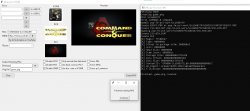
Im using the latest version of pop-fe in the release section, and it has no problem mixing ID's for me, not sure why its causing issues for you. Here is a screenshot of what i have in pop-fe

EDIT:- Also i did try using the same ID as the game but the game always black screened on swapping so i have to use a different one, probably a conflict in 2 games with the same ID maybe ?

EDIT2:- OK @haxxxen i tried with with a libcrypt protected game FF8 (like vagrant story) and i had got a error about the ID like
Code:
Creating gameFF8.pkg
DISC SLES02080
TITLE FINAL FANTASY VIII
Exception in Tkinter callback
Traceback (most recent call last):
  File "tkinter\__init__.py", line 1892, in __call__
  File "pop-fe-ps3.py", line 734, in on_create_pkg
KeyError: 'SLUS00922'
If i set the AR to slot1 then the game to slot2 it works though so i guess its something pop-fe is doing with a libcrypt game maybe ? not sure i will test with more games and let you know.

EDIT3:- Tested FF7 (a game without protection) and no error, so yeah i think its protected games that have this issue

EDIT4:- setting AR to slot 1 and the libcrypt game to disc2 makes it fail to load correctly after disc swap (libcrypt doing its thing) so maybe libcrypt protection is broken for slot2 in pop-fe ? or maybe because we are mixing titles ? or maybe just broken on disc swap ? not sure but will also require further testing

 

Attachments

  • pop-fe_settings.jpg
    pop-fe_settings.jpg
    153.2 KB · Views: 44
Last edited:
Wow nice work mrjaredbeta and Ronnie, i will test it later but that should help get any cheat disc working


Im using the latest version of pop-fe in the release section, and it has no problem mixing ID's for me, not sure why its causing issues for you. Here is a screenshot of what i have in pop-fe

EDIT:- Also i did try using the same ID as the game but the game always black screened on swapping so i have to use a different one, probably a conflict in 2 games with the same ID maybe ?

EDIT2:- OK @haxxxen i tried with with a libcrypt protected game FF8 (like vagrant story) and i had got a error about the ID like
Code:
Creating gameFF8.pkg
DISC SLES02080
TITLE FINAL FANTASY VIII
Exception in Tkinter callback
Traceback (most recent call last):
  File "tkinter\__init__.py", line 1892, in __call__
  File "pop-fe-ps3.py", line 734, in on_create_pkg
KeyError: 'SLUS00922'
If i set the AR to slot1 then the game to slot2 it works though so i guess its something pop-fe is doing with a libcrypt game maybe ? not sure i will test with more games and let you know.

EDIT3:- Tested FF7 (a game without protection) and no error, so yeah i think its protected games that have this issue

EDIT4:- setting AR to slot 1 and the libcrypt game to disc2 makes it fail to load correctly after disc swap (libcrypt doing its thing) so maybe libcrypt protection is broken for slot2 in pop-fe ? or maybe because we are mixing titles ? or maybe just broken on disc swap ? not sure but will also require further testing

Oh, mixing discs that need libcrypt and discs that do not in the same EBOOT/PKG that is probably something I never anticipated.
I just check disc by disc and append to a list which will break if not every disc either has libcrypt or none does.
I haven't checked the code but I bet that is the issue.

I won't have time to fix it probably until next weekend so avoid mixing libcrypt and non-libcrypt for now.
(or send a pull request :) or I will get to it next weekend)
 
I got it working with the mentioned AR with Vagrant Story, but ONLY this version. and there is sth weird about your repack @Devildwarf , the .CNF file is corrupted, but it works fine with this AR version. doing same with Xploder does not work.

the AR is called "ARCDX.EXE"´internally, where Xploder is just called default PSX.EXE.
 
Nice work again Ronnie, im in no rush for a fix for it i can wait, thanks :)

I got it working with the mentioned AR with Vagrant Story, but ONLY this version. and there is sth weird about your repack @Devildwarf , the .CNF file is corrupted, but it works fine with this AR version. doing same with Xploder does not work.

the AR is called "ARCDX.EXE"´internally, where Xploder is just called default PSX.EXE.
my SYSTEM.CNF isn't corrupt, i suspect i know the reason, IF you are using dumpsxiso to extract the files then yes it probably looks corrupt, for some reason even with the original AR disc it corrupts the files (not just the system.cnf but other files too), but if you extract it with CDMage or ISObuster its fine, i guess a bug in dumpsxiso is the problem or incompatability with AR discs ?
 
I am mostly using psxrip/psxrebuild (open source on github), different tools. they work better in rebuilding 1:1 images, but this app has problems when the media files are moved, which does the tool from lameguy not have
 
I am mostly using psxrip/psxrebuild (open source on github), different tools. they work better in rebuilding 1:1 images, but this app has problems when the media files are moved, which does the tool from lameguy not have
Never tried those tools (although i might give them a go next time i need to rebuild a disc), possibly the same issue or some other problem then with my rebuilds, but they do work and ISO extraction programs show the files as uncorrupt (CDmage and ISObuster) so not exactly sure what the issue is, but im not worried, the ISO i made works fine for me and even in a hex editor the files don't look corrupt so its a bit of a weird issue but not a huge problem either, the game ID can probably just be changed now with a hex editor too instead of rebuilding it everytime (although i haven't tested that either, im just leaving it as the Dino Crisis ID and throwing it on as disc 2 for most games i am testing).
 
It would be so, so f'ing cool if we had Action Replay with a database of those PS1 widescreen patches and a pre-built second disc for that.
myohmy. what is this all about widescreen? we should be happy about the things we were given to us without any improvement
 
It would be so, so f'ing cool if we had Action Replay with a database of those PS1 widescreen patches and a pre-built second disc for that.
Well im not actually interested in PS1 widescreen patches themselves you do make a good point in the fact it would be nice to be able to preload a cheat disc with the codes we want, and now with mrjaredbeta's config we might be able to get "Equalizer HAXtreme" working,
Equalizer HAXtreme is a special cheat code disc that does allow you to add codes to the disc so IF it works on ps3 it could be useful, i will take a look at this later and see if i can get it working with the new config and with custom codes.
There might be a way of adding codes to a normal action replay disc but im not aware of it but if anyone does know how please let us know. Thanks
And 1 more method is that we could make a preloaded code save file and distribute that instead since most of these discs load codes off a memory card.

EDIT:- Just had a quick look and Equalizer HAXtreme does seem to load on netemu anyway and allows disc swap without the config so it would probably work for what you wanted to do @Temperature
then all you need to do is make a code list with all the cheats you want and insert them (might take a long time if there is a lot of codes to sort them into the correct layout/format)

This could also be good for other games as well @haxxxen since we could just include cheats for the game we are playing and not have to sort through 100s of games and also to add new cheats or just cheats for a particular version/region
 
Last edited:
Back
Top