PS2 Ps2 having trouble reading burned Cds

Whenever I insert a ps1 disc ive burned recently, it always makes a scratching sound, it can actually somewhat play the games but not without issues, the laser on the ps2 itself is fine, it reads dvds and original ps2 cds just fine, the ps1 discs themselves work perfectly fine on ps1, its the ps2 that is having issues, any tips?
 
Lack of details. What discs You can put and run depends of many factors like modchip or exploit used, ODD model in PS2, burning quality of disc and wrong settings used for burning.
 
  • Like
Reactions: TnA
Lack of details. What discs You can put and run depends of many factors like modchip or exploit used, ODD model in PS2, burning quality of disc and wrong settings used for burning.
ight ight, I have a PAL Ps2 30k Series with a Matrix 1.93 chip, yes its not a knockoff, its laser could be from the 39k or the 50k series since i got it replaced when i got my modchip in 2019, it works better than the one i used to have so im guessing either a better 30k or 39k, Im using Verbatim CDRS and i burned them using an HP DVDRAM-GH60L dvd writer, I chose the lowest supported speed (4x), verification disabled using the psx preset on alcohol 120%, these settings used to work on my old pc with windows 7 using the same drive n the same program, if it somehow helps here are each pc's specs
Old PC:
Windows 7 Home Premium 32bit
Intel Core I3 3220
3gb Ram
an Amd gpu (nothing good enough to handle games, i dont remember which one it is)
New PC
Windows 10 Pro 64bit
Intel Core I5 10700f
16gb Ram
Gigabyte GTX 1660 6GB
if i missed anything important let me know
 
coming back to this topic after 2 weeks of research and attempts, the issue itself has not been fixed, i even dug up my old pc and tried the same settings i always used, no solution, my only guess now is that my verbatim discs have somehow gone bad, i might get new ones and test them. other than that idk what to do.
 
How about burning discs with Verbatim DataLife+ disc? This product suits better for making backup copies of PS1 games.
 
How about burning discs with Verbatim DataLife+ disc? This product suits better for making backup copies of PS1 games.
turns out its not about the game being a ps1 game or not, it has to do sum with the disc, ive tried burning ps2 games and even audio cds and i still get the same issue, concerning datalife+ discs, if i find any in greece ill give them a try, thank you.
 
PS2 CD games on CD-R must be burned like PSX games, PS2 DVD games can be burn by anything without any extra magic settings but not all ODDs can read DVD+R, so use DVD-R instead. And should works on Your modchip.

Besides that, never turn off burning verification... And rather never use lowest possible speed because it will make more errors than eg. something from between disc index min and max speed, and burner min and max speed. It is very individual and needs some in depth tests.

PC doesn't matter besides burner model. ;) I'm asking more about PS2 environment. But now it is not important. Modchip You have allows You to boot games without patching first.
 
PS2 CD games on CD-R must be burned like PSX games, PS2 DVD games can be burn by anything without any extra magic settings but not all ODDs can read DVD+R, so use DVD-R instead. And should works on Your modchip.

Besides that, never turn off burning verification... And rather never use lowest possible speed because it will make more errors than eg. something from between disc index min and max speed, and burner min and max speed. It is very individual and needs some in depth tests.

PC doesn't matter besides burner model. ;) I'm asking more about PS2 environment. But now it is not important. Modchip You have allows You to boot games without patching first.
thanks for the info, unfortunately this didnt fix my issue either, im pretty sure it has something to do with my discs wearing out, considering i had them for over 2 years, im going to describe my issue one more time.

When i insert the disc to my ps2 i can hear a scratching sound whenever its trying to read the disc, its almost like the disc is rubbing a part of the drive, yes this only happens with these specific cds, even if nothing is burned onto them, the games themselves actually work, but they dont load as quickly, ive tried the exact same settings that i did with my old discs ( same discs as the ones im using rn) and i still get that scratching sound, its not the scratching sound that you get when the laser is broken if you are thinking about that, i will send a video of the sound it makes aswell

 
If discs loads, no matter of time it takes for ODD to recognize them, it means burning procedure is ok. Obviously. ^^ So focus on quality discs and/or burning itself.

Laser is not broken. Can be wear out or just dirty (lens, mirrors or substance on rails turned into stone ;]).
 
If discs loads, no matter of time it takes for ODD to recognize them, it means burning procedure is ok. Obviously. ^^ So focus on quality discs and/or burning itself.

Laser is not broken. Can be wear out or just dirty (lens, mirrors or substance on rails turned into stone ;]).
If discs loads, no matter of time it takes for ODD to recognize them, it means burning procedure is ok. Obviously. ^^ So focus on quality discs and/or burning itself.

Laser is not broken. Can be wear out or just dirty (lens, mirrors or substance on rails turned into stone ;]).
ok thank you for your info, i tried cleaning the laser and that actually somewhat fixed the issue, the sound the laser makes now is much quieter and it happens less frequently, id like to ask a few questions if that isnt too much to ask for.

-can playing games under these conditions damage the laser?
-do laser cleaning discs work on ps2s?
-and are there brands better than verbatim for cds?
 
I chose the lowest supported speed (4x)

usually the lowest possible speed on Verbatim CD-R is 10x. Anyway, try burning with imgburn (default settings, just disable verification).

The sounds just seems like the lens carriage lacks some oiling. I see it is very fast in reading the CD (the lens just move once).
Have you some backup games with good quality FMVs (like FF8 or 9)?? If the burning is not perfect, you'll get occasional audio/video stuttering during FMVs.
Btw even in that case you shouldn't be worried, unless the stutter is heavy.

In my experience, cleaning discs brushes will just decrease your lens lifespan and also you don't need them at all (you need them when your lens fails to read discs. Using the cleaning disc could make your Ps2 to read again for a couple times, then you'll have to use the disc again, more and more often and eventually the Ps2 won't read anything anymore).

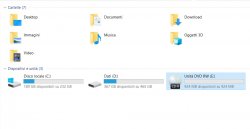
About CDs, Verbatim are the best I tried (better than Sony, TDK and Philips at least). However in a pile of 100 CDs it can happens to find a couple not working discs, for example:

CD 924MB.jpg

Btw in those cases you'll get error from ImgBurn just when starting the burning process. If the burning starts without problems I always get 100% perfect burnings with verbatim CD-R and DVD-R, while with other brands I mentioned it happens not only problem with FMVs but even stutter on audio tracks sometimes.
 
I'm not sure if anything I can say will provide any novelty for the OP but it's worth a shot I guess

Are all the games you burn sizable enough to fit on CD containers?

CD-ROM will fit on burnable CD's that have max capacity of 1GB
DVD-ROM can fit on CD container if game is below 1GB stock, or after removing dummy files
If you can't fit DVD-ROM on CD, then you burn it to a DVD5 which has max capacity of 4.7GB
There is also DVD9 (Dual-layer, 8.5GB) but I have never burned any of these

https://en.wikipedia.org/wiki/PlayStation_2_technical_specifications#Optical_disc_drive

Also, this Wikipedia entry referring to "Later models starting with SCPH-500xx being DVD+RW & DVD-RW compatible.

I have a Slim PS2 (SCPH-75001) with modified memcard using [FreeMcBoot v1.966 Build 2019-04-13]

All ISOs are patched before I burn them using FDVDB ESR Patcher Gui v0.4

After an ISO is patched, I burn it at the suggested speed using ImgBurn (which is 2x or 4x I think, been awhile...)

The DVD that I use is 4.7GB Verbatim DVD+R [RW]

I do not have an example for CD's because I don't think I have any CD burns laying around the house

I could never get CD-R/DVD-R to load, even when using ESR Gui to patch the ISOs before burning them.

But with DVD+R, I've always had the best of luck and the game usually loads (sometimes slow) and plays well.

Since your console is 30K series, I don't think it works with RW capable discs which means you are probably looking for discs that don't have that function or perhaps that part doesn't matter and the RW could just be ignored but I'm not sure...

Other users will tell you that -R discs can work (it's just a personal view of mine, could never get them to work)

20221123_135841.jpg
 
Last edited:
id like to ask a few questions if that isnt too much to ask for.
It is forum, one of the reason of its existence is asking questions. ;)

-can playing games under these conditions damage the laser?
-do laser cleaning discs work on ps2s?
-and are there brands better than verbatim for cds?

Every disc reading damaging laser. Nothing in this world is eternal. Less stressful are just CD-ROM and DVD-ROM. More are CD-R, DVD-/+R/RW.

"Cleaning discs" on all kind of ODDs "micro-scratching" lens, never use any ever on anything.

I don't know. Currently I'm burning only BD-R for backup purposes. Didn't bought any CD or DVD for ages now, but I saw quality diagrams of few examples top shelf discs and burners, and they was disastrous. You missed the train I'm afraid. CD and DVD is now almost dead technology and no one invest money to keep good quality.

- - -

CD-ROM will fit on burnable CD's that have max capacity of 1GB
DVD-ROM can fit on CD container if game is below 1GB stock, or after removing dummy files
If you can't fit DVD-ROM on CD, then you burn it to a DVD5 which has max capacity of 4.7GB
There is also DVD9 (Dual-layer, 8.5GB) but I have never burned any of these

CD capacity for user data is maximally 800MiB but You cannot use so much. PS2 ODD will not read overburned discs. Capacity for special recorder mode like in ancient Plextors called GigaRec can fit 1.2GiB. Normally, user capacity is 650 and 700MiB, and none PS2CD-ROM game have more.

DVD capacity for user data is 4.3GiB (~4.7GB). Twice for double layered. And also none PS2DVD-ROM game have more.

- - -

usually the lowest possible speed on Verbatim CD-R is 10x. Anyway, try burning with imgburn (default settings, just disable verification).
He cannot use default settings for CD games as they will be burned in mode1 and MECHACON will reject disc.
 
Every disc reading damaging laser. Nothing in this world is eternal. Less stressful are just CD-ROM and DVD-ROM. More are CD-R, DVD-/+R/RW.

Thats to be expected, im talking about my case specifically, where the laser makes that weird sound with some discs


The sounds just seems like the lens carriage lacks some oiling. I see it is very fast in reading the CD (the lens just move once).
Have you some backup games with good quality FMVs (like FF8 or 9)?? If the burning is not perfect, you'll get occasional audio/video stuttering during FMVs.
Btw even in that case you shouldn't be worried, unless the stutter is heavy.

ill get it check incase it needs oiling, i tested ff9 on it, and the fmvs work perfectly.
I just want to know if its good for my lasers health to play games on it like this, other than that i think the issue is now considered fixed.
 
I've watched attached video and for me sounds normally. You know, console's ODD aren't mostly quite ODDs. ;)
 
I remember that if laser in PSX and PS2 case, have problems to follow the path, it sounds like twitter birds. Nothing like that on Your video.

BTW: Why You using discs anyway? Try playing from internal HDD, USB, SMB or MX4SIO.
 
I remember that if laser in PSX and PS2 case, have problems to follow the path, it sounds like twitter birds. Nothing like that on Your video.

BTW: Why You using discs anyway? Try playing from internal HDD, USB, SMB or MX4SIO.
im actually into speedrunning, so i need a ps2 with fd to get the best speeds on ps1 games, since hdd and such are banned. If it wasnt for that i wouldnt even care, i would just play them on ps1.
 

Similar threads

Back
Top