Remarry doesn't work...

I think it isnt possible to remarry an already married drive, you need at least to get another driveboard, remarry that one and remarry the original drive back.

I also have a DECHSA00A and there is BDMV playback also not possible, DRLs are already ok, according to Multiman. I also tried to convert to CEX. I have two another DEX units (DECHA00A and DECHJ00A) but never tried BDMV there. I also come from DE but tried a region free BDMV (Final Fantasy VII Advent Children Directors Cut)
 
I felt like it and wanted to try it myself this time. I have tested it on my DECHSA00A unit. But couldn't get it to work either with encrypted BDMVs. I have tried it with two different drives. But at least decrypted BDMVs are working now, which wasn't possible on my unit before I think?

Here are the steps I have done:
  1. Convert to CEX with Rebug Toolbox and set the IDPS with IDPSet to a real retail unit (I have used the IDPS of a CECHC04).
  2. Downgrade to 3.55 using Habib999 downgrader.
  3. Enter FSM and install rogero 3.55 NoBD and exit FSM.
  4. Activate QA flag; activate System Update Debug from Debug Settings and install kmeaw 3.55 or any other 3.55 without NoBD patch from Recovery Mode.
  5. Enter FSM and Remarry using the remarry-3.55 files and OFW 3.30.
  6. Remarry using the same method with a different drive of a retail PS3.
  7. Exit FSM and rebuild DRLs with Multiman.
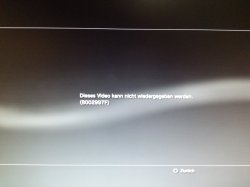
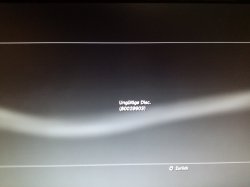
There is also something strange, I' am getting a different message for each drive on encrypted BDMVs.

On the DECHSA00A drive: [URL='https://www.psx-place.com/attachments/img_20200113_160036-jpg.22420/?temp_hash=fc445a9e44a1e27e6525e6c809a8b024']IMG_20200113_160036.jpg[/URL]
On the retail drive: [url=https://www.psx-place.com/attachments/img_20200113_160259-jpg.22421/?temp_hash=fc445a9e44a1e27e6525e6c809a8b024]IMG_20200113_160259.jpg[/URL]
 

Attachments

  • IMG_20200113_160036.jpg
    IMG_20200113_160036.jpg
    991.2 KB · Views: 124
  • IMG_20200113_160259.jpg
    IMG_20200113_160259.jpg
    790.1 KB · Views: 111
Any solution for the BDs not allowed to play Movies on a PS3 slim?
Flollowed this tutorial and not Works.
There is any solution to recover play BDmovies in 2023, also tried the remarry method, but not work.
My problem comes after upgraded from the last rebug CFW to the first Evilnat CFW.


Used this tutorial but not works.
BluRay wont read discs after downgrading

edited @DEFAULTDNB 's origional post

fix bdvd FILM no playback after downgrade to 3.55


Put the BD that messed it all up in your PS3

If you do not know what BD was played last (your downgrading for someone) then put your newest release BD in your PS3

Open MMos and copy the MKB_RO.inf from the bluray AACS folder, and copy to USB the DRL1 and DRL2 files from DEVflash3, then rename them to oldDRL1 and oldDRL2. just to be safe.

Run DRLgen_WIN_setup_0.90.exe on your pc

Import the MKB_RO.inf you got from the disc into DRL tools 0.90 and rename the resulting devflash3DRL1.BIN and devflash3DRL2.bin as DRL1 and DRL2 respectively (remove the .BIN extensions)

Open MMOS on PS3 and enable DEVBLIND

Copy the DRL1 and DRL2 files into DEVFLASH3 (do not delete the original files: overwrite them)

Go to BD fix in MM settings and hit YES to fix

Restart PS3 and enjoy BD playback again!!
 

Similar threads

Back
Top