PS3 (Research/Experimental) - NEC/TOKIN Capacitors Replacement - YLOD

A bit off topic, but I was wondering - how reliable is HDD S.M.A.R.T data in determining the total power on hours?

Obviously this fully depends on the system having the original HDD installed, but assuming it does - can the data be trusted?

I have a CECHA12 which reports:
66 days powered on
1,456 ON
670 OFF
795 Bad Shutdowns

The HDD, which I believe to be the original, reports 3000 hours (125 days) and this would line up with the 795 bad shutdowns.

I'm trying to figure out the reason behind the system having so many bad shutdowns - I've only personally started using this system in the past few months so it isn't me :P

I'm guessing it was either:

- Used in a data farm
- Horribly abused by the previous owner (it was filthy when I purchased it - so this is quite likely)
- Both

Also in regards to the YLOD - you said that most you've observed happened at the 150 day mark. I have two CECHC systems with the YLOD I purchased for parts and their HDD's report 125 days and 70 days respectively - so this might help back up your data a bit.

Considering this, there might be a good chance that my CECHA breaks soon. I saw in another thread you were discussing new old stock 40nm RSX - do you mind sharing a link? I think I might try and buy one in preparation before word gets out about the new modchip.

Yeah, that's intriguing. I hadn't thought about plugging it into a computer and running some HDD utilities to see if it had SMART stats listed. I know SONY uses FAT 32 and their own filesystem format to prevent you from just plugging it in a reading the disc, but yeah, most HDD have SMART stats tracked at the firmware level. Good suggestion!

So I take it you plugged it in and SMART was reporting 125 days? SYSCON reported 66? That sounds about right to account for the on time not recorded because of non-graceful shutdowns. I would like to compile a becount for YLOD consoles to try and get an accurate estimate of the mean time to failure. It would be neat if everyone started posting that so we can. There's maybe 10ish reports that went into my estimate of the 150 day mark. And it would certainly be better to go off the SMART stats instead.

The only problem with that is that we have no way of knowing for sure that HDD wasn't changed or pulled from another console. The SYSCON is tied to the hardware and the HDD isn't. So, the story SMART is telling us would have to make sense with the story the SYSCON is telling. But yeah, you're narrative makes sense.

I agree. Sounds like a data farm PS3. Consoles we know were owned by gamers have done the becount and the brigup to shutdown ratio was nerly 1:1. With the exception of a few bad shutdowns or power outages, most gamers won't hard reset a console that often. Data centers leave them on 24/7, so outages, YLOD, overheats, BSOD, etc happen all the time - explaining the difference.

About the 40nm RSX I got. I think this was the listing. Say's there's only 4 left in stock, so better move quick.
 
Last edited:
Yeah, that's intriguing. I hadn't thought about plugging it into a computer and running some HDD utilities to see if it had SMART stats listed. I know SONY uses FAT 32 and their own filesystem format to prevent you from just plugging it in a reading the disc, but yeah, most HDD have SMART stats tracked at the firmware level. Good suggestion!

So I take it you plugged it in and SMART was reporting 125 days? SYSCON reported 66? That sounds about right to account for the on time not recorded because of non-graceful shutdowns. I would like to compile a becount for YLOD consoles to try and get an accurate estimate of the mean time to failure. It would be neat if everyone started posting that so we can. There's maybe 10ish reports that went into my estimate of the 150 day mark. And it would certainly be better to go off the SMART stats instead.

The only problem with that is that we have no way of knowing for sure that HDD wasn't changed or pulled from another console. The SYSCON is tied to the hardware and the HDD isn't. So, the story SMART is telling us would have to make sense with the story the SYSCON is telling. But yeah, you're narrative makes sense.

I agree. Sounds like a data farm PS3. Consoles we know were owned by gamers have done the becount and the brigup to shutdown ration was nerly 1:1. With the exception of a few bad shutdowns or power outages, most gamers won't hard reset a console that often. Data centers leave them on 24/7, so outages, YLOD, overheats, BSOD, etc happen all the time - explaining the difference.
Yeah I used CrystalDiskInfo to get the SMART data from the drive. You can actually retrieve the information without formatting the drive - Windows won't detect it but CrystalDiskInfo will.

As for determining if the drive is original or not - there's obviously no way to be 100% sure. However, I'd say that for the 60GB models we can figure it out and be pretty certain in most cases. My main line of thinking is that if the original HDD failed in these systems, I assume most people would replace the HDD with a bigger one rather than just buying a 60GB one again - especially considering that drives as small as 60GB were pretty rare even in 2006. Every 60GB I've ever owned also had the exact same model of Seagate drive in each.

By this thinking, if you buy a 60GB that actually has a 60GB HDD in it - then it's probably the original.
 
I think that's a wise call. Get comfortable reflowing/reballing on junk boards first, before you make a serious attempt on a console with sentimental value. Good for you!

14FF (Check stop) is the PS3 equivalent of a Blue Screen Of Death. On PC these can result from software incompatibilities or corruption. I've had them happen with incorrect memory timings or overclocking instability. Perhaps when tokins get bad enough to begin causing system instability they could cause a check stop error. I'm not really sure how the errors work in newer models, since I don't work on them. @vyktormvmpay25 works on slims so he may have a better idea. What do you think victor? Could it be related to the noisy power? CPU VRM?

A few others have noted the same errors. I wonder if they ever got it figured out?

Hey again, sorry for the lack of updates. I actually reflowed the system in the quoted comment and temporarily fixed it. It only lasted a few minutes and then turned into the GLOD (no image). I tested both the HDMI and AV ports after resetting the video via the power button. I did not want to go further down that rabbit hole, so I wrapped things up here.

I also wanted to give an update on the PS3 named "Karen." This is the PS3 which was throwing 1001 errors and kept freezing mid game and was fixed by adding two SP-Caps alongside the NEC Tokins, one on the CPU and GPU side. It was tested in Crysis for half an hour, and I was sure it was good to go. Anyways, it apparently has issues again. According to the owner, the image gets very glitchy shortly after turning it on. They do not want to send it back to me, which I will respect. Though i'm curious if another issue has occurred with this thing, like the BGA going bad during shipping? The package actually got lost in the mail for almost a month and who knows how it was handled during that time. No exterior damage was reported so i'd assume it'd be fine, but who knows. I've never heard of a BGA defect that doesn't cause an immediate YLOD. I was also contemplating if the additional caps I added were not enough, and perhaps a full replacement would've been better suited?
 
Hey again, sorry for the lack of updates. I actually reflowed the system in the quoted comment and temporarily fixed it. It only lasted a few minutes and then turned into the GLOD (no image). I tested both the HDMI and AV ports after resetting the video via the power button. I did not want to go further down that rabbit hole, so I wrapped things up here.

I also wanted to give an update on the PS3 named "Karen." This is the PS3 which was throwing 1001 errors and kept freezing mid game and was fixed by adding two SP-Caps alongside the NEC Tokins, one on the CPU and GPU side. It was tested in Crysis for half an hour, and I was sure it was good to go. Anyways, it apparently has issues again. According to the owner, the image gets very glitchy shortly after turning it on. They do not want to send it back to me, which I will respect. Though i'm curious if another issue has occurred with this thing, like the BGA going bad during shipping? The package actually got lost in the mail for almost a month and who knows how it was handled during that time. No exterior damage was reported so i'd assume it'd be fine, but who knows. I've never heard of a BGA defect that doesn't cause an immediate YLOD. I was also contemplating if the additional caps I added were not enough, and perhaps a full replacement would've been better suited?
Well I have few board DYN with defective rsx that can stay on glod, can hear beeps for recovery mode, I can see SB debugging loading normally on putty, no errlog, nothing about AV/Hdmi ic, still no image on screen. Boards were reballed cpu/rsx, nec's caps were exchanged on rsx side. Now is hard to get any more faulty units, ppl here started to get them " fixed "and I get only junk boards. Now those days I get more focus on reading syscon dumps from different ps4 and different APU pairing with another syscon, just theory to get different areas of their errors.
Edit
About" Karen " unit any delid? Any reflow/reball? Just simple advice to remove all caps from it and then delid both. Then if didn't help reball both to be sure. I can give help and support for DeadEnd because is here in Europe and things goes quite fast then outside EU. Is quite a limited situation.
 
Last edited:
In a quick rush I have seen here someone asked about error 1802 (rsx int) 14ff (check stop) 1701 got them all in a kte001 board from a costumer with dropped unit. While everything is fine on cpu nothing missing, rsx have missing pads on rsx not on motherboard, I will edit later missing pads/connections with his area.
Missing pads K37, L37, N37, N36, P35.
https://www.psdevwiki.com/ps3/File:RSX_SKEMA.jpg
They tried to put pressure on it after dropping.
7d6c462bd7339ffa57963696048f36d9.jpg
 
Last edited:
Well I have few board DYN with defective rsx that can stay on glod, can hear beeps for recovery mode, I can see SB debugging loading normally on putty, no errlog, nothing about AV/Hdmi ic, still no image on screen. Boards were reballed cpu/rsx, nec's caps were exchanged on rsx side. Now is hard to get any more faulty units, ppl here started to get them " fixed "and I get only junk boards. Now those days I get more focus on reading syscon dumps from different ps4 and different APU pairing with another syscon, just theory to get different areas of their errors.
Edit
About" Karen " unit any delid? Any reflow/reball? Just simple advice to remove all caps from it and then delid both. Then if didn't help reball both to be sure. I can give help and support for DeadEnd because is here in Europe and things goes quite fast then outside EU. Is quite a limited situation.

The Karen PS3 was actually initially sent to me for only a delid. That was all fine, but like i said in the previous comment the owner reported freezing mid game. I had them send it back so i could see what was going on and found 1001 errors. Based on my own troubleshooting, that console wouldn't crash until something really demanding was happening like running through a dense forest in Crysis for example. After adding two additional SP-Caps, the crashing never happened to me again. Though the owner now claims the video is glitchy after awhile and doesn't want to send it back again, so im unsure if the capacitors are still to blame here or not. I mean I'd assume a BGA defect wouldn't just magically fix itself upon rebooting the console. And to answer your other question, no reflow or reball was ever attempted on that unit.
 
The Karen PS3 was actually initially sent to me for only a delid. That was all fine, but like i said in the previous comment the owner reported freezing mid game. I had them send it back so i could see what was going on and found 1001 errors. Based on my own troubleshooting, that console wouldn't crash until something really demanding was happening like running through a dense forest in Crysis for example. After adding two additional SP-Caps, the crashing never happened to me again. Though the owner now claims the video is glitchy after awhile and doesn't want to send it back again, so im unsure if the capacitors are still to blame here or not. I mean I'd assume a BGA defect wouldn't just magically fix itself upon rebooting the console. And to answer your other question, no reflow or reball was ever attempted on that unit.
Ok no worries, just thought it would be fixed by changing completely nec's. Remember my first motherboard reball with modchip had a issue from beginning with cpu nec's. It was fine in XMB even 4 hours but any game starts, was ylod. So it was like this with 90 nm or 40 nm same situation After few weeks in a try to test it won't boot with 1002 errors. I did not believe it till then nec's can cause something like this. After exchange about 6 hours left over night in COD 2 Black Ops to play alone. All good but still have to exchange that mosfet q6201 or whatever to reduce voltage to 0.95.
I will with time to run more temperature tests.
 
PS3 #8 - Update
(The necropsy is complete!)

PS3#8_Frankenstein_Side_A .png
PS3#8_Frankenstein_Side_B .png


The procedure is complete. The monster awaits reanimation! To follow are the gory details.

At last you heard, the monster was awaiting his brain transplant. Let's just say I'd rather forget that traumatic experience! No, I can't leave you hanging like that. So fine, here it goes! Reflowing sucks! It's as scary as...well, this monster I hope I've created. I suppose it's fitting that no Frankenstein monster should be created without fear being an integral part of the process.

I've removed more than a few GPU's so that was pretty strait forward. First 2 hours of drying at 100C...
Drying 2hrs at 100C.jpg
...I initiated the preheat to 150C and allowed the board to get up to temp...
preheat.jpg
. After that time I applied some fake AMTEC flux that came with my cheap e-bay reballing kit. It may be fake, but it's good stuff! It's cheap and works great, so I have no complaints. It takes about 5 minutes for the flux to fully activate between 150-180C (reducing oxidation on exposed pads/solder). So now I raise the botto heater to 180C and set a timer for 5 minutes...
reflow.jpg
Once activation is done, started the hot air set to 250C about 10cm over the RSX. I watched the top and bottom temperatures carefully to see if they raised together. They did, with around 10-15C difference between them. So from there I began lowering the hot air nozzle incrementally, trying not to increase the temps too quickly, just a degree per second or so. I continue this until the nozzle is about 1cm above the RSX and then I keep it there. That's when I had some trouble...
reflow 2 trouble.jpg
The temps plateaued at around 200C. Note: That's to top temperature and these are not calibrated thermocouples. Just some cheap e-bay probes and meter. So these temperatures are approximate. Lead free solder should flow at 218C. Since the temps were plateauing and not climbing, I needed to increase my set points. So I increased the bottom heater to 200C and the top heater to 270C, and I added a bit more flux just in case the solder was still oxidized and hard. The temps began rising again...225C/215C (Top/BTM respectively)...it starts smoking, Ive reached the flux's volatility point. Once that smoking stops, air can get under the board and oxidize the solder, which will happen fairly quick at these temps. Each second that goes by will reduce the quality of the BGA bond now! If you're just performing a reflow, it's critical you lift the heat off the moment you're sure the solder has gone molten! The other reason is that you are exposing the chip to intense heat it was only ever designed to experience once (when it was first installed). So this process will reduce it's life!

I nudge the chip to see if it moves. If it does, the solder has gone molten and I need to pull it quick...Nope, still on there rock solid. So I wait...230C/220C...nudge, still solid! 235C/225C...nudge, once corner starts to move. Yay! But the other corner is solid! So, I wasn't quite there yet. I adjust the hot air nozzle just to be sure the air is covering the whole chip, it is. So I wait...238C/230C...nudge and both corners are finally free!

I carefully lift the hot air out of the way, use my suction plucker to lift the chip which comes away easily, and gently set it to cool on the aluminum foil square I was previously using to cover the RSX during the preheat stage. Then I lower the Hot air to 100C so it can gracefully cool down (it's not good to just shut it off when it's at temp)...
Reflow 3.jpg

...Then I lower the bottom heater to 150C. I gather my solder braid, 60/40 rosin core flux, flush cut snips, cotton tipped applicators, 99% IPA, T12-C4 soldering tip and Iron to begin cleaning the BGA. By this time the board has cooled to 150C, so I set the bottom heater down to 100C. Then I very meticulously clean the BGA pads while the board is still hot, first removing most of the Lead-Freee solder with my tip only. being carful not to apply pressure! I'm gliding the tip over the area, not pressing down! Then I use my general purpose 60/40 leaded solder to clean the rest of the LF off. Next the braid and some Kingbow BGA flux to clean the pads. Again I use only as much pressure as I need to move the braid over the pads, snipping off bit as I go to remove the olds solder and get nice flat, shiny, clean BGA pads. I finish off with IPA and cotton swabs to clean off most of the flux residues. I use a paper towel and IPA to get the rest, before using Electronics duster (non flammable) to blow off any cotton or paper fibers. Then I apply a modestly thin coat of kingbow BGA flux to the pads. not so much it would run, but enough to be shiny and evenly coated.
RSX clean Pads.jpg
Then I VERY carefully place the new old stock CXD5301 40nm RSX, being sure it's in the correct orientation and lined up with the fedicials in the corners...
RSX feducial 1.jpg
RSX feducial 2.jpg
RSX feducial 3.jpg
RSX feducial 4.jpg

After that I repeat the reflow procedure. Btm heater to 150C...Wait. Then to 180C over 5 minutes. Then both top/btm heaters up to 270C/200C respectively (based on what was needed to remove the 90nm chip). I slown lower the hot air to 1cm from the surface being extra careful not to bump the GPU no. If I touch it at all before it reflow, the balls won't line up and flow onto the correct pad!

That's the scary part! I had to sit there watching the temps climb...220C/200C...225C/210C...and ask myself how far do I let it go before nudging the chip to see if it's gon molten? I was hoping to see the chip rise a bit and then settle down into position, but the lighting conditions weren't ideal and a shaddow prevented me from seeing whan that happened. So I decided I would let the temps go until they reached a little higher than was needed to reflow the 90nm chip...238C/220C...nudge, it moved and sprang back on both corners. That's the sign I was looking for! I lifted the top heater, lowered the bottom heater to 150C. When the topside heat dropped to 210C, the lead free solder should have solidified! So I placed the aluminum foil square over the RSX then to prevent it from having too large a difference in temperature from topside and bottom side.

Now I have to begin the cool down. I lower the bottom heater 20C every 15 minutes until the board is at 40C. Then I turn off the bottom heater. The purpose of this is to slowly lower the temperature so the board doesn't flex or strain the BGA. I don't want to hear any pops or tinging sounds where metal is contracting and pads are being torn from the board. That sound is inevitable as the board cools. Some creaking & pops will happen, but whether or not they are the BGA tearing off an important pad that will doom the entire project is impossible to know! Every pop is a dagger to my heart! My anxiety during this part was very high!

After it had cooled. I took it off my ghetto reflow station and inspect my work. The chip seems to be flat, about as high off the board as the CPU is. That's good. All the balls I can see under the edge look good, no bridging. That's even better! Okay, so I pull out my multimeter and check the resistance of VDDC for both the CPU and RSX. If everything were okay, this should read above 3 ohms! I tested the RSX beforehand and it was reading 3.2ohms. So this is also a measure of how much I dammaged it during the reflow. And...it read a short!

Fu@%!

Man, I was do deflated! I must have bridged some solder balls undeneath the chip where I couldn't see...or burned out the chip installing it. Maybe I should have removed the IHS after all. IDK! I was so dissapointed I just left it there, I didn't even feel like cleaning it, even though I knwe flux residues lower this resistance. I thought to myself if it was only reading 0.2ohms above a dead short, the flux couldn't be reducing it that much. It's more likely a short! I had to take a break and regain my composure and objectivity. I was giving over to emotion at this point.

One thing I haven't mentioned before is that my multimeter died last week. It was a cheap auto-ranging digital meter I bought on Amazon 2 years ago for $20. However, it's had been serving me great until recently. One day while I was continuity testing it's ohms reading kept rising and then the screen faded out. I thought it was just a burned our fuse. I checked and it had blown the smaller 500mA fuse. So I bought a replacment and...no! It still didn't work! CHEAP POS!

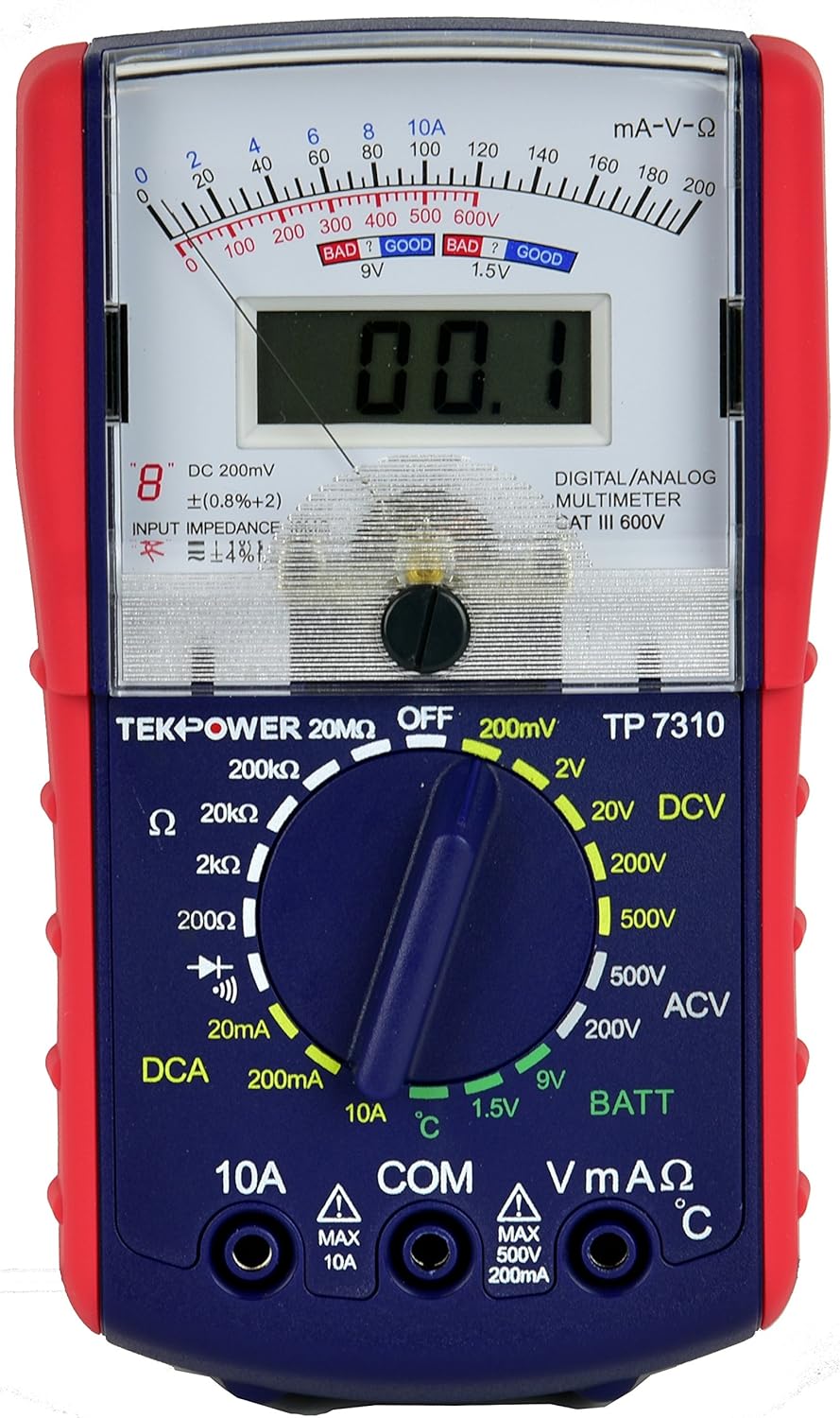
So last week I was in the market for a new multimeter. I decided to buy a combination Digital/Analog meter. This one...
91iGB2T49eL._AC_SL1500_.jpg
The reason I got this is because of @botakompong's method of troubleshooting PS3's. He uses nothing but an analog meter to diagnose and repair PS3 consoles in indonesia. He posed a very in depth series of guides that I compiled into a single tutorial here.
So I wanted a meter to be able to follow his method. This is the meter I used to ohm test the VDDC after the reflow.

After my sanity break, It occured to me that my new multimeter may not be a very good multimeter. It's not autoranging and there was a difference between a dead short (0.009ohms) and what it was reading (0.011ohms). Maybe it's not as bad as I thought!

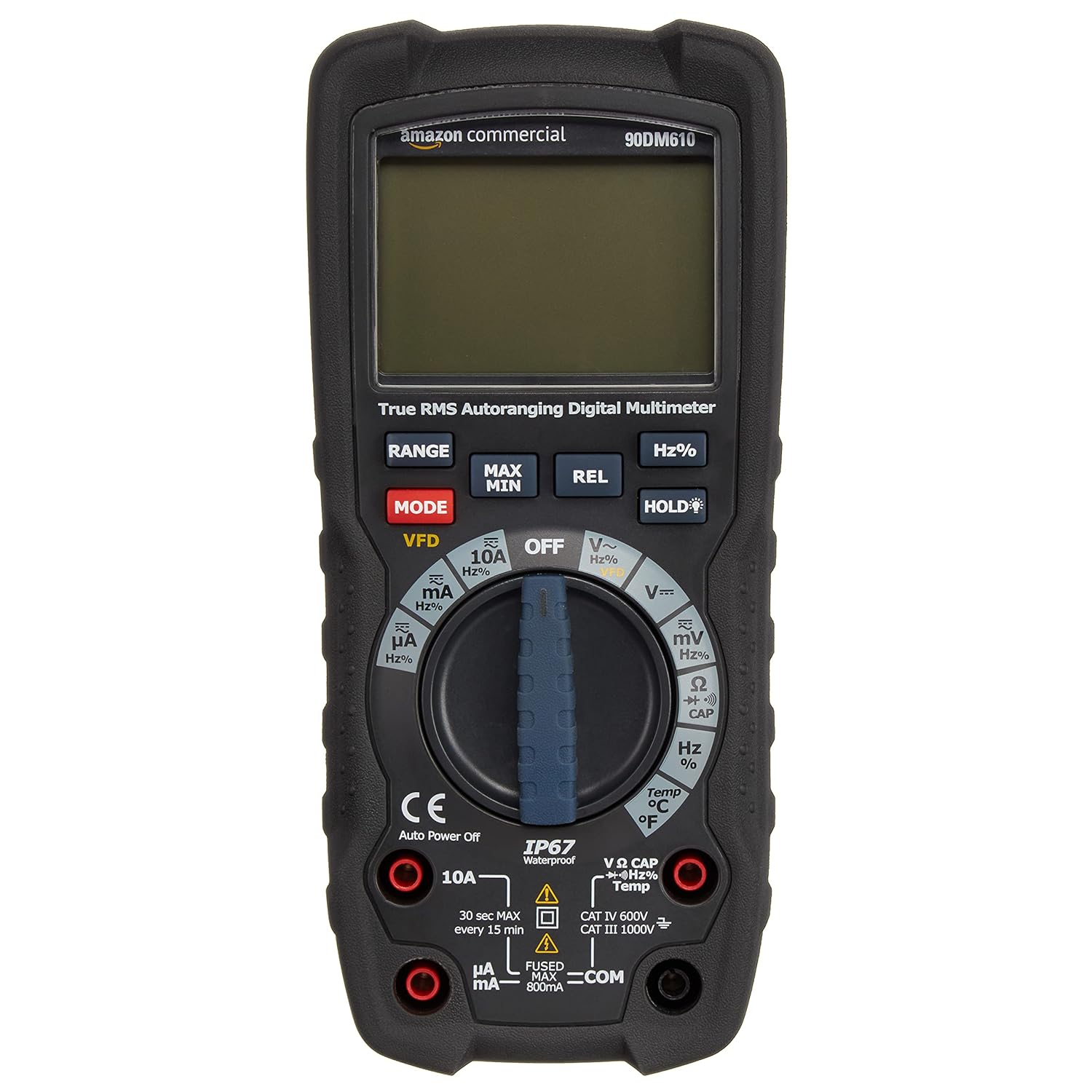
A few days ago I decided I wanted a good reliable multimeter, not just another POS. So I decided to give this Amazon Commercial branded merer a try...
81aCFSB0a-S._SL1500_.jpg
It hadn't arrived yet. but I do have prime and it should have arrived by now. So I took a trip to the mailbox. Yes I actually braved the summer sun...it nearly fried my pale vampire soul...lol! Yup, it was there! So I quickly unbox the thing, which was very nicely packaged with a fabric pouch, instructions, K-Type probe/adapter, and it's leads. I was suprised by it's weight, and that's without a battery!

Anyway, I set it to continuity and probe VDDC, this time with an auto-ranging meter that's not total garbage! And...nothing. No, mean nothing. Litterally, nothing apeared on screen. I forgot to open the battery compartment and install the 9V Batt...lol!

Okay, take two. I set the meter to continuity and this time the screen light up. Good sign. I touch the leads together, I actually get 0.000 ohms; It's nice to have a calibrated meter again! Then I read VDDC!

  • CPU = 4.1 Ohms
  • RSX = 2.4 Ohms
Oh thank God! So it's not shorting after all! I let out a HUGE sigh of relief. I figured that was enough for one day and called it a night.

This morning I woke up early, excited to get the MB cleaned off and see how much I could improve that resistance once all that flux residue was cleaned off. So I went at it with my usuall Aceton, Electronics contact cleaner, and 99% IPA routine. Then I used eletronics duster to blow out all the liquid hiding underneathe the chips! Then I let it sit under my range/box setup to dry with air moving across it constantly for 2 hours. When I was satisfied it was dry, I rechecked the resistances on all the voltages. Every one of them was higher than what I would expect to see if there were a short. I cn't recall off the top of my head what thery were, but I'll record them shortly for posterity. I know @vyktormvmpay25 has a picture showing what they should read if normal. So I'll have to find that and comper later, but for now here's how much VDDC improved:
  • CPU = 4.1 Ohms
  • RSX = 3.0 Ohms
So it looks like the reflow may have been successful and the chip wasn't harmed too much by the heat. 3.0 ohms is what I would consider, very healthy! Well, for a 90nm chip on this circuit. I'm not sure about a 40nm. This is new territory for me! This would be my first Frankenstein monster.

So there he sat (the monster). Lifeless and still before me. The last step in his reanimation was to get restart his beating heart. So the ORBIS modchip shall serve as his Pacemaker. In I installed it as carefully as I could manage, paying close attention to the stitches! He would bear the scars of this unnatural of fates, but this would be a thing of beauty. Beauty only its maker could fully appreciate!

The beast slumbers now. I need only complete the process! That is to say, whether or not the reanimation is sucessfull is out of my hands. Out of Dr. Felixstein's hand's and into God's. For after I cloth my creation in the sheaths of mortal PS3's, I shall offer hip up for approval. To the almighty himself! I will beg him to forgive my trespassing upon the mortal veil. To grant this being life once again! And if the alpha omega accepts him in that last electrifying stage, then his first breath of unholy life will he take! To shake the mortal coil and embrace his rescuer. I, the monster's fellow. Never more to be bothered by the light's of fatal yellow.

iu

Ah ha ha ha...Live my creature...LIVE!
iu

AH HAHAHA!
 
Last edited:
PS3 #8 - Update
(The necropsy is complete!)

View attachment 34137 View attachment 34138
The procedure is complete. The monster awaits reanimation! To follow are the gory details.

At last you heard, the monster was awaiting his brain transplant. Let's just say I'd rather forget that traumatic experience! No, I can't leave you hanging like that. So fine, here it goes! Reflowing sucks! It's as scary as...well, this monster I hope I've created. I suppose it's fitting that no Frankenstein monster should be created without fear being an integral part of the process.

I've removed more than a few GPU's so that was pretty strait forward. First 2 hours of drying at 100C...
...I initiated the preheat to 150C and allowed the board to get up to temp...
. After that time I applied some fake AMTEC flux that came with my cheap e-bay reballing kit. It may be fake, but it's good stuff! It's cheap and works great, so I have no complaints. It takes about 5 minutes for the flux to fully activate between 150-180C (reducing oxidation on exposed pads/solder). So now I raise the botto heater to 180C and set a timer for 5 minutes...
Once activation is done, started the hot air set to 250C about 10cm over the RSX. I watched the top and bottom temperatures carefully to see if they raised together. They did, with around 10-15C difference between them. So from there I began lowering the hot air nozzle incrementally, trying not to increase the temps too quickly, just a degree per second or so. I continue this until the nozzle is about 1cm above the RSX and then I keep it there. That's when I had some trouble...
The temps plateaued at around 200C. Note: That's to top temperature and these are not calibrated thermocouples. Just some cheap e-bay probes and meter. So these temperatures are approximate. Lead free solder should flow at 218C. Since the temps were plateauing and not climbing, I needed to increase my set points. So I increased the bottom heater to 200C and the top heater to 270C, and I added a bit more flux just in case the solder was still oxidized and hard. The temps began rising again...225C/215C (Top/BTM respectively)...it starts smoking, Ive reached the flux's volatility point. Once that smoking stops, air can get under the board and oxidize the solder, which will happen fairly quick at these temps. Each second that goes by will reduce the quality of the BGA bond now! If you're just performing a reflow, it's critical you lift the heat off the moment you're sure the solder has gone molten! The other reason is that you are exposing the chip to intense heat it was only ever designed to experience once (when it was first installed). So this process will reduce it's life!

I nudge the chip to see if it moves. If it does, the solder has gone molten and I need to pull it quick...Nope, still on there rock solid. So I wait...230C/220C...nudge, still solid! 235C/225C...nudge, once corner starts to move. Yay! But the other corner is solid! So, I wasn't quite there yet. I adjust the hot air nozzle just to be sure the air is covering the whole chip, it is. So I wait...238C/230C...nudge and both corners are finally free!

I carefully lift the hot air out of the way, use my suction plucker to lift the chip which comes away easily, and gently set it to cool on the aluminum foil square I was previously using to cover the RSX during the preheat stage. Then I lower the Hot air to 100C so it can gracefully cool down (it's not good to just shut it off when it's at temp)...

...Then I lower the bottom heater to 150C. I gather my solder braid, 60/40 rosin core flux, flush cut snips, cotton tipped applicators, 99% IPA, T12-C4 soldering tip and Iron to begin cleaning the BGA. By this time the board has cooled to 150C, so I set the bottom heater down to 100C. Then I very meticulously clean the BGA pads while the board is still hot, first removing most of the Lead-Freee solder with my tip only. being carful not to apply pressure! I'm gliding the tip over the area, not pressing down! Then I use my general purpose 60/40 leaded solder to clean the rest of the LF off. Next the braid and some Kingbow BGA flux to clean the pads. Again I use only as much pressure as I need to move the braid over the pads, snipping off bit as I go to remove the olds solder and get nice flat, shiny, clean BGA pads. I finish off with IPA and cotton swabs to clean off most of the flux residues. I use a paper towel and IPA to get the rest, before using Electronics duster (non flammable) to blow off any cotton or paper fibers. Then I apply a modestly thin coat of kingbow BGA flux to the pads. not so much it would run, but enough to be shiny and evenly coated.
Then I VERY carefully place the new old stock CXD5301 40nm RSX, being sure it's in the correct orientation and lined up with the fedicials in the corners...

After that I repeat the reflow procedure. Btm heater to 150C...Wait. Then to 180C over 5 minutes. Then both top/btm heaters up to 270C/200C respectively (based on what was needed to remove the 90nm chip). I slown lower the hot air to 1cm from the surface being extra careful not to bump the GPU no. If I touch it at all before it reflow, the balls won't line up and flow onto the correct pad!

That's the scary part! I had to sit there watching the temps climb...220C/200C...225C/210C...and ask myself how far do I let it go before nudging the chip to see if it's gon molten? I was hoping to see the chip rise a bit and then settle down into position, but the lighting conditions weren't ideal and a shaddow prevented me from seeing whan that happened. So I decided I would let the temps go until they reached a little higher than was needed to reflow the 90nm chip...238C/220C...nudge, it moved and sprang back on both corners. That's the sign I was looking for! I lifted the top heater, lowered the bottom heater to 150C. When the topside heat dropped to 210C, the lead free solder should have solidified! So I placed the aluminum foil square over the RSX then to prevent it from having too large a difference in temperature from topside and bottom side.

Now I have to begin the cool down. I lower the bottom heater 20C every 15 minutes until the board is at 40C. Then I turn off the bottom heater. The purpose of this is to slowly lower the temperature so the board doesn't flex or strain the BGA. I don't want to hear any pops or tinging sounds where metal is contracting and pads are being torn from the board. That sound is inevitable as the board cools. Some creaking & pops will happen, but whether or not they are the BGA tearing off an important pad that will doom the entire project is impossible to know! Every pop is a dagger to my heart! My anxiety during this part was very high!

After it had cooled. I took it off my ghetto reflow station and inspect my work. The chip seems to be flat, about as high off the board as the CPU is. That's good. All the balls I can see under the edge look good, no bridging. That's even better! Okay, so I pull out my multimeter and check the resistance of VDDC for both the CPU and RSX. If everything were okay, this should read above 3 ohms! I tested the RSX beforehand and it was reading 3.2ohms. So this is also a measure of how much I dammaged it during the reflow. And...it read a short!

Fu@%!

Man, I was do deflated! I must have bridged some solder balls undeneath the chip where I couldn't see...or burned out the chip installing it. Maybe I should have removed the IHS after all. IDK! I was so dissapointed I just left it there, I didn't even feel like cleaning it, even though I knwe flux residues lower this resistance. I thought to myself if it was only reading 0.2ohms above a dead short, the flux couldn't be reducing it that much. It's more likely a short! I had to take a break and regain my composure and objectivity. I was giving over to emotion at this point.

One thing I haven't mentioned before is that my multimeter died last week. It was a cheap auto-ranging digital meter I bought on Amazon 2 years ago for $20. However, it's had been serving me great until recently. One day while I was continuity testing it's ohms reading kept rising and then the screen faded out. I thought it was just a burned our fuse. I checked and it had blown the smaller 500mA fuse. So I bought a replacment and...no! It still didn't work! CHEAP POS!

So last week I was in the market for a new multimeter. I decided to buy a combination Digital/Analog meter. This one...
91iGB2T49eL._AC_SL1500_.jpg
The reason I got this is because of @botakompong's method of troubleshooting PS3's. He uses nothing but an analog meter to diagnose and repair PS3 consoles in indonesia. He posed a very in depth series of guides that I compiled into a single tutorial here.
So I wanted a meter to be able to follow his method. This is the meter I used to ohm test the VDDC after the reflow.

After my sanity break, It occured to me that my new multimeter may not be a very good multimeter. It's not autoranging and there was a difference between a dead short (0.009ohms) and what it was reading (0.011ohms). Maybe it's not as bad as I thought!

A few days ago I decided I wanted a good reliable multimeter, not just another POS. So I decided to give this Amazon Commercial branded merer a try...
81aCFSB0a-S._SL1500_.jpg
It hadn't arrived yet. but I do have prime and it should have arrived by now. So I took a trip to the mailbox. Yes I actually braved the summer sun...it nearly fried my pale vampire soul...lol! Yup, it was there! So I quickly unbox the thing, which was very nicely packaged with a fabric pouch, instructions, K-Type probe/adapter, and it's leads. I was suprised by it's weight, and that's without a battery!

Anyway, I set it to continuity and probe VDDC, this time with an auto-ranging meter that's not total garbage! And...nothing. No, mean nothing. Litterally, nothing apeared on screen. I forgot to open the battery compartment and install the 9V Batt...lol!

Okay, take two. I set the meter to continuity and this time the screen light up. Good sign. I touch the leads together, I actually get 0.000 ohms; It's nice to have a calibrated meter again! Then I read VDDC!
  • CPU = 4.1 Ohms
  • RSX = 2.4 Ohms
Oh thank God! So it's not shorting after all! I let out a HUGE sigh of relief. I figured that was enough for one day and called it a night.

This morning I woke up early, excited to get the MB cleaned off and see how much I could improve that resistance once all that flux residue was cleaned off. So I went at it with my usuall Aceton, Electronics contact cleaner, and 99% IPA routine. Then I used eletronics duster to blow out all the liquid hiding underneathe the chips! Then I let it sit under my range/box setup to dry with air moving across it constantly for 2 hours. When I was satisfied it was dry, I rechecked the resistances on all the voltages. Every one of them was higher than what I would expect to see if there were a short. I cn't recall off the top of my head what thery were, but I'll record them shortly for posterity. I know @vyktormvmpay25 has a picture showing what they should read if normal. So I'll have to find that and comper later, but for now here's how much VDDC improved:
  • CPU = 4.1 Ohms
  • RSX = 3.0 Ohms
So it looks like the reflow may have been successful and the chip wasn't harmed too much by the heat. 3.0 ohms is what I would consider, very healthy! Well, for a 90nm chip on this circuit. I'm not sure about a 40nm. This is new territory for me! This would be my first Frankenstein monster.

So there he sat (the monster). Lifeless and still before me. The last step in his reanimation was to get restart his beating heart. So the ORBIS modchip shall serve as his Pacemaker. In I installed it as carefully as I could manage, paying close attention to the stitches! He would bear the scars of this unnatural of fates, but this would be a thing of beauty. Beauty only its maker could fully appreciate!

The beast slumbers now. I need only complete the process! That is to say, whether or not the reanimation is sucessfull is out of my hands. Out of Dr. Felixstein's hand's and into God's. For after I cloth my creation in the sheaths of mortal PS3's, I shall offer hip up for aproval. To the almighty himself! I will beg him to forgive my trespassing upon the mortal veil. To grant this being life once again! And if the alpha omega accepts him in that last electrifying stag, then his first breath of unholy life will he take! To shake the mortal coil and embrace his resuer. I, the moser's fellow. Never more to be botherd by the light's of fatal yellow.

iu

Ah ha ha ha...Live my creature...LIVE!
iu

AH HAHAHA!


So is this working?
 
Last edited:
So is this working?
I figured I'd make this post while it was air drying. I'll start assembling soon and give it a test. So the Electrifying stage shall commence shortly...

Forgive me, I have some Frankenstining to do. To be concluded (hopefully)...
 
Last edited:
Now party time!
First reball is hard, rest comes naturally.
Just 90nm are hard, but with time you will figure that. You will try to save most of 3 ohms, apart from that doubt it will work.
 
I think it's safe to assume that is the most expensive console you own right now lol.

Afraid not. All said and modded my Dreamcast takes the cake, hands down! I splurged on expensive mods. I think I went in over $1000. I do regret getting the lightgun, though. It's a neat mod, technically speaking, but it's not worth the price for what's literally a glorified wiimote. Get the Sinden lightgun instead and...IDK, tape a whit border around the screen. That'd be a way better experience.

Back on topic, I'm going to assemble the console tomorrow and do some stress testing. in the morning. Right now neither the CPU or RSX have been delided. Thye have new MX-4 between the IHS and HS only. IDK if the CPU needs delided or not, but we'll see. I reused original sony thermal pads too. So these tests would be like the baseline you might expect an official Sony refirb to perform.

I have to say, I'm very leery about delidding the RSX now that it's installed. I'm afraid the stress will break the BGA! That's how much I trust it. It feels like it's an egg shell just waiting to crack. I'm probably just being paranoid. However, I did notice that 40nm RSX has harder thermal adhesive than do the 90nm RSX! When I delided a 3000 console it was significantly harder to remove. Maybe I should use @NSC-Modz method and cut the glue with a razor. I haven't used that method before.

I could probably get away without delidding the RSX, but I want to try and get the lowest temps, just to see how low I can go (without resorting to water cooling or case mods). I bought some expensive thermal pads I want to try. I have a heat sink I essentially soldered the IHS's to using indium foil, which basically turns it into a direct contact HS. I want to try liquid metal with that combo.

I've been giving some thought to the purpose of the adhesive and glue on the CPU/GPU. I think that the IHS is providing some ridgid support to the substrate. When you delid that support is removed. I don't know if that speeds up a BGA failure or staves it off. It would need to be modeled. However, If you look at PS4 and PS5 APU's they have a ridgid support that goes around the edges of the chip. Since tyhose console use direct die contanc, I'm thinking that rigid support might very well be for that purpose. This means that we really should be replacing the IHS adhesive after deliding and replacing the TIC!

So I'm thinking that the best solution here would be to Indium foil on the CPU/GPU dies and gluing them down at the same time. The indium foil needs heating to melt, so hot air needs to be applied before the glue dries to get it above the required 57C to melt and lower in contact with the die. That would be permenant. The Indium foil doesn't degrade or dry out. Then for the TIC between the IHS and HS I would use Graphite thermal pads. They are permanant, never degrade, reusable, and only a few degrees C worse than good quality thermal pastes. However, the transfer the heat from the center of the IHS to the edges of graphite pad WAY faster than it conduct through the pad. So that dissipates the heat away from the hot center and spreads it out over a wider surface area that could make up for the difference and prevent heat buildup locally on the die. What I like about that idea, is that it'll always perform as good as the day it was installed, so long as you keep the console free of dust. Yo never have to reapply TIC. On the other hand, MX-5 will outperform it in lower temps. And having to reapply every 5 years is fine. So I'm torn.
 
amazing work enjoy the true ps3 power cecha model. regarding delit i had fix an overheat cechg by doing this delit rsx only (its easy little hot air at the four corners where the ram is and pry it off) and the rubber trick on the cell (hell i would not delit cell too risky) then on a room with 30c and the fans manualy set at 60% the tempratures are bellow 60c when gaming last of us a really heavy game. sure the ps3 is little noisy now but if that is going to save it from bga defect let it be noisy. what i didnt get is why you clean flux underneth rsx? a good quality no clean flux would never be contactive. all the reflow reball videos ive seen they clean the flux around the chip not under it.
 
Last edited:
82048f6b375e2dd6f503cf4334c0d259.png


I found that the F1 2013 is the best game to instant trigger the YLOD. I have a slim CECH 2001A which don't have NEC/TOKINS for CELL, only for the RSX and my console with this game the moment which I navigate trough the "Grand Prix" option in menu I have shutdown 100% of the time (randomly other menu sectors of that game also trigger the YLOD somehow, I can play Classics or Young Driver, so the actual gameplay is fine, but some parts of the menus trigger the issue). I can play GranTurismo 6 normally for example, or navigate on XMB, YouTube, with none problem at all, but games like Beyond Two Souls, Metal Gear Rising will randomly shutdown the console.

I can play without hassle for example, Beyond Two Souls if Webman is on SYSCON (fan been controlled by system) which let the PS3 more hot. More hot I don't had noticeable problem with this game, while F1 2013 will always YLOD on the menu. Fan been controlled by the webman to increase speed and cooling better the system I had Beyond crashing randomly, while the F1 2013 with the console more cooled crash just by pressing "X" to choose the "Grand Prix" option.

Why I bring it? Because none tested the F1 2013 so far, only "blockbuster" games that in theory causes YLOD more frequently if the issue is CELL related, and that F1 one seems to be the key to detect RSX related issues in your consoles as well, I also bring it because I need your help to diagnose what is the problem of my beloved video game, my only PS3 so far since 2010. I opened with all care (unsealed for the first time), cleaning the console I found that it was already pretty clean, only some dust here and there, but PSU and Heatsink was pretty clean, nothing was obstructed, just dusted, so I reapplied good thermal paste, closed it with perfection and tested it with 4.87 CFW and even downgraded to 4.84 CFW believing it was a software issue, all of it focused in solving that damn shutdown, but none of it helped, it was before I even knowing about these NEC/TOKINS discussions, they been the possible culprit.

My YLOD is like 3 beeps with red light and green light blinking almost together once then only red light blinking, for ever, I cant stop the blinking unless I remove the power cable. (some people see the first blink as yellow because those two colors forms that one, but clearly I see the green and red separately) So it's a normal "YLOD"? These NEC/TOKINS from RSX could be the issue? And if so, I'm thinking in doing the piggyback for being less invasive/destructive, but most of the successful repairs I found here so far was with FAT consoles, so I even didn't ordered the capacitors yet because I'm not sure it is the issue.
 
amazing work enjoy the true ps3 power cecha model. regarding delit i had fix an overheat cechg by doing this delit rsx only (its easy little hot air at the four corners where the ram is and pry it off) and the rubber trick on the cell (hell i would not delit cell too risky) then on a room with 30c and the fans manualy set at 60% the tempratures are bellow 60c when gaming last of us a really heavy game. sure the ps3 is little noisy now but if that is going to save it from bga defect let it be noisy. what i didnt get is why you clean flux underneth rsx? a good quality no clean flux would never be contactive. all the reflow reball videos ive seen they clean the flux around the chip not under it.
Activated flux is not corrosive. Chemically speaking it's fully oxidized and stable. In simpler terms, it spent it's reducing power (reducers undo oxidation).

That's different than being conductive, which they are mildy. Now most of the time it's okay to leave it. If it's around resistors or capacitors, USB ports, etc that's usually fine. SONY even left flux residues around the USB and AV ports. However the BGA of a processor is different. We're talking about a very low potential (voltage) separating power from ground. Only a few ohms! So if flux residues are slightly conductive, then the potential is that much closer to a short!

Think of it this way. When your high quality flux is new, it's clear. Right? But as you heat it with your soldering iron it gets darker. That's carbon discoloring it and turning it brown. And carbon is conductive. The more carbon, the darker it it gets, and also more conductive. Better quality flux lasts longer before discoloring, but will eventually.

No clean flux on the other hand is different. It's designed to volatilize and smother the oxygen around the bond. No oxygen means no oxidation and better joints. It's the same principal with Shielded Metal Arc Welding (SMAW). The inert gas, or burning mixture of gasses from the rod coating, "shield" the weld from Oxygen in the air which would weaken the bond. Anyway, that's why no clean fluxes sizzle and gas off when used. Rosin and gel fluxes achieve the same thing by smothering the joint and preventing air from coming into direct contact with the metal while it's molten. If you spend too much time in the area with your iron it can burn it off, allowing oxygen and carbon byproducts in.

I for sure burned off all the BGA flux and formed some carbon compounds, because the resistance increased by 0.6 ohms after cleaning the residues off the board. I may not have thoroughly gotten all the flux off either! Remember, I dont have an ultrasonic cleaner like a pro shop would. I had to do my best with OTC solvents and good'ole elbow grease! It took an hour BTW, plus another 2 of drying. This is a very tedious job, but I absolutely wouln't ever leave flux residues in place like the HORROR shows I've seen on youtube!
 
Back
Top