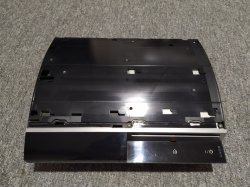
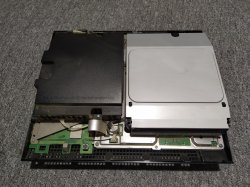
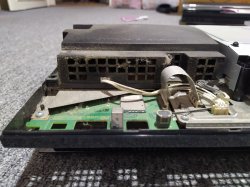
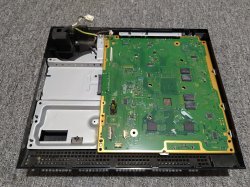
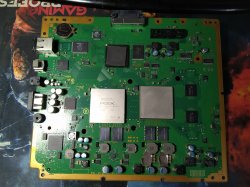
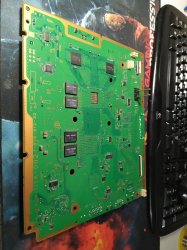
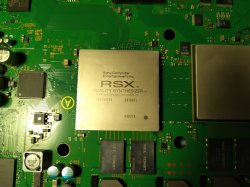
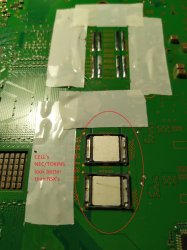
PS3 (Research/Experimental) - NEC/TOKIN Capacitors Replacement - YLOD

Hello,l just got a ps3 and l want to repair it but l don't know what capacitor l need to buy there is much capacitors you can buy as electrolytic capacitor and smd capacıtors but, if you need some tantalum capacitor, you can't find much of them in turkey. so l need to ask you some questions about that

First: can l use smd capacitors to fix it ?
Second : what is the diffence between tantalum capacıtors and the others?
Last: Will only a capacitor with the values in this guide work on ps3, or can we do it in other combinations?

(in turkey tantalum capacıtors are limited and actualy l can't afford 32 of them which makes it almost 800 turkish liras(which is twice the price of the console I bought) if you have advices for me please feel free to tell me and sorry if a can't explain myself properly)

l just listed some capacıtors that l can use (got same values as tantalums)

W633zCH
NN5jGD2
xqL8R0W
 
Hello,l just got a ps3 and l want to repair it but l don't know what capacitor l need to buy there is much capacitors you can buy as electrolytic capacitor and smd capacıtors but, if you need some tantalum capacitor, you can't find much of them in turkey. so l need to ask you some questions about that

First: can l use smd capacitors to fix it ?
Second : what is the diffence between tantalum capacıtors and the others?
Last: Will only a capacitor with the values in this guide work on ps3, or can we do it in other combinations?

(in turkey tantalum capacıtors are limited and actualy l can't afford 32 of them which makes it almost 800 turkish liras(which is twice the price of the console I bought) if you have advices for me please feel free to tell me and sorry if a can't explain myself properly)

l just listed some capacıtors that l can use (got same values as tantalums)

W633zCH
NN5jGD2
xqL8R0W

Why do you think you need new capacitors? Please do syscon diagnostics first. The info on the first page is outdated.
 
Why do you think you need new capacitors? Please do syscon diagnostics first. The info on the first page is outdated.
l ordered some kit for syscon diagnostics it'll arive today. l will try to get some error codes. l'll update if there is a capacitor error
 
Hello,l just got a ps3 and l want to repair it...

Then you'll want to start by diagnosing the cause of the issue first. It depends on the model of ps3, but the capacitors may not be the issue. For example, it's unlikely to be them if you have a backwards compatible model. And if you have a 25xx model or later, it doesn't even have NEC/TOKINs. So 1st step is to retrieve the errorlg. Then use the error codes to diagnose the cause. Then decide how to fix it.

First: can l use smd capacitors to fix it ?
Second : what is the diffence between tantalum capacıtors and the others?
Last: Will only a capacitor with the values in this guide work on ps3, or can we do it in other combinations?

If the NEC/TOKINs are at fault then I reccomend using 3x 470uF caps per tokin replaced, regardless of model. You don't have to use tantalum polymer capacitors. You can use aluminum polymer too, but most people think of them as the same thing. If they aren't easy to get for you in turkey, then buy a junk slim ps3 and harvest them from the motherboard. PS4's have them too...most computer Motherboards, graphics cards, etc. You can find them cheap by harvesting off junk electronics.
 
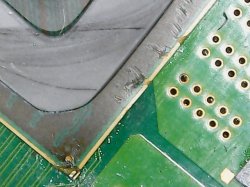
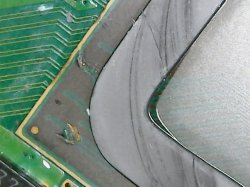
Then you'll want to start by diagnosing the cause of the issue first. It depends on the model of ps3, but the capacitors may not be the issue. For example, it's unlikely to be them if you have a backwards compatible model. And if you have a 25xx model or later, it doesn't even have NEC/TOKINs. So 1st step is to retrieve the errorlg. Then use the error codes to diagnose the cause. Then decide how to fix it. But l have another question. When l tried to disassembly the ps3 the cpu and cpu coolers are stuck on the cooling block which l managed to rip off but how can l connect these blocks to cpu and gpu (if l cant explain myself properly. l mean the metal pieces that says RSX and cpu's ripped off)


If the NEC/TOKINs are at fault then I reccomend using 3x 470uF caps per tokin replaced, regardless of model. You don't have to use tantalum polymer capacitors. You can use aluminum polymer too, but most people think of them as the same thing. If they aren't easy to get for you in turkey, then buy a junk slim ps3 and harvest them from the motherboard. PS4's have them too...most computer Motherboards, graphics cards, etc. You can find them cheap by harvesting off junk electronics.
l just done getting error codes (damn that was l huge procces for me because it took me about 4 hour to get 10 error codes) and l got 3034 which is not a capacitor problem. Tomorrow l'm gonna try to reflow the gpu and cpu to get rid of this ylod thanks for everyone who made and helped this thread
 
Last edited:
l just done getting error codes (damn that was l huge procces for me because it took me about 4 hour to get 10 error codes) and l got 3034 which is not a capacitor problem. Tomorrow l'm gonna try to reflow the gpu and cpu to get rid of this ylod thanks for everyone who made and helped this thread

I would recommend against reflowing CPU, chances are it is not the cause for 3034. Try reflowing RSX first... Also you should realize, even if it boots, it will YLOD again some day.
 
I would recommend against reflowing CPU, chances are it is not the cause for 3034. Try reflowing RSX first... Also you should realize, even if it boots, it will YLOD again some day.
Yeah l know that will be happen one day. And l have a question when l tried to disesambly the cooling block rsx's and cpu's cooling pieces just stuck on the cooling block can l just connect it with some thermal paste or something because l will burn my house if l left if that way
I would recommend against reflowing CPU, chances are it is not the cause for 3034. Try reflowing RSX first... Also you should realize, even if it boots, it will YLOD again some day.
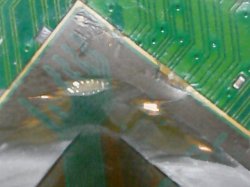
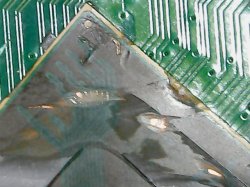
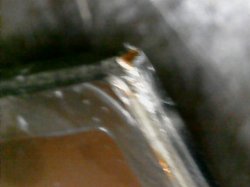
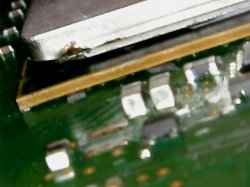
Yeah l know that will be happen one day. And l have a question. when l tried to disesambly the cooling block rsx's and cpu's cooling metal pieces just stuck on the cooling block. l ripped of it but its not connected so can l just connect it with some thermal paste or something because l can see the chips inside the cpu and rsx.
what will you guys recommend to fix this?
 
l just learned about what l did is actually a IHS removal (which is not l expected but well) l will reflow the gpu but should l connect this piece of metal to the gpu cores? or just heat it without it ?

And if i need to do the reflow with it should I just wait to the thermal paste to dry or something?
 
I can't say for certain that the Tantalizer fixed it since I cant fully test it right now without a controller but before replacing the tokins all it ever did was YLOD the few times I turned it on.

I wanted to do an update. Finally got a controller to boot the system but being it was the cheapest non-dog-chewed-on one I could find from ebay I was not surprised it was spamming random inputs from across all the buttons. After getting a refund I took it apart, cleaned the face buttons flex pcb contacts and replaced the broken player 4 led (its blue now and really looks better than the red ones). I can now play my PS3! I don't know if replacing the led or cleaning the contacts fixed the controller or if it was just taking it apart and reseating things that did it but the controller works now.

The PS3 works! Plays games great and over about a week has not faulted, even minorly, at all. As far as temps I think the original owner confused the fan ramped up for "fan on". The fan ramped up a few times when I first ran it but has since almost stopped completely. To be clear the fan is still working fine it just now rarely ramps up to audible levels. I am running it in a fairly cold environment though. I am betting the thermal paste has finally spread itself to its thinnest point after a few hot/cold cycles. I have been playing Gran Turismo 5 and 6 for the majority of play time. I have also not modded the system as of yet but surely will in the future.

Anyway, it works, works well and if anything changes I promise to update again to make my data point reliable.


If you have a preheater, this process is much simpler and safer - its a case of just pre baking the board at 100c for at least 20 minutes, then gradually crank up the preheater to 150c, then use a hot air gun at 350c air speed 5-6, wave around the tokens and they just slide off without any damage.

PS3 boards suck heat like there is no tommorrow, so getting the prebake (up to temps) process is the key to all of this, and no one mentions this - otherwise you get burnt boards or warping effect going on.

This sounds like the best way. I probably wouldn't have done it that way given the chance though since I wanted to keep the heat localized to the caps as much as possible. I didn't want to heat the RSX and possibly change a variable of the repair. Given the chance I will follow this instruction though. Thanks!
 
Hello everybody. Last year I fixed my CECHC04 which was giving RLOD error in some difficult games (like GT6 and TLOU) with NEC/TOKIN replacement.(You can find my old posts on page 224.)

It still works fine, and I recently finished TLOU completely with it.
I have successfully completed a new repair this week.
I bought a CECHK04 PS3 (Original OFW) with the YLOD error (that has never been opened before) last January. It was shutting down within 7 seconds after pressing the start button.
My goal was to fix it with NEC/TOKIN replacement, and I succeeded.
I learned a lot of new information while repairing it and I will share it with you.

Unfortunately, I couldn't read the error codes before repairing because I don't have a USB-TTL device at hand. After repairing, I upgraded my PS3 from 4.86 OFW to 4.90 CFW using PS3Xploit Flash Writer. (Actually, I was waiting to upgrade PS3 to CFW to share this post. Thank you to everyone who contributed to the making of the flash writer.)

Here are the Ps3's error codes:
FFFFFFFF and A0801002
(Note that I don't know these codes before I fix it.)
(I have attached the error code text)

The Repair Process:
When I opened it (I opened it for the first time) I found that it was clean (although it hasn't been cleaned since 2008!).
I cleaned all the other parts one by one.
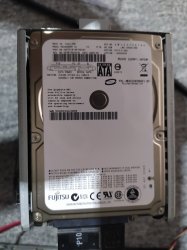
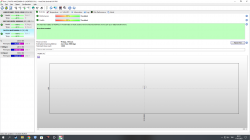
Then I plugged the hard disk into the computer and checked the usage time with the HDD SENTINEL program. (To find out the usage time without looking at Syscon.)
I was very surprised because the console was used little before it broke down. (Total of 96 days) (My previous Ps3 had been used for about 230 days.)
I think this is the reason why the console is clean inside.

But why did the console malfunction even though it was used little? You might say RSX, but not exactly!
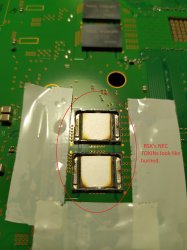
I think the problem is both NEC/TOKIN and RSX. Because I discovered something while removing the NEC/TOKINs from the motherboard.

RSX's NEC/TOKINs were looked like burned. Cell's NEC/TOKINs were in better condition. (I actually noticed this on my previous repair as well. When I looked at the last posts in the thread, I saw that other people noticed as well.)
According to the error codes, Cell's NEC/TOKINs were fine.
I don't know why but RSX breaks NEC/TOKINs faster than Cell.

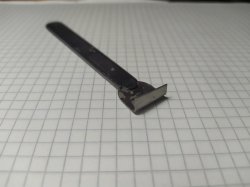
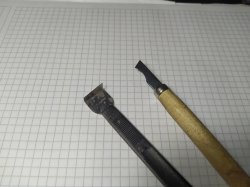
Specifically, I disassembled NEC/TOKINs without using hot air. Because I didn't want to heat up the RSX and fake fix it. I used my own delid and cap removal tools. And again, I replaced the tantalum capacitors without using hot air. (I just used a 80W soldering iron). I used 16 piece 2.5v 470uf tantalum capacitors for the repair. (I bought them from AliExpress.)
I forgot to take pictures after soldering the capacitors. I can share later.

After that, I put everything back together and it worked!
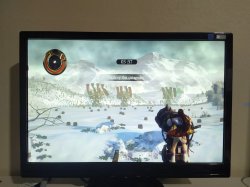
For testing, I played 4 games that caused my old console to give an RLOD error.
Heavenly Sword (With 4.86 OFW)
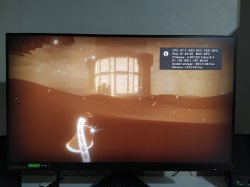
Journey (With 4.90 OC CFW)
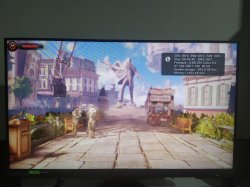
Bioshock Infinite (With 4.90 OC CFW)
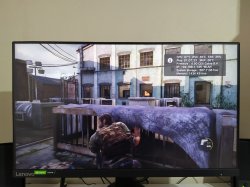
The Last of Us (With 4.90 OC CFW)

I did not have any problems while playing the games.
The only problem now is when I open the fps counter with webman, the ps3 freezes and shuts down. I've seen a few other people experience this before. I think it's a software problem.

In conclusion, I still think the NEC/TOKIN replacement is a good fix for FAT models with 65nm RSX. (CECH-J,K,L,M,P,Q)
My next goal is to try to repair a CECH-20XX model SLIM PS3.

Now I want some advice from you. Do you think I should delid CELL and RSX? Temperatures look good, maybe even better. I remember @RIP-Felix saying that after deliding RSX, thermal adhesive should be used.(due to BGA errors) That's why I wanted to ask. Thank you for reading.

 

Attachments

  • 1.jpeg
    1.jpeg
    414.2 KB · Views: 135
  • 2.jpeg
    2.jpeg
    578.4 KB · Views: 137
  • 3.jpeg
    3.jpeg
    428.7 KB · Views: 132
  • 4.jpeg
    4.jpeg
    604.3 KB · Views: 132
  • 5.jpeg
    5.jpeg
    538.7 KB · Views: 135
  • 6.jpeg
    6.jpeg
    496.1 KB · Views: 139
  • 7.jpeg
    7.jpeg
    404.3 KB · Views: 138
  • 9.jpeg
    9.jpeg
    330.7 KB · Views: 137
  • 8.jpeg
    8.jpeg
    276.4 KB · Views: 143
  • 10.jpeg
    10.jpeg
    280.6 KB · Views: 133
  • 11.png
    11.png
    149.3 KB · Views: 135
  • 12.jpeg
    12.jpeg
    287.3 KB · Views: 137
  • 13.jpeg
    13.jpeg
    326.5 KB · Views: 135
  • 14.jpeg
    14.jpeg
    221 KB · Views: 137
  • 15.jpeg
    15.jpeg
    344.1 KB · Views: 140
  • 16.jpeg
    16.jpeg
    175.2 KB · Views: 139
  • 17.jpeg
    17.jpeg
    258.4 KB · Views: 135
  • sm_error.txt
    sm_error.txt
    1.6 KB · Views: 27
Last edited:
RSX's NEC/TOKINs were looked like burned. Cell's NEC/TOKINs were in better condition. (I actually noticed this on my previous repair as well. When I looked at the last posts in the thread, I saw that other people noticed as well.)
According to the error codes, Cell's NEC/TOKINs were fine.
I don't know why but RSX breaks NEC/TOKINs faster than Cell.

The discoloration does not appear to be indicative of the capacitor's condition. We have opened caps that were scortched worse, but still worked. And had dead ones that looked perfect. So it's meaningless.


No one is disputing the fact that NEC/TOKINs can and do fail. We just need to diagnose and repair that issue, like you did here, instead of jumping to conclusions.

Now I want some advice from you. Do you think I should delid CELL and RSX? Temperatures look good, maybe even better. I remember @RIP-Felix saying that after deliding RSX, thermal adhesive should be used.(due to BGA errors) That's why I wanted to ask. Thank you for reading.

If temps are under control without needing high fan%, then leave it alone. There is significant risk of damage from delidding. If you don't need to, then don't.
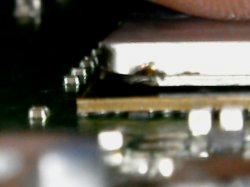
I believe the IHS acts as a stiffener to keep the RSX package coplaner and reduce stress on the BGA around the edge of the chip (where it's highest). If you need to delid I would reccomend reattaching the IHS with appropriate adhesives.

PS: stay away from ali express caps.
 
Hello everyone, I have a Cecha01 with a syscon 2120 error, does this ps3 have a short hdmi ci? causing the ylod?
Thanks.

===================================
ERR 00: 00000000 A0213013 FFFFFFFF
ERR 01: 00000000 A0202120 FFFFFFFF
ERR 02: 00000000 A0202120 FFFFFFFF
ERR 03: 00000000 A0202120 FFFFFFFF
ERR 04: 00000000 A0202120 FFFFFFFF
ERR 05: 00000000 A0202120 FFFFFFFF
ERR 06: 00000000 A0202120 FFFFFFFF
ERR 07: 00000000 A0202120 FFFFFFFF
ERR 08: 00000000 A0202120 FFFFFFFF
ERR 09: 00000000 A0202120 FFFFFFFF
ERR 10: 00000000 A0202120 FFFFFFFF
ERR 11: 00000000 A0202120 FFFFFFFF
ERR 12: 00000000 A0202120 FFFFFFFF
ERR 13: 00000000 A0202120 FFFFFFFF
ERR 14: 00000000 A0202120 FFFFFFFF
ERR 15: 00000000 A0202120 FFFFFFFF
ERR 16: 00000000 A0213013 FFFFFFFF
ERR 17: 00000000 A0202120 FFFFFFFF
ERR 18: 00000000 A0202120 FFFFFFFF
ERR 19: 00000000 A0202120 FFFFFFFF
===================================
 
What you actually have is the 10x 2120 / 1x 3013 error combo. You would know this if you stopped using that broken windows app. Or if someome took the time to fix the fact it doesn't account for hexidecimals. Aparently, no one can be bothered.

10x 2120 / 3013 error combo happens when +1.8v_RSX_FBVDDQ is missing. 2 possabilities.
  1. (most likely) RSX issues requiring a reball or replacment.
  2. IC6301 (voltage controller) needs replaced. Or an SMD in it's feedback and voltage compensation network has failed.
  3. Remote possability the tantalum cap (on FBVDDQ in the corner of the RSX) has failed or is not providing good enough filtering.
 
What you actually have is the 10x 2120 / 1x 3013 error combo. You would know this if you stopped using that broken windows app. Or if someome took the time to fix the fact it doesn't account for hexidecimals. Aparently, no one can be bothered.

10x 2120 / 3013 error combo happens when +1.8v_RSX_FBVDDQ is missing. 2 possabilities.
  1. (most likely) RSX issues requiring a reball or replacment.
  2. IC6301 (voltage controller) needs replaced. Or an SMD in it's feedback and voltage compensation network has failed.
  3. Remote possability the tantalum cap (on FBVDDQ in the corner of the RSX) has failed or is not providing good enough filtering.
Yes I am using the windows app.
Thanks.
 
Hello everyone, I bring information that can contribute to the syscon errorlog, I bought a Cech01 on a local site, when I went to do a visual check on the board, I identified that the cell had several perforation marks, so I went to check the syscon, the codes came 3034 and 4441
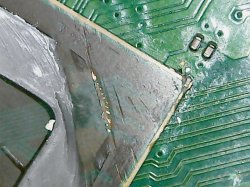
I did the delid on the cell and saw that there were several scratches on the trail, the owner of this ps3 killed the cell in an attempt to delid.
so if you get a 4441 error your cell is dead because the track is broken.
I bring this information that may help in the diagnosis.
Thanks.

===================================
ERR 00: 00000000 A0403034 FFFFFFFF
ERR 01: 00000000 A0404441 FFFFFFFF
ERR 02: 00000000 A0403034 FFFFFFFF
ERR 03: 00000000 A0404441 FFFFFFFF
ERR 04: 00000000 A0403034 FFFFFFFF
ERR 05: 00000000 A0404441 FFFFFFFF
ERR 06: 00000000 A0403034 FFFFFFFF
ERR 07: 00000000 A0404441 FFFFFFFF
ERR 08: 00000000 A0403034 FFFFFFFF
ERR 09: 00000000 A0404441 FFFFFFFF
ERR 10: 00000000 A0403034 FFFFFFFF
ERR 11: 00000000 A0404441 FFFFFFFF
ERR 12: 00000000 A0403034 FFFFFFFF
ERR 13: 00000000 A0404441 FFFFFFFF
ERR 14: 00000000 A0403034 FFFFFFFF
ERR 15: 00000000 A0404441 FFFFFFFF
ERR 16: 00000000 A0403034 FFFFFFFF
ERR 17: 00000000 A0404441 FFFFFFFF
ERR 18: 00000000 A0403034 FFFFFFFF
ERR 19: 00000000 A0404441 FFFFFFFF
===================================
 

Attachments

  • WIN_20230323_22_06_29_Pro.jpg
    WIN_20230323_22_06_29_Pro.jpg
    74.8 KB · Views: 85
  • WIN_20230323_22_08_26_Pro.jpg
    WIN_20230323_22_08_26_Pro.jpg
    106 KB · Views: 83
  • WIN_20230323_22_08_54_Pro.jpg
    WIN_20230323_22_08_54_Pro.jpg
    130.1 KB · Views: 81
  • WIN_20230323_22_09_58_Pro.jpg
    WIN_20230323_22_09_58_Pro.jpg
    103.4 KB · Views: 82
  • WIN_20230323_22_10_14_Pro.jpg
    WIN_20230323_22_10_14_Pro.jpg
    96.9 KB · Views: 81
  • WIN_20230323_22_12_05_Pro.jpg
    WIN_20230323_22_12_05_Pro.jpg
    57.2 KB · Views: 83
  • WIN_20230323_22_15_30_Pro.jpg
    WIN_20230323_22_15_30_Pro.jpg
    72.8 KB · Views: 80
  • WIN_20230323_22_15_50_Pro.jpg
    WIN_20230323_22_15_50_Pro.jpg
    65 KB · Views: 79
  • WIN_20230323_22_38_34_Pro.jpg
    WIN_20230323_22_38_34_Pro.jpg
    58.9 KB · Views: 81
  • WIN_20230323_22_38_53_Pro.jpg
    WIN_20230323_22_38_53_Pro.jpg
    52.7 KB · Views: 79
Hi, I wanted to ask what the latest state is regarding recommended caps and have few questions? The OE128 is a 1200uF 2.5V cap it seems, can I just use 4x 330uF or 2x 680uF anywhere between 2.5 to 6.3V? And what is absolute maximum ESR if used in a set of 4 and 2 (if 2 is even possible) and how do the calculation work? There is also a height problem it seems. 2.5mm is the NEC Tokin, can I use bigger ones?

2x is interesting since it would be more convenient to solder.
 
UPDATE 4.88.2: PS3 Developer @Evilnat has updated and released 4.88.2 Evilnat (Cobra 8.3) CFW , there is a number of new options like an added File manager, Option to toggle Cobra version, and various other new options detailed in the changlog provided below. Also the developer has provided a number of fixes and improvements, View all the details of 4.88.2 release of this latest CFW by @Evilnat

.Original release (4.88.1) Developer @Evilnat (creator of releases like SEN Enabler and PAUD Unpacker) has created and released 4.88 EVILNAT's COBRA CFW, following the success of 4.87 Evilnat's CFW, the developer provides another trusted CFW release that provides the Cobra Payload and all the features it brings (note: MAMBA is an alternative to the Cobra Payload, Cobra is included in firmware's where as MAMBA is typically injected in a Standard CEX CFW via a homebrew app. See all the details of this CFW Release below

Also Included are: noBD / noBT / noBD & noBT CFW Builds (for damaged console's to make them usable again)
-STLcardsWS​


  • 4.88.2 EVILNAT (COBRA 8.3)

    Changelog
    • Fixed memory leak in LV2 kernel while Cobra is enabled
    • Added option to dump ERK (eid_root_key) through xai_plugin (from flatz's EID root key dumper)
    • Added option to dump LV2 through xai_plugin
    • Added option to dump LV1 through xai_plugin
    • Added File Manager in xai_plugin (by DeViL303)
    • Added option to toggle Cobra version, release (default in CFW) and debug (get debug logs through socat)
    • Manual FAN speed now works with Cobra disabled too
    • Added system to block login in on PSN/SEN while CFW syscalls are enabled (by DeViL303)
    • Added sort games by name and date options (by aldostools)
    • xai_plugin translated to Brazilian (thanks to jcorrea and LuanTeles)
    • xai_plugin translated to Polish (thanks to KcrPLo and Agrippa)
    • xai_plugin translated to Italian (thanks to Sheireen)
    • xai_plugin translated to Chinese Traditional/Simplified (thanks to xiaoyang)
    • xai_plugin translated to Spanish

    Features
    • Made out of 4.88 OFW
    • Made manually without automatic tools
    • SEN/PSN enabled
    • Disabled deletion of unsigned act.dat and .rif files
    • Allowed unsigned act.dat and .rif files
    • Allowed running of unsigned applications
    • Compatibility with FSELF
    • C00 demo unlocker
    • Disabled LIC.EDAT license check
    • Can be installed over 3.55 OFW
    • Can be installed over +3.56 OFW (bguerville Toolset)
    • Can be installed over any CFW CEX
    • COBRA 8.3 added and enabled as default
    • Full PS2 Games Compatibility
    • Possibility of Downgrade from any CFW with active QA Flags
    • QA Flags active if previously enabled
    • Disabled Epilepsy Message on Boot
    • Compatibility with PSX games in ISO
    • Compatibility with PSP games in ISO
    • Compatibility with PS2 games in ISO
    • Compatibility with PS3 games in ISO/JB folder format
    • Compatibility with ReactPSN
    • Display of Temperatures in XMB In-Game on PS2 Games
    • RSOD Screen Bypass
    • BSOD Screen Bypass
    • PS3_GAME/app_home
    • XMB In-Game Screenshot
    • Added Package Manager
    • CoreOS Hash Check patched to prevent Brick on non-dehashed Downgradate consoles
    • Patched to remove LV2 Protection
    • Peek and Poke (LV2)
    • Peek and Poke (LV1)
    • CINAVIA protection disabled
    • Option to sort games by name and date

    Cobra 8.3
    • Failsafe Cobra stage2 (by bguerville/aldo)
    • Restore CFW Syscalls without reboot just entering to 'Settings > System Update' on XMB (by aldo)
    • Integrated Dynamic Control FAN (to control fan when webMAN is unloaded) (by aldo/Evilnat)
    • Support Photo GUI integration with webMAN MOD (mount games from 'Photo' column) (by aldo/DeViL303)
    • Get/Set FAN speed (by aldo)
    • Enable/disable features: Photo GUI, Restore Syscalls (by aldo)
    • Opcode to create CFW Syscalls (6, 7, 8, 9, 10, 11, 15, 35) (by aldo)
    • Opcode to set fake accountID (by Evilnat)
    • Opcode to activate account (act.dat) (by Evilnat)
    • Opcode to create license (RIF) (by Evilnat)
    • Updated ps3mapi_load_process_modules to load custom modules and system modules (by haxxxen)
    • Added ps3mapi_get_process_module_info
    • Increased from 24 to 32 the max number of map paths (by aldo)
    • Added sm_get_temperature patch in kernel (by Evilnat)
    • Added sm_get_fan_policy patch in kernel (by Evilnat)
    • Added sm_set_fan_policy patch in kernel (by Evilnat)
    • Fixed Control FAN payload, avoids loading previous mode (by Evilnat)
    • Disable stage2.bin while Recovery Menu is loaded (by haxxxen)
    • Fixed max FAN speed after shutdown (by Evilnat)
    • Improved Habib's QA flags code imported by aldostools (by Evilnat)
    • Fixed black screen in CFW2OFW converted games (by Evilnat)
    • Added sm_ring_buzzer with single_beep, double_beep and triple_beep (by Evilnat)
    • Skip license creation (rif) if it already exists (by aldo)
    • Added cellFsMkdir symbol (by Evilnat)
    • Added constant FAN Speed while a PS2 ISO is launched (by Evilnat)
    • Check/Disable/Enable QA Flags (by Evilnat)
    • Creation of act.dat while launching a PSN game (by Evilnat)
    • Convert someones's else savedata to your own savedata (by Evilnat)
    • Block Log In on PSN/SEN when CFW syscalls are enabled (by DeViL303)

    Tested in:
    • CECH-2000A
    • CECH-2000B
    • CECH-2001A
    • CECH-2002B
    • CECH-2004A
    • CECH-2012A
    • CECH-2104B
    • CECH-2500A
    • CECH-2501A
    • CECH-2504A
    • CECH-2511A
    • CECH-2511B
    • CECH-L04
    • CECHA01
    • CECHE01
    • CECHB01
    • CECHC04
    • CECHG01
    • CECHP01

    Improvements xai plugin


    These options are in Network tab under [★ Custom Firmware Tools] option:

    Power Options
    • Turn Off: Turns off the PS3
    • Hard Reboot: Reboots the PS3 completely
    • Soft Reboot: Reboots the PS3 softly
    • Reboot LV2: Reboots the LV2

    File Manager
    • Internal Hard Disk Drive 0: Manage PS3 files in /dev_hdd0
    • Internal Hard Disk Drive 1: Manage PS3 cached files in /dev_hdd1
    • USB Mass Storage Devices: Manage files on your USB devices
    • Internal Flash Memory: Manage PS3 internal flash files
    • Optical Disc: Manage optical discs
    • Memory Cards: Manage memory cards

    Basic Tools
    • FAN Speed: Shows current FAN speed
    • PS3 Temperature: Shows current CPU and RSX temperature
    • Show IDPS: Shows current IDPS
    • Show PSID: Shows current PSID
    • Toggle Coldboot: Toggles between custom/original coldboot.raf
    • Toggle System Version: Toggles between custom/original system version in "System Information"

    Basic Tools > xRegistry Tools

    • Backup xRegistry.sys: Creates a backup of xRegistry.sys to /dev_usb or /dev_hdd0
    • Button Assignment: Switches O and X buttons

    Cobra Tools
    • Cobra Information: Shows current Cobra information
    • Check Syscall 8: Checks Cobra's Syscall 8 status
    • Create Syscalls: Create syscalls 6, 7, 8, 9, 10, 11, 15 and 35
    • Allow Restore Syscalls: Allows restoring syscalls through "System Update"
    • Skip license creation: Skips overwriting license file (RIF) if it already exists
    • Toggle Cobra Version: Toggles between release and debug versions (reboot is required)
    • Toggle Cobra: Enables or disables Cobra (reboot is required)

    Cobra Tools > FAN Tools
    • Control FAN Mode: DISABLED: Disables Cobra's Control FAN
    • Control FAN Mode: SYSCON: Allows the PS3's SYSCON to control FAN speed
    • Control FAN Mode: MAX: Set Cobra FAN speed to 0xFF

    Cobra Tools > QA Tools
    • Check QA Flags: Check if QA flags are enabled or disabled
    • Enable QA Flags: Enables QA Flags
    • Disable QA Flags: Disables QA Flags

    Cobra Tools > FAN Tools > Dynamic FAN Control
    • Maximum temperature: 60°C: Sets the fan speed dynamically to keep the system at a maximum temperature of 60°C
    • Maximum Temperature: 65°C: Sets the fan speed dynamically to keep the system at a maximum temperature of 65°C
    • Maximum Temperature: 70°C: Sets the fan speed dynamically to keep the system at a maximum temperature of 70°C
    • Maximum Temperature: 75°C: Sets the fan speed dynamically to keep the system at a maximum temperature of 75°C

    WARNING: Some PS3 cannot reach/stay some option temperatures, use with caution

    Cobra Tools > FAN Tools > Manual Speed
    • Manual Speed: 40%: Sets the fan speed statically at 40% (0x67)
    • Manual Speed: 45%: Sets the fan speed statically at 45% (0x75)
    • Manual Speed: 50%: Sets the fan speed statically at 50% (0x80)
    • Manual Speed: 55%: Sets the fan speed statically at 55% (0x8E)
    • Manual Speed: 60%: Sets the fan speed statically at 60% (0x9B)
    • Manual Speed: 65%: Sets the fan speed statically at 65% (0xA8)
    • Manual Speed: 70%: Sets the fan speed statically at 70% (0xB5)
    • Manual Speed: 75%: Sets the fan speed statically at 75% (0xC0)
    • Manual Speed: 80%: Sets the fan speed statically at 80% (0xCE)
    • Manual Speed: 85%: Sets the fan speed statically at 85% (0xDA)
    • Manual Speed: 90%: Sets the fan speed statically at 90% (0xE7)
    • Manual Speed: 95%: Sets the fan speed statically at 95% (0xF4)

    WARNING: The chosen speed will be static, it will not be changed at any time automatically

    Cobra Tools > FAN Tools > PS2 FAN

    • PS2 Fan Mode: DISABLED: Disables Control FAN on PS2 game
    • PS2 Fan Mode: SYSCON: Allows the PS3's SYSCON to control FAN speed on PS2 game
    • PS2 Fan Mode: 40%: Sets FAN speed to 0x66 on PS2 game
    • PS2 Fan Mode: 50%: Sets FAN speed to 0x80 on PS2 game
    • PS2 Fan Mode: 60%: Sets FAN speed to 0x9A on PS2 game
    • PS2 Fan Mode: 70%: Sets FAN speed to 0xB4 on PS2 game
    • PS2 Fan Mode: 80%: Sets FAN speed to 0xCE on PS2 game
    • PS2 Fan Mode: 90%: Sets FAN speed to 0xE8 on PS2 game

    WARNING: There is no Control FAN in a PS2 game, select with caution

    PSN Tools
    • Disable Syscalls: Disables syscalls and remove history files
    • Show accountID: Shows current user's accountID
    • Create accountID: Creates a fake accountID for current user's in xRegistry
    • Overwrite accountID: Overwrites current user's accountID with a fake one in xRegistry
    • Activate account: Creates act.dat file in the current local account
    • Create license: Creates RIF licenses from RAP files from "x:\exdata"
    • Backup activation file: Creates a backup of act.dat to /dev_usb or /dev_hdd0
    • Disable account: Deletes current user's activation file act.dat permanently
    • Convert savedata: Converts savedata from "/dev_usbXXX/PS3/SAVEDATA" to your own savedata

    Dump Tools
    • View Log: http://localhost/dev_hdd0/tmp/cfw_settings.log (webMAN MOD is required for this function)
    • Clean Log File: Resets /dev_hdd0/tmp/cfw_settings.log file
    • Dump IDPS: Saves IDPS to log file
    • Dump PSID: Saves PSID to log file
    • Dump LV2: Dumps LV2 to /dev_usb or /dev_hdd0/tmp
    • Dump LV1: Dumps LV1 to /dev_usb or /dev_hdd0/tmp
    • Dump ERK: Dumps eid_root_key to /dev_usb or /dev_hdd0/tmp
    • Log KLicense usage: Saves filename and klicensee to log file
    • Log Secure File ID usage: Writes save data name and file ID key to log file
    • Dump Disc Hash Key: Retrieves disc hash key from an ORIGINAL game disc

    Service Tools
    • Display Applicable Version: Displays minimum downgrade version
    • Check File System: Reboots and allows you to check and repair filesystem
    • Rebuild Database: Reboots with Database rebuilding flag set
    • Toggle Recovery Mode: Reboot to Recovery Mode (Not supported on NAND models!)

    Service Tools > Advanced Service Tools
    • RSOD fix: Re-initialize VTRM-Region to attempt to fix RSOD
    • Toggle Factory Service Mode: Enter/Exit Factory Service Mode (DON'T INSTALL CFW ON FSM)
    • Remarry Bluray Drive: Requires: Enter to FSM and copy "eid_root_key" to /dev_usb
    • Load LV2 kernel: Loads lv2_kernel.self file from /dev_usb000 or /dev_flash


    Savegames conversion tutorial

    WARNING: This option will overwrite your current savedata in dev_usbXXX, use it with caution

    • Download someone else's savegame for your game of your choice
    • Put the savedata in your pendrive in "X:\PS3\SAVEDATA" (pendrive must be in FAT32)
    • Put in the pendrive in the PS3
    • Select Network Tab > [★ Custom Firmware Tools] > PSN Tools > Convert Savedata
    • Wait until the conversion finishes
    • Once finished, copy your converted savedata throught XMB "Saved Data Utility (PS3)"
    • Launch your game and load your new savedata


    Creation of act.dat tutorial

    WARNING: The accountID is linked to savedata and trophies, so, if your current user already have a valid accountID and you overwrite it, you will be unable to use your trophies and savedata on that account until you restore the original accountID in xRegistry.sys.


    I recommend to use an empty account without trophies and savedata or an account without accountID.


    To create a fake act.dat, Cobra 8.3 must be enabled, and your PS3 must have at least one account with a valid accountID and launch a game that requires a RIF/RAP license file.

    Cobra will search a valid accountID in all existing accounts and create act.dat while the game is launched through the XMB. If no accountID is found, act.dat will not be created.

    You can create a fake accountID (like reactPSN), to do this go to Network > ★ Custom Firmware Tools > PSN Tools and choose between "Create accountID" or "Overwrite accountID" (Be careful about the last option because if you already have a fake/real accountID it will be overwritten). It is recommended to use these options in an account that does not have an ID. The PS3 will restart if everything went well.

    The tutorial would be the following:
    • Download your purchased PSN game from PS Store
    • Put game RAP file in "X:\exdata" or "/dev_hdd0/exdata"
    • Launch your purchased PSN game
    • Cobra will check if any of your PS3 accounts have accountID
    • Faked act.dat will be created while the game is launching

    If none of your accounts have a valid accountID you will need to create it. To do this log into the local PS3 account where you want to create the accountID. You can see if your current local account has an accountID choosing Network Tab > [★ Custom Firmware Tools] > PSN Tools > Show accountID.

    To create a faked act.dat do the following:
    • Make sure Cobra 8.3 is enabled
    • Select Network Tab > [★ Custom Firmware Tools] > PSN Tools > Create accountID
    • Select Network Tab > [★ Custom Firmware Tools] > PSN Tools > Activate account
    • Launch your purchased PSN game
    • Faked act.dat will be created while the game is launching

    Now you have a faked act.dat and your local account is activated. The act.dat file works for every local account, you only need one file for all accounts.


    Block PSN log in

    This method is developed by @DeViL303, it will only work with Cobra enabled, Cobra will block log in on PSN/SEN while the CFW syscalls are enabled, to enable it again you need to disable CFW syscalls completely (you can do it with webMAN MOD, psnpatch, SEN Enabler, etc…).

    If you want to disable this feature, simply delete /dev_flash/vsh/resource/npsignin_plugin.lck


    Translations


    Final Words

    I hope that the CFW is working fine and without issues for everyone, but if you see any issue, please let me know in my twitter and I will try to fix it as soon as possible: @xXEvilnatXx

    Cobra 8.3 and xai_plugin source code can be found in my Github repository:


    Credits and Acknowledgment

    Credits to Team Rebug, Team Cobra, @mysis, @Joonie, @habib, @aldostools, @haxxxen, @DeViL303, @zecoxao, @3141card, @Berion, @kakaroto, @KW, @naehrwert, @flatz, @Dean, @Rogero, @Estwald and anyone who has contributed to the PS3 scene.

    Thanks to @DeViL303, @Berion, @Brandon Stump, @jcorrea, @nhie07, @NSC-Modz, @LuanTeles, @thejavigames, @raidriar, @xiaoyang, @Zwei, @haxxxen, @RetroFan_90, @SpyroMancer, @patricksouza472, @MrYadro, @CFW-Us3r, @Andrio, @KcrPLo, Nur Rakhmadi Rajab, @Lwiz, @Sheireen, @TheWizWiki and all who helped me testing the CFW 4.88.

    If I forgot someone, I apologize, there are many people in the PS3 scene and you are many people who
    have helped me to test the CFW.


Download: MEGA FOLDER WITH ALL CFW VERSION

Download: CFW EVILNAT 4.88.2 COBRA 8.3 [CEX]
MD5: 3202971E05140F24E52B36D5C443AD35

Download: CFW EVILNAT 4.88.2 COBRA 8.3 [CEX] [noBD]

MD5: 80029DC0FBD238DAF8ED45BCDFD04CD6

Download:CFW EVILNAT 4.88.2 COBRA 8.3 [CEX] [noBT]
MD5: 360569FE808B1815BD05258C8496003F

Download: CFW EVILNAT 4.88.2 COBRA 8.3 [CEX] [noBD] [noBT]
MD5: D8BB1F47B77F1737F974308B935F81B6

PS3 Tantalizer - Beta Release (v0.6b)
(Order or Download from OSH Park HERE)


EDIT: OSH Park had trouble manufacturing v0.3b, which is not much different than 0.6b. I've been in contact with them about what's going wrong. Apparently, there's not enough room for support tab placement allowing the board to twist and fly off during routing. Because of this I revised the design to have a little more room for them to place tabs, but it's not easy to keep this design doing so. I have been trying to make a revision that will improve manufacturability, but that hasn't been going well.

So my recommendation is that you Download the Gerber files and have PCBway or JLCPCB make it instead, since they haven't complained about manufacturing issues.
View attachment 36416
Notes:
  • If you choose to use this PCB, you are doing so at your own risk! I cannot be held responsible for any damages.
  • This PCB is designed to make it easier and safer to attach tantalum/MLCC capacitors to your PS3. Removing the NEC/TOKINs and replacing with Tantalum/MLCC capacitors is an experimental mod not guaranteed to fix the problems you are experiencing. You must properly troubleshoot your console to decide if this mod is right for you.
  • MLCC pads are meant for 0805 case size.
  • You must choose 0.8mm board thickness in the options during checkout. This ensures it'll fit underneath the RF shield when you reassemble the console.
  • You must buy 2mm height capacitors or shorter. This ensures it'll fit underneath the RF shield when you reassemble the console.
  • Tantalum pads are for 7343 (7.3 x 4.3 x 1.9mm, LxWxH). You can use other types of capacitors that fit this footprint, such as aluminum polymer, tantalum polymer, etc. However, they must be low ESR/ESL processor decoupling capacitors. The PCB takes up 0.8mm of height, so caps need to be low profile (less than 2mm). Each one should be less than 9mΩ ESR, 4.5mΩ ideally. I recommend...
  • You do not need to buy the MLCC capacitors. The 470uF capacitors are enough on their own. However, the MLCC capacitors help to attenuate the higher frequency noise component up to around 2MHz, better mimicking the NEC/TOKIN proadlizer it's meant to replace. This is probably overkill on PS3's with 1000uF tokins. I still recommend using 470uF caps, because 3x 330uF is only 990uF and may not be enough. It's better to have more capacitance than less, but not too much more. The MLCCs are more needed on 90nm CPU/GPU early models (A-H). They have noisier switching VRM and higher load, which requires more decoupling than later models. Use them if your tokins are OE128 models. You probably don't need them otherwise.
  • You can download the Gerber files from OSH Park if you perfer to have another board house manufacture your Tantalizers. Just be sure they know the edges are castellated and that you need 0.8mm board thickness. In fact I recommend you do this since OSH park has been having trouble making them lately.
Pictures:
View attachment 37669 View attachment 37668

Note: The following pictures are of v0.3a I made with 7x MLCC pads. I decided to remove C10 because there was too little clearance between +/GND. v0.6b linked above will not have 7 MLCC pads. It has 6. And instead of a long edge for the GND connection, it now has 4 plated vias. These changes where needed to make it easier to manufacture. But the following pictures will give you a general idea of what they look like.
View attachment 35177 View attachment 35178
View attachment 35179 View attachment 35180

Here's one of v0.6b with Aluminum Polymer Caps.

View attachment 37675
Discussion:

People have asked me if the ceramic caps are necessary and how to calculate the right ones to use. I use KEMET's K-Sim to model the frequency response curve of any capacitor combination, to decide what values best attenuate the higher frequencies TaPol caps aren't as good at rejecting. The tokins were better at that. However you can use MLCC's to push the combined frequency response curve down. The MLCCs are not needed, we have confirmed the 470uF caps are sufficient on their own. But you can use them if you'd like to.

Here is an example of the frequency response curves:

Can I also choose 0.6mm or smaller thickness instead?
 
@RIP-Felix I have ordered at jlcpcb now and they said this in the email:

Code:
Hi Sir or madam,

Well got your order with many thanks~
Sorry to bother you, but there is an issue that we want to confirm with you before proceeding.
As shown below, do you need to do the edge plated process?
Sorry the edge plated process we can only do ENIG, can you accept it?
Could you kindly point out which area need to do edge plated process?

ENIG would be more expensive right? Does edge plated mean the copper goes down the edge? I just want as cheap as possible. Is without the edge plating still good? I can still use wires if soldering from edge isn't possible.

And pcbway is keep changing my order after the review:
Code:
 PCBWay:Sides with castellated holes['0' was changed to '4'];
The prices goes up from 5$ to 27.26$ (50pcs)

Does your board has any holes on the edge?

EDIT: Oh ok, castellated holes mean those 4 half holes on the edge.

Can I proceed at jlcpcb with ENIG and without the castellated holes? Or better without ENIG and but the half edge holes option? Both options together are too expensive I think.
 
Last edited:
Back
Top