PS4 [Research]PS2 emulator configuration on PS4

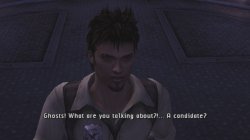
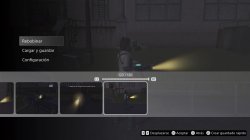
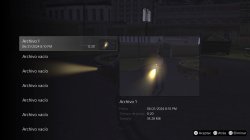
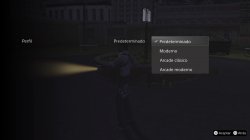
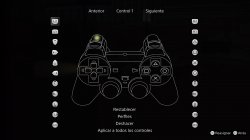
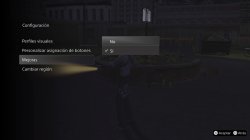
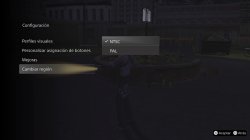
release June 18, 2024, the new ps2 games Ghosthunter on ps plus!!

Screenshots Update!
 

Attachments

  • Ghosthunter_20240621200243.jpg
    Ghosthunter_20240621200243.jpg
    399 KB · Views: 102
  • Ghosthunter_20240621201039.jpg
    Ghosthunter_20240621201039.jpg
    399.6 KB · Views: 83
  • Ghosthunter_20240621201051.jpg
    Ghosthunter_20240621201051.jpg
    406.7 KB · Views: 83
  • Ghosthunter_20240621201104.jpg
    Ghosthunter_20240621201104.jpg
    334.3 KB · Views: 137
  • Ghosthunter_20240621201109.jpg
    Ghosthunter_20240621201109.jpg
    403.5 KB · Views: 89
  • Ghosthunter_20240621201112.jpg
    Ghosthunter_20240621201112.jpg
    354.5 KB · Views: 85
  • Ghosthunter_20240621201116.jpg
    Ghosthunter_20240621201116.jpg
    355 KB · Views: 132
Fifa street isn´t launching with this lua is there anything wrong with it?

(It´s a fix for fifa street PAL multitap)

apiRequest(0.1)

local gpr = require("ee-gpr-alias")
local emuObj = getEmuObject()
local eeObj = getEEObject()
local gsObj = getGsObject()

emuObj.PadSetLightBar(0, 45,65,55)

-- Init first mtap
eeObj.WriteMem32(0x12BA88,0x24040000)
-- Read data from 1B port when 2A is requested
eeObj.WriteMem32(0x0ffc00,0x10040005)
eeObj.WriteMem32(0x0ffc04,0x00000000)
eeObj.WriteMem32(0x0ffc08,0x14050003)
eeObj.WriteMem32(0x0ffc10,0x24040000)
eeObj.WriteMem32(0x0ffc14,0x24050001)
eeObj.WriteMem32(0x0ffc18,0x080c5cbd)
eeObj.WriteMem32(0x0ffc1c,0x24030070)
eeObj.WriteMem32(0x3172ec,0x0803ff00)
emuObj.ThrottleMax()

end

emuObj.AddVsyncHook(patcher)
 
Fifa street isn´t launching with this lua is there anything wrong with it?

(It´s a fix for fifa street PAL multitap)

apiRequest(0.1)

local gpr = require("ee-gpr-alias")
local emuObj = getEmuObject()
local eeObj = getEEObject()
local gsObj = getGsObject()

emuObj.PadSetLightBar(0, 45,65,55)

-- Init first mtap
eeObj.WriteMem32(0x12BA88,0x24040000)
-- Read data from 1B port when 2A is requested
eeObj.WriteMem32(0x0ffc00,0x10040005)
eeObj.WriteMem32(0x0ffc04,0x00000000)
eeObj.WriteMem32(0x0ffc08,0x14050003)
eeObj.WriteMem32(0x0ffc10,0x24040000)
eeObj.WriteMem32(0x0ffc14,0x24050001)
eeObj.WriteMem32(0x0ffc18,0x080c5cbd)
eeObj.WriteMem32(0x0ffc1c,0x24030070)
eeObj.WriteMem32(0x3172ec,0x0803ff00)
emuObj.ThrottleMax()

end

emuObj.AddVsyncHook(patcher)​
 
Fifa street isn´t launching with this lua is there anything wrong with it?

(It´s a fix for fifa street PAL multitap)

apiRequest(0.1)

local gpr = require("ee-gpr-alias")
local emuObj = getEmuObject()
local eeObj = getEEObject()
local gsObj = getGsObject()

emuObj.PadSetLightBar(0, 45,65,55)

-- Init first mtap
eeObj.WriteMem32(0x12BA88,0x24040000)
-- Read data from 1B port when 2A is requested
eeObj.WriteMem32(0x0ffc00,0x10040005)
eeObj.WriteMem32(0x0ffc04,0x00000000)
eeObj.WriteMem32(0x0ffc08,0x14050003)
eeObj.WriteMem32(0x0ffc10,0x24040000)
eeObj.WriteMem32(0x0ffc14,0x24050001)
eeObj.WriteMem32(0x0ffc18,0x080c5cbd)
eeObj.WriteMem32(0x0ffc1c,0x24030070)
eeObj.WriteMem32(0x3172ec,0x0803ff00)
emuObj.ThrottleMax()

end

emuObj.AddVsyncHook(patcher)​

You forgot "local patcher = function()"

Code:
apiRequest(0.1)

local gpr = require("ee-gpr-alias")
local emuObj = getEmuObject()
local eeObj = getEEObject()
local gsObj = getGsObject()

emuObj.PadSetLightBar(0, 45,65,55)
local patcher = function()
-- Init first mtap
eeObj.WriteMem32(0x12BA88,0x24040000)
-- Read data from 1B port when 2A is requested
eeObj.WriteMem32(0x0ffc00,0x10040005)
eeObj.WriteMem32(0x0ffc04,0x00000000)
eeObj.WriteMem32(0x0ffc08,0x14050003)
eeObj.WriteMem32(0x0ffc10,0x24040000)
eeObj.WriteMem32(0x0ffc14,0x24050001)
eeObj.WriteMem32(0x0ffc18,0x080c5cbd)
eeObj.WriteMem32(0x0ffc1c,0x24030070)
eeObj.WriteMem32(0x3172ec,0x0803ff00)
emuObj.ThrottleMax()

end

emuObj.AddVsyncHook(patcher)
 
Tourist Trophy (SCUS-97502)

CONFIG TXT

#Fix incomplete letters in menu
--vu0-no-clamping=0
--vu1-no-clamping=0

#Speedhacks
--ee-cycle-scalar=1.2
--vu1-di-bits=0
--vu1-mpg-cycles=700

#Fix video anticipated race license
--fpu-accurate-muldiv-range=0x004A42E0,0x004A42E0
--fpu-accurate-muldiv-range=0x004A4304,0x004A4304
--fpu-accurate-muldiv-range=0x004A4430,0x004A4430
--fpu-accurate-muldiv-range=0x004A4458,0x004A4458

#Gfx fix
--vif1-instant-xfer=1
--gs-use-clut-merge=0
--gs-kernel-cl="clutmerge"
--gs-kernel-cl-up="clutmerge2x2"

LUA

-- Tourist Trophy NTSC (SCUS-97502)


apiRequest(0.1)

local eeObj = getEEObject()
local emuObj = getEmuObject()
local gsObj = getGsObject()

local patch = function()

-- Autoboot mode NTSC=0 / 480p=1 / 1080i=2
eeObj.WriteMem32(0x20829248,0x00000001)

end

emuObj.AddVsyncHook(patch)

-- Fix horizontal color line appearing in screen
emuObj.SetGsTitleFix( "ignoreSubBuffCov", "reserved", { } )
 
I may request a Fifa Street 1 (PAL if possible) multiplayer fix. If anyone wants to do it it would be very much appreciated.
 
Tourist Trophy (SCPS-15105)

CONFIG TXT

#Fix incomplete letters in menu
--vu0-no-clamping=0
--vu1-no-clamping=0

#Speedhacks
--ee-cycle-scalar=1.2
--vu1-di-bits=0
--vu1-mpg-cycles=700

#Fix video anticipated race license
--fpu-accurate-muldiv-range=0x004BAFA0,0x004BAFA0
--fpu-accurate-muldiv-range=0x004BAFC4,0x004BAFC4
--fpu-accurate-muldiv-range=0x004BB0F0,0x004BB0F0
--fpu-accurate-muldiv-range=0x004BB118,0x004BB118

#Gfx fix
--vif1-instant-xfer=1
--gs-use-clut-merge=0
--gs-kernel-cl="clutmerge"
--gs-kernel-cl-up="clutmerge2x2"

LUA

-- Tourist Trophy NTSC (SCPS-15105)


apiRequest(0.1)

local eeObj = getEEObject()
local emuObj = getEmuObject()
local gsObj = getGsObject()

local patch = function()

-- Autoboot mode NTSC=0 / 480p=1 / 1080i=2
eeObj.WriteMem32(0x20816E08,0x00000001)

-- Infinite Time [L2=ON/R2=OFF]
if eeObj.ReadMem16(0x0058AC24) == 0xFEFF then -- L2
eeObj.WriteMem32(0x202F6B16,0x00002A00)
end
if eeObj.ReadMem16(0x0058AC24) == 0xFDFF then -- R2
eeObj.WriteMem32(0x202F6B16,0x182B2442)
end

-- CPU No Move [L3=ON/R3=OFF]
if eeObj.ReadMem16(0x0058AC24) == 0xFFFD then -- L3
eeObj.WriteMem32(0x202ED210,0x24020000)
end
if eeObj.ReadMem16(0x0058AC24) == 0xFFFB then -- R3
eeObj.WriteMem32(0x202ED210,0x1440FFF9)
end

end

emuObj.AddVsyncHook(patch)

-- Fix horizontal color line appearing in screen
emuObj.SetGsTitleFix( "ignoreSubBuffCov", "reserved", { } )
 
Gran Turismo 4 (SCES51719) (Update)

TXT.
Code:
--gs-use-deferred-l2h=1

--vif1-instant-xfer=1

--gs-use-mipmap=0
--gs-use-clut-merge=1
--gs-kernel-cl="clutmerge"
--gs-kernel-cl-up="clutmerge2x2"

#Fix incomplete letters in menu
--vu0-no-clamping=0
--vu0-clamp-operands=1
--vu0-clamp-results=1

--vu1-no-clamping=0
--vu1-clamp-operands=1
--vu1-clamp-results=1

--ee-cycle-scalar=1.50

#Fix video anticipated race license
--fpu-accurate-muldiv-range=0x00579EB8,0x00579EB8
--fpu-accurate-muldiv-range=0x00579EDC,0x00579EDC
--fpu-accurate-muldiv-range=0x0057A008,0x0057A008
--fpu-accurate-muldiv-range=0x0057A030,0x0057A030

--detect-idle-vif=1

LUA.
Code:
--gametitle=Gran Turismo 4 [SCES-51719] (E)
--emu=siren v2

apiRequest(0.1)

local eeObj     = getEEObject()
local emuObj = getEmuObject()
local gsObj     = getGsObject()

local CheckInputs = function()

local pad_bits = emuObj.GetPad()

local UP    = pad_bits &  0x0010
local DOWN    = pad_bits &  0x0040
local LEFT    = pad_bits &  0x0080
local RIGHT    = pad_bits &  0x0020
local Triangle  = pad_bits &  0x1000
local Cross    = pad_bits &  0x4000
local Square    = pad_bits &  0x8000
local Circle  = pad_bits &  0x2000
local L1    = pad_bits &  0x0400
local L2    = pad_bits &  0x0100
local L3    = pad_bits &  0x0002
local R1    = pad_bits &  0x0800
local R2    = pad_bits &  0x0200
local R3    = pad_bits &  0x0004
local Select  = pad_bits &  0x0001
local Start    = pad_bits &  0x0008

if (L3 ~= 0) then
-- Field of View
-- Screen Width   (mm)
eeObj.WriteMem32(0x20A567F0,0x446E0000) -- 952mm in my case
-- Screen Height (mm)
eeObj.WriteMem32(0x20A567F4,0x4405C000) -- 535mm in my case
-- Eye Distance to Screen (mm)
eeObj.WriteMem32(0x20A567EC,0x44610000) -- 900mm in my case
-- Zoom Level (-2.0 to 2.0)
eeObj.WriteMem32(0x20A567E8,0x3f800000) -- 1.0, we already have the right FoV Better don't touch this
end

if (R3 ~= 0) then
-- Added GT4 First Preview camera mode (far chase camera)
eeObj.WriteMem32(0x2037AFAC,0x84E30000)
eeObj.WriteMem16(0x2037AFB0,0x0002)
eeObj.WriteMem16(0x2037AFC0,0x0004)
eeObj.WriteMem32(0x2037AFD0,0x84E30000)
eeObj.WriteMem16(0x2037AFE0,0x0004)
eeObj.WriteMem8(0x0037AFF8,0x40)
eeObj.WriteMem16(0x2037B00A,0x8442)
eeObj.WriteMem32(0x206211E8,0x00010000)
eeObj.WriteMem32(0x206211EC,0x00060014)
end

end

emuObj.AddVsyncHook(CheckInputs)

local widescreen = function()

-- force progressive scan
eeObj.WriteMem32(0x20A57E70,0x00000001)
eeObj.WriteMem32(0x201074A0,0x24050003) --8E050004
eeObj.WriteMem32(0x2061868C,0x00000001) --00000000
eeObj.WriteMem32(0x20618694,0x00000000) --00000001

-- Autoboot in 480p
eeObj.WriteMem32(0x20436820,0xAE0516B0) --AE0010E8
eeObj.WriteMem16(0x20436910,0x10E8) --


-- Aspect Ratio

--   Single Screen Aspect Ratios
--    1 x 16:9  3f800000
--    1 x 21:9  3FAAAAAB
--    1 x 32:9  40000000

--   Triple Screen Aspect Ratios
--    3 x 16:9  40400000

eeObj.WriteMem32(0x20A567F8,0x3f800000) -- 16:9 in my case

-- disable colour correction channel shuffle effect
eeObj.WriteMem32(0x0033F8B8,0x1000000B) --5440000B

-- disable rendering of light sources
eeObj.WriteMem32(0x0033F6B0,0x10000031) --10400031

-- Fix shadows
eeObj.WriteMem32(0x001D6598,0x00000000) --0C075A6A

end

emuObj.AddVsyncHook(widescreen)

Some users ask set original GT4 camera back! So, now is done! Also you still have option use camera view from GT4 Prologue and keep original camera!

For "True" Widescreen don't forget turn on Widescreen in game options too!

For camera view from GT4 Prologue push R3 while any loading screen! camera from GT4 Prologue not removes original camera!

Gran Turismo 4. Short GamePlay! (Camera showcase)
VIDEO
You have this LUA for SCUS-97328 ?
 
Def Jam™ Fight for N.Y.® NTSC (4 Player fix)

CLI
Code:
--gs-uprender=2x2
--gs-upscale=EdgeSmooth

--host-display-mode=16:9

--iop-cycle-scalar=1.0

--ee-cycle-scalar=1.7

--mtap1=always
--mtap2=always
LUA
Code:
-- Def Jam: Fight for NY (SLUS-21004)
-- Multi-Tap fix by Kozarovv
-- Widescreen Patch
-- ported to PS4 Lua by Stayhye
-- emu used=aofa

apiRequest(0.1)

local eeObj    = getEEObject()
local emuObj    = getEmuObject()

local WS = function()
--16:9
eeObj.WriteMem32(0x00361a34,0x10a20016)
eeObj.WriteMem32(0x00361a64,0x3c013fab)
eeObj.WriteMem32(0x00361a68,0x44810800)
eeObj.WriteMem32(0x00361a6c,0x46010002)
eeObj.WriteMem32(0x00361a70,0xe4c00000)
eeObj.WriteMem32(0x00361a74,0x46010842)
eeObj.WriteMem32(0x00361a78,0xe4e10000)
eeObj.WriteMem32(0x00361a7c,0xc480001c)
eeObj.WriteMem32(0x00361a80,0xe5000000)
eeObj.WriteMem32(0x00361a84,0xc4810024)
eeObj.WriteMem32(0x00361a88,0x03e00008)
eeObj.WriteMem32(0x00361a8c,0xe5210000)
eeObj.WriteMem32(0x00361a90,0xc4800010)
eeObj.WriteMem32(0x00361a94,0x3c013fab)
eeObj.WriteMem32(0x00361a98,0x44810800)
eeObj.WriteMem32(0x00361a9c,0x00000000) -- optional zoom for cutscenes
eeObj.WriteMem32(0x00361a9c,0x46010002) -- optional zoom for cutscenes
eeObj.WriteMem32(0x00361aa0,0x46010842)
eeObj.WriteMem32(0x00361aa4,0xe4c00000)
eeObj.WriteMem32(0x00361aa8,0xe4e10000)
eeObj.WriteMem32(0x00361aac,0x3c013e80)
eeObj.WriteMem32(0x00361ab0,0x44811800)
eeObj.WriteMem32(0x00361ab4,0xc4820024)
eeObj.WriteMem32(0x00361ab8,0x3c013f00)
eeObj.WriteMem32(0x00361abc,0x44810000)
eeObj.WriteMem32(0x00361ac0,0x46031082)
eeObj.WriteMem32(0x00361ac4,0xc481001c)
eeObj.WriteMem32(0x00361ac8,0x46001002)
eeObj.WriteMem32(0x00361acc,0xe5010000)
eeObj.WriteMem32(0x00361ad0,0xc4800024)
eeObj.WriteMem32(0x00361ad4,0x03e00008)
eeObj.WriteMem32(0x00361ad8,0xe5200000)

--Access All Gear by Code Master
eeObj.WriteMem32(0x200C0220,0x240300FF)
eeObj.WriteMem32(0x200C0224,0x080D85B3)
eeObj.WriteMem32(0x200C0228,0xA0430000)
eeObj.WriteMem32(0x203616C8,0x08030088)

--Access All Moves by Code Master
eeObj.WriteMem32(0x200C0230,0x240200FF)
eeObj.WriteMem32(0x200C0234,0x080D852F)
eeObj.WriteMem32(0x200C0238,0xA0620000)
eeObj.WriteMem32(0x203614B8,0x0803008C)
--general
eeObj.Vu1MpgCycles(600)
emuObj.ThrottleMax()
end

emuObj.AddVsyncHook(WS)

local mtap_fix = function()
-- Force controllers detection
eeObj.WriteMem32(0x32F3EC,0x00000000)
-- Manually count to 8...
eeObj.WriteMem32(0x1EADFC,0x24100000)
eeObj.WriteMem32(0x1EAE04,0x26100001)
-- Rearrange controllers from port 2 to 1
eeObj.WriteMem32(0x0fff00,0x10040007)
eeObj.WriteMem32(0x0fff04,0x28b90003)
eeObj.WriteMem32(0x0fff08,0x54190001)
eeObj.WriteMem32(0x0fff0c,0x24a50001)
eeObj.WriteMem32(0x0fff10,0x54190001)
eeObj.WriteMem32(0x0fff14,0x24040000)
eeObj.WriteMem32(0x0fff18,0x080CBBD0)
eeObj.WriteMem32(0x0fff1c,0x00000000)
eeObj.WriteMem32(0x0fff20,0x54050001)
eeObj.WriteMem32(0x0fff24,0x24040001)
eeObj.WriteMem32(0x0fff28,0x54050001)
eeObj.WriteMem32(0x0fff2c,0x24a5ffff)
eeObj.WriteMem32(0x0fff30,0x080CBBD0)
eeObj.WriteMem32(0x0fff34,0x00000000)
eeObj.WriteMem32(0x32F36C,0x0c03ffc0)
end

emuObj.AddVsyncHook(mtap_fix)

4 player working. All thanks to Kozarovv for his multi-tap patches. Tested quite a bit, works great.
Would this work for games that use mtap2? and if would it work for pal games?
 
Hello to everyone . Please help with emu Star Ocean v2 . It isn't work , i can create pkg with ps2-fpkg v0.7 beta , but the screensaver freezes after start the game. Where can I get a working Star Ocean v2?
 
Today I have been trying to make Disney's Treasure Planet (SCUS-97146) to work.
Initially, the game would crash when I got to the menu but I was able to fix it by using "--vif1-ignore-cmd-ints=1" and now I can get ingame and technically play. The problem is that the text/UI is broken. It makes these spikes show up during subtitles or menus like it's incredibily stretched, including the loading disc icon, basically the 2D elements I guess.

Here's a few commands I tried but didn't help: --vu-xgkick-delay=8, --vu-xgkick-delay=5, eeClampMode 3, vuClampMode 3, vuClampMode 2, --vu-custom-min-max=0, --vif1-instant-xfer=0

As for emus, KOF98 and RECVX seem to work the best with this game. Anyway, any ideas for this?

T267oWq.jpeg


HSWY6RV.jpeg


FirOgS9.jpeg


CXaFbuT.jpeg


chPwgCF.jpeg


Update: After more testing, you do not need the vif1 ignore. Turns out it's the older emus like Perappa, Siren and Rogue that crash on the menu and they crash right away if you use that command. Newer ones work except Jak. Also, the 2D texture bug looks less broken in the older emus before it crashes, unfortunately they're unusable for this game.
 
Last edited:
Today I have been trying to make Disney's Treasure Planet (SCUS-97146) to work.
Initially, the game would crash when I got to the menu but I was able to fix it by using "--vif1-ignore-cmd-ints=1" and now I can get ingame and technically play. The problem is that the text/UI is broken. It makes these spikes show up during subtitles or menus like it's incredibily stretched, including the loading disc icon, basically the 2D elements I guess.

Here's a few commands I tried but didn't help: --vu-xgkick-delay=8, --vu-xgkick-delay=5, eeClampMode 3, vuClampMode 3, vuClampMode 2, --vu-custom-min-max=0, --vif1-instant-xfer=0

As for emus, KOF98 and RECVX seem to work the best with this game. Anyway, any ideas for this?

T267oWq.jpeg


HSWY6RV.jpeg


FirOgS9.jpeg


CXaFbuT.jpeg


chPwgCF.jpeg


Update: After more testing, you do not need the vif1 ignore. Turns out it's the older emus like Perappa, Siren and Rogue that crash on the menu and they crash right away if you use that command. Newer ones work except Jak. Also, the 2D texture bug looks less broken in the older emus before it crashes, unfortunately they're unusable for this game.
Try War of the monsters
 
Same results as Rogue v2, Siren and Primal. Crashes at the main menu but the 2D stuff looks less but still broken.
For the crashing, I believe --ee-cycle-scalar=5 or --ee-cycle-scalar=0.1 will likely fix it.

As for the gfx stuff, did you try --gs-use-clut-merge=1 or --gs-vert-precision=8 or --gs-vert-precision=16?
 
For the crashing, I believe --ee-cycle-scalar=5 or --ee-cycle-scalar=0.1 will likely fix it.

As for the gfx stuff, did you try --gs-use-clut-merge=1 or --gs-vert-precision=8 or --gs-vert-precision=16?

So even with the ee cycle scalar, the game always crashes when you reach the main menu with war of the monsters or any other old emu. I also tried the vert precision command on KOF98 to see if it helped with the graphical issues but it does not do anything at all.
 
So even with the ee cycle scalar, the game always crashes when you reach the main menu with war of the monsters or any other old emu. I also tried the vert precision command on KOF98 to see if it helped with the graphical issues but it does not do anything at all.

Trying the "--gs-force-bilinear=1"command may be helpful
 
So even with the ee cycle scalar, the game always crashes when you reach the main menu with war of the monsters or any other old emu. I also tried the vert precision command on KOF98 to see if it helped with the graphical issues but it does not do anything at all.

emus that crash at title screen requires "--ee-regalloc-scalar=0 "
 

Similar threads

Back
Top