PS2 [Testers Needed] OPL internal exfat 2TB+ HDD and multi-BDM devices

Hi new here...i have a problem with using 2 usb which both are external hard drive...1tb and the other is 500gb

okay here's the problem:
OPL does not detect both usb when booting PS2 slim 90k. However, it work when I connect one of them later on OPL and it able to read both, showing the game list from both external hard drive.

Adding to the problem when booting ps2 with both usb already plugged in, it will not read any usb when I use Auto setting on USB. If I'm using Manual it can only read one of the usb.

I use the latest grimdoomer's OPL v1.2.0.6-1996 Beta
 
Now I am at the PS2. I just tried v1.2.0.1. It is still showing the 221 error on boot (but understand you may not have applied the fix in 1.2.0.1?).

Now, regarding the starting of multiple devices issue:

Even with manual device start enabled, it would not detect the MX4SIO with the USB HDD plugged in.

I have to start OPL with the USB HDD unplugged, then it will detect the MX4SIO and then I can plug in the USB HDD and start that. This is the only way I have been able to use both at the same time.
this is the problem that I'm facing. I use 2 External Hard Drive
 
Finally, I have a 4tb hdd with OPL 1.2.0.6-1996 but the tab with settings for individual games still does not show after pressing the triangle. Any suggestions? Maybe I don't have an option enabled somewhere in the settings or in OPL Manager? I'm using FMCB 1966, hard drive formatted exfat Western Digital blue 3.5 4tb.
 
purchased a new seagate baracuda 8tb 5400rpm drive, and the config loaded much faster this time. perhaps the old drive i was using just had bad fragmentation.

that being said, the sabrent dock is still working fine with this drive as well. so i feel confident in recommending this dock for players who dont want to rip their pc apart to direct jack into the mobo. playing silent hill 2 as i type this and is working great.
Hi,
I bought a seagate barracuda 2TB, but found the modern drive has a sector of 4K instead of 512 and apparently no way to work around this as a physical make up of the drive.

having read around it states all their drives are now 4K sectors, confused as to how you got yours to work?
 
Hi,
I bought a seagate barracuda 2TB, but found the modern drive has a sector of 4K instead of 512 and apparently no way to work around this as a physical make up of the drive.

having read around it states all their drives are now 4K sectors, confused as to how you got yours to work?
The drive should support 512 byte sector emulation. There's a utility on the seagate website you can use to change the drive sector size to use 512 byte sectors. But you will need to connect it to your motherboard as almost no sata dock/adapter will passthrough the ATA commands required to change the sector size.
 
Finally, I have a 4tb hdd with OPL 1.2.0.6-1996 but the tab with settings for individual games still does not show after pressing the triangle. Any suggestions? Maybe I don't have an option enabled somewhere in the settings or in OPL Manager? I'm using FMCB 1966, hard drive formatted exfat Western Digital blue 3.5 4tb.
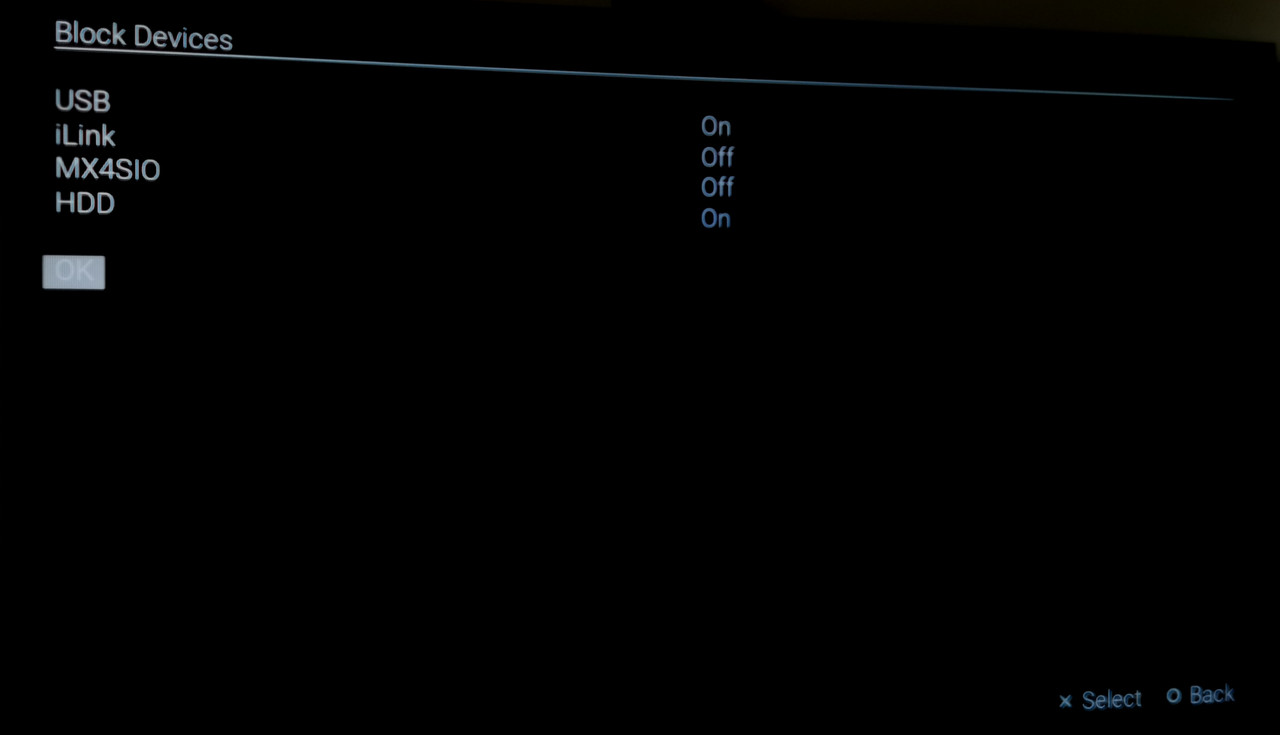
Is your drive formatted with 512kb? Have you set BDM devices to auto and blocked hdd?
 
The drive should support 512 byte sector emulation. There's a utility on the seagate website you can use to change the drive sector size to use 512 byte sectors. But you will need to connect it to your motherboard as almost no sata dock/adapter will passthrough the ATA commands required to change the sector size.

This sounds ideal, I have a tower I can pop the drive into, I looked all around the seagate site and couldn't find any reference to the utility tool, just some windows 7 Troubleshooting shooting guide which wasn't helpful.

woold you mind sharing a link?
 
This sounds ideal, I have a tower I can pop the drive into, I looked all around the seagate site and couldn't find any reference to the utility tool, just some windows 7 Troubleshooting shooting guide which wasn't helpful.

woold you mind sharing a link?
See this link for more information on the seachest tool and how to use it: https://www.truenas.com/community/t...ing-fast-format-seagate-exos-x16-drive.84094/

You will want to change the last command they use "--setSectorSize" to set the drive to 512 sector size. Look at the output from the "--showSupportedSectorSizes" command, one of the options should be 512 (it might be labeled as 512e or something like that), that's what you'll want to use with the "--setSectorSize" command.
 
I can't seem to get my games to show up under HDD. The drive I'm using is the same one that I've been using for the past year in my PS2 which is a 1tb Western Digital Blue 7200 RPM WDEZEX. (You'll have to google it for an amazon listing as I'm not allowed to post links?) These are the drive specs when seen through AOMEI Partition Assistant 10.0.0.
HPQZdTg

I have also tried formatting it through 3 different programs(AOMEI, Easeus, and lastly windows disk management) all with the same result. I'm running freeMcboot version 1.95 and grimdoomer's OPL_v1.2.0.6-1996.
HPQZC3N

Here are the settings I have in OPL which do show usb games but Internal HDD games don't show up even after 10 minutes of down time and hitting refresh.
HPQZq4p

HPQZovt

HPQZKCv

So I figure its probably the hard drive. The folder structure I have for games is the OPL manager style seen here.
HPQZHyF

I also have used OPL Manager to rename the games properly (instead of my own when I ripped them, IE Silent Hill 2 Which is Identical to the USB thumb drive I used which did show games and allow me to play off of it. Also as a side note which OPL file am I supposed to be using out of all these?
HPQZnaI

I've used all of them and had the same results with all of them. Any insight to getting my games to show up is much appriciated!
 
I can't seem to get my games to show up under HDD. The drive I'm using is the same one that I've been using for the past year in my PS2 which is a 1tb Western Digital Blue 7200 RPM WDEZEX. (You'll have to google it for an amazon listing as I'm not allowed to post links?) These are the drive specs when seen through AOMEI Partition Assistant 10.0.0.
HPQZdTg

I have also tried formatting it through 3 different programs(AOMEI, Easeus, and lastly windows disk management) all with the same result. I'm running freeMcboot version 1.95 and grimdoomer's OPL_v1.2.0.6-1996.
HPQZC3N

Here are the settings I have in OPL which do show usb games but Internal HDD games don't show up even after 10 minutes of down time and hitting refresh.
HPQZq4p

HPQZovt

HPQZKCv

So I figure its probably the hard drive. The folder structure I have for games is the OPL manager style seen here.
HPQZHyF

I also have used OPL Manager to rename the games properly (instead of my own when I ripped them, IE Silent Hill 2 Which is Identical to the USB thumb drive I used which did show games and allow me to play off of it. Also as a side note which OPL file am I supposed to be using out of all these?
HPQZnaI

I've used all of them and had the same results with all of them. Any insight to getting my games to show up is much appriciated!
I don't know if it's my browser, but your post doesn't have images, so it's hard to understand what the problem is.
 
I don't know if it's my browser, but your post doesn't have images, so it's hard to understand what the problem is.
Yeah they didn't show after I posted it. You can right click them and open them in a different tab though. Sorry I would have just linked directly to them but I can't post links probably cause I just made the account.
 
My settings are working fine.
IMG-20230628-173927-edit-296691856560974.jpg
IMG-20230628-173951-edit-296764283659921.jpg
IMG-20230628-173404-edit-296720110694824.jpg

Maybe unplug the usb thumb drive.

Edit 1.
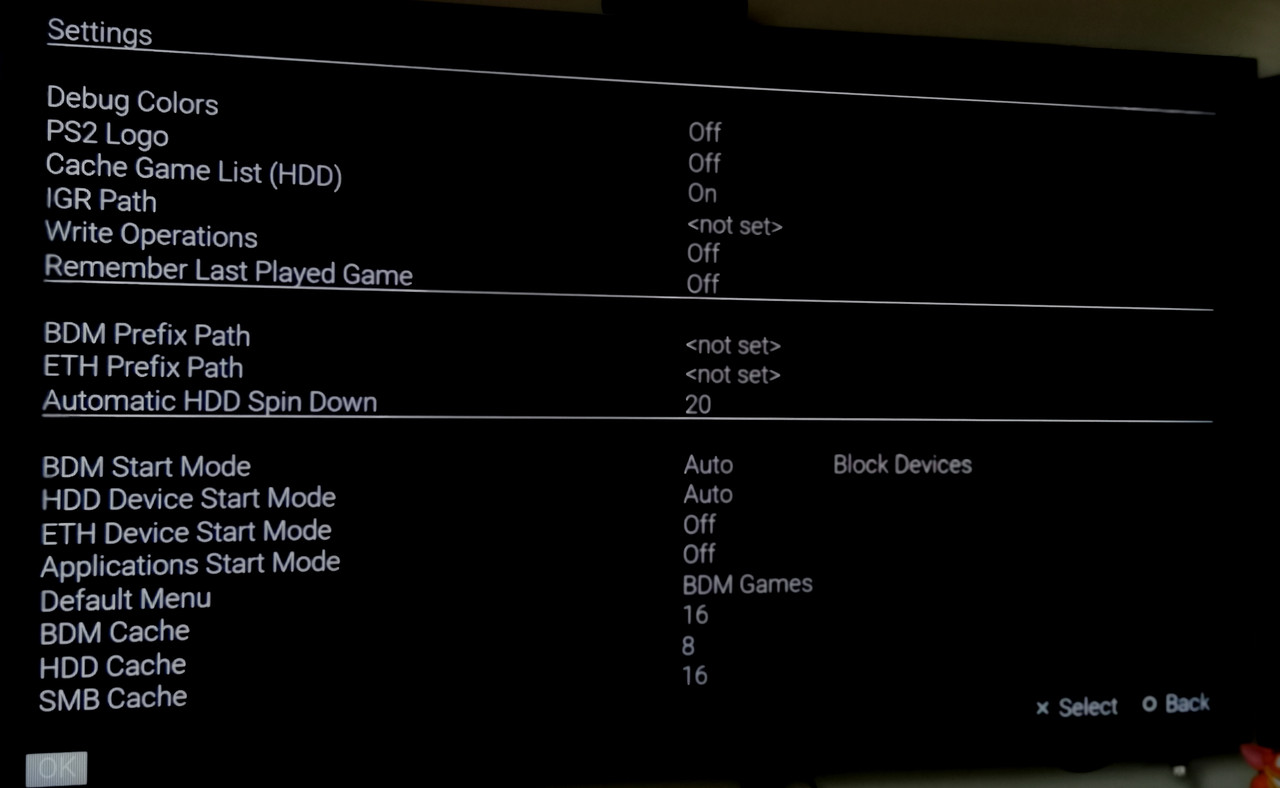
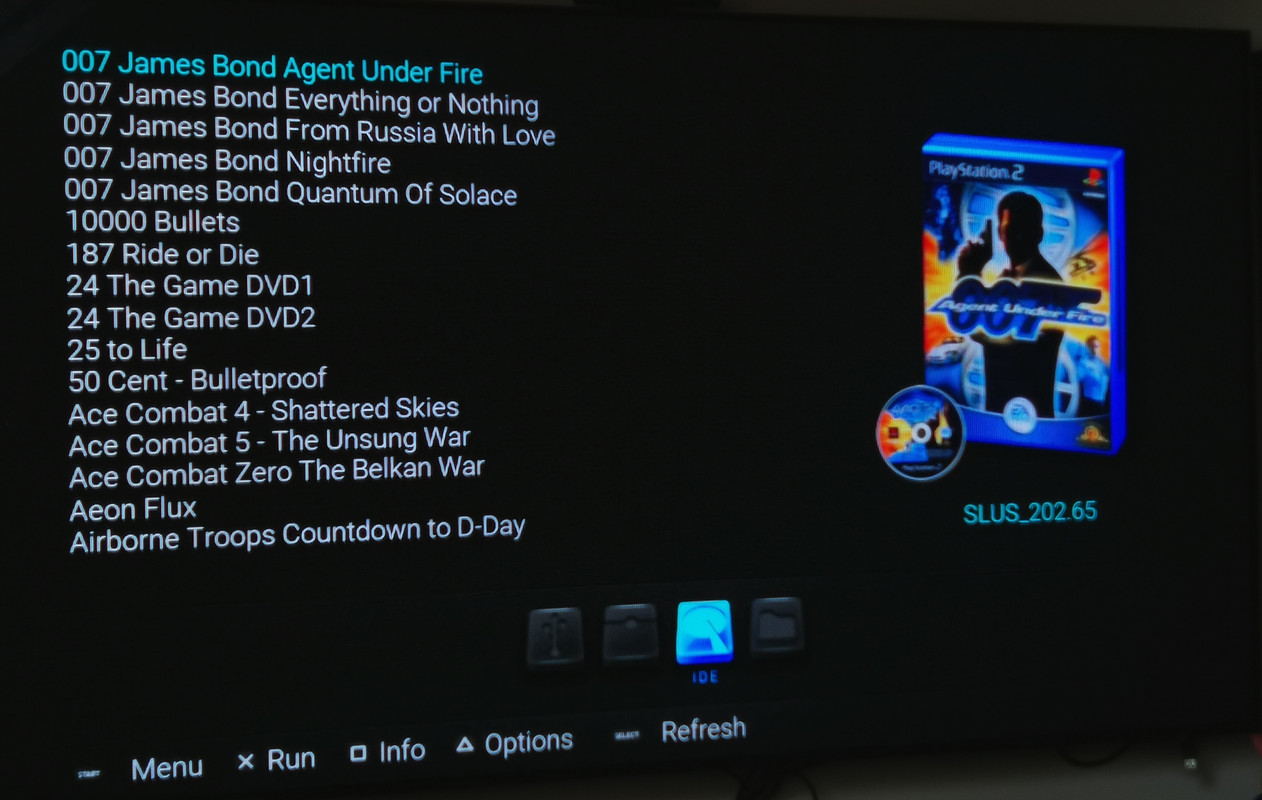
If I change "Default Menu" to "HDD games", my list of games not show up. So, try to change it to BDM Games and maybe it will help.
 
Last edited:
I can't seem to get my games to show up under HDD. The drive I'm using is the same one that I've been using for the past year in my PS2 which is a 1tb Western Digital Blue 7200 RPM WDEZEX. (You'll have to google it for an amazon listing as I'm not allowed to post links?) These are the drive specs when seen through AOMEI Partition Assistant 10.0.0.
HPQZdTg

I have also tried formatting it through 3 different programs(AOMEI, Easeus, and lastly windows disk management) all with the same result. I'm running freeMcboot version 1.95 and grimdoomer's OPL_v1.2.0.6-1996.
HPQZC3N

Here are the settings I have in OPL which do show usb games but Internal HDD games don't show up even after 10 minutes of down time and hitting refresh.
HPQZq4p

HPQZovt

HPQZKCv

So I figure its probably the hard drive. The folder structure I have for games is the OPL manager style seen here.
HPQZHyF

I also have used OPL Manager to rename the games properly (instead of my own when I ripped them, IE Silent Hill 2 Which is Identical to the USB thumb drive I used which did show games and allow me to play off of it. Also as a side note which OPL file am I supposed to be using out of all these?
HPQZnaI

I've used all of them and had the same results with all of them. Any insight to getting my games to show up is much appriciated!
Turn HDD Device Start Mode off, and under the Block Devices menu turn HDD on.
 
Turn HDD Device Start Mode off, and under the Block Devices menu turn HDD on.
I actually got them to show up by deleteing all references to OPL off everything and updating FreemcBoot to 1.96 then doing a clean OPL copy of the version 2 releases before the most recent. However I will attempt to do as instructed and update to the current release with the setting changes you all suggested and report back. For science.
 
Hey, new here. I'm having problems. My 20TB HDD stuck at the Gamelist loading screen after enabling all the necessary settings. No games show up on the list at all. My 20TB HDD has nearly 5000 games on it. Is there a file limit that has been reached? I'm using the latest firmware too. Loads forever, but no list ever appears. Same drive worked fine when there was like 30 games on it. Trying HDDTester & I don't see any errors currently. Thanks..
Console model

5001
 
Getting some timeouts on HDD Tester. What does that indicate? Any help is appreciated
What HDD adapter are you using? Is it a Sony one or 3rd party? Timeouts indicate communication errors, which likely explains why OPL is stuck loading the game list. Typically when this happens the adapter/drive gets put into an error state it can't recover from until you reboot.
 

Similar threads

Back
Top