
You are using an out of date browser. It may not display this or other websites correctly.
You should upgrade or use an alternative browser.
You should upgrade or use an alternative browser.
PS2 [Testers Needed] UDPBD - The next generation of loading games through LAN on a PS2!
- Thread starter TnA
- Start date


1052
Member
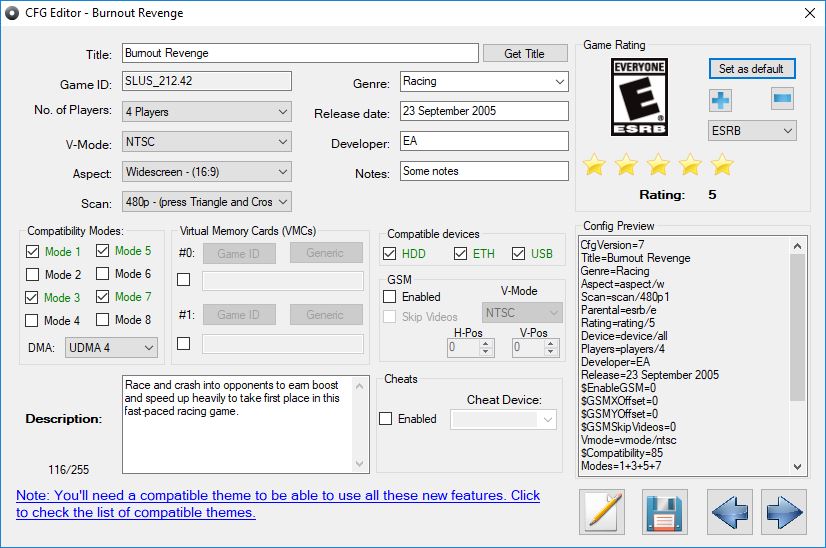
The UDPBD-Vexfat developer said that write mode is difficult to implement. UDPBD-Server supports write mode, but for this it uses a separate disk. You can create CFG files via OPL Manager. Also, you can use this instead of VMC.Do you know why they decided to do that thing where CFGs don't save?
DruidVorse
Forum Noob
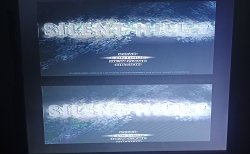
I had that issue too, you have to disable GSM for the game.Good idea, and man, do you know why in silent hill 2 DC the screen appears like this? (SLUS_219.78)

CRAXY
Member
I downloaded the PAL version and that solved itI had that issue too, you have to disable GSM for the game.
DruidVorse
Forum Noob
That doesn't solve it because the cutscenes end up desyncing with the audio.I downloaded the PAL version and that solved it
Manoj kumar
Forum Noob
How you did that step 9 bro???? I don't understand that symlink step. Could you helpSorry, I had the wrong title for that video. Forgot the files were linked in the first post...and I can't edit my former post so...yeah.
I posted the steps I took there on youtube but it got deleted either by youtube or Alexander himself. Wasn't able to get OPL to see my games (the ISOs were in the DVD folder), but I did get the server running and OPL created it's folders on the USB stick connected to the router. Here's the steps I took:
To run the UDPBD server on openWRT: (edited because I'm unable to post links...)
1.I bought the GL.inet MT300N V2 mini router from amazon.
2. Find the correct version of openWRT searching for "MT300N" on openWRT's page called:
"Table of Hardware: Firmware downloads"
3. Followed a tutorial on youtube with the video id of: v=CXHAzuONy-U on how to install openWRT.
4. Install the USB drivers and things including the packages for exfat.
The page is on openWRT's site and is called "Using storage devices"
5. Download the zip file with the lib and udpbd-server.elf which is found in the 1st post of this thread.
6. Extract the zip and in the command prompt use:
CD <path to where you extracted the zip>
mine was just:
CD C:\ROUTER\
for simplicity.
7. Log into openWRT using ssh in the command prompt:
ssh [email protected]
and put in your password.
8. I used winSCP to transfer the lib and .elf files,but on the command prompt it looks like:
scp udpbd-server.elf [email protected]:/bin/
scp libstdc++.so.6.0.25 [email protected]:/lib/
9. Next, create a symlink to that lib file with a shorter name and put it in the /usr/lib/ directory:
ln -s /lib/libstdc++.so.6.0.25 /usr/lib/libstdc++.so.6
I figured this out searching for random linux info mentioning library .so files and it worked lol!
10. Now you can make the server run when the router starts by pasting it's path into the local startup section of openWRT's web interface.
In your browser, login to openWRT by going to 192.168.1.1
Using the menu, go to System > Startup > Local (tab)
Before the 'end' text, hit enter to create a new line.
On that new line, type in: /bin/udpbd-server.elf /dev/sda
Or you can use whatever your usb drive shows as, mine was /dev/sdb
11.Save and reboot the router and that's it.
This is as far as I got. Problem I have now is that there is no /dev/sda1 or sdb1 and OPL doesn't show any games. It would be great if someone figures this out, but I'm giving up on it for now. It's taken way too much of my time so I just bought a PS2 fat instead.
CRAXY
Member
That doesn't solve it because the cutscenes end up desyncing with the audio.
Yes, I already realized hahahaThat doesn't solve it because the cutscenes end up desyncing with the audio.
Last edited by a moderator:
RandomGuy2024
Member
Are USB devices the only BD devices possible to be used? What about others, like FireWire ones?
Manoj kumar
Forum Noob
Finally I got this working. All the above settings are right.but the openwrt start up for command /bin/udpbd-server.elf /dev/sda1 won't start due to denied permission. All we got to do is connect the router through wifi/ethernet, go to terminal and type the same command and press enter. That's it. Enjoy udpbd through routerSorry, I had the wrong title for that video. Forgot the files were linked in the first post...and I can't edit my former post so...yeah.
I posted the steps I took there on youtube but it got deleted either by youtube or Alexander himself. Wasn't able to get OPL to see my games (the ISOs were in the DVD folder), but I did get the server running and OPL created it's folders on the USB stick connected to the router. Here's the steps I took:
To run the UDPBD server on openWRT: (edited because I'm unable to post links...)
1.I bought the GL.inet MT300N V2 mini router from amazon.
2. Find the correct version of openWRT searching for "MT300N" on openWRT's page called:
"Table of Hardware: Firmware downloads"
3. Followed a tutorial on youtube with the video id of: v=CXHAzuONy-U on how to install openWRT.
4. Install the USB drivers and things including the packages for exfat.
The page is on openWRT's site and is called "Using storage devices"
5. Download the zip file with the lib and udpbd-server.elf which is found in the 1st post of this thread.
6. Extract the zip and in the command prompt use:
CD <path to where you extracted the zip>
mine was just:
CD C:\ROUTER\
for simplicity.
7. Log into openWRT using ssh in the command prompt:
ssh [email protected]
and put in your password.
8. I used winSCP to transfer the lib and .elf files,but on the command prompt it looks like:
scp udpbd-server.elf [email protected]:/bin/
scp libstdc++.so.6.0.25 [email protected]:/lib/
9. Next, create a symlink to that lib file with a shorter name and put it in the /usr/lib/ directory:
ln -s /lib/libstdc++.so.6.0.25 /usr/lib/libstdc++.so.6
I figured this out searching for random linux info mentioning library .so files and it worked lol!
10. Now you can make the server run when the router starts by pasting it's path into the local startup section of openWRT's web interface.
In your browser, login to openWRT by going to 192.168.1.1
Using the menu, go to System > Startup > Local (tab)
Before the 'end' text, hit enter to create a new line.
On that new line, type in: /bin/udpbd-server.elf /dev/sda
Or you can use whatever your usb drive shows as, mine was /dev/sdb
11.Save and reboot the router and that's it.
This is as far as I got. Problem I have now is that there is no /dev/sda1 or sdb1 and OPL doesn't show any games. It would be great if someone figures this out, but I'm giving up on it for now. It's taken way too much of my time so I just bought a PS2 fat instead.
Hi I'm totally new here and facing some issues like others here.
I have a PS2 Slim 90004 with Matrix v1.93 in it
Tried following this video:
but the list of games doesn't show up.
Opened '\\.\G:' as Block Device
- read/write
- size = 15726MB / 14998MiB, sector size = 512
Block size changed to 128
Server running on port 48573 (0xbdbd)
UDPBD_CMD_INFO from 192.168.1.10
This is only what I get after running the v1.20 1973 build of OPL.
Can anyone please help?
I have a PS2 Slim 90004 with Matrix v1.93 in it
Tried following this video:
Opened '\\.\G:' as Block Device
- read/write
- size = 15726MB / 14998MiB, sector size = 512
Block size changed to 128
Server running on port 48573 (0xbdbd)
UDPBD_CMD_INFO from 192.168.1.10
This is only what I get after running the v1.20 1973 build of OPL.
Can anyone please help?
CRAXY
Member
What version of UDPBD are you using?Hi I'm totally new here and facing some issues like others here.
I have a PS2 Slim 90004 with Matrix v1.93 in it
Tried following this video:but the list of games doesn't show up.
Opened '\\.\G:' as Block Device
- read/write
- size = 15726MB / 14998MiB, sector size = 512
Block size changed to 128
Server running on port 48573 (0xbdbd)
UDPBD_CMD_INFO from 192.168.1.10
This is only what I get after running the v1.20 1973 build of OPL.
Can anyone please help?
Hi...thanks for replyingWhat version of UDPBD are you using?
As I am using Windows 11, so according to the video, I downloaded the udpbd-server.exe from github by alex parrado (latest release-March 8,2023).
The github repo is github.com/israpps/udpbd-server/releases
Kindly help.
Thanks for helping out, I tried neutrino and it did actually work but I didn't use the same GUI as mentioned above rather used this and ps2 link on PS2 and now it's working flawlessly.
For the linux formatting thing, I just used Gparted live from a bootable usb flash drive.
Thanks again

philai
Forum Noob

Oddly, these UDPBD version of OPLs seem unable to find my ps2 network adapter, "200: No network adaptor detected". However, the original OPL and OPL-DB are working perfectly with SMB. BTW my PC shows the ethernet connection has been made every time once I launched OPL-UDPBD on ps2.
I've tried both the versions I can find online: v1.2.0-Beta-1973-UDPBD and v1.2.0-Beta-2044-UDPBD. Also, tried them both on a phat model (50001) and a slim model (77001), got the same "200" issue. Maybe it's the windows version of my PC (Win10 pro 22H2) that preventd OPL-UDPBD to detect the network adapter properly? I don't have a working Win11 PC on hand to test at this time. So I can't tell. I have other Win7x86 PCs. But the UDPBD-Server seems require a 64bit version OS.
p.s. Tried both internal and USB drive, with both FAT32 format and exFAT format as well.
philai
Forum Noob
Didn't know that, thanks a lot! That actually make sense. Now the "200: no adapter" issue is gone. However, the game still won't show on my PS2. I've tried setting BDM on both Auto and Manual start mode, can't see any difference.ETH has to be disabled for UDPBD to work.

Udpbd-vexfat lines seems run fine to me at first. But no change would show up after I launched OPL-UDPBD.
————————————————————
Mapping files
- ro:vexfat:/$RECYCLE.BIN
- ro:vexfat:/$RECYCLE.BIN\$IGTAIBF.iso
- ro:vexfat:/$RECYCLE.BIN\$IT6EQ4M.iso
- ro:vexfat:/$RECYCLE.BIN\$RT6EQ4M.iso
- ro:vexfat:/$RECYCLE.BIN\desktop.ini
- ro:vexfat:/APPS
- ro:vexfat:/ART
- ro:vexfat:/CD
- ro:vexfat:/CFG
- ro:vexfat:/CHT
- ro:vexfat:/DVD
- ro:vexfat:/DVD\Crazy Taxi (USA).iso
- ro:vexfat:/LNG
- ro:vexfat:/System Volume Information
- ro:vexfat:/System Volume Information\IndexerVolumeGuid
- ro:vexfat:/System Volume Information\WPSettings.dat
- ro:vexfat:/THM
- ro:vexfat:/VMC
Emulating read-only exFAT block device
- size = 8093 MiB
Block size changed to 128
Server running on port 48573
————————————————————
Similar threads
-
PS2 Help needed getting PS2 udpbd-server running
- Started by BlasterM1ke
- Replies: 0
-
-

-