PS3 Using the service connector

Does anyone know if theres any meaningful information you can get from using the pins where the service connector should be? I see on the psdevwiki that there's a description for what each pin does but I'm specifically looking for information on how to use the service connector to diagnose issues like the YLOD/GLOD, etc.
 
I dont think it is possible. If yes then it were somwhere already something about it and the ylod/glod were still not a big unknown.
 
Well, there are not strict rules in what im going to say, but first thing needed to mention is there could be more than 1 service connector in a PS3 motherboard, the data lines in them are for different components, usually they trace them to a single service connector, but this is not a requirement
Also, the data lines in the service connectors could vary, the ones that are always present belongs to syscon chip... is mostly because by controlling syscon they can control all the other chips

Syscon have an error log if you connect with it by UART https://www.psdevwiki.com/ps3/Syscon_Hardware#Syscon_UART
I dont know if that lines are active in the most modern retail superslims though
And i dont know how useful is that info reported by syscon... most probably the error codes are unknown

Another thing you should take a look is at this "led diag modes"
https://www.psdevwiki.com/ps3/Boot_modes#LED_Diag_Mode
Again... that error codes are unknown... and looks tricky because it seems is giving an output with 16 bits (2 bytes), every flash of a led is a bit
This gives a lot of room for error codes
 
Well, there are not strict rules in what im going to say, but first thing needed to mention is there could be more than 1 service connector in a PS3 motherboard, the data lines in them are for different components, usually they trace them to a single service connector, but this is not a requirement
Also, the data lines in the service connectors could vary, the ones that are always present belongs to syscon chip... is mostly because by controlling syscon they can control all the other chips

Syscon have an error log if you connect with it by UART https://www.psdevwiki.com/ps3/Syscon_Hardware#Syscon_UART
I dont know if that lines are active in the most modern retail superslims though
And i dont know how useful is that info reported by syscon... most probably the error codes are unknown

Another thing you should take a look is at this "led diag modes"
https://www.psdevwiki.com/ps3/Boot_modes#LED_Diag_Mode
Again... that error codes are unknown... and looks tricky because it seems is giving an output with 16 bits (2 bytes), every flash of a led is a bit
This gives a lot of room for error codes
I'm going to focus on essentially only the COK-001 and maybe the COK-002 later.
 
Hey @sandungas I am working on a dia-002 motherboard solder uart connections
I have solder ground , rx and tx successfully but ended up destroying diag pad its deattached now and only that remains of it is very small point on board size of a solder ball can't get solder to stick on it and after studing the syscon uart at psdev wiki. I was wondering if the diag pin on service connector will function the same as the one in uart guide pinout.
 
Hey @sandungas I am working on a dia-002 motherboard solder uart connections
I have solder ground , rx and tx successfully but ended up destroying diag pad its deattached now and only that remains of it is very small point on board size of a solder ball can't get solder to stick on it and after studing the syscon uart at psdev wiki. I was wondering if the diag pin on service connector will function the same as the one in uart guide pinout.
Yes, is the same line, but keep in mind the service connector is at the end of the line/s. If the damaged pad is in between syscon and the service connector (im not sure) maybe the line that goes to the service connector is "cutted" in the pad

Also, follow the line with a multimeter to check it, in most motherboards (i guess all them) there are some missing resistors, in this page there are some pinouts and photos
https://www.psdevwiki.com/ps3/Service_Connectors

And last btw... you can solder a wire to a needle... and touch in the damaged DIAG pad with the needle to enable it, hold it with your hand is something temporal
 
Yes, is the same line, but keep in mind the service connector is at the end of the line/s. If the damaged pad is in between syscon and the service connector (im not sure) maybe the line that goes to the service connector is "cutted" in the pad

Also, follow the line with a multimeter to check it, in most motherboards (i guess all them) there are some missing resistors, in this page there are some pinouts and photos
https://www.psdevwiki.com/ps3/Service_Connectors

And last btw... you can solder a wire to a needle... and touch in the damaged DIAG pad with the needle to enable it, hold it with your hand is something temporal
Cool didn't thought needle can work but last night I was again trying to solder to that trace didn't got the solder to stick because of a plastic cylinder was inbetween it but poking it show that it went out of a direct syscon trace at the bottom side of board will need someone to check continuity between both diag and syscon trace.
should I clean diag trace methylated spirit no ipa available
 
IMG_20211103_233409.jpg
So I talked to @M4j0r about this issue and from I understand from his answer the service connector is a seperate area with no in-board connection traces and need jumpers to be solder to it to be useable with the fpc connector like in this diag pin trace it needs a jumper from diag point to the pin on connector to work just as in this picture. I hope that their is another trace on diag hopefully the trace underneath diag that goes straight to syscon bga would need to trace it and check connection between both sides of board.
 
Last edited:
@Fallen777 im not sure if what im going to said applyes to all motherboard models, but i now at least some of them does this

Imagine the line is like a T... in the horizontal lline at top of the "T" we have A at left (syscon) and C at right (the service connector). And the diag pad is B at bottom of the "T", ok ?... well...
If the circuit is like that and we burn the diag pad (B at the bottom of the T) then it doesnt matters much because the connection in between A and C is still there

The other design is if we have A---B---C in a single line. In this case if we damage B then we are cutting the connection in between A and C. In this case the only solution would be to find a alternative solder point near A
But im not sure if this is your case, this is something you need to check in your specific motherboard model, and every line could be traced differently

-------
The other thing we was trying to explain is... the circuit is designed to solder some resistors in some of the lines that goes from syscon to the service connector... but this resistors doesnt exists in the retail motherboards
Take a look at the comments of the service connector for PS3 slim motherboards (named C??? in this page), im just using this one as an example because i was looking at it some weeks ago and there are good photos about them, but in other motherboard models happens the same and could be a bit different
https://www.psdevwiki.com/ps3/Service_Connectors#CN.3F.3F.3F.3F

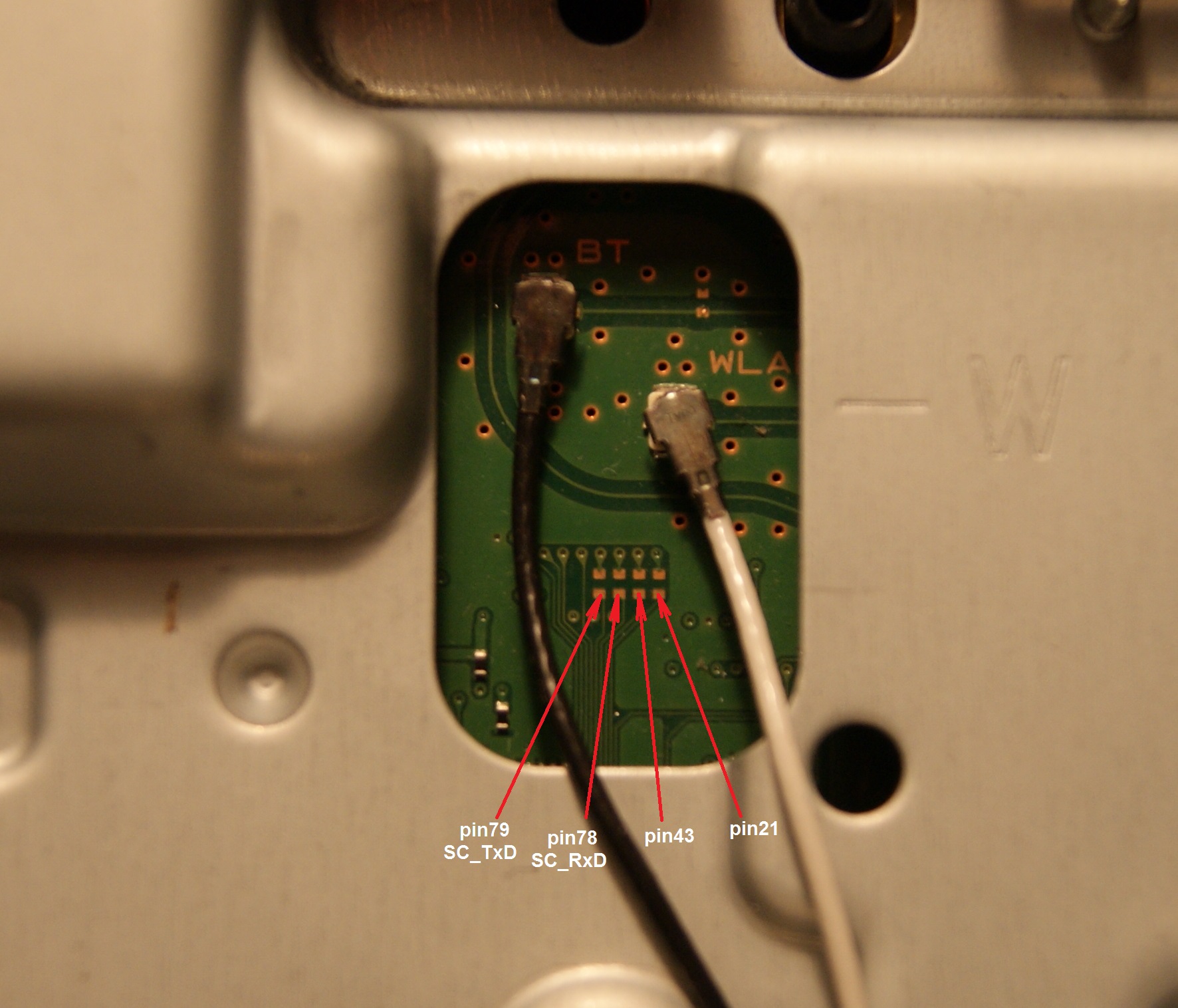
Inside the table is mentioned several times that the lines goes "throught missing SMD components"... like in this photo
This pads are intended to solder a resistor with 0 ohms (a bridge)... without them the pins of the service connector are not connected to anything
So... to restore the service connector is needed to restore those resistors too
SC_Serv_Connector.JPG


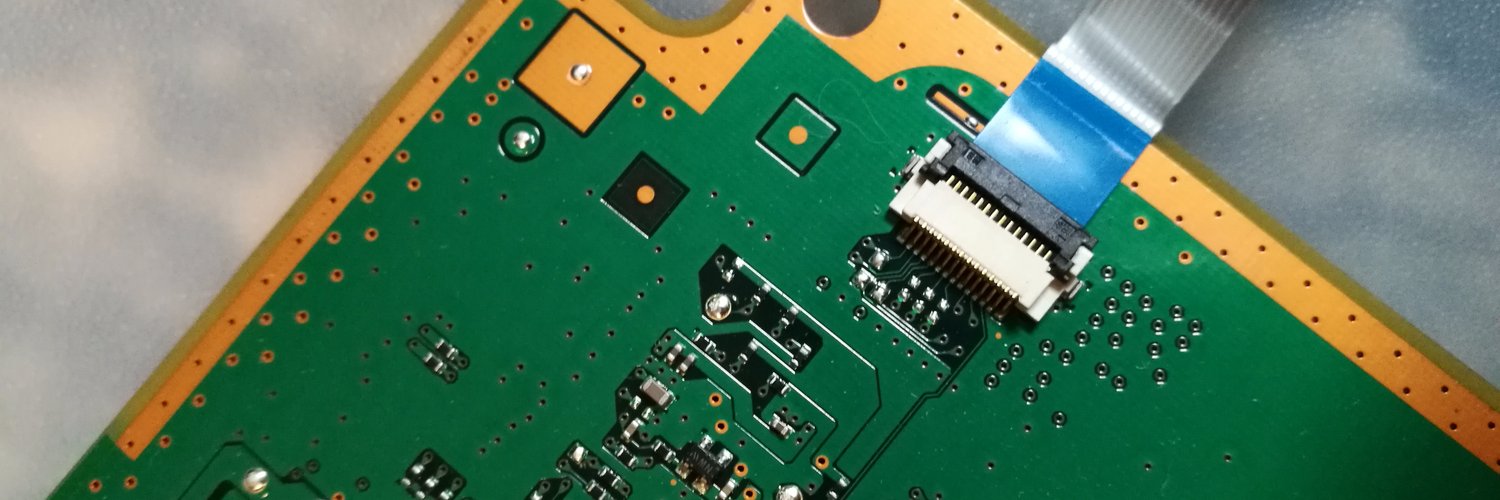
In this other image can be seen too, here the service connector is present... but is not going to work, see those 6 solder pads located in front of the connector at its middle ?
Are 3 missing resistors... so... in this photo there are 3 pins of the connector that are "disconnected"

Service_connector_3rd_gen_VERTIGO.jpg
 
Last edited:
Hey @ Sand
@Fallen777 im not sure if what im going to said applyes to all motherboard models, but i now at least some of them does this

Imagine the line is like a T... in the horizontal lline at top of the "T" we have A at left (syscon) and C at right (the service connector). And the diag pad is B at bottom of the "T", ok ?... well...
If the circuit is like that and we burn the diag pad (B at the bottom of the T) then it doesnt matters much because the connection in between A and C is still there

The other design is if we have A---B---C in a single line. In this case if we damage B then we are cutting the connection in between A and C. In this case the only solution would be to find a alternative solder point near A
But im not sure if this is your case, this is something you need to check in your specific motherboard model, and every line could be traced differently

-------
The other thing we was trying to explain is... the circuit is designed to solder some resistors in some of the lines that goes from syscon to the service connector... but this resistors doesnt exists in the retail motherboards
Take a look at the comments of the service connector for PS3 slim motherboards (named C??? in this page), im just using this one as an example because i was looking at it some weeks ago and there are good photos about them, but in other motherboard models happens the same and could be a bit different
https://www.psdevwiki.com/ps3/Service_Connectors#CN.3F.3F.3F.3F

Inside the table is mentioned several times that the lines goes "throught missing SMD components"... like in this photo
This pads are intended to solder a resistor with 0 ohms (a bridge)... without them the pins of the service connector are not connected to anything
So... to restore the service connector is needed to restore those resistors too
SC_Serv_Connector.JPG


In this other image can be seen too, here the service connector is present... but is not going to work, see those 6 solder pads located in front of the connector at its middle ?
Are 3 missing resistors... so... in this photo there are 3 pins of the connector that are "disconnected"
Service_connector_3rd_gen_VERTIGO.jpg
Hey @sandungas i need help with my error codes from both of my ps3 fat and superslim. 2 errors are not common so I can't find cause and solution tag alog some experts too.Thanks
 
Hey @sandungas I am working on a dia-002 motherboard solder uart connections
I have solder ground , rx and tx successfully but ended up destroying diag pad its deattached now and only that remains of it is very small point on board size of a solder ball can't get solder to stick on it and after studing the syscon uart at psdev wiki. I was wondering if the diag pin on service connector will function the same as the one in uart guide pinout.

sorry for asking after so long but did you find out how to reconnect the alternate points? I have a cok-001 in which the 3 pads are damaged...
 
hello major thanks for answering, but it is not necessary to connect resistors at specific points to make these points be activated? I had read old posts and that this was necessary but I didn't get to the new ones to find out if the problem had been overcome or identified... just make the connection then? I thank

Enviado de meu SM-A037M usando o Tapatalk
well doing so won't harm anything resistors are mostly for filtering data lines and usually are smaller cermic ones ranging from anyhere between 10-100 ohms mostly
 
well doing so won't harm anything resistors are mostly for filtering data lines and usually are smaller cermic ones ranging from anyhere between 10-100 ohms mostly
Good to know but unfortunately I ended up damaging one of the pads again, the jumper got stuck on my shirt the moment I got up it ended up breaking the pad... there's something wrong with that board... anyway I'll leave it as scrap but thanks for the information
 
Yes, is the same line, but keep in mind the service connector is at the end of the line/s. If the damaged pad is in between syscon and the service connector (im not sure) maybe the line that goes to the service connector is "cutted" in the pad

Also, follow the line with a multimeter to check it, in most motherboards (i guess all them) there are some missing resistors, in this page there are some pinouts and photos

And last btw... you can solder a wire to a needle... and touch in the damaged DIAG pad with the needle to enable it, hold it with your hand is something temporal
would i need to use the resistor?
 
Back
Top