webMAN Classics Maker

PS3 webMan Classics Maker: Launch ISOs straight from XMB 3.0.0-beta3

@aldostools Here's another release, now with JB-folder support. Let me know if it seem to work for you :encouragement:

Tested webman_classics_maker_v2.2.0-RC-3_win

ERROR: Fetching GAMES from /dev_hdd0
upload_2020-11-1_11-34-23.png


ERROR: Fetching NTFS games from hdd0
upload_2020-11-1_11-34-55.png
 
@aldostools
The last error: angry birds
This I think I quickly found the bug for this, basically all the failed retries makes this entry not receiving a title_id (which is intended), entries w/o title_id shouldn't look for metadata in their respective "xxx_all_title_ids.json".

To the first error: Uncharted 2
I think this error is due to my lack of understand the of rules of the GAMES folders.

Is it true that all folder games has be located in either /dev_usbxxx/GAMES/TITLEID or in /dev_hdd0/GAMES/TITLEID ?
My confusion is that your Uncharted 2 game seem to have other things in the folder name other than the title-id, so I guess the rule is that GAMES -folders can be named to whatever as long as they contain title-id in the pattern of ABCD12345, and even ABCD-12345?

Thanks for testing!
 
Last edited:
@aldostools
The last error: angry birds
This I think I quickly found the bug for this, basically all the failed retries makes this entry not receiving a title_id (which is intended), entries w/o title_id shouldn't look for metadata in their respective "xxx_all_title_ids.json".

To the first error: Uncharted 2
I think this error is due to my lack of understand the of rules of the GAMES folders.

Is it true that all folder games has be located in either /dev_usbxxx/GAMES/TITLEID or in /dev_hdd0/GAMES/TITLEID ?
My confusion is that your Uncharted 2 game seem to have other things in the folder name other than the title-id, so I guess the rule is that GAMES -folders can be named to whatever as long as they contain title-id in the pattern of ABCD12345, and even ABCD-12345?

Thanks for testing!

JB games are ISO stored in extracted folders.
They can be stored in GAMES or GAMEZ folders. e.g. /dev_hdd0/GAMEZ, /dev_hdd0/GAMES, /dev_usb001/GAMES

BTW /dev_hdd0/video is also supported for stealth purpose (but that's another story)

The folder name are all upper case: /Games or /games are invalid folder names.

Each game is extracted in a sub-folder under /GAMES or /GAMEZ
The name of the sub-folder can be any name (with or without the title id). The name could be in non-Latin characters too (Cyrillic, Japanese, Korean, etc.)
Examples:
/dev_hdd0/GAMES/GT5
/dev_hdd0/GAMEZ/Uncharted 3 [BCUS98233]
/dev_usb000/GAMES/BCUS98233-Uncharted 3
/dev_usb001/GAMEZ/Any Name

All the sub-folders should contain a folder PS3_GAME with at least ICON0.PNG, PARAM.SFO and USRDIR/EBOOT.BIN (although the EBOOT.BIN is not required for some hybrid game types)
 
JB games are ISO stored in extracted folders.
They can be stored in GAMES or GAMEZ folders. e.g. /dev_hdd0/GAMEZ, /dev_hdd0/GAMES, /dev_usb001/GAMES

BTW /dev_hdd0/video is also supported for stealth purpose (but that's another story)

The folder name are all upper case: /Games or /games are invalid folder names.

Each game is extracted in a sub-folder under /GAMES or /GAMEZ
The name of the sub-folder can be any name (with or without the title id). The name could be in non-Latin characters too (Cyrillic, Japanese, Korean, etc.)
Examples:
/dev_hdd0/GAMES/GT5
/dev_hdd0/GAMEZ/Uncharted 3 [BCUS98233]
/dev_usb000/GAMES/BCUS98233-Uncharted 3
/dev_usb001/GAMEZ/Any Name

All the sub-folders should contain a folder PS3_GAME with at least ICON0.PNG, PARAM.SFO and USRDIR/EBOOT.BIN (although the EBOOT.BIN is not required for some hybrid game types)

Thanks, good stuff!
The I think this RC-4 might be of interest, it should address both of your errors above.
For GAMES (GAMEZ included) this one parses both title_id and title from the mandatory /PS3_GAME/PARAM.SFO over FTP.
https://github.com/Roet-Ivar/Webman-Classics-Maker/releases/tag/webman_classics_maker_v2.2.0_RC-4
 
NTFS games are now scanned fine (although each file is unnecessarily retried 10 times due a 'Bad file descriptor' error)
The files .ntfs[***ISO] are not ISO files. Each is a header file containing 2 arrays of sectors & size of sector blocks, plus one array of track descriptors (used for PSX games).

The GAMES fetcher still returns error:
upload_2020-11-1_19-35-1.png


upload_2020-11-1_19-35-55.png
 
@aldostools Thanks for the info!
(although each file is unnecessarily retried 10 times due a 'Bad file descriptor' error
When you say each file, do you mean all of your files or that some are more often troublesome?

Due to short-comings of the ftplip I'm using in combination with PS3 ftp I have little control over the buffer data. I end file transfers intermediate (remember we just want a couple MBs from the beginning of the files), this sometimes can cause the error of bad file descriptor due to timing issues with the buffer.

This also makes it hard to know if the file really is corrupted or if an early terminated buffer call. To me this might happen to 1/100 transfers, the retries recover many fetches where the actuall buffer is at fault and not the file (if it's a corrupted file it will make10 attempts and then move on).

Anyway, the error you get in the screenshot for Uncharted 2 seems more related to the ftp trying to download any of following scanned and known resources from the games folder: ICON0/PIC0/PIC1/PIC2/PAM/AT3, when the file is suddenly missing or the system doesn't allow to browse the file anymore this error might show. I've been re-working this part for this RC-5 below.

NOTE:
I can see that sometimes when sending the MLSD command:
E.g: When sending: ftp.retrlines('MLSD /dev_usb003/GAMES/')

The PS3 replies:
226 [CPU: 62 C | RSX: 60 C]

and sometimes:
200 TYPE OK


I've noticed these seem to often occur right after each other. It might be that with too many commands at small window is being pushed to the PS3's ftp-server. I'll look into this, maybe switch command and re-work that part. I'm using the PS3 WiFi connection to make testing less stable too (trust me it is :)).

As for now I'm making sure that even if I listed the file (like in your screenshot) I'll try-catch it and skip file transfers if necessary:
https://github.com/Roet-Ivar/Webman-Classics-Maker/releases/tag/webman_classics_maker_v2.2.0_RC-5
 
Last edited:
jacobsson updated WebMan Classics Maker with a new update entry:

We now got remote pkg installation!

Hi. Here's another update that I wanted to share with you ,and I think it's big significant enough for an update.

Since last RC-5 we now have:
  • Remote pkg installer: a dialog will ask to transfer and install the pkg after the build is done

It's basically using FTP to transfer the pkg onto the PS3 HDD or USB (depending of what drive the pkg is targeting) and completes the installation using webman-mod...

Read the rest of this update entry...
 
Hey, thanks for the awesome tool!

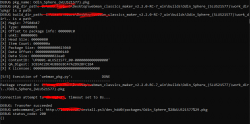
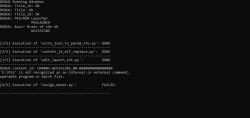
I'm experiencing some trouble though. I've fetched the list and everything is working well so far. But when I try to hit the build button, it gives me an error.

Capture.PNG
Capture2.PNG

Do you have any clue on how to work around this?

Much obliged!
 
@gerart123 thank you for the error report.
1. Is this only happening for this title or for all titles

2. Are you using the latest RC-7 or an older?

We'll figure it out :encouragement:

Thanks! :)


This is happening with all the titles that you see on the HDD, so I've tried everyone. Also tried closing the program and testing a new game/ISO each time to see if there was something wrong with either of them, but the same happens.

I'm currently using webman_classics_maker_v2.2.0-RC-7_win, which is the newest release on GitHub.
 
Thanks! :)


This is happening with all the titles that you see on the HDD, so I've tried everyone. Also tried closing the program and testing a new game/ISO each time to see if there was something wrong with either of them, but the same happens.

I'm currently using webman_classics_maker_v2.2.0-RC-7_win, which is the newest release on GitHub.

Where is your webman Classics Maker located at? It's looks like it doesn't like the location for some strange reason. Maybe test it in a path that doesn't contain PS3 or maybe in C:\. Will be interesting to see what kind of bug you found:encouragement:
 
Where is your webman Classics Maker located at? It's looks like it doesn't like the location for some strange reason. Maybe test it in a path that doesn't contain PS3 or maybe in C:\. Will be interesting to see what kind of bug you found:encouragement:


Interesting!

Moved the whole Webman Classics Maker folder to C:\desktop, and it worked flawlessly! :)

Capture3.PNG
 
Hm that's interesting to say at least, with your info I think I have what I need. When I do think I found a fix are you you willing to try the old path again? Would appreciate it! I might have something tomorrow.

Absolutely, anything I can do to help! :)

Btw, I ran into a strange issue after I tried some of the games that I installed this way.

From what I understood, with this approach, I would be able to play PS2 Buzz! games with the buzzers. Now what happened after I installed the game, it showed up in the regular game section on my PS3.

When I booted the game, it started, then the screen went black and kicked me back to XMB, and then the game suddenly popped up as a regular disc icon. Like it was mounted the regular way through webMAN. I clicked on the disc, and the Buzz! game started up, but it gave me the error message saying that there were no buzzers connected. Am I doing something wrong here?
 
@gerart123 I love the buzz games. Yes it's true that webMan Classics Maker makes forwarders to webman game iso's, It's in fact mounting and starting the disc in one press. What model of the PS3 you use? PS2 Buzz games needs a CHECHA/B/C/E using backwards compatibility to use pherihpials like the buzzers.
 
@gerart123 I love the buzz games. Yes it's true that webMan Classics Maker makes forwarders to webman game iso's, It's in fact mounting and starting the disc in one press. What model of the PS3 you use? PS2 Buzz games needs a CHECHA/B/C/E using backwards compatibility to use pherihpials like the buzzers.

I'm using the fat on, the first model. Ouch, sounds like something way above my level to get that to work easily :|

Do you have a guide or something for the CHECHA/B/C/E? I actually thought this was automatically done from the webMAN Classics Maker.
 
I'm using the fat on, the first model. Ouch, sounds like something way above my level to get that to work easily :|

Do you have a guide or something for the CHECHA/B/C/E? I actually thought this was automatically done from the webMAN Classics Maker.
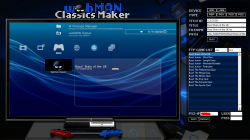
Yes, it should be done automatically.
First, see if you can identify which exact fat model you have by taking a look at the sticker on the back, should something in the line of CHECHA/B/C/E.

By the way, when you're running PS2 buzz games normally from webman or optical drive you can use the buzzers? Thanks!
 

Similar threads

Back
Top