PS3 Fault finding YLOD with the SYSCON - First steps and Error reporting

So a bootOS issue was my first thought, but I wanted to make sure it wasnt something easier first.

So yeah, this looks like a FW corruption. This kind of error doesnt generate a syscon error and the reason you only get FFFFFFFF in the log is because your console has never had any errors.

Afraid you'll have to try a hardware flasher to reinstall the OS FW.

Edit: can you post the csum results. csum checks the FW checksum. It mat return a mismatch if Im correct that the FW is corrupt.
 
Code:
Boot Loader SE Version 2.3.5 (Build ID: 3034,32025, Build Data: 2008-05-12_15:29:27)
Copyright(C) 2007 Sony Computer Entertainment Inc.All Rights Reserved.
[SERV SETCFG] XDR (CH0,CH1) ASSERT
[SERV SETCFG] XDR (CH0,CH1) DEASSERT
[SERV NVS] READ CMD
[ERROR]: 0xb0000004 lv0 authentication fail
[SERV NVS] WRITE CMD
[SERV NVS] WRITE CMD
[SSM] *** FATAL ERROR requested by OS ***
[SSM] state: 0400 -> 0700
[POWSEQ] AV Backend Letup
[SSM] ssmCb_AfterBeOn() called.
[SSM] Shutdown mode : syspm_stat=00000000/00000000
[POWSEQ] PowerSeq_Letup called.
[SSM] state: 0700 -> 0600
(PowerOff State) (Fatal)
It says [ERROR]: 0xb0000004 lv0 authentication fail which means lv0 is invalid. You could try to switch the firmware bank via the syscon eeprom flag to see if it'll at least boot the other firmware bank.
 
It says [ERROR]: 0xb0000004 lv0 authentication fail which means lv0 is invalid. You could try to switch the firmware bank via the syscon eeprom flag to see if it'll at least boot the other firmware bank.
Thats a neat trick but the other bank is going to load the same lv0, right ?

Btw, the other flag to "load external flash" loads the flash (virtual flash image) from network, USB, or is related with the CP of non-retail PS3 models?
Maybe comes in handy for a temporal test, he needs a flash dump with the correct lv0 anyway
 
Thats a neat trick but the other bank is going to load the same lv0, right ?
No, there are two complete core os regions. The system will fail to boot lv1 completely if the active syscon lv0/lv1 hashes don't match. Most CFW disable that check.
Btw, the other flag to "load external flash" loads the flash (virtual flash image) from network, USB, or is related with the CP of non-retail PS3 models?
Maybe comes in handy for a temporal test, he needs a flash dump with the correct lv0 anyway
The "flash ext flag" (0x48C13) specifies the flash type (NAND/NOR/eMMC).
The "load_image_in_rom" flag (0x48C00) allows some parts of the os to be loaded via the PCI interface.
 
The "load_image_in_rom" flag (0x48C00) allows some parts of the os to be loaded via the PCI interface.
Sorry for the innacuracy, but yeah i meant this flag... but it seems is not working as i imagined
I thought it was doing some kind of virtualization with a image of the whole flash with the purpose of troubleshooting to see if the flash chip was faulty, and loading the image by USB or network... something easy

But the PCI interface is not easy, and i guess you just mean the protocol, but im wondering what kind of device is at the other side of the PCI interface
And the "only some parts of the OS" you mentioned makes me wonder what they was trying to achieve with this features
Maybe is something used in a intremediate step of the software installation on manufacturing plants when they are programming the motherboard for first time ?
 
@sandungas If I run "errlog get" <- it has to be lower case for it to work for me, I get this:

>$ errlog get
errlog get
ofst[ 0]:err_code:0xffffffff, clock:0xffffffff
ofst[ 4]:err_code:0xffffffff, clock:0xffffffff
ofst[ 8]:err_code:0xffffffff, clock:0xffffffff
ofst[ 12]:err_code:0xffffffff, clock:0xffffffff
ofst[ 16]:err_code:0xffffffff, clock:0xffffffff
ofst[ 20]:err_code:0xffffffff, clock:0xffffffff
ofst[ 24]:err_code:0xffffffff, clock:0xffffffff
ofst[ 28]:err_code:0xffffffff, clock:0xffffffff
ofst[ 32]:err_code:0xffffffff, clock:0xffffffff
ofst[ 36]:err_code:0xffffffff, clock:0xffffffff
ofst[ 40]:err_code:0xffffffff, clock:0xffffffff
ofst[ 44]:err_code:0xffffffff, clock:0xffffffff
ofst[ 48]:err_code:0xffffffff, clock:0xffffffff
ofst[ 52]:err_code:0xffffffff, clock:0xffffffff
ofst[ 56]:err_code:0xffffffff, clock:0xffffffff
ofst[ 60]:err_code:0xffffffff, clock:0xffffffff
ofst[ 64]:err_code:0xffffffff, clock:0xffffffff
ofst[ 68]:err_code:0xffffffff, clock:0xffffffff
ofst[ 72]:err_code:0xffffffff, clock:0xffffffff
ofst[ 76]:err_code:0xffffffff, clock:0xffffffff
ofst[ 80]:err_code:0xffffffff, clock:0xffffffff
ofst[ 84]:err_code:0xffffffff, clock:0xffffffff
ofst[ 88]:err_code:0xffffffff, clock:0xffffffff
ofst[ 92]:err_code:0xffffffff, clock:0xffffffff
ofst[ 96]:err_code:0xffffffff, clock:0xffffffff
ofst[100]:err_code:0xffffffff, clock:0xffffffff
ofst[104]:err_code:0xffffffff, clock:0xffffffff
ofst[108]:err_code:0xffffffff, clock:0xffffffff
ofst[112]:err_code:0xffffffff, clock:0xffffffff
ofst[116]:err_code:0xffffffff, clock:0xffffffff
ofst[120]:err_code:0xffffffff, clock:0xffffffff
ofst[124]:err_code:0xffffffff, clock:0xffffffff
[mullion]$
>$

@RIP-Felix If I run csum I get this:

>$ csum
csum
Checksum: [02A34BCC] [7F954760] [AF905386]
[mullion]$
>$

Do you think having the rest of the hardware attached to the motherboard would affect the bootup attempt error or not? Not sure if this helps but the model of the unit is CECHK01 NTSC U/C. Also when I tried the bringup and powerstate commands I was in the internal command mode (diag was grounded). Not sure if this would make a difference.

@M4j0r Not sure how to switch the firmware bank via the syscon eeprom flag, just learning how all this syscon stuff works and I think I have somehow managed to get the worst luck with the console being as bad as it is.

 
@sandungas If I run "errlog get" <- it has to be lower case for it to work for me, I get this:
Never minds, i was just trying to see if the errorlog service was working because is a bit strange that your error log is empty, but what they are saying makes more sense, you have a line with an error trying to load lv0, so by now it seems to be a software brick

The flag to select the ROS bank is at 0x48C24, see this list:
https://www.psdevwiki.com/ps3/SC_EEPROM#SC_EEPROM_Offset_Table_-_Flags_and_Tokens
As far i undestand there are ony 2 posible values for it... either 00 or FF

The procedure is pretty much the same explained in the tutorials to "unlock the internal mode"
1) Read 1 byte at offset 0x48C24 (to see the actual value)
2) Write 1 byte at the same offset

By doing this you are "breaking" the checksums of the area where is located the flag... so you need to run the "eepcsum" command (that is going to show the correct checksum and the offset where you need to write it)
After fixing the checksum run the "eepcsum" command again to verify that is not complaining about broken cheksums
And thats all, reboot and see


Edit:
Btw, the other PS3 parts are not needed but you should keep the heatsink and the fan in his place and connected... otherway the temperature is going to increase and decrease very fast, the materials expands and contracts, and the BGA solders of CELL and RSX could be damaged by thermal stress
 
Last edited:
@sandungas Just so I do not screw things up more I would run these commands read it with EEP GET 48C24 01 <-not sure if this needs to be 01 or 00 then write it with EEP SET 48C24 01 00 or EEP SET 48C24 01 FF check with
EEP GET 48C24 01 power cycle system reauth and run eepcsum use the line after the sum: line and then run w (address and endian byte swapped should be address) and then check it with eepcsum. Does this look right to you?
 
@sandungas Just so I do not screw things up more I would run these commands read it with EEP GET 48C24 01 <-not sure if this needs to be 01 or 00 then write it with EEP SET 48C24 01 00 or EEP SET 48C24 01 FF check with
EEP GET 48C24 01 power cycle system reauth and run eepcsum use the line after the sum: line and then run w (address and endian byte swapped should be address) and then check it with eepcsum. Does this look right to you?
Thats fine

The confusing thing about the EEP command is the way how it needs to be used to read (GET) or write (SET) is different
To read: EEP GET [offset] [length]
To write: EEP SET [offset] [length] [value]

The other way to read/write 1 byte of syscon eeprom is with the commands "r" and "w", the only difference is the EEP command can handle longer chunks of data, but in this case where is ony needed to modify 1 byte the result is the same
 
But the PCI interface is not easy, and i guess you just mean the protocol, but im wondering what kind of device is at the other side of the PCI interface
And the "only some parts of the OS" you mentioned makes me wonder what they was trying to achieve with this features
Maybe is something used in a intremediate step of the software installation on manufacturing plants when they are programming the motherboard for first time ?
The thing which connects to the PCI bus is a buffered PCI Host to Host adapter. Called MRP (TMR-520) which then connects to a PC (TCP-520 or just any PC).
It's used for firmware development. The limitation that you can't load all files comes from the way that the isolation is set up. You can load any file (not lv0ldr) as long as the firmware supports that. The external firmwares don't support loading lv0 or any isolated module. Special internal firmwares allow you to do that, but that requires a change of the the secure module client code in lv1.
All consoles support that since the PCI port is present on all models.

TM allows you to load everything from sys_init_osd.self or up if you have the right qa flag set and patch the paths inside the selfs (because they're hardcoded to dev_flash). That works on any console as long as it runs the debug manager. So you can always load the virtual flash from external devices, but that's nothing new.
 
@sandungas Well I could not get the EEP GET or EEP SET commands to be recognized so I had to resort to using the r and w commands. Interestingly I had to run w 48c24 FF 01 for me to get the byte to change to what I wanted (started out at 00 and I changed it to FF). The other odd thing is that after changing it and running eepcsum it did not give me any error about checksum. I then ran the bringup and powerstate commands and I did get further then before. Log is below.

>$ bringup
bringup
[SSM] state: 0000 -> 0101
Bringup Mode #0 (0xFF)
[SSM] ssmCb_OnStartingBePowOn() called.
[SSM] First Boot.
[SSM] Bringup mode : syspm_stat=00000000/00000000
[POWSEQ] PowerSeq_Setup called.
[SSM] state: 0101 -> 0201
[POWSEQ] AV Backend Setup
[SSM] state: 0201 -> 0102
[SSM] state: 0102 -> 0202
[SSM] state: 0202 -> 0103
[SSM] state: 0103 -> 0203
[SSM] ssmCb_BeforeBeOn() called.
[SSM] state: 0203 -> 0104
Psbd_SbTransMode_Half:0x20e7
[SSM] state: 0104 -> 0204
[SSM] state: 0204 -> 0105
[SSM] state: 0105 -> 0400
(PowerOn State)
>$ powerstate
[SERV NVS] READ CMD

Boot Loader SE Version 2.3.5 (Build ID: 3034,32025, Build Data: 2008-05-12_15:29:27)
Copyright(C) 2007 Sony Computer Entertainment Inc.All Rights Reserved.
[SERV SETCFG] XDR (CH0,CH1) ASSERT
[SERV SETCFG] XDR (CH0,CH1) DEASSERT
[SERV NVS] READ CMD
[INFO]: Connecting to Debug Device (SB UART)
[SERV NVS] READ CMD
[SERV NVS] READ CMD
[SERV NVS] READ CMD
[SERV NVS] READ CMD
[SERV NVS] READ CMD
[SERV NVS] READ CMD
[SERV NVS] READ CMD
[SERV NVS] READ CMD
[SERV NVS] READ CMD
[SERV NVS] READ CMD
[SERV NVS] READ CMD
[SERV NVS] READ CMD
[SERV NVS] READ CMD
[SERV NVS] READ CMD
[SERV NVS] READ CMD
[SERV NVS] READ CMD
[SERV NVS] READ CMD
[SERV NVS] READ CMD
[SERV NVS] READ CMD
[SERV NVS] READ CMD
[SERV NVS] READ CMD
[SERV NVS] READ CMD
[SERV NVS] READ CMD
[SERV NVS] READ CMD
[SERV NVS] READ CMD
[SERV THERM] NOTIFY_MODE CMD
[SERV NVS] READ CMD
[SERV NVS] WRITE CMD
[SERV THERM] NOTIFY_MODE CMD
[SERV NVS] WRITE CMD
[SERV DEVPM] CONTROL_PCI_BUS_POWER_STATE CMD
[SSM] *** FATAL ERROR requested by OS ***
[SSM] state: 0400 -> 0700
[POWSEQ] AV Backend Letup
[SSM] ssmCb_AfterBeOn() called.
[SSM] Shutdown mode : syspm_stat=00000000/00000000
[POWSEQ] PowerSeq_Letup called.
[SSM] state: 0700 -> 0600
(PowerOff State) (Fatal)
powerstate
ATA Power : OFF
PCI Power : OFF
RSX Power : OFF
XDR Power : OFF
Eurus Power : OFF
SB Power : OFF
RSX Thermal Sensor : UNAVAILABLE
BE Thermal Sensor : UNAVAILABLE
[mullion]$
>$

Not sure if it did not like that I did not have a fan connected to it but at least the authentication error is gone now. Errlog is still full of the ffffffff's though. Not sure where to go from here, May have to get some sort of NOR reader to fix this and I am not sure that is worth my time.
 
I also just realized that I may have originally screwed up the command as I was following the guide and it mentioned this format address location data bit so I originally put w 48c24 01 FF and it changed the value to 01 not to FF so I have no clue if I have caused other issues now. I did re-run it with w 48c24 FF 01 and when I ran r 48c24 01 I did get FF as a result. Does the powerstate errors indicate that the firmware is most likely corrupted or some other error now?
 
@sandungas Well I could not get the EEP GET or EEP SET commands to be recognized so I had to resort to using the r and w commands. Interestingly I had to run w 48c24 FF 01 for me to get the byte to change to what I wanted (started out at 00 and I changed it to FF). The other odd thing is that after changing it and running eepcsum it did not give me any error about checksum.
I mentioned the checksums as something generic that is convenient to check everytime we write in syscon, the syscon eeprom is divided in regions and some of them uses the checksum as a safety meassure
When i wrote my post i was not checking if the offset 0x48C24 is located in a region with a checksum, but is not, there is a list here of the regions related with the "eepcsum" command
You can crosscheck with this other list that contains the names of other regions
Long story short... what you did doesnt changed the cheksums, so is normal that the "eepcsum" command was not complaining about broken cheksums

And yeah, as @RIP-Felix said, the EEP command is available from "external mode", in the command lists in wiki you are going to see the commands are separated in 2 lists, the ones for "external mode" are always in uppercase... and some of the commands in between the 2 modes are inteded to do the same thing

I also just realized that I may have originally screwed up the command as I was following the guide and it mentioned this format address location data bit so I originally put w 48c24 01 FF and it changed the value to 01 not to FF so I have no clue if I have caused other issues now. I did re-run it with w 48c24 FF 01 and when I ran r 48c24 01 I did get FF as a result. Does the powerstate errors indicate that the firmware is most likely corrupted or some other error now?
By looking at the eeprom map in wiki with the offsets is tricky for me to see if you was writing in other places, do you have a dump of the original contents of your syscon eeprom made with the python script ?, if you have it i guess is relativelly easy to see if you did some mistake (by doing another dump and comparing them in a hexeditor)
And there are big areas of the eeprom that are filled with 00 or FF btw, incase you wrote something in them there is a chance syscon is ignoring what you wrote just because is not loading the data in that areas

Another thing you could do is to try to restore the original value at 0x48C24 and see if returns the "[ERROR]: 0xb0000004 lv0 authentication fail", if it does it would mean that is loading the corrupted lv0 again

And btw, in the last syscon logs you posted, to me it looks you are bypassing the lv0 error
The "[SSM] *** FATAL ERROR requested by OS ***" seems to be still there because it fails at a later point loading other software stages from the flash chip
 
Yay great post I'll test when I get a multimeter current one has LCD ghosting problem. But as I said

I'll post a my sad story link here that will give the entire detail my superslim model.
https://www.psx-place.com/threads/ps3-cech4203a-super-slim-firmware-halted.27178/#post-218393

Its really long read but still will help both of us in some way.
Ok fellows got me multimeter up and running how do I go about measuring components for the 1200 error on the PQX-001superslim and the components on dia-002
1002 = Filter Noise: NEC/TOKINs & Related SMD's
3003 = VDDC BE Failure.
3004 = VDDC RSX PWR Failure. NEC/TOKINs & related SMDs.
@RIP-Felix and @sandungas got any recommendations.Also I have attach psi and power on newbie to mmultimeter stuff here.Multimeter is a uni-t ut33b.
images (7).jpeg
 
Ok fellows got me multimeter up and running how do I go about measuring components for the 1200 error on the PQX-001superslim and the components on dia-002

@RIP-Felix and @sandungas got any recommendations.Also I have attach psi and power on newbie to mmultimeter stuff here.Multimeter is a uni-t ut33b.View attachment 35319
Youtube has a million basic multimeter tutorials to familiarize you with that part. So I'll let you figure that out.

1002 implicates the RSX_VDDC, which is the core voltage for the GPU. Set your multimeter to resistance, continuity or diode mode and read the resistance across the +/GND rail on the NEC/TOKINs. If it reads the same resistance as when the probes are touching each other, then you have a short. But you would have a 3001 if that were the case, so you don't have a short. Normal resistance there should be 2- 3 Ohms or so. If it's less than 1, that's bad. It can indicate worn, oxidized or deformed solder joints that are nearing a fault (like a BGA/Bump defect), or it can indicate damage to the die circuitry from elcetromigration.

Here are some nominal resistance measurements from important voltage lines to the RSX. This and more can be found on Victor's private file pile.
RSX Nominal Resistance Measurments.jpg
If any of these are significantly different (say off by 10%) then there could be an issue with that voltage line. Check the scematics (also in Victor's treasure hoard) and track down the source of that voltage line and measure each resistor, capacitor and SMD for shorts. If they seem normal, it's probably an issue on/under the RSX itself. After removal the RSX can be "ohm tested" (each voltage drectly) to measure nominal resistance and verify it's okay before attempting to reball. That method is not !00% however, we'de really need a chip tester with pogo pins to measure every pad to know for sure. But this method is pretty good. But if you are going to that length, you may as well replace with a NOS 40nm RSX and mod chip.

EDIT: And here are the main RSX voltages and test points.
aFtGECI.png

Check this voltages:
+1.8v_RSX_PLL_VDD (JL6048) - Test after inductor
+1.2V_RSX_VDDC (NEC-Tokin)
+1.2V_RSX_VDDR (JL9651)
+1.2V_YC_RC_VDDIO (JL9652)
+1.5V_RSX_VDDIO (JL9656)
+1.8V_RSX_FBVQQD (JL9657)

All voltages feed the RSX (page 9 CECHA Manual Service)
Now, most of that is a waste of your time. I'm pretty sure with those errors you need to replace the tokins. Start with one CPU and RSX tokin each. Remove them (carefully) and replace with 3 of these for each tokin replaced (24 per console if replacing all 8. Plan to do that anyway). Clean the Flux off thoroughly and then measure resistance again. If there is a short, you need to fix it before testing. That's basically all the multimeter is good for here - verifying you installed the TaPol caps correctly. Test the console after replacing one tokin on each side and see if your errors change. If not, replace one more tokin each. I'm betting the 3003/3004 disappears and you'll be left with a 1002.

If after the first or second tokin the errors change, the you know you're on the right track. Replace all of them and don't forget the bridge wires. Before, the tokins were acting as the bridge. If you don't provide a bridge wire after replacing all the tokins, the tantalum will explode (not kidding)! You don't have to worry about bridge wires if using my Tantalizer PCB, that's the main point. If you don't want to use it, I recommend a palisades arrangement like this...
C6230 (Before).jpg

...but using the larger caps I linked before. It might be harder to fit them on, but you can make it work easy enough.

Lastly, the + rail's need a bridge wire. In the pic above I added a fairly large gauge (I forget now). But they will see a large current across them. They will burn out if not large enough. I used resistor legs to join the caps in the picture above, but I'd recommend at least a 16AWG solid core. A 65W RSX can generate 55 Amps. That's why it has 2 phase power. Each IOR power block can deliver a maximum of 40A. So it takes 2 of them to diliver the required power. The CELL CPU has 3 phases. I'm not sure how many watts it pulls, but guess around 100 Amps. That needs to be cunducted across the + rails, which will burn right through thin gauge wires. I looked it up, you would need 4x 8 gauge AWG wires to meet the 24A they could see at peak load. 8 guage is super thick. It's probably fine to go smaller, but I would just stick to my board for convenience. I made the + rail as wide as possable and the 0.8mm double thick copper is more than enought to handle any current demad the PS3 could need.
 
Last edited:
Youtube has a million basic multimeter tutorials to familiarize you with that part. So I'll let you figure that out.

1002 implicates the RSX_VDDC, which is the core voltage for the GPU. Set your multimeter to resistance, continuity or diode mode and read the resistance across the +/GND rail on the NEC/TOKINs. If it reads the same resistance as when the probes are touching each other, then you have a short. But you would have a 3001 if that were the case, so you don't have a short. Normal resistance there should be 2- 3 Ohms or so. If it's less than 1, that's bad. It can indicate worn, oxidized or deformed solder joints that are nearing a fault (like a BGA/Bump defect), or it can indicate damage to the die circuitry from elcetromigration.

Here are some nominal resistance measurements from important voltage lines to the RSX. This and more can be found on Victor's private file pile.
View attachment 35320
If any of these are significantly different (say off by 10%) then there could be an issue with that voltage line. Check the scematics (also in Victor's treasure hoard) and track down the source of that voltage line and measure each resistor, capacitor and SMD for shorts. If they seem normal, it's probably an issue on/under the RSX itself. After removal the RSX can be "ohm tested" (each voltage drectly) to measure nominal resistance and verify it's okay before attempting to reball. That method is not !00% however, we'de really need a chip tester with pogo pins to measure every pad to know for sure. But this method is pretty good. But if you are going to that length, you may as well replace with a NOS 40nm RSX and mod chip.

Now, most of that is a waste of your time. I'm pretty sure with those errors you need to replace the tokins. Start with one CPU and RSX tokin each. Remove them (carefully) and replace with 3 of these for each tokin replaced (24 per console if replacing all 8. Plan to do that anyway). Clean the Flux off thoroughly and then measure resistance again. If there is a short, you need to fix it before testing. That's basically all the multimeter is good for here - verifying you installed the TaPol caps correctly. Test the console after replacing one tokin on each side and see if your errors change. If not, replace one more tokin each. I'm betting the 3003/3004 disappears and you'll be left with a 1002.

If after the first or second tokin the errors change, the you know you're on the right track. Replace all of them and don't forget the bridge wires. Before, the tokins were acting as the bridge. If you don't provide a bridge wire after replacing all the tokins, the tantalum will explode (not kidding)! You don't have to worry about bridge wires if using my Tantalizer PCB, that's the main point. If you don't want to use it, I recommend a palisades arrangement like this...View attachment 35321
...but using the larger caps I linked before. It might be harder to fit them on, but you can make it work easy enough.

Lastly, the + rail's need a bridge wire. In the pic above I added a fairly large gauge (I forget now). But they will see a large current across them. They will burn out if not large enough. I used resistor legs to join the caps in the picture above, but I'd recommend at least a 16AWG solid core. A 65W RSX can generate 55 Amps. That's why it has 2 phase power. Each IOR power block can deliver a maximum of 40A. So it takes 2 of them to diliver the required power. The CELL CPU has 3 phases. I'm not sure how many watts it pulls, but guess around 100 Amps. That needs to be cunducted across the + rails, which will burn right through thin gauge wires. I looked it up, you would need 4x 8 gauge AWG wires to meet the 24A they could see at peak load. 8 guage is super thick. It's probably fine to go smaller, but I would just stick to my board for convenience. I made the + rail as wide as possable and the 0.8mm double thick copper is more than enought to handle any current demad the PS3 could need.
Ok and what about the 1200 error on PQX-001 board what do I test on that.
 
@sandungas Sadly I do not have a dump of the syscon chip. Did not know that there was a script for that. Good to know that there are 2 different sets of commands depending what mode the syscon chip is in. I think for now I am going to put this unit on the back burner until I either get a NOR reader or potentially just take a flash chip off another board with a fault that I can not fix (if that is even possible). I am currently working my way through a pile of PS3's that I got from a friend who was trying to get a working backwards compatible PS3 online but most of the lots they were getting also had the non backwards compatible units with them as well so I ended up with the non backwards compatible units to try and fix. I have moved onto a 2nd PS3 motherboard model DIA-001 and this one is giving errors about the RSX chip:

===================================
ERR 00: 00000000 A0403034 FFFFFFFF
ERR 01: 00000000 A0404002 FFFFFFFF
ERR 02: 00000000 A0232102 FFFFFFFF
ERR 03: 00000000 A0232102 FFFFFFFF
ERR 04: 00000000 A0232102 FFFFFFFF
ERR 05: 00000000 A0403034 FFFFFFFF
ERR 06: 00000000 A0404411 FFFFFFFF
ERR 07: 00000000 A0403034 FFFFFFFF
ERR 08: 00000000 A0404411 FFFFFFFF
ERR 09: 00000000 A0403034 FFFFFFFF
ERR 10: 00000000 A0404401 FFFFFFFF
ERR 11: 00000000 A0403034 FFFFFFFF
ERR 12: 00000000 A0404401 FFFFFFFF
ERR 13: 00000000 A0403034 28DFE415
ERR 14: 00000000 A0404401 28DFE414
ERR 15: 00000000 A0403034 28DFE40B
ERR 16: 00000000 A0404401 28DFE40B
ERR 17: 00000000 A0902120 28B59ADE
ERR 18: 00000000 A0403034 28B59ADE
ERR 19: 00000000 A0404401 28B59ADE
===================================
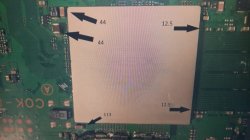
I took the unit further apart and found that the heat spreader had been removed from the RSX chip and the big chip in the center looked bluish indicating it had been overheating. I think my friend has been getting scammed online with PS3 units as they looke put together with mostly broken parts. I doubt that I will be able to fix this unit either as I do not have the proper bga rework tools to try and fix this error. I could try reflowing it using a electric frying pan as a preheater and my China 700 watt heat gun and see what happens I guess. Would it be possible to take the NOR chip off this board and put it onto the DIA-002 board and do some firmware hacks to make it work or would I have to find a exact motherboard model to even attempt that?
 
@sandungas Sadly I do not have a dump of the syscon chip. Did not know that there was a script for that. Good to know that there are 2 different sets of commands depending what mode the syscon chip is in. I think for now I am going to put this unit on the back burner until I either get a NOR reader or potentially just take a flash chip off another board with a fault that I can not fix (if that is even possible). I am currently working my way through a pile of PS3's that I got from a friend who was trying to get a working backwards compatible PS3 online but most of the lots they were getting also had the non backwards compatible units with them as well so I ended up with the non backwards compatible units to try and fix.
The syscon dump is important, i would say it should be the first step, before writing anything to it, is pretty much the same we do with the flash chip, is handy to have a dump with the official data "justincase" something goes wrong :D
Btw, the motherboard is a DIA-002 , right ?, the good thing is it uses a NOR flash so the solder job is easyer than the first PS3 motherboard models with NAND/s, there are some photos of it here and the teensy is around 20$... or less if you buy a teensy clone
Right now the only thing we are sure if the lv0 seems to be corrupted, if at some point you do a flash dump the next thing you should do is to "validate" it with the pyps3checker tool (is another python script), and use this list as reference, the most important info of this table is the column most at left that indicates if the data is unique for your console (marked as "pc"). The corruption in the other areas (not marked as "pc") can be fixed
The flag you was changing in syscon was forcing to load either the region named ros0 (at offset 0x0C0000 in NOR) or ros1 (at offset 0x7C0000 in NOR)... all we know is one of them is corrupted

The NOR chips doesnt used to get damaged phisycally (doesnt uses to have bad blocks or things like that), so probably is fine, and replacing it from other console is not going to help, the problem seems to be the data inside it

I have moved onto a 2nd PS3 motherboard model DIA-001 and this one is giving errors about the RSX chip:

===================================
ERR 00: 00000000 A0403034 FFFFFFFF
ERR 01: 00000000 A0404002 FFFFFFFF
ERR 02: 00000000 A0232102 FFFFFFFF
ERR 03: 00000000 A0232102 FFFFFFFF
ERR 04: 00000000 A0232102 FFFFFFFF
ERR 05: 00000000 A0403034 FFFFFFFF
ERR 06: 00000000 A0404411 FFFFFFFF
ERR 07: 00000000 A0403034 FFFFFFFF
ERR 08: 00000000 A0404411 FFFFFFFF
ERR 09: 00000000 A0403034 FFFFFFFF
ERR 10: 00000000 A0404401 FFFFFFFF
ERR 11: 00000000 A0403034 FFFFFFFF
ERR 12: 00000000 A0404401 FFFFFFFF
ERR 13: 00000000 A0403034 28DFE415
ERR 14: 00000000 A0404401 28DFE414
ERR 15: 00000000 A0403034 28DFE40B
ERR 16: 00000000 A0404401 28DFE40B
ERR 17: 00000000 A0902120 28B59ADE
ERR 18: 00000000 A0403034 28B59ADE
ERR 19: 00000000 A0404401 28B59ADE
===================================
I took the unit further apart and found that the heat spreader had been removed from the RSX chip and the big chip in the center looked bluish indicating it had been overheating. I think my friend has been getting scammed online with PS3 units as they looke put together with mostly broken parts. I doubt that I will be able to fix this unit either as I do not have the proper bga rework tools to try and fix this error. I could try reflowing it using a electric frying pan as a preheater and my China 700 watt heat gun and see what happens I guess. Would it be possible to take the NOR chip off this board and put it onto the DIA-002 board and do some firmware hacks to make it work or would I have to find a exact motherboard model to even attempt that?
The other day @RIP-Felix wrote a lot of nice info in the syscon error codes page
All i can say is the most weird thing i see in this errorlog is it seems to have a lot of errors that happens at intermediate "pre-boot" stages, a lot of them are pointing fingers to RSX... or the communications in between RSX and CELL (but probably is the same story, the CELL cant find the RSX)

The blue color in a corner of the DIE is a bad signal for sure, but well... try a reflow to see if it resurrects
Try also to power ON the PS3 while pressing RSX, if the problem is a BGA solder it could help to boot the PS3 temporally
The goal of the pressure test is to see if the image displayed in the TV is different without pressure and with it, if you see any improvement (even is if 1 second) thats a good signal

Otherway, what uses to be damaged in the RSX after a big overheat are the "microbumps" of the RAM chips at the RSX corners, when this happens is better to replace the RSX
 
Ok and what about the 1200 error on PQX-001 board what do I test on that.
1200 is a CPU overheating error. I forget, did you replace the thermal paste between the CPU IHS/HS? I usually recommend deliding, but (if I remember correctly) didn't SONY stare soldering the IHS to the DIE for the SS?

The thing is, I really only work on backwards compatible consoles. I worked on one slim 3000 model, but really...I bought it only for parts and have not attempted fix it or figure out what changes the've made to it's design. For the most part they are following a similar design, so if you are familiar with the BC models (which we have schematics for), then you can guess what something does and where to find it. But the process is harder, because you have to lookup specific part numbers and datasheets, since they aren't always the same pinout (for example).

Long stort short, If replacing TIC doesn't work I'd replace the ADT7461 temperature monitor (or it's equivalent on your SS board). You could check to be sure it's getting 3.3v VCC input. But it is probably only enabled after startup, so you'll have to start the console, watch the voltage, and record it before the YLOD. This is the procedure for most voltages. Start, measure, reset...move to next voltage and repeat.
 

Similar threads

Back
Top