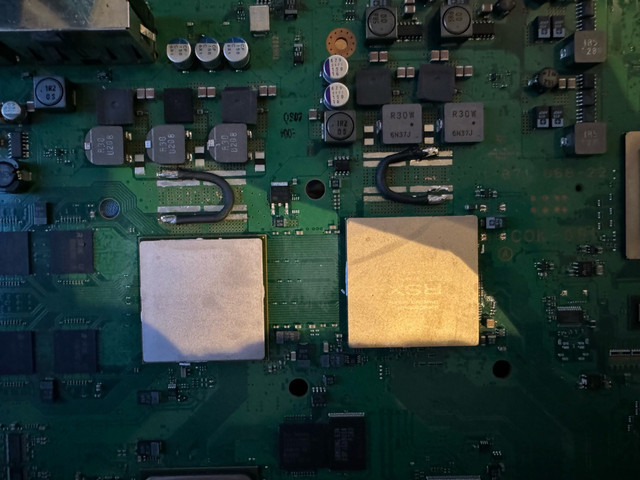
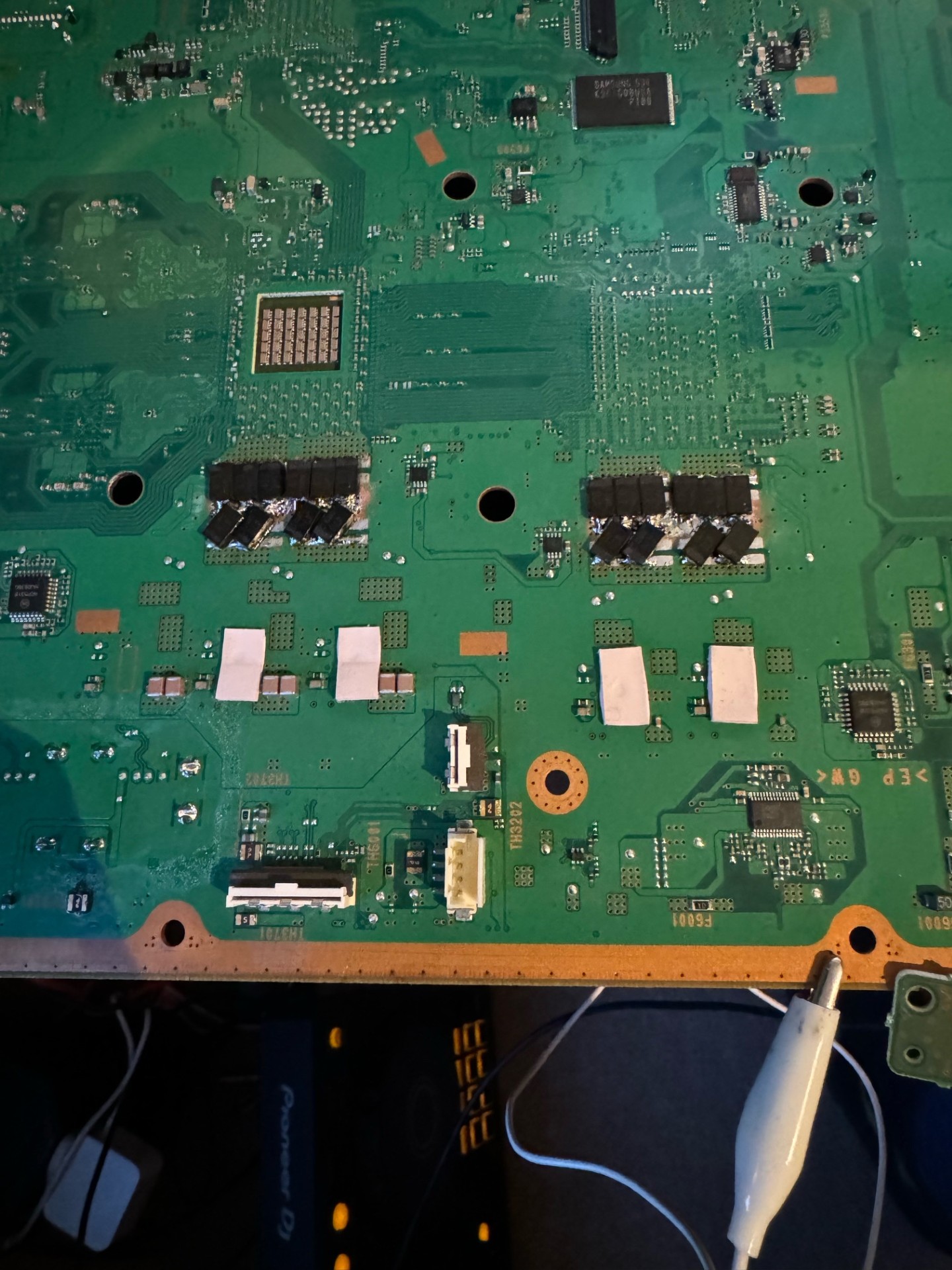
PS3 Fault finding YLOD with the SYSCON - First steps and Error reporting

anyone know about this? i just redid the solder joints and getting the same error. im getting the right lights and beeps as shown in the vid, it successfully set the 3961 value
Sorry, I missed your previous post. You need to have a good ground connection between ps3 and pc.

PS3_Rx --> UART_Tx
PS3_Tx --> UART_Rx
PS3_DIAG --> UART_GND
PS3_GND --> UART_GND

There are many ways you can achieve that. The reason it happens is because the PS3 and your computer each have a reference ground. From it's perspective ground is ground. But if you measur the voltage from ground on you pc and ground on your ps3, there can actually be a potential (voltage). That's because Refrence ground isn't earth ground. It's relative.

When you want to connect 2 different devices together and send signals, you need their ground potentials to be the same. Otherwise they cant see the signal and you get that error. So ground diag. And ground the pc (uart adaper) to the PS3 so they both share the same ground refrence level.
 
The missing cap was a COK-001
PS6001 was on the COK-002

Also, Is there a way to clear syscon logs? Ive been searching and found nothing. Some people said errlogclr or errlog clear but nothing I found works
try clear errorlog or clear errlog
 
Replaced the tokins on the rsx, both sides. Got it to boot. Video output was intermittent through both component and hdmi.
Was responsive to artefacts when pressing the RSX chip so figured bad connections. Attempted reflow. failed

Now have this
Code:
errlog
ofst[ 44]:err_code:0xffffffff, clock:0xffffffff
ofst[ 48]:err_code:0xffffffff, clock:0xffffffff
ofst[ 52]:err_code:0xffffffff, clock:0xffffffff
ofst[ 56]:err_code:0xffffffff, clock:0xffffffff
ofst[ 60]:err_code:0xffffffff, clock:0xffffffff
ofst[ 64]:err_code:0xffffffff, clock:0xffffffff
ofst[ 68]:err_code:0xffffffff, clock:0xffffffff
ofst[ 72]:err_code:0xffffffff, clock:0xffffffff
ofst[ 76]:err_code:0xffffffff, clock:0xffffffff
ofst[ 80]:err_code:0xffffffff, clock:0xffffffff
ofst[ 84]:err_code:0xffffffff, clock:0xffffffff
ofst[ 88]:err_code:0xffffffff, clock:0xffffffff
ofst[ 92]:err_code:0xffffffff, clock:0xffffffff
ofst[ 96]:err_code:0xffffffff, clock:0xffffffff
ofst[100]:err_code:0xffffffff, clock:0xffffffff
ofst[104]:err_code:0xffffffff, clock:0xffffffff
ofst[108]:err_code:0xffffffff, clock:0xffffffff
ofst[112]:err_code:0xffffffff, clock:0xffffffff
ofst[116]:err_code:0xffffffff, clock:0xffffffff
ofst[120]:err_code:0xffffffff, clock:0xffffffff
ofst[124]:err_code:0xffffffff, clock:0xffffffff
ofst[  0]:err_code:0xa0202120, clock:0xffffffff
ofst[  4]:err_code:0xa0202120, clock:0xffffffff
ofst[  8]:err_code:0xa0202120, clock:0xffffffff
ofst[ 12]:err_code:0xa0202120, clock:0xffffffff
ofst[ 16]:err_code:0xa0202120, clock:0xffffffff
ofst[ 20]:err_code:0xa0202120, clock:0xffffffff
ofst[ 24]:err_code:0xa0202120, clock:0xffffffff
ofst[ 28]:err_code:0xa0202120, clock:0xffffffff
ofst[ 32]:err_code:0xa0202120, clock:0xffffffff
ofst[ 36]:err_code:0xa0202120, clock:0xffffffff
ofst[ 40]:err_code:0xa0213013, clock:0xffffffff

Fuses are good.


Hey Ba114, now our diagnosis is the same, we both have 2120 errors :D
 
Thanks a lot. That's really helpful. I'll get the fuses now I know what to look for. That explanation about the slow blow fuse is really helpful. I'll see if I can find another cheap ps3 of the same model for the other parts I need as I think that will be a safer bet. Appreciate your help on this. Your videos gave me the motivation to try this and so far I've learnt a lot.

It's been over a month since I posted this. I've now got all the parts I need. I ordered some fuses to replace F6001 and some capacitors to replace C6019 and C6020. I also bought the capacitors I knocked off (though these ones are considerably smaller than C1158 and C1438). They are the same spec wise so I'm not sure if that's ok or not. My question now is whether or not there is a correct way to orient these components when soldering. If there is, does anyone know the correct orientation, or the way I would go about finding that information? Due to the size of the components, I can't tell if there's any indication of this.

Any help would be appreciated as always. Let me know if you'd like links to the items I bought as well. Thanks to @RIP-Felix for helping me locate the parts. I'm excited to give this a real try.

Cheers.
 
Good night everybody.

A friend of mine has a PS3 and asked me if I could give it a look, around 7-8 years ago I worked doing board level repair, and at the time I repaired a couple by replacing the NEC-TOKIN caps, some I reballed (but the rebballed ones didn't last long). After searching a bit I found the amazing RIP Felix videos, and got sucked into this amazing rabbit hole.

So this is a CECHG04 model, never opened (intact warranty void seal), only thing my friend did was to pay a shop to replace his HDD, most likely the issue wasn't the HDD at all... The paste is the stock white one, dried out, but not much dust inside, cleaner than I expected.

So I soldered some wires to the syscon pads, enabled the diag mode, and below is the output from the error log, bringup and becount.

At first I was happy to see that its mostly 1001 and 1002 error codes, those seem to usually indicate an issue with the NEC-TOKIN caps and it would be easy to fix.

But I'm a bit taken aback with the 1701 errors and the consequent 14FF error as well.

Could this all be explained by "just" failing caps, or this is most likely a chip failure and better to not spend more money trying to replace half the NEC-TOKIN with new tantalums (it would cost around 50-60€ to order enough caps to do so, assuming this Panasonic 2R5TPE470M9 are indicated). I found the caps reference from another video, they are low profile, low ESR caps, so they dont have the risk of hitting the RF shield.

Thanks for taking the time to read my post, and if possible tell me if its even worth a try to re-cap this PS3.
Best regards.

Code:
[mullion]$ becount
becount

Bringup : 987 times
Shutdown: 772 times
Power-on: 59day 10hour 49min 19sec

Code:
[mullion]$ errlog
errlog

ofst[116]:err_code:0xffffffff, clock:0x26bc7a3f  2020/08/04 19:57:51
ofst[120]:err_code:0xa0801001, clock:0x26bc7a3f  2020/08/04 19:57:51
ofst[124]:err_code:0xa0801701, clock:0x26bc7ab4  2020/08/04 19:59:48
ofst[  0]:err_code:0xa0801001, clock:0x26bc7ab4  2020/08/04 19:59:48
ofst[  4]:err_code:0xa08014ff, clock:0x26bc7afb  2020/08/04 20:00:59
ofst[  8]:err_code:0xa0801001, clock:0x26bc7afb  2020/08/04 20:00:59
ofst[ 12]:err_code:0xa0801701, clock:0x2729cfa6  2020/10/26 18:19:18
ofst[ 16]:err_code:0xa08014ff, clock:0x2729cfa6  2020/10/26 18:19:18
ofst[ 20]:err_code:0xa0801001, clock:0x2729d0e5  2020/10/26 18:24:37
ofst[ 24]:err_code:0xa0801701, clock:0x2729d40d  2020/10/26 18:38:05
ofst[ 28]:err_code:0xa08014ff, clock:0x2729d40d  2020/10/26 18:38:05
ofst[ 32]:err_code:0xa0801701, clock:0x2729d482  2020/10/26 18:40:02
ofst[ 36]:err_code:0xa08014ff, clock:0x2729d483  2020/10/26 18:40:03
ofst[ 40]:err_code:0xa0801701, clock:0x2801e365  2021/04/08 15:53:09
ofst[ 44]:err_code:0xa0801001, clock:0x2801e366  2021/04/08 15:53:10
ofst[ 48]:err_code:0xa08014ff, clock:0x2801e38a  2021/04/08 15:53:46
ofst[ 52]:err_code:0xa0801001, clock:0x2801e38a  2021/04/08 15:53:46
ofst[ 56]:err_code:0xa0801002, clock:0x2801e3d7  2021/04/08 15:55:03
ofst[ 60]:err_code:0xa0801701, clock:0x2801e507  2021/04/08 16:00:07
ofst[ 64]:err_code:0xa08014ff, clock:0x2801e507  2021/04/08 16:00:07
ofst[ 68]:err_code:0xa0801002, clock:0x2c64bcab  2023/08/08 08:43:23
ofst[ 72]:err_code:0xa0801002, clock:0x2c64bd05  2023/08/08 08:44:53
ofst[ 76]:err_code:0xa0801002, clock:0x2c64bd27  2023/08/08 08:45:27
ofst[ 80]:err_code:0xa0801002, clock:0x2c64bd88  2023/08/08 08:47:04
ofst[ 84]:err_code:0xa0801002, clock:0x2c64bdff  2023/08/08 08:49:03
ofst[ 88]:err_code:0xa0801002, clock:0x2c64c382  2023/08/08 09:12:34
ofst[ 92]:err_code:0xa0001004, clock:0x2dc58fa4  2024/05/01 23:41:24
ofst[ 96]:err_code:0xa0801002, clock:0x2dc6e09e  2024/05/02 23:39:10
ofst[100]:err_code:0xa0801002, clock:0x2dc6e0b3  2024/05/02 23:39:31
ofst[104]:err_code:0xa0801002, clock:0x2dc6e0bd  2024/05/02 23:39:41
ofst[108]:err_code:0xa0801002, clock:0x2dc70257  2024/05/03 02:03:03
ofst[112]:err_code:0xa0801002, clock:0x2dc702d7  2024/05/03 02:05:11

Code:
[mullion]$ bringup
bringup

[SSM] state: 0000 -> 0101
Bringup Mode #0 (0xFF)
[SSM] ssmCb_OnStartingBePowOn() called.
[SSM] First Boot.
[SSM] Bringup mode : syspm_stat=00000000/00000000
[POWSEQ] PowerSeq_Setup called.

[SSM] state: 0101 -> 0201
[POWSEQ] AV Backend Setup
[SSM] state: 0201 -> 0102
[SSM] state: 0102 -> 0202
[SSM] state: 0202 -> 0103
[SSM] state: 0103 -> 0203
[SSM] ssmCb_BeforeBeOn() called.
[SSM] state: 0203 -> 0104
Psbd_SbTransMode_Half:0x20e7
[SSM] state: 0104 -> 0204
[SSM] state: 0204 -> 0105
[SSM] state: 0105 -> 0400
(PowerOn State)
[SERV NVS] READ CMD

Boot Loader SE Version 1.9.7 (Build ID: 2588,26593, Build Data: 2007-10-01_16:19:11)
Copyright(C) 2007 Sony Computer Entertainment Inc.All Rights Reserved.
[SERV SETCFG] XDR (CH0,CH1) ASSERT
[SERV SETCFG] XDR (CH0,CH1) DEASSERT
[INFO]: Connecting to Debug Device (SB UART)
[SERV NVS] READ CMD
[SERV NVS] READ CMD
[SERV NVS] READ CMD
[SERV NVS] READ CMD
[SERV NVS] READ CMD
[SERV NVS] READ CMD
[SERV NVS] READ CMD
[SERV NVS] READ CMD
[SERV NVS] READ CMD
[SERV NVS] READ CMD
[SERV NVS] READ CMD
[SERV NVS] READ CMD
[SERV NVS] READ CMD
[SERV NVS] READ CMD
[SERV NVS] READ CMD
[SERV NVS] READ CMD
[SERV NVS] READ CMD
[SERV NVS] READ CMD
[SERV NVS] READ CMD
[SERV NVS] READ CMD
[SERV NVS] READ CMD
[SERV NVS] READ CMD
[SERV NVS] READ CMD
[SERV NVS] READ CMD
[SERV THERM] NOTIFY_MODE CMD
[SERV NOTIF] CONTROL_LED
[SERV NOTIF] RING_BUZZER
[SERV NOTIF] CONTROL_LED
[SERV NVS] READ CMD
[SSM] *** Power Fail RS ***
[SSM] state: 0400 -> 0700
[POWSEQ] AV Backend Letup
[SSM] ssmCb_AfterBeOn() called.
[SSM] Shutdown mode : syspm_stat=00000000/00000000
[ERROR]: 0xa0801002
[POWSEQ] PowerSeq_Letup called.
[SSM] state: 0700 -> 0600
(PowerOff State) (Fatal)
 
anyone know about this? i just redid the solder joints and getting the same error. im getting the right lights and beeps as shown in the vid, it successfully set the 3961 value

I, are you using the python or the PowerShell script?

I had the same issue, after setting the 3961 value and trying to enable the internal mode I got the same error, just like you.

After closing the command line, turning off the PS3 (unplugged it from the wall socket), disconnect and reconnect the usb to serial adapter, I was able to login in the CRXF mode.
 
Last edited:
Help please :)

I have a CECHA001 that YLODs immedtialy on power up. Measuring the caps shows super low impedance so I suspect they have failed but managed to get internal access for syscon codes to confirm this.
Nothing seems obv damaged on MB, PS3 was clean with warranty sticker intact and no damage, defo first time it's been opened.

Syscon codes below, any advice appreciated :)
And big thanks to RIP Felix for such a good video guide


Code:
>$ errlog
errlog
ofst[ 40]:err_code:0xffffffff, clock:0xffffffff
ofst[ 44]:err_code:0xffffffff, clock:0xffffffff
ofst[ 48]:err_code:0xffffffff, clock:0xffffffff
ofst[ 52]:err_code:0xffffffff, clock:0xffffffff
ofst[ 56]:err_code:0xffffffff, clock:0xffffffff
ofst[ 60]:err_code:0xffffffff, clock:0xffffffff
ofst[ 64]:err_code:0xffffffff, clock:0xffffffff
ofst[ 68]:err_code:0xffffffff, clock:0xffffffff
ofst[ 72]:err_code:0xffffffff, clock:0xffffffff
ofst[ 76]:err_code:0xffffffff, clock:0xffffffff
ofst[ 80]:err_code:0xffffffff, clock:0xffffffff
ofst[ 84]:err_code:0xffffffff, clock:0xffffffff
ofst[ 88]:err_code:0xffffffff, clock:0xffffffff
ofst[ 92]:err_code:0xffffffff, clock:0xffffffff
ofst[ 96]:err_code:0xffffffff, clock:0xffffffff
ofst[100]:err_code:0xffffffff, clock:0xffffffff
ofst[104]:err_code:0xffffffff, clock:0xffffffff
ofst[108]:err_code:0xffffffff, clock:0xffffffff
ofst[112]:err_code:0xffffffff, clock:0xffffffff
ofst[116]:err_code:0xffffffff, clock:0xffffffff
ofst[120]:err_code:0xffffffff, clock:0xffffffff
ofst[124]:err_code:0xffffffff, clock:0xffffffff
ofst[  0]:err_code:0xa0801001, clock:0x162bc981  2011/10/15 04:33:05
ofst[  4]:err_code:0xa0801001, clock:0x16b641ae  2012/01/28 05:18:38
ofst[  8]:err_code:0xa0801001, clock:0x1985d946  2013/07/27 01:05:10
ofst[ 12]:err_code:0xa0801002, clock:0x28e955a9  2021/10/01 05:14:17
ofst[ 16]:err_code:0xa0801002, clock:0x28e955d1  2021/10/01 05:14:57
ofst[ 20]:err_code:0xa0201002, clock:0xffffffff
ofst[ 24]:err_code:0xa0201002, clock:0xffffffff
ofst[ 28]:err_code:0xa0902120, clock:0xffffffff
ofst[ 32]:err_code:0xa0231002, clock:0xffffffff
ofst[ 36]:err_code:0xa0401002, clock:0xffffffff
[mullion]$
Press Ctrl+C to exit

becount
Bringup : 491 times
Shutdown: 488 times
Power-on: 64day 02hour 56min 13sec
[mullion]$
Press Ctrl+C to exit
>$


>$ bringup
bringup
[SSM] state: 0000 -> 0101
Bringup Mode #0 (0xFF)
[SSM] ssmCb_OnStartingBePowOn() called.
[SSM] First Boot.
[SSM] Bringup mode : syspm_stat=00000000/00000000
[POWSEQ] PowerSeq_Setup called.
[SSM] fatalreq delayed.
[ERROR]: 0xa0041004
[SSM] state: 0101 -> 0201
[POWSEQ] AV Backend Setup
[SSM] *** Power Fail ***
[SSM] state: 0201 -> 0700
[POWSEQ] AV Backend Letup
[SSM] Shutdown mode : syspm_stat=00000000/00000000
Press Ctrl+C to exit
>$


>$ bringup
bringup
[SSM] state: 0000 -> 0101
Bringup Mode #0 (0xFF)
[SSM] ssmCb_OnStartingBePowOn() called.
[SSM] Bringup mode : syspm_stat=00000000/00000000
[POWSEQ] PowerSeq_Setup called.
[SSM] fatalreq delayed.
[ERROR]: 0xa0041004
[SSM] state: 0101 -> 0201
[POWSEQ] AV Backend Setup
[SSM] *** Power Fail ***
[SSM] state: 0201 -> 0700
[POWSEQ] AV Backend Letup
[SSM] Shutdown mode : syspm_stat=00000000/00000000
Press Ctrl+C to exit
>$ shutdown
[POWSEQ] PowerSeq_Letup called.
[SSM] state: 0700 -> 0600
(PowerOff State) (Fatal)
shutdown
[SSM] state: 0600 -> 0000
[SSM] Error state is cleared.
(PowerOff State)
Press Ctrl+C to exit
>$
 
Hello,
oops, looks like there is a queue, I will wait here with you guys if you don't mind..
So I am a console restoration and modding hoddyist.
Recently started messing with PS3's.
I am now working on a friends PS3 Slim CECH-2004b (last model with the 65nm GPU).
A little history of the console: (from what my friend remembers and my investigation)
A long time ago, after few years of light use YLOD happened without warning.
My friend took it to a dodgy repair shop, who supposedly just cleaned the console and changed thermal paste. (also, I guess, changed CMOS battery and bent the metal tab in the process)
The console started working again for a little while before it went back to YLOD never to boot again.
errlog says: A0801802
According to the SYSCON error code wiki, this is a dead or missing RSX, usually after replacement or Reballing (which contradicts the witness reports.) Also the error doesn't occur at 00 like the example in the wiki but much later at 80.
What surprised me more is the low becount results (power-on: 48 days) as well as the overall great condition of the console.
Any ideas what might have happened? Is this actually a dead RSX or could something else cause this error?
Is there any chance for this young YLOD victim? Should I bother deliding?
Also how come the CMOS battery failed so quickly?
Finally why does the SYSCON info raise more questions than provide answers? : )
Code:
becount
Bring up     : 406
Shut down : 389
Power on   : 48day 11hour

errlog

# CODE     CLOCK
# A0801802 FFFFFFFF
# A0801701 FFFFFFFF
# A08014FF FFFFFFFF
# A0801201 0B4A059D
# A0801201 0B49D872
# A0801802 FFFFFFFF
# A08014FF FFFFFFFF
# A0801802 FFFFFFFF
# A08014FF FFFFFFFF
# A0801802 FFFFFFFF
# A08014FF FFFFFFFF
# A0801802 FFFFFFFF
# A08014FF FFFFFFFF
# A0801802 FFFFFFFF
# A08014FF FFFFFFFF
# A0801802 FFFFFFFF
# A08014FF FFFFFFFF
# A0801802 1C9CAC3B
# A08014FF 1C9CAC3B
# A0801802 1C8E416D
# A08014FF 1C8E416D
# A0801802 1C8E4168
# A08014FF 1C8E4168
# A0801802 1C8E415E
# A08014FF 1C8E415D
# A0801802 1C8E4154
# A08014FF 1C8E4153
# A0801802 1C0BAEE3
# A08014FF 1C0BAEE2
# A0801802 1BF6545A
# A08014FF 1BF6545A

Press Ctrl+C to exit
>$ bringup
00000000
# [SSM] Bringup Start.
# [SSM] PS0 ok.
# [SSM] PS1 ok.
# [SSM] PS2 ok.

Press Ctrl+C to exit
>$ shutdown
00000000
# [SSM] PS3 ok.
# [SSM] PS4 ok.
# (PowerOn State)
OK 00000000
#!
#!Boot Loader SE Version 2.8.5
#!(Build ID: 3640,40665,
#!Build Date: 2009-06-29_21:04:39)
#!
#!Copyright(C) 2009 Sony Computer Entertainment Inc.All Rights Reserved.
#!
# [SSM] Cond/Fatal received, msg=24AC.
# [SSM] Fataldown Start.
# [SSM] Msg 24AE : being delayed.
# [SSM] Fataldown ok.
# (PowerOff State) (Fatal)
# [SSM] Msg 24AE : ignored.
# [SSM] Clearfatal Start.
# [SSM] Clearfatal ok.
# (PowerOff State)

>$ powersw
00000000
# [SSM] Bringup Start.
OK 00000000
# [SSM] PS0 ok.
# [SSM] PS1 ok.

Press Ctrl+C to exit
>$ shutdown
00000000
# [SSM] PS2 ok.
# [SSM] PS3 ok.
# [SSM] PS4 ok.
# (PowerOn State)
#!
#!Boot Loader SE Version 2.8.5
#!(Build ID: 3640,40665,
#!Build Date: 2009-06-29_21:04:39)
#!
#!Copyright(C) 2009 Sony Computer Entertainment Inc.All Rights Reserved.
#!
# [SSM] Cond/Fatal received, msg=24AC.
# [SSM] Fataldown Start.
# [SSM] Msg 24AD : being delayed.
# [SSM] Fataldown ok.
# (PowerOff State) (Fatal)
# [SSM] Msg 24AD : ignored.
# [SSM] Clearfatal Start.
# [SSM] Clearfatal ok.
# (PowerOff State)
PS As advised I am only responsible for the last error.
PS2 I am loving this cold case investigation!
PS3 Hopefully...
Thank you.
 
(I've posted it on the NEC/TOKIN Capacitor topic too)
I've recently got a ps3 cechj with water damage on when I cleaned all of the damage (damage was not that bad and none of the components damaged) and make a syscon diagnosis on it and came out with the codes A0061002 and A0093003 and it was surely a power/nec issue that i've got the right capacitors for, than i just replaced 1 of the nec tokins on the back Rsx side and the system got working again the i updated the system to 4.91 (my bd is dead so it was painful bc it checks and writes on the chips on it during the update process)but i've got a replacement bd for it and made the update and call it a day. But when i woke up and tried the power up the PS3 it stays for almost 15-20 secs (it got into XMB without any problem) but then it again fall into ylod
Now the problem starts here i just ripped off the rx and tx pads on the motherboard so i cannot make syscon diagnosis anymore i dont think that with just 3 hours after repair it can broke the rsx or cell but like i said there is no way i can prove it.

Why my system got ylod'ed again and can i get rid of it with replacing more necs
And for my last question is there a way to get the error codes without the test pads (my console isn't running long me to open a web browser etc.)(I heard about some service ports or smth like that but i dunno where it is or even its even usable?)
Can you guys help?
(Sorry for my bad english if i made a mistake)
 
Hi, I just read and it seems Im having a GLOD problem with my ps3 slim 3001a, it starts but then shut downs sometimes with no led, I click then it turns to red then to green, like it normally should. I used the syscon tool to read the log, here it is, I hope you guys can help me diagnose my problem! thanks in advance :)

Code:
Firmware Version: 4.91 (build 50754)
Platform ID: CokK10
Product Code: 00 84
Product Sub Code: 00 0C
Hardware Config: 4E00FFFF0E03BC3C
Syscon Fimware Version: 0918.0000000000000000 (EEPROM: 0000000000000000)

Bringup Count: 7660, Shutdown Count: 6976
Runtime: 750 Days, 0 Hours, 9 Minutes, 5 Seconds

Error Log
01: A0801701  Fri Jan 20 20:44:46 2006
02: A08014FF  Fri Jan 20 20:44:45 2006
03: A08014FF  Fri Jan 20 19:12:57 2006
04: A0801701  Fri Jan 20 19:12:57 2006
05: A08014FF  Fri Jan 20 18:29:13 2006
06: A0801701  Fri Jan 20 18:29:12 2006
07: A0801301  Fri Jan 20 18:28:07 2006
08: A08014FF  Fri Jan 20 18:28:07 2006
09: A0801701  Fri Jan 20 18:28:06 2006
10: A08014FF  Fri Jan 20 18:26:50 2006
11: A0801701  Fri Jan 20 18:26:49 2006
12: A08014FF  Wed Jan 18 18:14:09 2006
13: A0801701  Wed Jan 18 18:14:08 2006
14: A08014FF  Tue Jan 10 20:44:50 2006
15: A0801701  Tue Jan 10 20:44:49 2006
16: A08014FF  Tue Jan 10 20:11:06 2006
17: A0801701  Tue Jan 10 20:11:06 2006
18: A08014FF  Tue Jan 10 20:09:24 2006
19: A0801701  Tue Jan 10 20:09:24 2006
20: A08014FF  Mon Jan  9 22:48:37 2006
21: A0801701  Mon Jan  9 22:48:36 2006
22: A08014FF  Mon Jan  9 21:44:20 2006
23: A0801701  Mon Jan  9 21:44:19 2006
24: A08014FF  Mon Jan  9 21:43:37 2006
25: A0801701  Mon Jan  9 21:43:37 2006
26: A08014FF  Sat Jan  7 15:44:10 2006
27: A0801701  Sat Jan  7 15:44:10 2006
28: A08014FF  Sat Jan  7 15:09:35 2006
29: A0801701  Sat Jan  7 15:09:35 2006
30: A08014FF  Fri Jan  6 21:00:13 2006
31: A0801701  Fri Jan  6 21:00:12 2006
32: FFFFFFFF  Fri Dec 31 23:59:59 1999
 
...I'm a bit taken aback with the 1701 errors and the consequent 14FF error as well.

Could this all be explained by "just" failing caps, or this is most likely a chip failure and better to not spend more money trying to replace half the NEC-TOKIN with new tantalums (it would cost around 50-60€
Code:
ofst[120]:err_code:0xa0801001, clock:0x26bc7a3f  2020/08/04 19:57:51
ofst[124]:err_code:0xa0801701, clock:0x26bc7ab4  2020/08/04 19:59:48
ofst[  0]:err_code:0xa0801001, clock:0x26bc7ab4  2020/08/04 19:59:48
ofst[  4]:err_code:0xa08014ff, clock:0x26bc7afb  2020/08/04 20:00:59
ofst[  8]:err_code:0xa0801001, clock:0x26bc7afb  2020/08/04 20:00:59
ofst[ 12]:err_code:0xa0801701, clock:0x2729cfa6  2020/10/26 18:19:18
ofst[ 16]:err_code:0xa08014ff, clock:0x2729cfa6  2020/10/26 18:19:18
ofst[ 20]:err_code:0xa0801001, clock:0x2729d0e5  2020/10/26 18:24:37
ofst[ 24]:err_code:0xa0801701, clock:0x2729d40d  2020/10/26 18:38:05
ofst[ 28]:err_code:0xa08014ff, clock:0x2729d40d  2020/10/26 18:38:05
ofst[ 32]:err_code:0xa0801701, clock:0x2729d482  2020/10/26 18:40:02
ofst[ 36]:err_code:0xa08014ff, clock:0x2729d483  2020/10/26 18:40:03
ofst[ 40]:err_code:0xa0801701, clock:0x2801e365  2021/04/08 15:53:09
ofst[ 44]:err_code:0xa0801001, clock:0x2801e366  2021/04/08 15:53:10
ofst[ 48]:err_code:0xa08014ff, clock:0x2801e38a  2021/04/08 15:53:46
ofst[ 52]:err_code:0xa0801001, clock:0x2801e38a  2021/04/08 15:53:46
ofst[ 56]:err_code:0xa0801002, clock:0x2801e3d7  2021/04/08 15:55:03
ofst[ 60]:err_code:0xa0801701, clock:0x2801e507  2021/04/08 16:00:07
ofst[ 64]:err_code:0xa08014ff, clock:0x2801e507  2021/04/08 16:00:07
ofst[ 68]:err_code:0xa0801002, clock:0x2c64bcab  2023/08/08 08:43:23
ofst[ 72]:err_code:0xa0801002, clock:0x2c64bd05  2023/08/08 08:44:53
ofst[ 76]:err_code:0xa0801002, clock:0x2c64bd27  2023/08/08 08:45:27
ofst[ 80]:err_code:0xa0801002, clock:0x2c64bd88  2023/08/08 08:47:04
ofst[ 84]:err_code:0xa0801002, clock:0x2c64bdff  2023/08/08 08:49:03
ofst[ 88]:err_code:0xa0801002, clock:0x2c64c382  2023/08/08 09:12:34
ofst[ 92]:err_code:0xa0001004, clock:0x2dc58fa4  2024/05/01 23:41:24
ofst[ 96]:err_code:0xa0801002, clock:0x2dc6e09e  2024/05/02 23:39:10
ofst[100]:err_code:0xa0801002, clock:0x2dc6e0b3  2024/05/02 23:39:31
ofst[104]:err_code:0xa0801002, clock:0x2dc6e0bd  2024/05/02 23:39:41
ofst[108]:err_code:0xa0801002, clock:0x2dc70257  2024/05/03 02:03:03
ofst[112]:err_code:0xa0801002, clock:0x2dc702d7  2024/05/03 02:05:11
The 1002 is confirmation of Bad RSX tokins. The same conditions that took them out also affected the CPU tokins. So with that errorlog, I do believe there is reasonable evidence to conclude bad tokiins.

2 years prior, the log shows his previous issue. 1701 is a BE Attention signal, basically an issue (14FF Checkstop) has cause the CPU to throw in the towel. SYSCON issues a YLOD in response. They can occur by many mechanisms. The most common one in 90nm GPU containing consoles such as your friends G model is a GPU failure. However, it's important to rule out easier fixes first. I have had 1701 errors and freezing caused by a failing HDD. It may very well have been that, since the console did not error again for 2 years.

Alternatively, the CPU's NEC tokins could be responsible. But there is a trap here. The 1001 is a CPU power failure that can be caused by bad tokins, but also occurs whenever there is an unexpected shutdown. Such as that 1701/14FF. You'll often get a 1001 tag along when there is a GPU failure causing those errors. 1001 will occur when you flip power off at the back during operation. 1004 can occur in that scenario too. They can be normal in the log of working consoles. What has me doubting this hypothesis is the presence of 1002 errors occurring 2 years later. The work history suggests it couldn't have been the GPU if it was never serviced (intact seal).

Since tokins are not too difficult or expensive to replace (under $50 if you have the equipment and skill), you could replace them and hope for the best. However, a G model is not very desirable and a more reliable slim model might be a wiser investment than repair. That 90nm GPU is still defective and likely to go at some point.

...Measuring the caps shows super low impedance so I suspect they have failed...

Code:
ofst[  0]:err_code:0xa0801001, clock:0x162bc981  2011/10/15 04:33:05
ofst[  4]:err_code:0xa0801001, clock:0x16b641ae  2012/01/28 05:18:38
ofst[  8]:err_code:0xa0801001, clock:0x1985d946  2013/07/27 01:05:10
ofst[ 12]:err_code:0xa0801002, clock:0x28e955a9  2021/10/01 05:14:17
ofst[ 16]:err_code:0xa0801002, clock:0x28e955d1  2021/10/01 05:14:57
ofst[ 20]:err_code:0xa0201002, clock:0xffffffff
ofst[ 24]:err_code:0xa0201002, clock:0xffffffff
ofst[ 28]:err_code:0xa0902120, clock:0xffffffff
ofst[ 32]:err_code:0xa0231002, clock:0xffffffff
ofst[ 36]:err_code:0xa0401002, clock:0xffffffff
The core voltage rails typically only read between 2 and 6 ohms. These are low impedance lines, so that's normal. It would be bad if it was reading less than 1ohm.

Your 1002 errors are clear evidence your tokins are bad. The 1001's in the log may or may not indicate CPU tokins too (I suspect it is), but if you're replacing tokins you may as well replace all of them and get it done.

...errlog says: A0801802
According to the SYSCON error code wiki, this is a dead or missing RSX, usually after replacement or Reballing (which contradicts the witness reports.)
That is an error on my part that I need to correct. There were many reports of 1802 and 1B02, notice the "b" is not an "8." This is why I like for people to copy and paste their errorlog like you have, because it prevents typos like that from contaminating my results...as you have pointed out. I just haven't gotten around to clearifying it on the dev wiki yet.

1802 is an RSX interrupt. It's the equivalent of 1701 (BE Attention). It can be caused by numerous issues involving the RSX. The 1701/14FF are good evidence of a GPU failure, but can also be normal if there is an issue such as overheating. Which it appears you actually do have. A0801201 is one of the VERY few times I've seen a genuine RSX overheat scenario. The 1701/14ff could be associated instability from the GPU operating so hot.

Any ideas what might have happened?
# CODE CLOCK
# A0801802 FFFFFFFF
# A0801701 FFFFFFFF
# A08014FF FFFFFFFF
# A0801201 0B4A059D
# A0801201 0B49D872
# A0801802 FFFFFFFF
# A08014FF FFFFFFFF
# A0801802 FFFFFFFF
# A08014FF FFFFFFFF
# A0801802 FFFFFFFF
# A08014FF FFFFFFFF
# A0801802 FFFFFFFF
# A08014FF FFFFFFFF
# A0801802 FFFFFFFF
# A08014FF FFFFFFFF
# A0801802 FFFFFFFF
# A08014FF FFFFFFFF
# A0801802 1C9CAC3B
# A08014FF 1C9CAC3B
# A0801802 1C8E416D
# A08014FF 1C8E416D
# A0801802 1C8E4168
# A08014FF 1C8E4168
# A0801802 1C8E415E
# A08014FF 1C8E415D
# A0801802 1C8E4154
# A08014FF 1C8E4153
# A0801802 1C0BAEE3
# A08014FF 1C0BAEE2
# A0801802 1BF6545A
# A08014FF 1BF6545A
I need more information. Can you tell me if they attempted to delid the RSX?

If so, I would suspect they broke a BGA connection. The Overheating RSX may have caused undue stress on the GPU and it's BGA. BGA defects can and do happen, just not as often as people think. My suspicion is that's what's happening here. But it may also be damage on the interposer from delidding. Or it could be instability caused by running too hot (needs delidding).

Honestly it's difficult to piece together the repair history from that log alone. The 1201's could have been from testing the console without the heatsink on. I would wager that's the case, since it's so rare to see that occur in a sealed console.

If that's a dead or dying GPU, that would be exceedingly unusual. The 65nm RSX is a tank. I have more reports of dead 40s. The low uptime could suggest a factory defect, bad reflow profile or bum luck in the silicon lottery. But I don't want to jump to conclusions without knowing what "supposedly just cleaned the console and changed thermal paste" actually means. Please inspect for damage, foreign objects, and let us know if they attempted a delid.

Why my system got ylod'ed again and can i get rid of it with replacing more necs
And for my last question is there a way to get the error codes without the test pads
If you replace one tokins you should replace all of them. One bad apple spoils the bunch. If you properly diagnosted bad tokins, then don't half finish the job and expect it to work. Expect the YLOD to return like it has.

About the test pads. So the aswer is yes, but it's more difficult. You can expose some copper from the trace and repair the pad using BGA repair lugs. If you are skilled enough to repair the pad, I assume you wouldn't have torn them in the first place. If you tear more of the trace, the only place to connect to after that is the VIA that goes through the board. After that it goes under the SYSCON itself. There are no other pads or places to connect to it. You can expose some copper on the VIA's and solder to that, but be very careful not to tear those, or you will not be able to repair the pads, or connect to syscon without running wires directly from the BGA pads under the syscon, which you would have to remove first.

Hi, I just read and it seems Im having a GLOD problem with my ps3 slim 3001a, it starts but then shut downs sometimes with no led, I click then it turns to red then to green, like it normally should. I used the syscon tool to read the log, here it is, I hope you guys can help me diagnose my problem! thanks in advance :)

Code:
Firmware Version: 4.91 (build 50754)
Platform ID: CokK10
Product Code: 00 84
Product Sub Code: 00 0C
Hardware Config: 4E00FFFF0E03BC3C
Syscon Fimware Version: 0918.0000000000000000 (EEPROM: 0000000000000000)

Bringup Count: 7660, Shutdown Count: 6976
Runtime: 750 Days, 0 Hours, 9 Minutes, 5 Seconds

Error Log
01: A0801701  Fri Jan 20 20:44:46 2006
02: A08014FF  Fri Jan 20 20:44:45 2006
03: A08014FF  Fri Jan 20 19:12:57 2006
04: A0801701  Fri Jan 20 19:12:57 2006
05: A08014FF  Fri Jan 20 18:29:13 2006
06: A0801701  Fri Jan 20 18:29:12 2006
07: A0801301  Fri Jan 20 18:28:07 2006
08: A08014FF  Fri Jan 20 18:28:07 2006
09: A0801701  Fri Jan 20 18:28:06 2006
10: A08014FF  Fri Jan 20 18:26:50 2006
11: A0801701  Fri Jan 20 18:26:49 2006
12: A08014FF  Wed Jan 18 18:14:09 2006
13: A0801701  Wed Jan 18 18:14:08 2006
14: A08014FF  Tue Jan 10 20:44:50 2006
15: A0801701  Tue Jan 10 20:44:49 2006
16: A08014FF  Tue Jan 10 20:11:06 2006
17: A0801701  Tue Jan 10 20:11:06 2006
18: A08014FF  Tue Jan 10 20:09:24 2006
19: A0801701  Tue Jan 10 20:09:24 2006
20: A08014FF  Mon Jan  9 22:48:37 2006
21: A0801701  Mon Jan  9 22:48:36 2006
22: A08014FF  Mon Jan  9 21:44:20 2006
23: A0801701  Mon Jan  9 21:44:19 2006
24: A08014FF  Mon Jan  9 21:43:37 2006
25: A0801701  Mon Jan  9 21:43:37 2006
26: A08014FF  Sat Jan  7 15:44:10 2006
27: A0801701  Sat Jan  7 15:44:10 2006
28: A08014FF  Sat Jan  7 15:09:35 2006
29: A0801701  Sat Jan  7 15:09:35 2006
30: A08014FF  Fri Jan  6 21:00:13 2006
31: A0801701  Fri Jan  6 21:00:12 2006
32: FFFFFFFF  Fri Dec 31 23:59:59 1999
Have you tried another HDD and safe mode recovery options? If the HDD is failing you might get errors like that and not boot into XMB, since on slims the OS is loaded on the HDD. You might have to use recovery options to attempt to restore the console.

A genuine GLOD, which will not allow you to reach safe mode, is usually an issue with the GPU. 1701/14FF could indicate that's the case, or it's solder is failing. This is a 40nm GPU, so the chances it's a failing GPU is less than a 90nm, but they do wear out and die. 750 Days is a bit premature IMO tho. I've seen 65nm keep living well past 1000.

Measure the ohms of the voltage lines going into the RSX. Linked picture is from an A model phat, but the RSX pinout is the same for your 40nm. So the genaral power planes are in the same location. If it is a genuine GLOD, try pressing on the RSX while turning on, to see if you can get a picture. IF nothing changes or if there are any dead shorts, it may be dead. You could try a reball, but to repair a slim that would cost more than buying a working one.

 
Have you tried another HDD and safe mode recovery options? If the HDD is failing you might get errors like that and not boot into XMB, since on slims the OS is loaded on the HDD. You might have to use recovery options to attempt to restore the console.

A genuine GLOD, which will not allow you to reach safe mode, is usually an issue with the GPU. 1701/14FF could indicate that's the case, or it's solder is failing. This is a 40nm GPU, so the chances it's a failing GPU is less than a 90nm, but they do wear out and die. 750 Days is a bit premature IMO tho. I've seen 65nm keep living well past 1000.

Measure the ohms of the voltage lines going into the RSX. Linked picture is from an A model phat, but the RSX pinout is the same for your 40nm. So the genaral power planes are in the same location. If it is a genuine GLOD, try pressing on the RSX while turning on, to see if you can get a picture. IF nothing changes or if there are any dead shorts, it may be dead. You could try a reball, but to repair a slim that would cost more than buying a working one.

Thanks!! My console does works and I can play sometimes long periods and Yes, I actually changed the hard drive, I thought of it first since I can be in recovery mode hours without turning off but if I'm playing something like COD, it would turn off with no led on with no avail since the problem persist. I will try to measure the ohms and check again.

I also have one that turns off to no led immediately after pressing to turn on
 
Hello everyone, I've been following this site and Felix for a long time. I finally decided to buy a PS3 and directly connected it to the syscon. However, there are very complicated issues going on. If I don't install the cooler, I get errors like the ones in the first post, but if the cooler is installed, only 2120 and 1002 errors remain. My console code is CECHJ04. Do you think it's worth changing the NEC token or is reball necessary? Unfortunately, I don't have the equipment for reballing, so it will be converted into a second donor card for me ;)

Code:
errlog
ofst[ 64]:err_code:0xffffffff, clock:0x2d007bf5  2023/12/04 12:00:53
ofst[ 68]:err_code:0xa0403034, clock:0x2d007bf5  2023/12/04 12:00:53
ofst[ 72]:err_code:0xa0002120, clock:0x2d007bf6  2023/12/04 12:00:54
ofst[ 76]:err_code:0xa0801002, clock:0x2d007bfb  2023/12/04 12:00:59
ofst[ 80]:err_code:0xa0801002, clock:0x2d007c00  2023/12/04 12:01:04
ofst[ 84]:err_code:0xa0801002, clock:0x2d007c38  2023/12/04 12:02:00
ofst[ 88]:err_code:0xa0301002, clock:0x2db31414  2024/04/17 23:13:24
ofst[ 92]:err_code:0xa0303030, clock:0x2db31415  2024/04/17 23:13:25
ofst[ 96]:err_code:0xa0902120, clock:0x2db31415  2024/04/17 23:13:25
ofst[100]:err_code:0xa0511002, clock:0x2db314a3  2024/04/17 23:15:47
ofst[104]:err_code:0xa0512120, clock:0x2db314a4  2024/04/17 23:15:48
ofst[108]:err_code:0xa0513038, clock:0x2db314a9  2024/04/17 23:15:53
ofst[112]:err_code:0xa0801002, clock:0x2db314c3  2024/04/17 23:16:19
ofst[116]:err_code:0xa0801002, clock:0x2db314cf  2024/04/17 23:16:31
ofst[120]:err_code:0xa0801002, clock:0x2db314f3  2024/04/17 23:17:07
ofst[124]:err_code:0xa0231002, clock:0x2dcfab5a  2024/05/09 15:42:18
ofst[  0]:err_code:0xa0302203, clock:0x2dcfab5a  2024/05/09 15:42:18
ofst[  4]:err_code:0xa0002120, clock:0x2dcfab5b  2024/05/09 15:42:19
ofst[  8]:err_code:0xa0401002, clock:0x2dcfab60  2024/05/09 15:42:24
ofst[ 12]:err_code:0xa0404003, clock:0x2dcfab60  2024/05/09 15:42:24
ofst[ 16]:err_code:0xa0403034, clock:0x2dcfab60  2024/05/09 15:42:24
ofst[ 20]:err_code:0xa0002120, clock:0x2dcfab61  2024/05/09 15:42:25
ofst[ 24]:err_code:0xa0801002, clock:0x2dcfab7b  2024/05/09 15:42:51
ofst[ 28]:err_code:0xa0501002, clock:0x2dcfb46a  2024/05/09 16:20:58
ofst[ 32]:err_code:0xa0512120, clock:0x2dcfb46a  2024/05/09 16:20:58
ofst[ 36]:err_code:0xa0513038, clock:0x2dcfb470  2024/05/09 16:21:04
ofst[ 40]:err_code:0xa0401002, clock:0x2dcfb4ab  2024/05/09 16:22:03
ofst[ 44]:err_code:0xa0502120, clock:0x2dcfb4ac  2024/05/09 16:22:04
ofst[ 48]:err_code:0xa0503035, clock:0x2dcfb4b2  2024/05/09 16:22:10
ofst[ 52]:err_code:0xa0401002, clock:0x2dcfb531  2024/05/09 16:24:17
ofst[ 56]:err_code:0xa0502120, clock:0x2dcfb532  2024/05/09 16:24:18
ofst[ 60]:err_code:0xa0503035, clock:0x2dcfb538  2024/05/09 16:24:24
[mullion]$
Press Ctrl+C to exit

that is with cooler

Code:
>$ bringup
Version 2.3.5 (Build ID: 3034,32025, Build Data: 2008-05-12_15:29:27)
Copyright(C) 2007 Sony Computer Entertainment Inc.All Rights Reserved.
[SERV SETCFG] XDR (CH0,CH1) ASSERT
[SERV SETCFG] XDR (CH0,CH1) DEASSERT
[SSM] *** Power Fail RS ***
[SSM] state: 0400 -> 0700
[POWSEQ] AV Backend Letup
[SSM] ssmCb_AfterBeOn() called.
[SSM] Shutdown mode : syspm_stat=00000000/00000000
[ERROR]: 0xa0801002
[POWSEQ] PowerSeq_Letup called.
[SSM] state: 0700 -> 0600
(PowerOff State) (Fatal)
[ERROR]: 0xa0002120
bringup
Do nothing. (FatalOff State)
Press Ctrl+C to exit
>$
 
The 1002 is confirmation of Bad RSX tokins. The same conditions that took them out also affected the CPU tokins. So with that errorlog, I do believe there is reasonable evidence to conclude bad tokiins.

2 years prior, the log shows his previous issue. 1701 is a BE Attention signal, basically an issue (14FF Checkstop) has cause the CPU to throw in the towel. SYSCON issues a YLOD in response. They can occur by many mechanisms. The most common one in 90nm GPU containing consoles such as your friends G model is a GPU failure. However, it's important to rule out easier fixes first. I have had 1701 errors and freezing caused by a failing HDD. It may very well have been that, since the console did not error again for 2 years.

Alternatively, the CPU's NEC tokins could be responsible. But there is a trap here. The 1001 is a CPU power failure that can be caused by bad tokins, but also occurs whenever there is an unexpected shutdown. Such as that 1701/14FF. You'll often get a 1001 tag along when there is a GPU failure causing those errors. 1001 will occur when you flip power off at the back during operation. 1004 can occur in that scenario too. They can be normal in the log of working consoles. What has me doubting this hypothesis is the presence of 1002 errors occurring 2 years later. The work history suggests it couldn't have been the GPU if it was never serviced (intact seal).

Since tokins are to replace (under $50 if you have the equipment and skill), you could replace them and hope for the best. However, a G model is not very desirable and a more reliable slim model might be a wiser investment than repair. That 90nm GPU is still defective and likely to go at some point.


The core voltage rails typically only read between 2 and 6 ohms. These are low impedance lines, so that's normal. It would be bad if it was reading less than 1ohm.

Your 1002 errors are clear evidence your tokins are bad. The 1001's in the log may or may not indicate CPU tokins too (I suspect it is), but if you're replacing tokins you may as well replace all of them and get it done.

That is an error on my part that I need to correct. There were many reports of 1802 and 1B02, notice the "b" is not an "8." This is why I like for people to copy and paste their errorlog like you have, because it prevents typos like that from contaminating my results...as you have pointed out. I just haven't gotten around to clearifying it on the dev wiki yet.

1802 is an RSX interrupt. It's the equivalent of 1701 (BE Attention). It can be caused by numerous issues involving the RSX. The 1701/14FF are good evidence of a GPU failure, but can also be normal if there is an issue such as overheating. Which it appears you actually do have. A0801201 is one of the VERY few times I've seen a genuine RSX overheat scenario. The 1701/14ff could be associated instability from the GPU operating so hot.


I need more information. Can you tell me if they attempted to delid the RSX?

If so, I would suspect they broke a BGA connection. The Overheating RSX may have caused undue stress on the GPU and it's BGA. BGA defects can and do happen, just not as often as people think. My suspicion is that's what's happening here. But it may also be damage on the interposer from delidding. Or it could be instability caused by running too hot (needs delidding).

Honestly it's difficult to piece together the repair history from that log alone. The 1201's could have been from testing the console without the heatsink on. I would wager that's the case, since it's so rare to see that occur in a sealed console.

If that's a dead or dying GPU, that would be exceedingly unusual. The 65nm RSX is a tank. I have more reports of dead 40s. The low uptime could suggest a factory defect, bad reflow profile or bum luck in the silicon lottery. But I don't want to jump to conclusions without knowing what "supposedly just cleaned the console and changed thermal paste" actually means. Please inspect for damage, foreign objects, and let us know if they attempted a delid.

If you replace one tokins you should replace all of them. One bad apple spoils the bunch. If you properly diagnosted bad tokins, then don't half finish the job and expect it to work. Expect the YLOD to return like it has.

About the test pads. So the aswer is yes, but it's more difficult. You can expose some copper from the trace and repair the pad using . If you are skilled enough to repair the pad, I assume you wouldn't have torn them in the first place. If you tear more of the trace, the only place to connect to after that is the VIA that goes through the board. After that it goes under the SYSCON itself. There are no other pads or places to connect to it. You can expose some copper on the VIA's and solder to that, but be very careful not to tear those, or you will not be able to repair the pads, or connect to syscon without running wires directly from the BGA pads under the syscon, which you would have to remove first.


Have you tried another HDD and safe mode recovery options? If the HDD is failing you might get errors like that and not boot into XMB, since on slims the OS is loaded on the HDD. You might have to use recovery options to attempt to restore the console.

A genuine GLOD, which will not allow you to reach safe mode, is usually an issue with the GPU. 1701/14FF could indicate that's the case, or it's solder is failing. This is a 40nm GPU, so the chances it's a failing GPU is less than a 90nm, but they do wear out and die. 750 Days is a bit premature IMO tho. I've seen 65nm keep living well past 1000.

of the voltage lines going into the RSX. Linked picture is from an A model phat, but the RSX pinout is the same for your 40nm. So the genaral power planes are in the same location. If it is a genuine GLOD, try pressing on the RSX while turning on, to see if you can get a picture. IF nothing changes or if there are any dead shorts, it may be dead. You could try a reball, but to repair a slim that would cost more than buying a working one.
First thanks for taking the time. Very much appreciated. Also really enjoyed your videos. Informative and entertaining, that is a great combo!
And you were right. the RSX was delided. I was looking for clues with a magnifying glass when I realized the writing on the lid are facing the wrong way! Also two of the corners, diagonally, have some sort of textile in between.
0n8nhLD

Finally overheating is very possible, summers here get very hot. I also found out that my friend mainly played Gran Turismo and even played some Endurance races.
Looking forward to any suggestions/advise.
Thanks.
 
The core voltage rails typically only read between 2 and 6 ohms. These are low impedance lines, so that's normal. It would be bad if it was reading less than 1ohm.

Your 1002 errors are clear evidence your tokins are bad. The 1001's in the log may or may not indicate CPU tokins too (I suspect it is), but if you're replacing tokins you may as well replace all of them and get it done.

Thanks for the info, I changed them for 20 x 470uF caps = 9400uF close enough to the 9600uF from the NEC/TOKIN

I managed to knock off 3 of the (i think 0201) bulk caps which I'm guessing is a non-issue given how many are in those banks (pretty sure I took off C6251, C6150 and C6154) , but didn't want to leave any telling information out. You can probabbly see where they're missing in the pics below.

Still no luck and looking like 1004 error now which i thought was just for improper powerdown? :(

thanks again for the help!

Code:
 >$ bringup
bringup
[SSM] state: 0000 -> 0101
Bringup Mode #0 (0xFF)
[SSM] ssmCb_OnStartingBePowOn() called.
[SSM] First Boot.
[SSM] Bringup mode : syspm_stat=00000000/00000000
[POWSEQ] PowerSeq_Setup called.
[SSM] fatalreq delayed.
[ERROR]: 0xa0041004
[SSM] state: 0101 -> 0201
[POWSEQ] AV Backend Setup
[SSM] *** Power Fail ***
[SSM] state: 0201 -> 0700
[POWSEQ] AV Backend Letup
[SSM] Shutdown mode : syspm_stat=00000000/00000000
Press Ctrl+C to exit
>$ errlog
[POWSEQ] PowerSeq_Letup called.
[SSM] state: 0700 -> 0600
(PowerOff State) (Fatal)
errlog
ofst[ 52]:err_code:0xffffffff, clock:0xffffffff
ofst[ 56]:err_code:0xffffffff, clock:0xffffffff
ofst[ 60]:err_code:0xffffffff, clock:0xffffffff
ofst[ 64]:err_code:0xffffffff, clock:0xffffffff
ofst[ 68]:err_code:0xffffffff, clock:0xffffffff
ofst[ 72]:err_code:0xffffffff, clock:0xffffffff
ofst[ 76]:err_code:0xffffffff, clock:0xffffffff
ofst[ 80]:err_code:0xffffffff, clock:0xffffffff
ofst[ 84]:err_code:0xffffffff, clock:0xffffffff
ofst[ 88]:err_code:0xffffffff, clock:0xffffffff
ofst[ 92]:err_code:0xffffffff, clock:0xffffffff
ofst[ 96]:err_code:0xffffffff, clock:0xffffffff
ofst[100]:err_code:0xffffffff, clock:0xffffffff
ofst[104]:err_code:0xffffffff, clock:0xffffffff
ofst[108]:err_code:0xffffffff, clock:0xffffffff
ofst[112]:err_code:0xffffffff, clock:0xffffffff
ofst[116]:err_code:0xffffffff, clock:0xffffffff
ofst[120]:err_code:0xffffffff, clock:0xffffffff
ofst[124]:err_code:0xffffffff, clock:0xffffffff
ofst[  0]:err_code:0xa0801001, clock:0x162bc981  2011/10/15 04:33:05
ofst[  4]:err_code:0xa0801001, clock:0x16b641ae  2012/01/28 05:18:38
ofst[  8]:err_code:0xa0801001, clock:0x1985d946  2013/07/27 01:05:10
ofst[ 12]:err_code:0xa0801002, clock:0x28e955a9  2021/10/01 05:14:17
ofst[ 16]:err_code:0xa0801002, clock:0x28e955d1  2021/10/01 05:14:57
ofst[ 20]:err_code:0xa0201002, clock:0xffffffff
ofst[ 24]:err_code:0xa0201002, clock:0xffffffff
ofst[ 28]:err_code:0xa0902120, clock:0xffffffff
ofst[ 32]:err_code:0xa0231002, clock:0xffffffff
ofst[ 36]:err_code:0xa0401002, clock:0xffffffff
ofst[ 40]:err_code:0xa0041004, clock:0xffffffff
ofst[ 44]:err_code:0xa0041004, clock:0xffffffff
ofst[ 48]:err_code:0xa0041004, clock:0xffffffff
[mullion]$
Press Ctrl+C to exit


>$ bringup
bringup
[SSM] state: 0000 -> 0101
Bringup Mode #0 (0xFF)
[SSM] ssmCb_OnStartingBePowOn() called.
[SSM] Bringup mode : syspm_stat=00000000/00000000
[POWSEQ] PowerSeq_Setup called.
[SSM] fatalreq delayed.
[ERROR]: 0xa0041004
[SSM] state: 0101 -> 0201
[POWSEQ] AV Backend Setup
[SSM] *** Power Fail ***
[SSM] state: 0201 -> 0700
[POWSEQ] AV Backend Letup
[SSM] Shutdown mode : syspm_stat=00000000/00000000
Press Ctrl+C to exit
>$ shutdown
[POWSEQ] PowerSeq_Letup called.
[SSM] state: 0700 -> 0600
(PowerOff State) (Fatal)
shutdown
[SSM] state: 0600 -> 0000
[SSM] Error state is cleared.
(PowerOff State)
Press Ctrl+C to exit
>$


PS3-2.jpg

PS3-1.jpg
 
Last edited:
I've spent a lot of time wondering about these, too... I used to think these steps in particular were sequential, but they're not! I mean, you go from 0202 to 0103. I wonder if the numbers correspond to different subsystems, and the numbers indicate their ID.

We might even have an idea of what they represent given the names of the two functions called here, ssmCb_OnStartingBePowOn() and ssmCb_BeforeBeOn(). Those two indicate that stuff is running before Cell is "on" (whatever that means), but goes along with the rest of the logical sequence Rodrigo Copetti details.

I'm assuming [ssm] stands for syscon, but do we know what "cb" is?
Hello everyone, I'd like to get some insight on a problem I've been having with my PS3 back compatible.
So I recently just reflowed the CELL and RSX because I was having some problems (no boot, boot and then crash with graphical glitches etc...) after doing so, the PS3 started giving me consistent errors, now when I turn it on, I get nothing on the screen, and it doesn't turn off unless I hold the power button, and when it turns off, it beeps 3 times signifying that it has error'd during shutdown, the syscon returns this error A0901001 . Of course I can't access the recovery menu or anything, it's all just a black screen both on HDMI and SCART. now it's worth mentioning that after the console warms up a bit, it doesn't beep anymore during shutdown, but that's about all that changes, still get nothing, with or without an HDD or other components...
I tried soldering some tantalum caps on the NEC tokins (piggyback style) but it doesn't seem like it has changed anything, it's also worth noting that when the shutdown error goes away, the syscon doesn't return any errors, so that's all I can go from.
Any ideas on what may be causing the problem? I'm more keen on knowing what the issue is at the very least, because it's really bugging my noggin.
Hey, I have the same problem as you, did you solve it in the end?
 
Hello, I got a CECHJ04 model, I got it as "untested" because the power button isn't working. The button indeed wasn't working, because the metal pads that should transmit the touch were rusted, as I'd found out when I took it apart. I tried inserting a disk, which it took in and turned on, but after around 10 seconds, the PS3 YLOD-ed. Taking it apart, the unit was full of dust, and the upper metal plate had also rusted in several places.

The board itself was perfectly fine and I could find no obvious issues just by looking at it, so I hooked it up to syscon (at this point, I still haven't replaced the thermal paste or fully cleaned the console).
Below are the results (note that when I did bringup in internal mode, the console stayed on for quite a while because the heatsink and the fan were still on there, and it didn't YLOD at all, causing me to issue the shutdown command manually).

Code:
errlog
ofst[ 40]:err_code:0xffffffff, clock:0xffffffff
ofst[ 44]:err_code:0xffffffff, clock:0xffffffff
ofst[ 48]:err_code:0xffffffff, clock:0xffffffff
ofst[ 52]:err_code:0xffffffff, clock:0xffffffff
ofst[ 56]:err_code:0xffffffff, clock:0xffffffff
ofst[ 60]:err_code:0xffffffff, clock:0xffffffff
ofst[ 64]:err_code:0xffffffff, clock:0xffffffff
ofst[ 68]:err_code:0xffffffff, clock:0xffffffff
ofst[ 72]:err_code:0xffffffff, clock:0xffffffff
ofst[ 76]:err_code:0xffffffff, clock:0xffffffff
ofst[ 80]:err_code:0xffffffff, clock:0xffffffff
ofst[ 84]:err_code:0xffffffff, clock:0xffffffff
ofst[ 88]:err_code:0xffffffff, clock:0xffffffff
ofst[ 92]:err_code:0xffffffff, clock:0xffffffff
ofst[ 96]:err_code:0xffffffff, clock:0xffffffff
ofst[100]:err_code:0xffffffff, clock:0xffffffff
ofst[104]:err_code:0xffffffff, clock:0xffffffff
ofst[108]:err_code:0xffffffff, clock:0xffffffff
ofst[112]:err_code:0xffffffff, clock:0xffffffff
ofst[116]:err_code:0xffffffff, clock:0xffffffff
ofst[120]:err_code:0xffffffff, clock:0xffffffff
ofst[124]:err_code:0xffffffff, clock:0xffffffff
ofst[  0]:err_code:0xa0801001, clock:0xffffffff
ofst[  4]:err_code:0xa0801001, clock:0xffffffff
ofst[  8]:err_code:0xa0801001, clock:0x180aafc5  2012/10/12 10:39:01
ofst[ 12]:err_code:0xa0801001, clock:0xffffffff
ofst[ 16]:err_code:0xa0003001, clock:0x1873a45b  2012/12/31 01:18:19
ofst[ 20]:err_code:0xa0801001, clock:0x18b263b4  2013/02/16 15:35:16
ofst[ 24]:err_code:0xa0801001, clock:0xffffffff
ofst[ 28]:err_code:0xa0801001, clock:0xffffffff
ofst[ 32]:err_code:0xa0801002, clock:0x0b488680  2005/12/31 00:00:00
ofst[ 36]:err_code:0xa0801002, clock:0x0b4886a1  2005/12/31 00:00:33
ofst[ 40]:err_code:0xa0801002, clock:0x0b4886a0  2005/12/31 00:00:32
ofst[ 44]:err_code:0xa0801002, clock:0xffffffff


becount
Bringup : 4260 times
Shutdown: 3433 times
Power-on: 217day 00hour 39min 15sec
[mullion]$


>$ bringup
bringup
[SSM] state: 0000 -> 0101
Bringup Mode #0 (0xFF)
[SSM] ssmCb_OnStartingBePowOn() called.
[SSM] First Boot.
[SSM] Bringup mode : syspm_stat=00000000/00000000
[POWSEQ] PowerSeq_Setup called.
[SSM] state: 0101 -> 0201
[POWSEQ] AV Backend Setup
[SSM] state: 0201 -> 0102
[SSM] state: 0102 -> 0202
[SSM] state: 0202 -> 0103
[SSM] state: 0103 -> 0203
[SSM] ssmCb_BeforeBeOn() called.
[SSM] state: 0203 -> 0104
Psbd_SbTransMode_Half:0x20e7
[SSM] state: 0104 -> 0204
[SSM] state: 0204 -> 0105
[SSM] state: 0105 -> 0400
(PowerOn State)

[SERV NVS] READ CMD

Boot Loader SE Version 2.3.5 (Build ID: 3034,32025, Build Data: 2008-05-12_15:29:27)
Copyright(C) 2007 Sony Computer Entertainment Inc.All Rights Reserved.
[SERV SETCFG] XDR (CH0,CH1) ASSERT
[SERV SETCFG] XDR (CH0,CH1) DEASSERT
[SERV NVS] READ CMD
[INFO]: Connecting to Debug Device (SB UART)
[SERV NVS] READ CMD
[SERV NVS] READ CMD
[SERV NVS] READ CMD
[SERV NVS] READ CMD
[SERV NVS] READ CMD
[SERV NVS] READ CMD
[SERV NVS] READ CMD
[SERV NVS] READ CMD
[SERV NVS] READ CMD
[SERV NVS] READ CMD
[SERV NVS] READ CMD
[SERV NVS] READ CMD
[SERV NVS] READ CMD
[SERV NVS] READ CMD
[SERV NVS] READ CMD
[SERV NVS] READ CMD
[SERV NVS] READ CMD
[SERV NVS] READ CMD
[SERV NVS] READ CMD
[SERV NVS] READ CMD
[SERV NVS] READ CMD
[SERV NVS] READ CMD
[SERV NVS] READ CMD
[SERV NVS] READ CMD
[SERV NVS] READ CMD
[SERV THERM] NOTIFY_MODE CMD
[SERV NOTIF] CONTROL_LED
[SERV NOTIF] RING_BUZZER
[SERV NOTIF] CONTROL_LED
[SERV NVS] READ CMD
[SERV NVS] READ CMD


bringup
[SSM] state: 0000 -> 0101
Bringup Mode #0 (0xFF)
[SSM] ssmCb_OnStartingBePowOn() called.
[SSM] First Boot.
[SSM] Bringup mode : syspm_stat=00000000/00000000
[POWSEQ] PowerSeq_Setup called.
[SSM] state: 0101 -> 0201
[POWSEQ] AV Backend Setup
[SSM] state: 0201 -> 0102
[SSM] state: 0102 -> 0202
[SSM] state: 0202 -> 0103
[SSM] state: 0103 -> 0203
[SSM] ssmCb_BeforeBeOn() called.
[SSM] state: 0203 -> 0104
Psbd_SbTransMode_Half:0x20e7
[SSM] state: 0104 -> 0204
[SSM] state: 0204 -> 0105
[SSM] state: 0105 -> 0400
(PowerOn State)

[SERV NVS] READ CMD

Boot Loader SE Version 2.3.5 (Build ID: 3034,32025, Build Data: 2008-05-12_15:29:27)
Copyright(C) 2007 Sony Computer Entertainment Inc.All Rights Reserved.
[SERV SETCFG] XDR (CH0,CH1) ASSERT
[SERV SETCFG] XDR (CH0,CH1) DEASSERT
[SERV NVS] READ CMD
[INFO]: Connecting to Debug Device (SB UART)
[SERV NVS] READ CMD
[SERV NVS] READ CMD
[SERV NVS] READ CMD
[SERV NVS] READ CMD
[SERV NVS] READ CMD
[SERV NVS] READ CMD
[SERV NVS] READ CMD
[SERV NVS] READ CMD
[SERV NVS] READ CMD
[SERV NVS] READ CMD
[SERV NVS] READ CMD
[SERV NVS] READ CMD
[SERV NVS] READ CMD
[SERV NVS] READ CMD
[SERV NVS] READ CMD
[SERV NVS] READ CMD
[SERV NVS] READ CMD
[SERV NVS] READ CMD
[SERV NVS] READ CMD
[SERV NVS] READ CMD
[SERV NVS] READ CMD
[SERV NVS] READ CMD
[SERV NVS] READ CMD
[SERV NVS] READ CMD
[SERV NVS] READ CMD
[SERV THERM] NOTIFY_MODE CMD
[SERV NOTIF] CONTROL_LED
[SERV NOTIF] RING_BUZZER
[SERV NOTIF] CONTROL_LED
[SERV NVS] READ CMD
[SERV NVS] READ CMD
[SERV NVS] READ CMD
[SERV NVS] READ CMD
[SERV NVS] READ CMD
[SERV NVS] READ CMD
[SERV NVS] READ CMD
[SERV NVS] READ CMD
[SERV NVS] READ CMD
[SERV NVS] READ CMD
[SERV NVS] READ CMD
[SERV NVS] READ CMD
[SERV NVS] READ CMD
[SERV NVS] READ CMD
[SERV NVS] READ CMD
[mullion]$

>$ shutdown
shutdown
[SSM] state: 0400 -> 0500
[POWSEQ] AV Backend Letup
[SSM] ssmCb_AfterBeOn() called.
[SSM] Shutdown mode ... req_wake_src = 000000F4, ctxt=00/00
[SSM] Shutdown mode : syspm_stat=00000000/00000000
[POWSEQ] PowerSeq_Letup called.
[SSM] state: 0500 -> 0000
(PowerOff State)

After this, I cleaned the console completely (aside from the rust which I don't really have a way to clean, I did wipe as much of it off as I could), and reassembled it. When I hooked it up to the TV and to power, the power and eject button still didn't work (which I didn't really expect they would, they do work when pressed directly when the top is off) and the console immediately booted the moment I turned the power switch at the back on. The boot was successful and the console displayed the PS3 logo, but just before the XMB opened, the display went black and the green light started blinking. I switch the power button at the back to off and then on again, but this time, after the same amount of time, I got a proper YLOD, with the 3 beeps.

Any advice on my next steps? I'll most definitely hook it back up to syscon to check the error log, but it looks like the NEC/Tokins could be at fault. And I'd also like to know how I could repair the non-functional front buttons; I tried taking the metal pieces off to clean them, but I failed because I couldn't figure out how to do it, the metal just slightly bent, but I straightened it back out.
 
Last edited:

Similar threads

Back
Top