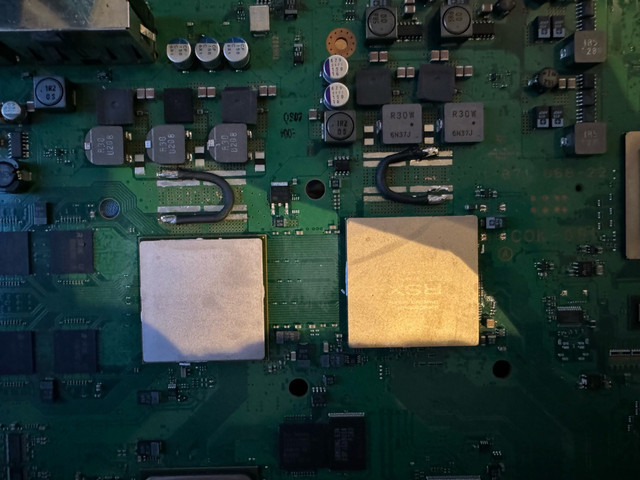
...I'm a bit taken aback with the 1701 errors and the consequent 14FF error as well.
Could this all be explained by "just" failing caps, or this is most likely a chip failure and better to not spend more money trying to replace half the NEC-TOKIN with new tantalums (it would cost around 50-60€
Code:
ofst[120]:err_code:0xa0801001, clock:0x26bc7a3f 2020/08/04 19:57:51
ofst[124]:err_code:0xa0801701, clock:0x26bc7ab4 2020/08/04 19:59:48
ofst[ 0]:err_code:0xa0801001, clock:0x26bc7ab4 2020/08/04 19:59:48
ofst[ 4]:err_code:0xa08014ff, clock:0x26bc7afb 2020/08/04 20:00:59
ofst[ 8]:err_code:0xa0801001, clock:0x26bc7afb 2020/08/04 20:00:59
ofst[ 12]:err_code:0xa0801701, clock:0x2729cfa6 2020/10/26 18:19:18
ofst[ 16]:err_code:0xa08014ff, clock:0x2729cfa6 2020/10/26 18:19:18
ofst[ 20]:err_code:0xa0801001, clock:0x2729d0e5 2020/10/26 18:24:37
ofst[ 24]:err_code:0xa0801701, clock:0x2729d40d 2020/10/26 18:38:05
ofst[ 28]:err_code:0xa08014ff, clock:0x2729d40d 2020/10/26 18:38:05
ofst[ 32]:err_code:0xa0801701, clock:0x2729d482 2020/10/26 18:40:02
ofst[ 36]:err_code:0xa08014ff, clock:0x2729d483 2020/10/26 18:40:03
ofst[ 40]:err_code:0xa0801701, clock:0x2801e365 2021/04/08 15:53:09
ofst[ 44]:err_code:0xa0801001, clock:0x2801e366 2021/04/08 15:53:10
ofst[ 48]:err_code:0xa08014ff, clock:0x2801e38a 2021/04/08 15:53:46
ofst[ 52]:err_code:0xa0801001, clock:0x2801e38a 2021/04/08 15:53:46
ofst[ 56]:err_code:0xa0801002, clock:0x2801e3d7 2021/04/08 15:55:03
ofst[ 60]:err_code:0xa0801701, clock:0x2801e507 2021/04/08 16:00:07
ofst[ 64]:err_code:0xa08014ff, clock:0x2801e507 2021/04/08 16:00:07
ofst[ 68]:err_code:0xa0801002, clock:0x2c64bcab 2023/08/08 08:43:23
ofst[ 72]:err_code:0xa0801002, clock:0x2c64bd05 2023/08/08 08:44:53
ofst[ 76]:err_code:0xa0801002, clock:0x2c64bd27 2023/08/08 08:45:27
ofst[ 80]:err_code:0xa0801002, clock:0x2c64bd88 2023/08/08 08:47:04
ofst[ 84]:err_code:0xa0801002, clock:0x2c64bdff 2023/08/08 08:49:03
ofst[ 88]:err_code:0xa0801002, clock:0x2c64c382 2023/08/08 09:12:34
ofst[ 92]:err_code:0xa0001004, clock:0x2dc58fa4 2024/05/01 23:41:24
ofst[ 96]:err_code:0xa0801002, clock:0x2dc6e09e 2024/05/02 23:39:10
ofst[100]:err_code:0xa0801002, clock:0x2dc6e0b3 2024/05/02 23:39:31
ofst[104]:err_code:0xa0801002, clock:0x2dc6e0bd 2024/05/02 23:39:41
ofst[108]:err_code:0xa0801002, clock:0x2dc70257 2024/05/03 02:03:03
ofst[112]:err_code:0xa0801002, clock:0x2dc702d7 2024/05/03 02:05:11
The 1002 is confirmation of Bad RSX tokins. The same conditions that took them out also affected the CPU tokins. So with that errorlog, I do believe there is reasonable evidence to conclude bad tokiins.
2 years prior, the log shows his previous issue. 1701 is a BE Attention signal, basically an issue (14FF Checkstop) has cause the CPU to throw in the towel. SYSCON issues a YLOD in response. They can occur by many mechanisms. The most common one in 90nm GPU containing consoles such as your friends G model is a GPU failure. However, it's important to rule out easier fixes first. I have had 1701 errors and freezing caused by a failing HDD. It may very well have been that, since the console did not error again for 2 years.
Alternatively, the CPU's NEC tokins could be responsible. But there is a trap here. The 1001 is a CPU power failure that can be caused by bad tokins, but also occurs whenever there is an unexpected shutdown. Such as that 1701/14FF. You'll often get a 1001 tag along when there is a GPU failure causing those errors. 1001 will occur when you flip power off at the back during operation. 1004 can occur in that scenario too. They can be normal in the log of working consoles. What has me doubting this hypothesis is the presence of 1002 errors occurring 2 years later. The work history suggests it couldn't have been the GPU if it was never serviced (intact seal).
Since tokins are
not too difficult or expensive to replace (under $50 if you have the equipment and skill), you could replace them and hope for the best. However, a G model is not very desirable and a more reliable slim model might be a wiser investment than repair. That 90nm GPU is still defective and likely to go at some point.
...Measuring the caps shows super low impedance so I suspect they have failed...
Code:
ofst[ 0]:err_code:0xa0801001, clock:0x162bc981 2011/10/15 04:33:05
ofst[ 4]:err_code:0xa0801001, clock:0x16b641ae 2012/01/28 05:18:38
ofst[ 8]:err_code:0xa0801001, clock:0x1985d946 2013/07/27 01:05:10
ofst[ 12]:err_code:0xa0801002, clock:0x28e955a9 2021/10/01 05:14:17
ofst[ 16]:err_code:0xa0801002, clock:0x28e955d1 2021/10/01 05:14:57
ofst[ 20]:err_code:0xa0201002, clock:0xffffffff
ofst[ 24]:err_code:0xa0201002, clock:0xffffffff
ofst[ 28]:err_code:0xa0902120, clock:0xffffffff
ofst[ 32]:err_code:0xa0231002, clock:0xffffffff
ofst[ 36]:err_code:0xa0401002, clock:0xffffffff
The core voltage rails typically only read between 2 and 6 ohms. These are low impedance lines, so that's normal. It would be bad if it was reading less than 1ohm.
Your 1002 errors are clear evidence your tokins are bad. The 1001's in the log may or may not indicate CPU tokins too (I suspect it is), but if you're replacing tokins you may as well replace all of them and get it done.
...errlog says: A0801802
According to the SYSCON error code wiki, this is a dead or missing RSX, usually after replacement or Reballing (which contradicts the witness reports.)
That is an error on my part that I need to correct. There were many reports of 1802 and 1B02, notice the "b" is not an "8." This is why I like for people to copy and paste their errorlog like you have, because it prevents typos like that from contaminating my results...as you have pointed out. I just haven't gotten around to clearifying it on the dev wiki yet.
1802 is an RSX interrupt. It's the equivalent of 1701 (BE Attention). It can be caused by numerous issues involving the RSX. The 1701/14FF are good evidence of a GPU failure, but can also be normal if there is an issue such as overheating. Which it appears you actually do have. A0801201 is one of the VERY few times I've seen a genuine RSX overheat scenario. The 1701/14ff could be associated instability from the GPU operating so hot.
Any ideas what might have happened?
# CODE CLOCK
# A0801802 FFFFFFFF
# A0801701 FFFFFFFF
# A08014FF FFFFFFFF
# A0801201 0B4A059D
# A0801201 0B49D872
# A0801802 FFFFFFFF
# A08014FF FFFFFFFF
# A0801802 FFFFFFFF
# A08014FF FFFFFFFF
# A0801802 FFFFFFFF
# A08014FF FFFFFFFF
# A0801802 FFFFFFFF
# A08014FF FFFFFFFF
# A0801802 FFFFFFFF
# A08014FF FFFFFFFF
# A0801802 FFFFFFFF
# A08014FF FFFFFFFF
# A0801802 1C9CAC3B
# A08014FF 1C9CAC3B
# A0801802 1C8E416D
# A08014FF 1C8E416D
# A0801802 1C8E4168
# A08014FF 1C8E4168
# A0801802 1C8E415E
# A08014FF 1C8E415D
# A0801802 1C8E4154
# A08014FF 1C8E4153
# A0801802 1C0BAEE3
# A08014FF 1C0BAEE2
# A0801802 1BF6545A
# A08014FF 1BF6545A
I need more information. Can you tell me if they attempted to delid the RSX?
If so, I would suspect they broke a BGA connection. The Overheating RSX may have caused undue stress on the GPU and it's BGA. BGA defects can and do happen, just not as often as people think. My suspicion is that's what's happening here. But it may also be damage on the interposer from delidding. Or it could be instability caused by running too hot (needs delidding).
Honestly it's difficult to piece together the repair history from that log alone. The 1201's could have been from testing the console without the heatsink on. I would wager that's the case, since it's so rare to see that occur in a sealed console.
If that's a dead or dying GPU, that would be exceedingly unusual. The 65nm RSX is a tank. I have more reports of dead 40s. The low uptime could suggest a factory defect, bad reflow profile or bum luck in the silicon lottery. But I don't want to jump to conclusions without knowing what "supposedly just cleaned the console and changed thermal paste" actually means. Please inspect for damage, foreign objects, and let us know if they attempted a delid.
Why my system got ylod'ed again and can i get rid of it with replacing more necs
And for my last question is there a way to get the error codes without the test pads
If you replace one tokins you should replace all of them. One bad apple spoils the bunch. If you properly diagnosted bad tokins, then don't half finish the job and expect it to work. Expect the YLOD to return like it has.
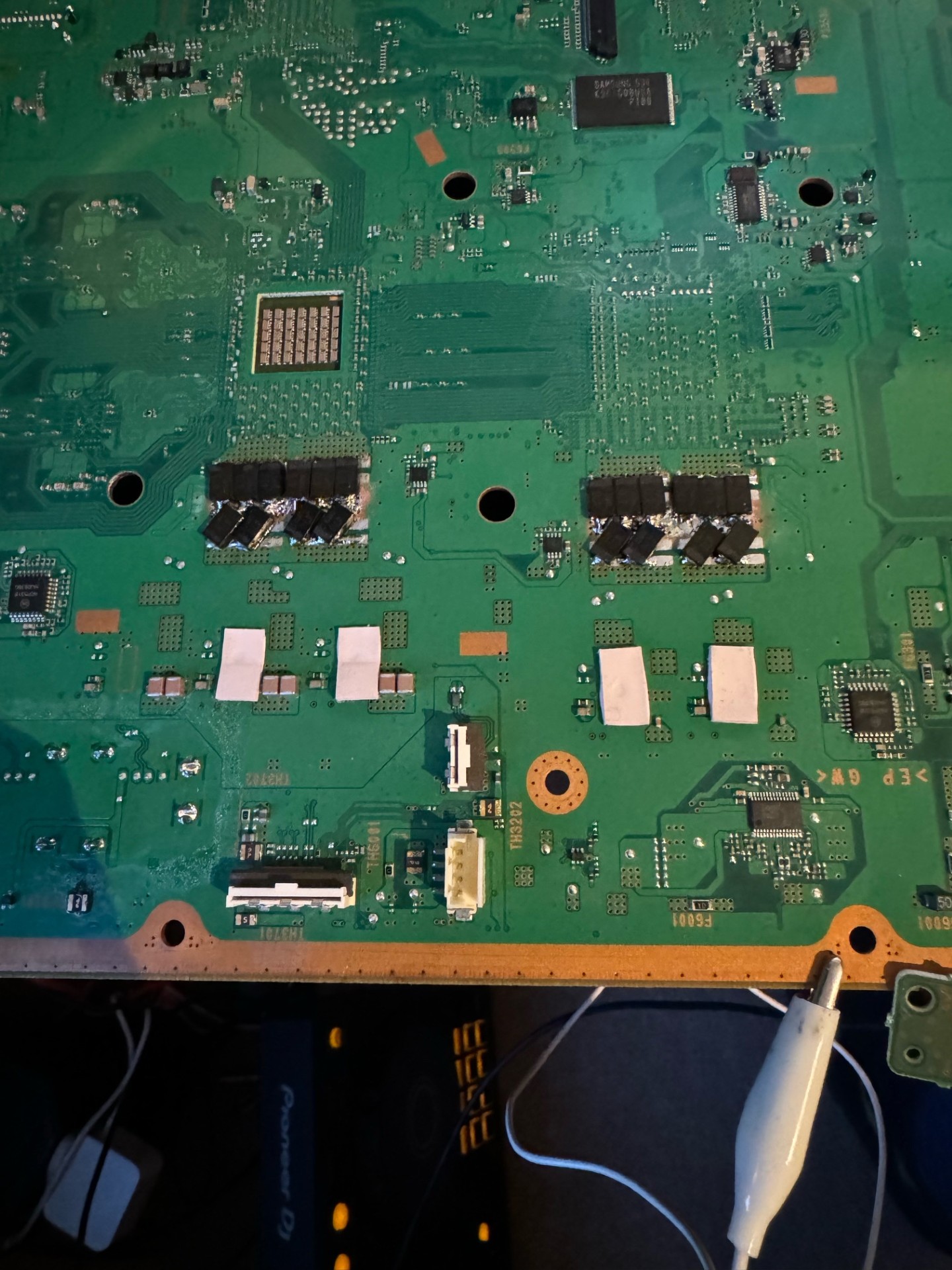
About the test pads. So the aswer is yes, but it's more difficult. You can expose some copper from the trace and repair the pad using
BGA repair lugs. If you are skilled enough to repair the pad, I assume you wouldn't have torn them in the first place. If you tear more of the trace, the only place to connect to after that is the VIA that goes through the board. After that it goes under the SYSCON itself. There are no other pads or places to connect to it. You can expose some copper on the VIA's and solder to that, but be very careful not to tear those, or you will not be able to repair the pads, or connect to syscon without running wires directly from the BGA pads under the syscon, which you would have to remove first.
Hi, I just read and it seems Im having a GLOD problem with my ps3 slim 3001a, it starts but then shut downs sometimes with no led, I click then it turns to red then to green, like it normally should. I used the syscon tool to read the log, here it is, I hope you guys can help me diagnose my problem! thanks in advance

Code:
Firmware Version: 4.91 (build 50754)
Platform ID: CokK10
Product Code: 00 84
Product Sub Code: 00 0C
Hardware Config: 4E00FFFF0E03BC3C
Syscon Fimware Version: 0918.0000000000000000 (EEPROM: 0000000000000000)

Bringup Count: 7660, Shutdown Count: 6976
Runtime: 750 Days, 0 Hours, 9 Minutes, 5 Seconds

Error Log
01: A0801701  Fri Jan 20 20:44:46 2006
02: A08014FF  Fri Jan 20 20:44:45 2006
03: A08014FF  Fri Jan 20 19:12:57 2006
04: A0801701  Fri Jan 20 19:12:57 2006
05: A08014FF  Fri Jan 20 18:29:13 2006
06: A0801701  Fri Jan 20 18:29:12 2006
07: A0801301  Fri Jan 20 18:28:07 2006
08: A08014FF  Fri Jan 20 18:28:07 2006
09: A0801701  Fri Jan 20 18:28:06 2006
10: A08014FF  Fri Jan 20 18:26:50 2006
11: A0801701  Fri Jan 20 18:26:49 2006
12: A08014FF  Wed Jan 18 18:14:09 2006
13: A0801701  Wed Jan 18 18:14:08 2006
14: A08014FF  Tue Jan 10 20:44:50 2006
15: A0801701  Tue Jan 10 20:44:49 2006
16: A08014FF  Tue Jan 10 20:11:06 2006
17: A0801701  Tue Jan 10 20:11:06 2006
18: A08014FF  Tue Jan 10 20:09:24 2006
19: A0801701  Tue Jan 10 20:09:24 2006
20: A08014FF  Mon Jan  9 22:48:37 2006
21: A0801701  Mon Jan  9 22:48:36 2006
22: A08014FF  Mon Jan  9 21:44:20 2006
23: A0801701  Mon Jan  9 21:44:19 2006
24: A08014FF  Mon Jan  9 21:43:37 2006
25: A0801701  Mon Jan  9 21:43:37 2006
26: A08014FF  Sat Jan  7 15:44:10 2006
27: A0801701  Sat Jan  7 15:44:10 2006
28: A08014FF  Sat Jan  7 15:09:35 2006
29: A0801701  Sat Jan  7 15:09:35 2006
30: A08014FF  Fri Jan  6 21:00:13 2006
31: A0801701  Fri Jan  6 21:00:12 2006
32: FFFFFFFF  Fri Dec 31 23:59:59 1999
Have you tried another HDD and safe mode recovery options? If the HDD is failing you might get errors like that and not boot into XMB, since on slims the OS is loaded on the HDD. You might have to use recovery options to attempt to restore the console.
A genuine GLOD, which will not allow you to reach safe mode, is usually an issue with the GPU. 1701/14FF could indicate that's the case, or it's solder is failing. This is a 40nm GPU, so the chances it's a failing GPU is less than a 90nm, but they do wear out and die. 750 Days is a bit premature IMO tho. I've seen 65nm keep living well past 1000.
Measure the ohms of the voltage lines going into the RSX. Linked picture is from an A model phat, but the RSX pinout is the same for your 40nm. So the genaral power planes are in the same location. If it is a genuine GLOD, try pressing on the RSX while turning on, to see if you can get a picture. IF nothing changes or if there are any dead shorts, it may be dead. You could try a reball, but to repair a slim that would cost more than buying a working one.