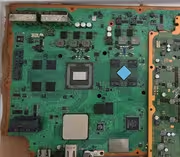
PS3 Fault finding YLOD with the SYSCON - First steps and Error reporting

I picked up 2 PS3's the other day for cheap and one of them has YLOD; it's a CECHL01. I tried pulling codes through syscon, but they came back empty. I did some combing through this thread and think the firmware may have been corrupted. Seems like there was some liquid damage at some point, but pretty much only on the ground plane on the edge of the board. I cleaned the whole board with 99% IPA. Also, someone was definitely in here before, as there was no heatsink on the CELL or RSX. The top cover was snapped off; they didn't even remove the screw holding it on. Not too worried about fixing this console, but it seems that it is not an issue with the RSX or CELL. I can upload pictures of the board if needed, but everything looks fine to me. Probably also worth mentioning that i'm using a spare Pico Pi as a Uart adapter since I've been modding 360s for a little bit. Just new to the whole ps3 thing and this seems to be more of an uncommon issue. Any help would be greatly appreciated!


Code:
>$ ERRLOG GET 00
00000000 FFFFFFFF FFFFFFFF
Press Ctrl+C to exit
>$ errlog
00000000
# CODE     CLOCK
# FFFFFFFF FFFFFFFF
# FFFFFFFF FFFFFFFF
# FFFFFFFF FFFFFFFF
# FFFFFFFF FFFFFFFF
# FFFFFFFF FFFFFFFF
# FFFFFFFF FFFFFFFF
# FFFFFFFF FFFFFFFF
# FFFFFFFF FFFFFFFF
# FFFFFFFF FFFFFFFF
# FFFFFFFF FFFFFFFF
# FFFFFFFF FFFFFFFF
# FFFFFFFF FFFFFFFF
# FFFFFFFF FFFFFFFF
# FFFFFFFF FFFFFFFF
# FFFFFFFF FFFFFFFF
# FFFFFFFF FFFFFFFF
# FFFFFFFF FFFFFFFF
# FFFFFFFF FFFFFFFF
# FFFFFFFF FFFFFFFF
# FFFFFFFF FFFFFFFF
# FFFFFFFF FFFFFFFF
# FFFFFFFF FFFFFFFF
# FFFFFFFF FFFFFFFF
# FFFFFFFF FFFFFFFF
# FFFFFFFF FFFFFFFF
# FFFFFFFF FFFFFFFF
# FFFFFFFF FFFFFFFF
# FFFFFFFF FFFFFFFF
# FFFFFFFF FFFFFFFF
# FFFFFFFF FFFFFFFF
# FFFFFFFF FFFFFFFF

Press Ctrl+C to exit
>$ bringup
00000000
# [SSM] Bringup Start.
# [SSM] PS0 ok.
# [SSM] PS1 ok.

Press Ctrl+C to exit
>$ shutdown
00000000
# [SSM] PS2 ok.
# [SSM] PS3 ok.
# [SSM] PS4 ok.
# (PowerOn State)
OK 00000000
#!
#!Boot Loader SE Version 2.4.5
#!(Build ID: 3163,33519, Build Data: 2008-07-14_20:31:16) Copyright(C) 2007 Sony Computer Entertainment Inc.All Rights Reserved.
#!
#![INFO]: Connecting to Debug Device (SB UART)
#!Boot Loader SE Version 3.5.5 (Build ID: 4072,46573, Build Date: 2010-11-26_20:55:10)
#!SDK Version: 355.000
#!Copyright(C) 2010 Sony Computer Entertainment Inc.All Rights Reserved.
#![INFO]: === eXtreme Data Rate Memory Subsystem ===
#![INFO]: (Configured MemorySize per single XIO channel: 128 MBytes.)
#![INFO]: XIO channel[0] is available.
#![INFO]: XIO channel[1] is available.
#![INFO]: ---> Total 256 MBytes are now in use.
#![INFO]: SPU enable [1, 2, 3, 4, 5, 6] 11111110
#![INFO]: BE:11S DD1.0, SB:SX1.1
#![ERROR]: 0xb0000004 lv1ldr stop with stopcode 35load lv1 fail
# [SSM] Cond/Fatal received, msg=2649.
# [SSM] Fataldown Start.
# [SSM] Fataldown ok.
# (PowerOff State) (Fatal)
# [SSM] Clearfatal Start.
# [SSM] Clearfatal ok.
# (PowerOff State)

>$ csum
F0000006

>$ eepcsum
00000000
# csum = 0xE083


>$ revision
00000000
# Revision = 1629(065D)

>$ version
00000000
# Sherwood Version = 0.17.0

>$ patchinfo
00000000
#
# MAJOR   :0000
# MINOR   :0000
# REV     :0000
# SYS_REV :0000
# TABLE   :00FFFFFF
# DATSIZ  :FFFF
# DATSUM  :FFFF
# SUM     :FFFF
# not applyed

>$
It could be that the ground wire isn't grounded. Depending on which device you're using, you may need two ground wires. I soldered the three wires on the terminals and had a fourth for grounding. In the USB device I had, I had to have both ground cables touching in the housing unit. What USB to serial are you using?

Since fixing this, it's been fine up until today. I've been using it and playing games to test it. No problems turning it off and on. I've had it plugged in and the red standby light has been solid. It was the same this morning, however, when coming back today, the red light is no longer showing. I've tried another PSU that does work and still nothing. Even replaced the socket in the back and still no luck. Can anyone think what it might be? Really gutted and deflated as I just wanted to use it. Any help is appreciated.
To add to this, I did some troubleshooting and identified a faulty fuse, F6302, and capacitor, C6320 I think. I replaced them but there's still no red light when the switch is flicked on at the back. Any ideas where to look next? I switched the other PSU and power on board as well but same result.
 
Last edited by a moderator:
To add to this, I did some troubleshooting and identified a faulty fuse, F6302, and capacitor, C6320 I think. I replaced them but there's still no red light when the switch is flicked on at the back. Any ideas where to look next? I switched the other PSU and power on board as well but same result.

What about the power board flat cable? Is the power board (the board with the power on and eject switches) powered, can you measure 5V on it?
 
It could be that the ground wire isn't grounded. Depending on which device you're using, you may need two ground wires. I soldered the three wires on the terminals and had a fourth for grounding. In the USB device I had, I had to have both ground cables touching in the housing unit. What USB to serial are you using?


I am just using a spare pico pi I had laying around since I use them for dumping 360 nands. I could try soldering another ground wire. Just check ground and it goes all the way through USB, so I don't think its a grounding issue.
 
Last edited:
What about the power board flat cable? Is the power board (the board with the power on and eject switches) powered, can you measure 5V on it?
Thanks for the suggestion. I've removed the ribbon cable and used my multimeter between the board and socket. In the furthest left pin (closest to the PSU), I get 5V counting down quite quickly. The pin next to that is 0.5V counting down. If I do the second most left pin on the small board, and use the left most pin on the motherboard, it's exactly 5V. The other pins are basically negligible. Do you make anything of that?
Edit: switched the multimeter to continuity and stuck one in the motherboard socket and brushed it against the pins on the small board and got a sign of the red light briefly plus a green light occasionally.
 
Well, in my case the flat cable was bad – the blue bit is torn off and so it wasn't really in contact with the connector pins. I don't quite understand how you measured 5V if you removed the cable but if the power board actually receives 5V, then it's fine.
Remember, you can always turn the system up using syscon's UART. Try that and observe the errors there. If syscon works so should the red LED on the power board as it's powered off the same 5V power rail.
 
Well, in my case the flat cable was bad – the blue bit is torn off and so it wasn't really in contact with the connector pins. I don't quite understand how you measured 5V if you removed the cable but if the power board actually receives 5V, then it's fine.
Remember, you can always turn the system up using syscon's UART. Try that and observe the errors there. If syscon works so should the red LED on the power board as it's powered off the same 5V power rail.
I had forgotten you could do that with Syscon. I'm going to go round and check every capacitor and fuse that I haven't already checked. If I can't find anything then, I'll solder the wires and go back into syscon to see if that can help again. I removed the cable and put one of the multimeter prongs into a pin on the socket and then put the other on the corresponding pin on the socket on the power/eject board. Managed to get a 5V reading that way. Would you have done it different?
 
Last edited:
Ps3 slim 25xx
Dell u2414h monitor

I've got a troubleshooting question:
If the SYSCON reports no issues, booting correctly. HDMI verbose says that it detected the video output and powers on the monitor.

But no output on the display just goes back to sleep, what else to check?

From first searches on internet it seems like this happens with slim ps3's and Dell monitors, just try with a TV or AV?

Sent from my SM-G991B using Tapatalk
 
Ps3 slim 25xx
Dell u2414h monitor

I've got a troubleshooting question:
If the SYSCON reports no issues, booting correctly. HDMI verbose says that it detected the video output and powers on the monitor.

But no output on the display just goes back to sleep, what else to check?

From first searches on internet it seems like this happens with slim ps3's and Dell monitors, just try with a TV or AV?

Sent from my SM-G991B using Tapatalk
If you do have a spare monitor/TV that would be worth trying. I would also try another HDMI cable if you have one. Does the Dell work when other devices are plugged into the HDMI port?
 
I had forgotten you could do that with Syscon. I'm going to go round and check every capacitor and fuse that I haven't already checked. If I can't find anything then, I'll solder the wires and go back into syscon to see if that can help again. I removed the cable and put one of the multimeter prongs into a pin on the socket and then put the other on the corresponding pin on the socket on the power/eject board. Managed to get a 5V reading that way. Would you have done it different?
I just don't understand how the pwr board could be powered if the flat cable (powering it) is not connected to it ... You only measured the potential between an unpowered pwr board (floating) and a powered main board.
Connect the flat cable back again and then measure the two outermost pins of the connector, there should be ~5V between them.

CSW-001.png

sVvSjJ1


If there isn't, there's something wrong with your flat cable. Maybe it's just connected poorly, or turned upside down?
 
Try using the AV out, it could be a dead HDMI port

Sent from my SM-F936B using Tapatalk
Was hoping for some SYSCON commands that I did not saw from the tutotial to try as I do not have access to av or a tv until the weekend

I don't think the HDMI port is busted as the previous owner showed me that it worked

Sent from my SM-G991B using Tapatalk
 
I just don't understand how the pwr board could be powered if the flat cable (powering it) is not connected to it ... You only measured the potential between an unpowered pwr board (floating) and a powered main board.
Connect the flat cable back again and then measure the two outermost pins of the connector, there should be ~5V between them.

View attachment 43230
sVvSjJ1


If there isn't, there's something wrong with your flat cable. Maybe it's just connected poorly, or turned upside down?
Ah I see, that's my inexperience with electronics at this level. I've done as you suggested and it is getting 5V but for some reason there's no LED and the capacitive buttons don't work. I reseated the cable and have tried another one as well. It only seems to be 5V on the outermost pin, the one next to it isn't.

Ah I see, that's my inexperience with electronics at this level. I've done as you suggested and it is getting 5V but for some reason there's no LED and the capacitive buttons don't work. I reseated the cable and have tried another one as well. It only seems to be 5V on the outermost pin, the one next to it isn't.
Did some more troubleshooting and found the following results, what do you make of them? -

First to verify that the on/off eject board was getting 5V. It was on the outermost pin closest to the PSU. I also tried the CMOS battery from the spare PS3 which is closer to 3V than mine. No change. All the fuses look to be OK. C2149 stays at around 67 Ohms where as the other capacitors slowly climb in the k Ohms. In addition, C6323 and C6324 are acting strangely. They both produce a reading of 78 micro Farads, both about the same. The others around it were all at 1.7 mF. I know it's not a true reflection of the capacitance with them being in circuit but it gives an idea. Similarly, C2149 is about 55 mF. The resistance reading of C6323 and C6324 sit around 7.4 k Ohms. I would say that C2149, C6323, and C6324 are all behaving strangely.

The other capacitors around that side of the board were at k Ohms and counted upwards. @RIP-Felix
 
Last edited by a moderator:
Ps3 slim 25xx
Dell u2414h monitor

I've got a troubleshooting question:
If the SYSCON reports no issues, booting correctly. HDMI verbose says that it detected the video output and powers on the monitor.

But no output on the display just goes back to sleep, what else to check?

From first searches on internet it seems like this happens with slim ps3's and Dell monitors, just try with a TV or AV?

Sent from my SM-G991B using Tapatalk

On second thoughts, could someone please take a look at this hdmi log and say if something looks wrong?

Code:
[['# [SSM] Bringup Start.\n', '41'],
 ['# [HDMI    ] Ch.00\n', 'F6'],
 ['# [HDMI    ] Ch.00\n', 'F6'],
 ['# [HDMI    ] Ch.00\n', 'F6'],
 ['# [HDMI    ] Start InitInstance\n', 'B4'],
 ['# [HDMI    ]   Read Vender ID from MN864709\n', '7B'],
 ['# [HDMI    ]   Read Vender ID from MN864709\n', '7B'],
 ['# [HDMI    ] *** Detect MN Chip : VID 0000 DID 0009 DRev 01 ***\n', 'DA'],
 ['# [HDMI    ] *** Detect MN Chip : VID 0000 DID 0007 DRev 01 ***\n', 'D8'],
 ['# [HDMI    ] ChipID Check Done\n', '72'],
 ['# [HDMI    ] Set SPD Packet\n', '68'],
 ['# [HDMI    ] Ch.00\n', 'F6'],
 ['# [HDMI    ] Ch.01Channel(s) set up!\n', '06'],
 ['# [HdmiINTR] 00 Ch ***  Interrupt Process. ***\n', '7B'],
 ['# [HdmiINTR] 00 Ch *** MN864709 Interrupted \n', '76'],
 ['# Intr bytes -> 8\n', '0A'], ['# 05 00 02 00 00 00 00 00 \n', '4A'],
 ['# [HdmiINTR] intflg : 00000008 in IntrProcessEach()\n', 'B5'],
 ['# [HdmiINTR] 00 Ch Pluged\n', '86'],
 ['# [HdmiINTR] 00 Ch ***  Interrupt Process. ***\n', '7B'],
 ['# [HdmiINTR] 00 Ch *** MN864709 Interrupted \n', '76'],
 ['# Intr bytes -> 8\n', '0A'], ['# 11 00 00 00 A0 00 00 00 \n', '56'],
 ['# [HdmiINTR] intflg : 00002800 in IntrProcessEach()\n', 'B7'],
 ['# [HDMI CECsm]State Change[00]->[00]\n', 'EA'],
 ['# [HdmiSEVT] 004000:Event Occure :\n', '1A'],
 ['# [HdmiSEVT] 004000:Event Clear :\n', 'A0'],
 ['# [HDMI CECev]Service START[00]\n', '7A'],
 ['# [HDMI CECsm]Service Start !!\n', '49'],
 ['# [HdmiINTR] 00 Ch ***  Interrupt Process. ***\n', '7B'],
 ['# [HdmiINTR] 00 Ch *** MN864709 Interrupted \n', '76'],
 ['# Intr bytes -> 8\n', '0A'],
 ['# 05 00 08 00 00 00 00 00 \n', '50'],
 ['# [HdmiINTR] intflg : 00000020 in IntrProcessEach()\n', 'AF'],
 ['# [HdmiBe  ] Try to send Event Event Ch.00 Size(0004) ID[01]... \n', '6D'],
 ['# [HdmiINTR] 00 Ch Power On\n', '0F'], ['# [HDMI CECsm]State Change[00]->[01]\n', 'EB'],
 ['# [HdmiSSM ] Ch.00 Un-Plug State.\n', 'E0'],
 ['# [HdmiSSM ] Ch.00 Pluged State.\n', 'B9'],
 ['# [HdmiINTR] 00 Ch ***  Interrupt Process. ***\n', '7B'],
 ['# [HdmiINTR] 00 Ch *** MN864709 Interrupted \n', '76'],
 ['# Intr bytes -> 8\n', '0A'], ['# 11 00 00 00 A0 00 00 00 \n', '56'],
 ['# [HdmiINTR] intflg : 00002800 in IntrProcessEach()\n', 'B7'],
 ['# [HdmiINTR] 00 Ch ***  Interrupt Process. ***\n', '7B'],
 ['# [HdmiINTR] 00 Ch *** MN864709 Interrupted \n', '76'],
 ['# Intr bytes -> 8\n', '0A'], ['# 11 00 00 00 A0 00 00 00 \n', '56'],
 ['# [HdmiINTR] intflg : 00002800 in IntrProcessEach()\n', 'B7'],
 ['# [HdmiEDID] 00Ch DVI Mode Set.\n', 'E0'],
 ['# [HdmiBe  ] Try to send Event Event Ch.00 Size(0084) ID[02]... \n', '76'],
 ['# [HdmiSSM ] Ch.00 Wait Power On State.\n', 'F7'],
 ['# [HdmiSSM ] Ch.00 Wait Resolution Setting State.\n', '3F'],
 ['# [HdmiSEVT] WaitSystemEvent Ptn:0047\n', '52'], ['# \n', '43'], ['# \n', '43']]
 
I picked up 2 PS3's the other day for cheap and one of them has YLOD; it's a CECHL01. I tried pulling codes through syscon, but they came back empty. I did some combing through this thread and think the firmware may have been corrupted. Seems like there was some liquid damage at some point, but pretty much only on the ground plane on the edge of the board. I cleaned the whole board with 99% IPA. Also, someone was definitely in here before, as there was no heatsink on the CELL or RSX. The top cover was snapped off; they didn't even remove the screw holding it on. Not too worried about fixing this console, but it seems that it is not an issue with the RSX or CELL. I can upload pictures of the board if needed, but everything looks fine to me. Probably also worth mentioning that i'm using a spare Pico Pi as a Uart adapter since I've been modding 360s for a little bit. Just new to the whole ps3 thing and this seems to be more of an uncommon issue. Any help would be greatly appreciated!


Code:
>$ ERRLOG GET 00
00000000 FFFFFFFF FFFFFFFF
Press Ctrl+C to exit
>$ errlog
00000000
# CODE     CLOCK
# FFFFFFFF FFFFFFFF
# FFFFFFFF FFFFFFFF
# FFFFFFFF FFFFFFFF
# FFFFFFFF FFFFFFFF
# FFFFFFFF FFFFFFFF
# FFFFFFFF FFFFFFFF
# FFFFFFFF FFFFFFFF
# FFFFFFFF FFFFFFFF
# FFFFFFFF FFFFFFFF
# FFFFFFFF FFFFFFFF
# FFFFFFFF FFFFFFFF
# FFFFFFFF FFFFFFFF
# FFFFFFFF FFFFFFFF
# FFFFFFFF FFFFFFFF
# FFFFFFFF FFFFFFFF
# FFFFFFFF FFFFFFFF
# FFFFFFFF FFFFFFFF
# FFFFFFFF FFFFFFFF
# FFFFFFFF FFFFFFFF
# FFFFFFFF FFFFFFFF
# FFFFFFFF FFFFFFFF
# FFFFFFFF FFFFFFFF
# FFFFFFFF FFFFFFFF
# FFFFFFFF FFFFFFFF
# FFFFFFFF FFFFFFFF
# FFFFFFFF FFFFFFFF
# FFFFFFFF FFFFFFFF
# FFFFFFFF FFFFFFFF
# FFFFFFFF FFFFFFFF
# FFFFFFFF FFFFFFFF
# FFFFFFFF FFFFFFFF

Press Ctrl+C to exit
>$ bringup
00000000
# [SSM] Bringup Start.
# [SSM] PS0 ok.
# [SSM] PS1 ok.

Press Ctrl+C to exit
>$ shutdown
00000000
# [SSM] PS2 ok.
# [SSM] PS3 ok.
# [SSM] PS4 ok.
# (PowerOn State)
OK 00000000
#!
#!Boot Loader SE Version 2.4.5
#!(Build ID: 3163,33519, Build Data: 2008-07-14_20:31:16) Copyright(C) 2007 Sony Computer Entertainment Inc.All Rights Reserved.
#!
#![INFO]: Connecting to Debug Device (SB UART)
#!Boot Loader SE Version 3.5.5 (Build ID: 4072,46573, Build Date: 2010-11-26_20:55:10)
#!SDK Version: 355.000
#!Copyright(C) 2010 Sony Computer Entertainment Inc.All Rights Reserved.
#![INFO]: === eXtreme Data Rate Memory Subsystem ===
#![INFO]: (Configured MemorySize per single XIO channel: 128 MBytes.)
#![INFO]: XIO channel[0] is available.
#![INFO]: XIO channel[1] is available.
#![INFO]: ---> Total 256 MBytes are now in use.
#![INFO]: SPU enable [1, 2, 3, 4, 5, 6] 11111110
#![INFO]: BE:11S DD1.0, SB:SX1.1
#![ERROR]: 0xb0000004 lv1ldr stop with stopcode 35load lv1 fail
# [SSM] Cond/Fatal received, msg=2649.
# [SSM] Fataldown Start.
# [SSM] Fataldown ok.
# (PowerOff State) (Fatal)
# [SSM] Clearfatal Start.
# [SSM] Clearfatal ok.
# (PowerOff State)

>$ csum
F0000006

>$ eepcsum
00000000
# csum = 0xE083


>$ revision
00000000
# Revision = 1629(065D)

>$ version
00000000
# Sherwood Version = 0.17.0

>$ patchinfo
00000000
#
# MAJOR   :0000
# MINOR   :0000
# REV     :0000
# SYS_REV :0000
# TABLE   :00FFFFFF
# DATSIZ  :FFFF
# DATSUM  :FFFF
# SUM     :FFFF
# not applyed

>$


Does anyone have any other ideas on what I can do? I have tried some other things suggested in other posts and I have run out of ideas. I think it is corrupt firmware, is there any way to reflash that with a Pico Pi or something? I have another fully working PS3, is there any way to copy the firmware off there and write it to this one? Assuming the firmware is the issue since on bringup it is a lv1 error.
 
Did some more troubleshooting and found the following results, what do you make of them? -

First to verify that the on/off eject board was getting 5V. It was on the outermost pin closest to the PSU. I also tried the CMOS battery from the spare PS3 which is closer to 3V than mine. No change. All the fuses look to be OK. C2149 stays at around 67 Ohms where as the other capacitors slowly climb in the k Ohms. In addition, C6323 and C6324 are acting strangely. They both produce a reading of 78 micro Farads, both about the same. The others around it were all at 1.7 mF. I know it's not a true reflection of the capacitance with them being in circuit but it gives an idea. Similarly, C2149 is about 55 mF. The resistance reading of C6323 and C6324 sit around 7.4 k Ohms. I would say that C2149, C6323, and C6324 are all behaving strangely.

The other capacitors around that side of the board were at k Ohms and counted upwards.
I'd really suggest trying booting/powering on the board using syscon and seeing where that gets you (and checking the errors it produces, if any). I also suggest leaving the UART wires soldered on for later use :)
 
Ps3 slim 25xx
Dell u2414h monitor

I've got a troubleshooting question:
If the SYSCON reports no issues, booting correctly. HDMI verbose says that it detected the video output and powers on the monitor.

But no output on the display just goes back to sleep, what else to check?

From first searches on internet it seems like this happens with slim ps3's and Dell monitors, just try with a TV or AV?

Sent from my SM-G991B using Tapatalk
Tried HDMI on tv, AV on tv
Nothing at all

The only observable behavior is that the digital out optical port flashes red shortly

Edit:
The installed ssd is wiped so I would expect to enter safe mode directly.
Also, the BD drive is not currently installed.

Edit2:
With hdd wiped instead of ssd the HDD_led flashes a few times on startup and before shutdown from power button
Bootup log:

Code:
>$ bringup
00000000
# [SSM] Shutdown ok.
# (PowerOff State)
OK 00000000
# [SSM] Bringup Start.

Press Ctrl+C to exit
>$
00000000
# [SSM] PS0 ok.
# [SSM] PS1 ok.
# [SSM] PS2 ok.
# [SSM] PS3 ok.
# [SSM] PS4 ok.
# (PowerOn State)
OK 00000000
#!
#!Boot Loader SE Version 3.3.0
#!(Build ID: 3881,45141,
#!Build Date: 2010-04-13_22:09:13)
#!
#!Copyright(C) 2009 Sony Computer Entertainment Inc.All Rights Reserved.
#!
#![INFO]: Connecting to Debug Device (SB UART)

>$ errlog
00000000
# CODE CLOCK
# FFFFFFFF FFFFFFFF
# FFFFFFFF FFFFFFFF
# FFFFFFFF FFFFFFFF
....

>$ powerstate
00000000
# ATA :ON
# PCI :OFF
# PCIex:OFF
# RSX :ON
# GDDR :ON
# XDR :ON
# EURUS:ON
# SB :ON
# LAN :ON
# WLAN :ON
 
Last edited:
I hooked it back up to Syscon but couldn't get into it to get the error codes. I'll leave it for now as I've turned my attention to another one I have.

Managed to get the error codes if this second one. The last few are 3001 and before that, a mix of 1001 and 1004. I know 3001 is to do with 12V line. Are there any go to culprits to check, and/or is there a diagram of the 12V line on the mobo I can use to check components? Has anyone had the 3001 error and can advise? Many thanks for any help. @lukap
 
Last edited:
Hi all, I´ll start by giving thanks(again) to @RIP-Felix for his syscon tutorial (previously I only knew how to get the errlog using a PiPico and that was all), now this time I did it with a FT232R to get more info on the PS3 which I´m asking for help with.This one is or was my main CFW System, a 2051B JSD-001 that I repaired from a BTWIFI failure(2022) and delided both processors with success(2023 with MX4 paste) and migrated to SSD, was working fine since then, not the greatest or lowest temps, but not high enough to worry, I think. Summer came and decided to make tests on this and other 2 CFW PS3s I have, also playing with It more regularily, the problem now is that now it is on GLOD, I´ll explain, last time it was ok(last wednesday) I was playing with family on this system, some UMVSC3, Arcade, Neogeo games, nothing too stressing for the system, it was powered on for like 6-7 hrs, we got called for dinner but I decided to keep playing a bit more, finished Mario Land GB and played some WipeoutHDFury, then I turned it off with the controller and went to dinner, then after like 30min or so, decided to play again, grabbed controller and pressed PS button and noticed that PS3 didn´t turn on, turned PS3 on with its power button, and nothing on screen, controllers not syncing, and also fan not ramping up(I have all my CFW PS3s with webman manual fan control, so it accelerates everytime they boot), turned it off and on again, nothing, tried again, and this time fan accelerated and booted, but saw a blackscreen with some green artifacts/squares, and blackscreen again, had no time to take a photo, since then its only GLOD, fan not ramping up, also HDD led doesn´t blink but stays on, I got its errlog and saw only 2022 but a single 5FFF took my hopes, from what I´ve found about it could be bad CELL or RSX(maybe my own fault?), meaning the end for this system. I can replace it with another PS3, but if there is a chance of fixing it without reball, I would try. Also could mean nothing, but the only problem it gave me before all this, was with WebmanMod, I updated it to the latest cause it had an old version and I wanted to get its usage time, was getting "Webman not ready" issue and could not mount games until a few restarts, installed 2nd most up to date webman and issue fixed. Anyway, here is its syscon log, hope someone could help. Also @Woodsworth , I fixed a DYN-001 with 3001 error by replacing a shorted tiny cap, there are sets of 2 big and 1 tiny caps, on this board, culprit was near its fan connector, took the replacement from a COK-001. Really Sorry for long post.
Code:
>$ errlog
00000000
# CODE     CLOCK
# A0802022 0C487A4B
# A0802022 0C48798A
# A0802022 0C48794A
# A0802022 0C48790E
# A0802022 27B8B06F
# A0802022 27B8B06D
# A0802022 27B8AD91
# A0802022 27B8AD8F
# A0802022 24C2DAB4
# A0802022 24C2DAB2
# A0802022 230CB44F
# A0802022 230CB40C
# A0802022 230BB28F
# A0802022 230BB28D
# A0802022 230BA902
# A0802022 230BA900
# A0802022 217454A5
# A0802022 2174516C
# A0802022 21744ED5
# A0802022 21744E70
# A0802022 216C5223
# A0802022 216C5221
# A0802022 212BDE45
# A0802022 212BD830
# A0802022 2127FA3B
# A0802022 2127FA39
# A0802022 21244715
# A0802022 21244713
# A0805FFF 1FFD9A90
# A0802022 1FFD9A87
# A0802022 1FFD9A85

Press Ctrl+C to exit
>$ bringup
00000000
# [SSM] Bringup Start.

Press Ctrl+C to exit
>$ shutdown
F0000003
# [SSM] PS0 ok.
# [SSM] PS1 ok.
# [SSM] PS2 ok.
# [SSM] PS3 ok.
# [SSM] PS4 ok.
# (PowerOn State)
OK 00000000
#!
#!Boot Loader SE Version 3.5.0
#!(Build ID: 4002,46268,
#!Build Date: 2010-09-21_18:48:40)
#!
#!Copyright(C) 2010 Sony Computer Entertainment Inc.All Rights Reserved.
#!
#![INFO]: Connecting to Debug Device (SB UART)
# [SSM] Cond/Fatal received, msg=2687.
# [SSM] Fataldown Start.
# [SSM] Fataldown ok.
# (PowerOff State) (Fatal)
# [UCMD] Unknown command.

Press Ctrl+C to exit
>$ shutdown
00000000
# [SSM] Clearfatal Start.
# [SSM] Clearfatal ok.
# (PowerOff State)

Press Ctrl+C to exit
>$ powersw
00000000
# [SSM] Bringup Start.

Press Ctrl+C to exit
>$ shutdown
00000000
# [SSM] PS0 ok.
# [SSM] PS1 ok.
# [SSM] PS2 ok.
# [SSM] PS3 ok.
# [SSM] PS4 ok.
# (PowerOn State)
#!
#!Boot Loader SE Version 3.5.0
#!(Build ID: 4002,46268,
#!Build Date: 2010-09-21_18:48:40)
#!
#!Copyright(C) 2010 Sony Computer Entertainment Inc.All Rights Reserved.
#!
#![INFO]: Connecting to Debug Device (SB UART)
# [SSM] Cond/Fatal received, msg=2687.
# [SSM] Fataldown Start.
# [SSM] Fataldown ok.
# (PowerOff State) (Fatal)
# [SSM] Clearfatal Start.
# [SSM] Clearfatal ok.
# (PowerOff State)
 
Hello everyone, so I finally got my PS3 back (6 months) after the RSX swap but I'm getting error 3004 in the logs. I'm in Colombia so there are very few places where I can do it.

In my case I made the resistors changes in the back by myself and sent the board to a good repair shop where they swapped the GPU. I already married the GPU with the board and fixed the checksums.

Can someone please give some advice regarding this, so I can talk to the expert regarding where he should check?

The PS3 board already had the caps replaced albeit not the RipFelix ones but before all this they were working, could it be that the new 40nm GPU needs better caps?

My board is a COK-001

Code:
ofst[ 24]:err_code:0xffffffff, clock:0x0b536194  2006/01/08 05:37:24
ofst[ 28]:err_code:0xa0801004, clock:0x0b54d90f  2006/01/09 08:19:27
ofst[ 32]:err_code:0xa0801001, clock:0x0b718ec9  2006/01/31 02:58:17
ofst[ 36]:err_code:0xa0801001, clock:0x0b718f64  2006/01/31 03:00:52
ofst[ 40]:err_code:0xa0801001, clock:0x0b718fc2  2006/01/31 03:02:26
ofst[ 44]:err_code:0xa0801001, clock:0x0b7190e7  2006/01/31 03:07:19
ofst[ 48]:err_code:0xa0801001, clock:0x0b719151  2006/01/31 03:09:05
ofst[ 52]:err_code:0xa0801001, clock:0x0b719245  2006/01/31 03:13:09
ofst[ 56]:err_code:0xa0801001, clock:0x0b71925d  2006/01/31 03:13:33
ofst[ 60]:err_code:0xa0801001, clock:0x0b7192e4  2006/01/31 03:15:48
ofst[ 64]:err_code:0xa0801001, clock:0x0b71939d  2006/01/31 03:18:53
ofst[ 68]:err_code:0xa0801001, clock:0x0b719426  2006/01/31 03:21:10
ofst[ 72]:err_code:0xa0801001, clock:0x0b7194f6  2006/01/31 03:24:38
ofst[ 76]:err_code:0xa0801004, clock:0x0b719565  2006/01/31 03:26:29
ofst[ 80]:err_code:0xa0801001, clock:0x0b719575  2006/01/31 03:26:45
ofst[ 84]:err_code:0xa0801001, clock:0x0b71958e  2006/01/31 03:27:10
ofst[ 88]:err_code:0xa0801001, clock:0x0b7195a9  2006/01/31 03:27:37
ofst[ 92]:err_code:0xa0801004, clock:0x0b71a6e1  2006/01/31 04:41:05
ofst[ 96]:err_code:0xa0801004, clock:0x0b72eb1d  2006/02/01 03:44:29
ofst[100]:err_code:0xa0801004, clock:0x0b72ebdf  2006/02/01 03:47:43
ofst[104]:err_code:0xa0801004, clock:0x0b72f0c9  2006/02/01 04:08:41
ofst[108]:err_code:0xa0801004, clock:0x0b72f1dd  2006/02/01 04:13:17
ofst[112]:err_code:0xa0801004, clock:0x0b72fde4  2006/02/01 05:04:36
ofst[116]:err_code:0xa0801004, clock:0x0b72feab  2006/02/01 05:07:55
ofst[120]:err_code:0xa0801004, clock:0x0b758886  2006/02/03 03:20:38
ofst[124]:err_code:0xa0801004, clock:0x0b763de4  2006/02/03 16:14:28
ofst[  0]:err_code:0xa0003001, clock:0x0c8e4efc  2006/09/04 02:42:04
ofst[  4]:err_code:0xa0003001, clock:0x0c8e4efc  2006/09/04 02:42:04
ofst[  8]:err_code:0xa0003001, clock:0x0c8e4f11  2006/09/04 02:42:25
ofst[ 12]:err_code:0xa0003001, clock:0x0c8e4f11  2006/09/04 02:42:25
ofst[ 16]:err_code:0xa0003001, clock:0x0c8e5260  2006/09/04 02:56:32
ofst[ 20]:err_code:0xa0003001, clock:0x0c8e5260  2006/09/04 02:56:32
ofst[ 24]:err_code:0xa0093004, clock:0xffffffff

[mullion]$


becount
Bringup : 1597 times
Shutdown: 1495 times
Power-on: 96day 14hour 56min 32sec


qNBtdvTj
 
Hi all, I´ll start by giving thanks(again) to @RIP-Felix for his syscon tutorial (previously I only knew how to get the errlog using a PiPico and that was all), now this time I did it with a FT232R to get more info on the PS3 which I´m asking for help with.This one is or was my main CFW System, a 2051B JSD-001 that I repaired from a BTWIFI failure(2022) and delided both processors with success(2023 with MX4 paste) and migrated to SSD, was working fine since then, not the greatest or lowest temps, but not high enough to worry, I think. Summer came and decided to make tests on this and other 2 CFW PS3s I have, also playing with It more regularily, the problem now is that now it is on GLOD, I´ll explain, last time it was ok(last wednesday) I was playing with family on this system, some UMVSC3, Arcade, Neogeo games, nothing too stressing for the system, it was powered on for like 6-7 hrs, we got called for dinner but I decided to keep playing a bit more, finished Mario Land GB and played some WipeoutHDFury, then I turned it off with the controller and went to dinner, then after like 30min or so, decided to play again, grabbed controller and pressed PS button and noticed that PS3 didn´t turn on, turned PS3 on with its power button, and nothing on screen, controllers not syncing, and also fan not ramping up(I have all my CFW PS3s with webman manual fan control, so it accelerates everytime they boot), turned it off and on again, nothing, tried again, and this time fan accelerated and booted, but saw a blackscreen with some green artifacts/squares, and blackscreen again, had no time to take a photo, since then its only GLOD, fan not ramping up, also HDD led doesn´t blink but stays on, I got its errlog and saw only 2022 but a single 5FFF took my hopes, from what I´ve found about it could be bad CELL or RSX(maybe my own fault?), meaning the end for this system. I can replace it with another PS3, but if there is a chance of fixing it without reball, I would try. Also could mean nothing, but the only problem it gave me before all this, was with WebmanMod, I updated it to the latest cause it had an old version and I wanted to get its usage time, was getting "Webman not ready" issue and could not mount games until a few restarts, installed 2nd most up to date webman and issue fixed. Anyway, here is its syscon log, hope someone could help. Also @Woodsworth , I fixed a DYN-001 with 3001 error by replacing a shorted tiny cap, there are sets of 2 big and 1 tiny caps, on this board, culprit was near its fan connector, took the replacement from a COK-001. Really Sorry for long post.
Code:
>$ errlog
00000000
# CODE     CLOCK
# A0802022 0C487A4B
# A0802022 0C48798A
# A0802022 0C48794A
# A0802022 0C48790E
# A0802022 27B8B06F
# A0802022 27B8B06D
# A0802022 27B8AD91
# A0802022 27B8AD8F
# A0802022 24C2DAB4
# A0802022 24C2DAB2
# A0802022 230CB44F
# A0802022 230CB40C
# A0802022 230BB28F
# A0802022 230BB28D
# A0802022 230BA902
# A0802022 230BA900
# A0802022 217454A5
# A0802022 2174516C
# A0802022 21744ED5
# A0802022 21744E70
# A0802022 216C5223
# A0802022 216C5221
# A0802022 212BDE45
# A0802022 212BD830
# A0802022 2127FA3B
# A0802022 2127FA39
# A0802022 21244715
# A0802022 21244713
# A0805FFF 1FFD9A90
# A0802022 1FFD9A87
# A0802022 1FFD9A85

Press Ctrl+C to exit
>$ bringup
00000000
# [SSM] Bringup Start.

Press Ctrl+C to exit
>$ shutdown
F0000003
# [SSM] PS0 ok.
# [SSM] PS1 ok.
# [SSM] PS2 ok.
# [SSM] PS3 ok.
# [SSM] PS4 ok.
# (PowerOn State)
OK 00000000
#!
#!Boot Loader SE Version 3.5.0
#!(Build ID: 4002,46268,
#!Build Date: 2010-09-21_18:48:40)
#!
#!Copyright(C) 2010 Sony Computer Entertainment Inc.All Rights Reserved.
#!
#![INFO]: Connecting to Debug Device (SB UART)
# [SSM] Cond/Fatal received, msg=2687.
# [SSM] Fataldown Start.
# [SSM] Fataldown ok.
# (PowerOff State) (Fatal)
# [UCMD] Unknown command.

Press Ctrl+C to exit
>$ shutdown
00000000
# [SSM] Clearfatal Start.
# [SSM] Clearfatal ok.
# (PowerOff State)

Press Ctrl+C to exit
>$ powersw
00000000
# [SSM] Bringup Start.

Press Ctrl+C to exit
>$ shutdown
00000000
# [SSM] PS0 ok.
# [SSM] PS1 ok.
# [SSM] PS2 ok.
# [SSM] PS3 ok.
# [SSM] PS4 ok.
# (PowerOn State)
#!
#!Boot Loader SE Version 3.5.0
#!(Build ID: 4002,46268,
#!Build Date: 2010-09-21_18:48:40)
#!
#!Copyright(C) 2010 Sony Computer Entertainment Inc.All Rights Reserved.
#!
#![INFO]: Connecting to Debug Device (SB UART)
# [SSM] Cond/Fatal received, msg=2687.
# [SSM] Fataldown Start.
# [SSM] Fataldown ok.
# (PowerOff State) (Fatal)
# [SSM] Clearfatal Start.
# [SSM] Clearfatal ok.
# (PowerOff State)
Thanks for the suggestion. I'll check those. I did find a significant number of missing capacitors and resistors which I think is more likely the issue. I'll have a look through your post when I get home to see if I can help.
 

Similar threads

Back
Top