
You are using an out of date browser. It may not display this or other websites correctly.
You should upgrade or use an alternative browser.
You should upgrade or use an alternative browser.
PS3 Fault finding YLOD with the SYSCON - First steps and Error reporting
Unfortunately, I was able to reproduce this error via composite.If the error only occurs via HDMI, I would replace the HDMI encoder, especially as this is much easier than replacing the RSX. Especially as the HDMI IC may well be the problem with a 2022 error.
The problem is that it displays an image. If there was simply no image, the situation would be simpler.
I bought this console 5 years ago and it already had this problem (the seller did not tell me about it).
What's funny is that it has incredibly low Runtime - 13 days.
When I played on it, the entire screen could be covered with artifacts, and the image also flickered periodically. There was GLOD several times, it was several years ago and I could not reproduce it now.
Cell/RSX temperatures are below 80 ℃.
What else could cause such a problem, what and how should I check?

jakobdoesathing
Member
hey everybody, just joined to post my codes from my, and my firends PS3's. Both are CECHE01's, NTSC.
these are from mine, uptime of about 224 days. forgot to put it in the doc while i was working on it, judging from the codes, im pretty sure its an rsx failure, but if anyone would be willing to correct/confirm my suspicions it would be appreciated 
and this is my friends. any idea what this one could be? im at a loss because the 4421 doesnt give much to work off of, being a data error on either the rsx or the cell.
Code:
>$ ERRLOG GET 00
00000000 A0403034 FFFFFFFF
Press Ctrl+C to exit
>$ ERRLOG GET 01
00000000 A0404002 FFFFFFFF
Press Ctrl+C to exit
>$ ERRLOG GET 02
00000000 A0902120 FFFFFFFF
Press Ctrl+C to exit
>$ ERRLOG GET 03
00000000 A0403034 FFFFFFFF
Press Ctrl+C to exit
>$ ERRLOG GET 04
00000000 A0404002 FFFFFFFF
Press Ctrl+C to exit
>$ ERRLOG GET 05
00000000 A0902120 FFFFFFFF
Press Ctrl+C to exit
>$ ERRLOG GET 06
00000000 A0403034 FFFFFFFF
Press Ctrl+C to exit
>$ ERRLOG GET 07
00000000 A0404002 FFFFFFFF
Press Ctrl+C to exit
>$ ERRLOG GET 08
00000000 A0902120 FFFFFFFF
Press Ctrl+C to exit
>$ ERRLOG GET 09
00000000 A0403034 FFFFFFFF
Press Ctrl+C to exit
>$ ERRLOG GET 0A
00000000 A0404002 FFFFFFFF
Press Ctrl+C to exit
>$ ERRLOG GET 0B
00000000 A0101001 FFFFFFFF
Press Ctrl+C to exit
>$ ERRLOG GET 0C
00000000 A0902120 FFFFFFFF
Press Ctrl+C to exit
>$ ERRLOG GET 0D
00000000 A0403034 FFFFFFFF
Press Ctrl+C to exit
>$ ERRLOG GET 0E
00000000 A0404002 FFFFFFFF
Press Ctrl+C to exit
>$ ERRLOG GET 0F
00000000 A0902120 FFFFFFFF
Press Ctrl+C to exit
>$ ERRLOG GET 10
00000000 A0403034 FFFFFFFF
Press Ctrl+C to exit
>$ ERRLOG GET 11
00000000 A0404002 FFFFFFFF
Press Ctrl+C to exit
>$ ERRLOG GET 12
00000000 A0403034 2E1C717F
Press Ctrl+C to exit
>$ ERRLOG GET 13
00000000 A0404002 2E1C717F
Press Ctrl+C to exit
>$ ERRLOG GET 14
00000000 A0403034 2E1C716D
Press Ctrl+C to exit
>$ ERRLOG GET 15
00000000 A0404002 2E1C716D
Press Ctrl+C to exit
>$ ERRLOG GET 16
00000000 A0403034 2E1C714A
Press Ctrl+C to exit
>$ ERRLOG GET 17
00000000 A0404002 2E1C714A
Press Ctrl+C to exit
>$ ERRLOG GET 18
00000000 A0403034 2B13D986
Press Ctrl+C to exit
>$ ERRLOG GET 19
00000000 A0404002 2B13D986
Press Ctrl+C to exit
>$ ERRLOG GET 1A
00000000 A0902120 2B13D97D
Press Ctrl+C to exit
>$ ERRLOG GET 1B
00000000 A0403034 2B13D97D
Press Ctrl+C to exit
>$ ERRLOG GET 1C
00000000 A0404002 2B13D97D
Press Ctrl+C to exit
>$ ERRLOG GET 1D
00000000 A0403034 2B0ACB78
Press Ctrl+C to exit
>$ ERRLOG GET 1E
00000000 A0404002 2B0ACB78
Press Ctrl+C to exit
>$ ERRLOG GET 1F
00000000 FFFFFFFF 2B0ACB63
Press Ctrl+C to exit

errlog
ofst[  8]:err_code:0xffffffff, clock:0x2b0acb63  2022/11/18 23:01:55
ofst[ 12]:err_code:0xa0404002, clock:0x2b0acb78  2022/11/18 23:02:16
ofst[ 16]:err_code:0xa0403034, clock:0x2b0acb78  2022/11/18 23:02:16
ofst[ 20]:err_code:0xa0404002, clock:0x2b13d97d  2022/11/25 19:52:29
ofst[ 24]:err_code:0xa0403034, clock:0x2b13d97d  2022/11/25 19:52:29
ofst[ 28]:err_code:0xa0902120, clock:0x2b13d97d  2022/11/25 19:52:29
ofst[ 32]:err_code:0xa0404002, clock:0x2b13d986  2022/11/25 19:52:38
ofst[ 36]:err_code:0xa0403034, clock:0x2b13d986  2022/11/25 19:52:38
ofst[ 40]:err_code:0xa0404002, clock:0x2e1c714a  2024/07/06 21:19:06
ofst[ 44]:err_code:0xa0403034, clock:0x2e1c714a  2024/07/06 21:19:06
ofst[ 48]:err_code:0xa0404002, clock:0x2e1c716d  2024/07/06 21:19:41
ofst[ 52]:err_code:0xa0403034, clock:0x2e1c716d  2024/07/06 21:19:41
ofst[ 56]:err_code:0xa0404002, clock:0x2e1c717f  2024/07/06 21:19:59
ofst[ 60]:err_code:0xa0403034, clock:0x2e1c717f  2024/07/06 21:19:59
ofst[ 64]:err_code:0xa0404002, clock:0xffffffff
ofst[ 68]:err_code:0xa0403034, clock:0xffffffff
ofst[ 72]:err_code:0xa0902120, clock:0xffffffff
ofst[ 76]:err_code:0xa0404002, clock:0xffffffff
ofst[ 80]:err_code:0xa0403034, clock:0xffffffff
ofst[ 84]:err_code:0xa0902120, clock:0xffffffff
ofst[ 88]:err_code:0xa0101001, clock:0xffffffff
ofst[ 92]:err_code:0xa0404002, clock:0xffffffff
ofst[ 96]:err_code:0xa0403034, clock:0xffffffff
ofst[100]:err_code:0xa0902120, clock:0xffffffff
ofst[104]:err_code:0xa0404002, clock:0xffffffff
ofst[108]:err_code:0xa0403034, clock:0xffffffff
ofst[112]:err_code:0xa0902120, clock:0xffffffff
ofst[116]:err_code:0xa0404002, clock:0xffffffff
ofst[120]:err_code:0xa0403034, clock:0xffffffff
ofst[124]:err_code:0xa0902120, clock:0xffffffff
ofst[  0]:err_code:0xa0404002, clock:0xffffffff
ofst[  4]:err_code:0xa0403034, clock:0xffffffff
[mullion]$

>$ bringup
bringup
[SSM] state: 0000 -> 0101
Bringup Mode #0 (0xFF)
[SSM] ssmCb_OnStartingBePowOn() called.
[SSM] Bringup mode : syspm_stat=00000000/00000000
[POWSEQ] PowerSeq_Setup called.
[SSM] state: 0101 -> 0201
[POWSEQ] AV Backend Setup
[SSM] state: 0201 -> 0102
Press Ctrl+C to exit
>$
[POWERSEQ] Error : wait attention timeout.(SEQ1)
[SSM] state: 0102 -> 0302
[SSM] PowSeq Fail : Detected !
[SSM] state: 0302 -> 0700
[POWSEQ] AV Backend Letup
[SSM] Shutdown mode : syspm_stat=00000000/00000000
[ERROR]: 0xa0203010
[POWSEQ] PowerSeq_Letup called.
[SSM] state: 0700 -> 0600
(PowerOff State) (Fatal)

[mullion]$
Press Ctrl+C to exit
>$ shutdown
shutdown
[SSM] state: 0600 -> 0000
[SSM] Error state is cleared.
(PowerOff State)
Press Ctrl+C to exit
Code:
ERRLOG GET 00
00000000 A0403034 2E1C9F17
Press Ctrl+C to exit
>$ ERRLOG GET 01
00000000 A0404421 2E1C9F17
Press Ctrl+C to exit
>$ ERRLOG GET 02
00000000 A0403034 2E1C9EE7
Press Ctrl+C to exit
>$ ERRLOG GET 03
00000000 A0404421 2E1C9EE6
Press Ctrl+C to exit
>$ ERRLOG GET 04
00000000 A0403034 2E1C9EAC
Press Ctrl+C to exit
>$ ERRLOG GET 05
00000000 A0404421 2E1C9EAC
Press Ctrl+C to exit
>$ ERRLOG GET 06
00000000 A0403034 2E1C9EA1
Press Ctrl+C to exit
>$ ERRLOG GET 07
00000000 A0404421 2E1C9EA1
Press Ctrl+C to exit
>$ ERRLOG GET 08
00000000 A0403034 2E1C9BAC
Press Ctrl+C to exit
>$ ERRLOG GET 09
00000000 A0404421 2E1C9BAC
Press Ctrl+C to exit
>$ ERRLOG GET 0A
00000000 A0403034 2E1C9B21
Press Ctrl+C to exit
>$ ERRLOG GET 0B
00000000 A0404421 2E1C9B21
Press Ctrl+C to exit
>$ ERRLOG GET 0C
00000000 A0403034 2E1C9A7B
Press Ctrl+C to exit
>$ ERRLOG GET 0D
00000000 A0404421 2E1C9A7B
Press Ctrl+C to exit
>$ ERRLOG GET 0E
00000000 A0403034 2E1C9A6E
Press Ctrl+C to exit
>$ ERRLOG GET 0F
00000000 A0404421 2E1C9A6E
Press Ctrl+C to exit
>$ ERRLOG GET 10
00000000 A0403034 29412773
Press Ctrl+C to exit
>$ ERRLOG GET 11
00000000 A0404421 29412773
Press Ctrl+C to exit
>$ ERRLOG GET 12
00000000 A0403034 2941273F
Press Ctrl+C to exit
>$ ERRLOG GET 13
00000000 A0404421 2941273F
Press Ctrl+C to exit
>$ ERRLOG GET 14
00000000 A0403034 29412704
Press Ctrl+C to exit
>$ ERRLOG GET 15
00000000 A0404421 29412704
Press Ctrl+C to exit
>$ ERRLOG GET 16
00000000 A0403034 294125C9
Press Ctrl+C to exit
>$ ERRLOG GET 17
00000000 A0404421 294125C9
Press Ctrl+C to exit
>$ ERRLOG GET 18
00000000 A0403034 294125B0
Press Ctrl+C to exit
>$ ERRLOG GET 19
00000000 A0404421 294125B0
Press Ctrl+C to exit
>$ ERRLOG GET 1A
00000000 A0403034 2941232E
Press Ctrl+C to exit
>$ ERRLOG GET 1B
00000000 A0404421 2941232E
Press Ctrl+C to exit
>$ ERRLOG GET 1C
00000000 A0403034 294122B8
Press Ctrl+C to exit
>$ ERRLOG GET 1D
00000000 A0404421 294122B8
Press Ctrl+C to exit
>$ ERRLOG GET 1E
00000000 A0403034 294122AE
Press Ctrl+C to exit
>$ ERRLOG GET 1F
00000000 FFFFFFFF 294122AE
Press Ctrl+C to exit
>$

errlog
ofst[ 36]:err_code:0xffffffff, clock:0x294122ae  2021/12/06 19:36:14
ofst[ 40]:err_code:0xa0403034, clock:0x294122ae  2021/12/06 19:36:14
ofst[ 44]:err_code:0xa0404421, clock:0x294122b8  2021/12/06 19:36:24
ofst[ 48]:err_code:0xa0403034, clock:0x294122b8  2021/12/06 19:36:24
ofst[ 52]:err_code:0xa0404421, clock:0x2941232e  2021/12/06 19:38:22
ofst[ 56]:err_code:0xa0403034, clock:0x2941232e  2021/12/06 19:38:22
ofst[ 60]:err_code:0xa0404421, clock:0x294125b0  2021/12/06 19:49:04
ofst[ 64]:err_code:0xa0403034, clock:0x294125b0  2021/12/06 19:49:04
ofst[ 68]:err_code:0xa0404421, clock:0x294125c9  2021/12/06 19:49:29
ofst[ 72]:err_code:0xa0403034, clock:0x294125c9  2021/12/06 19:49:29
ofst[ 76]:err_code:0xa0404421, clock:0x29412704  2021/12/06 19:54:44
ofst[ 80]:err_code:0xa0403034, clock:0x29412704  2021/12/06 19:54:44
ofst[ 84]:err_code:0xa0404421, clock:0x2941273f  2021/12/06 19:55:43
ofst[ 88]:err_code:0xa0403034, clock:0x2941273f  2021/12/06 19:55:43
ofst[ 92]:err_code:0xa0404421, clock:0x29412773  2021/12/06 19:56:35
ofst[ 96]:err_code:0xa0403034, clock:0x29412773  2021/12/06 19:56:35
ofst[100]:err_code:0xa0404421, clock:0x2e1c9a6e  2024/07/07 00:14:38
ofst[104]:err_code:0xa0403034, clock:0x2e1c9a6e  2024/07/07 00:14:38
ofst[108]:err_code:0xa0404421, clock:0x2e1c9a7b  2024/07/07 00:14:51
ofst[112]:err_code:0xa0403034, clock:0x2e1c9a7b  2024/07/07 00:14:51
ofst[116]:err_code:0xa0404421, clock:0x2e1c9b21  2024/07/07 00:17:37
ofst[120]:err_code:0xa0403034, clock:0x2e1c9b21  2024/07/07 00:17:37
ofst[124]:err_code:0xa0404421, clock:0x2e1c9bac  2024/07/07 00:19:56
ofst[  0]:err_code:0xa0403034, clock:0x2e1c9bac  2024/07/07 00:19:56
ofst[  4]:err_code:0xa0404421, clock:0x2e1c9ea1  2024/07/07 00:32:33
ofst[  8]:err_code:0xa0403034, clock:0x2e1c9ea1  2024/07/07 00:32:33
ofst[ 12]:err_code:0xa0404421, clock:0x2e1c9eac  2024/07/07 00:32:44
ofst[ 16]:err_code:0xa0403034, clock:0x2e1c9eac  2024/07/07 00:32:44
ofst[ 20]:err_code:0xa0404421, clock:0x2e1c9ee6  2024/07/07 00:33:42
ofst[ 24]:err_code:0xa0403034, clock:0x2e1c9ee7  2024/07/07 00:33:43
ofst[ 28]:err_code:0xa0404421, clock:0x2e1c9f17  2024/07/07 00:34:31
ofst[ 32]:err_code:0xa0403034, clock:0x2e1c9f17  2024/07/07 00:34:31
[mullion]$
Press Ctrl+C to exit
>$

>$ bringup
bringup
[SSM] state: 0000 -> 0101
Bringup Mode #0 (0xFF)
[SSM] ssmCb_OnStartingBePowOn() called.
[SSM] Bringup mode : syspm_stat=00000000/00000000
[POWSEQ] PowerSeq_Setup called.
[SSM] state: 0101 -> 0201
[POWSEQ] AV Backend Setup
[SSM] state: 0201 -> 0102
[SSM] state: 0102 -> 0202
[SSM] state: 0202 -> 0103
[SSM] state: 0103 -> 0203
[SSM] ssmCb_BeforeBeOn() called.
[SSM] state: 0203 -> 0104
Psbd_SbTransMode_Half:0x21e2
Press Ctrl+C to exit
>$
[POWERSEQ] Error : BitTraining BE:RRAC:RX2:GLOBAL1:RX_STATUS
[SSM] state: 0104 -> 0304
[SSM] ssmCb_AfterBeOn2() called.
[SSM] PowSeq Fail : Detected !
[SSM] state: 0304 -> 0700
[POWSEQ] AV Backend Letup
[SSM] Shutdown mode : syspm_stat=00000000/00000000
[ERROR]: 0xa0404421
[ERROR]: 0xa0403034
[POWSEQ] PowerSeq_Letup called.
[SSM] state: 0700 -> 0600
(PowerOff State) (Fatal)

[mullion]$
Press Ctrl+C to exit
>$ shutdown
shutdown
[SSM] state: 0600 -> 0000
[SSM] Error state is cleared.
(PowerOff State)
Press Ctrl+C to exit
>$

becount
Bringup : 2074 times
Shutdown: 1860 times
Power-on: 146day 04hour 11min 42sec
[mullion]$
Press Ctrl+C to exit
>$If you have artifacts on the screen and also occasional GLOD and this via composite and HDMI, it is unfortunately most likely a defective RSX and there is unfortunately nothing else you can do but replace it. Very annoying, especially as the console was used so little.Unfortunately, I was able to reproduce this error via composite.
The problem is that it displays an image. If there was simply no image, the situation would be simpler.
I bought this console 5 years ago and it already had this problem (the seller did not tell me about it).
What's funny is that it has incredibly low Runtime - 13 days.
When I played on it, the entire screen could be covered with artifacts, and the image also flickered periodically. There was GLOD several times, it was several years ago and I could not reproduce it now.
Cell/RSX temperatures are below 80 ℃.
What else could cause such a problem, what and how should I check?
Maybe there are other options that could cause this problem?defective RSX
Does it only show the 2022 error or others?
Firmware Version: 4.89 (build 50740)
Platform ID: CokG11
Product Code: 00 84
Product Sub Code: 00 09
Hardware Config:
Syscon Fimware Version:
Bringup Count: 505, Shutdown Count: 384
Runtime: 12 Days, 18 Hours, 12 Minutes, 38 Seconds
Error Log
01: A0802022 Sat May 10 12:54:06 2008
02: A0802022 Sat May 10 12:49:50 2008
03: A0802022 Tue Oct 16 05:18:00 2007
04: A0802022 Tue Oct 16 05:14:56 2007
05: A0802022 Fri Aug 31 02:10:54 2007
06: A0802022 Fri Aug 31 01:55:54 2007
07: A0802022 Mon Dec 4 04:03:55 2006
08: A0802022 Mon Dec 4 03:58:57 2006
09: A0802022 Fri Nov 24 14:25:03 2006
10: A0802022 Fri Nov 24 14:08:00 2006
11: A0802022 Fri Nov 24 14:05:18 2006
12: A0802022 Fri Nov 24 14:00:29 2006
13: A0802022 Thu Oct 26 05:11:01 2006
14: A0802022 Thu Oct 26 04:35:36 2006
15: A0802022 Thu Oct 26 04:28:08 2006
16: A0802022 Thu Oct 26 04:23:36 2006
17: A0802022 Tue Oct 24 03:31:50 2006
18: A0802022 Tue Oct 24 03:26:33 2006
19: FFFFFFFF Fri Dec 31 23:59:59 1999
20: FFFFFFFF Fri Dec 31 23:59:59 1999
21: FFFFFFFF Fri Dec 31 23:59:59 1999
22: FFFFFFFF Fri Dec 31 23:59:59 1999
23: FFFFFFFF Fri Dec 31 23:59:59 1999
24: FFFFFFFF Fri Dec 31 23:59:59 1999
25: FFFFFFFF Fri Dec 31 23:59:59 1999
26: FFFFFFFF Fri Dec 31 23:59:59 1999
27: FFFFFFFF Fri Dec 31 23:59:59 1999
28: FFFFFFFF Fri Dec 31 23:59:59 1999
29: FFFFFFFF Fri Dec 31 23:59:59 1999
30: FFFFFFFF Fri Dec 31 23:59:59 1999
31: FFFFFFFF Fri Dec 31 23:59:59 1999
32: FFFFFFFF Fri Dec 31 23:59:59 1999
Yes, it will be a dead RSX. Really annoying, it didn't even run for 2 weeks. With a Slim, it probably won't be worth replacing the RSX either. But due to the short running time, it is a wonderful parts donor as the other parts in it are still almost as good as new. You could fill the whole error log to see if you get other errors. If you get other error codes it will probably be 3034 errors. Then it is undoubtedly the RSX.Firmware Version: 4.89 (build 50740)
Platform ID: CokG11
Product Code: 00 84
Product Sub Code: 00 09
Hardware Config:
Syscon Fimware Version:
Bringup Count: 505, Shutdown Count: 384
Runtime: 12 Days, 18 Hours, 12 Minutes, 38 Seconds
Error Log
01: A0802022 Sat May 10 12:54:06 2008
02: A0802022 Sat May 10 12:49:50 2008
03: A0802022 Tue Oct 16 05:18:00 2007
04: A0802022 Tue Oct 16 05:14:56 2007
05: A0802022 Fri Aug 31 02:10:54 2007
06: A0802022 Fri Aug 31 01:55:54 2007
07: A0802022 Mon Dec 4 04:03:55 2006
08: A0802022 Mon Dec 4 03:58:57 2006
09: A0802022 Fri Nov 24 14:25:03 2006
10: A0802022 Fri Nov 24 14:08:00 2006
11: A0802022 Fri Nov 24 14:05:18 2006
12: A0802022 Fri Nov 24 14:00:29 2006
13: A0802022 Thu Oct 26 05:11:01 2006
14: A0802022 Thu Oct 26 04:35:36 2006
15: A0802022 Thu Oct 26 04:28:08 2006
16: A0802022 Thu Oct 26 04:23:36 2006
17: A0802022 Tue Oct 24 03:31:50 2006
18: A0802022 Tue Oct 24 03:26:33 2006
19: FFFFFFFF Fri Dec 31 23:59:59 1999
20: FFFFFFFF Fri Dec 31 23:59:59 1999
21: FFFFFFFF Fri Dec 31 23:59:59 1999
22: FFFFFFFF Fri Dec 31 23:59:59 1999
23: FFFFFFFF Fri Dec 31 23:59:59 1999
24: FFFFFFFF Fri Dec 31 23:59:59 1999
25: FFFFFFFF Fri Dec 31 23:59:59 1999
26: FFFFFFFF Fri Dec 31 23:59:59 1999
27: FFFFFFFF Fri Dec 31 23:59:59 1999
28: FFFFFFFF Fri Dec 31 23:59:59 1999
29: FFFFFFFF Fri Dec 31 23:59:59 1999
30: FFFFFFFF Fri Dec 31 23:59:59 1999
31: FFFFFFFF Fri Dec 31 23:59:59 1999
32: FFFFFFFF Fri Dec 31 23:59:59 1999
Last edited:
For the first console yes is a defective RSX. For the second console, due to the 3034 error and that it is an E console with a 90nm RSX which are known to fail, I would also assume a defective RSX for the second console.So 2x defective RSX.hey everybody, just joined to post my codes from my, and my firends PS3's. Both are CECHE01's, NTSC.
these are from mine, uptime of about 224 days. forgot to put it in the doc while i was working on it, judging from the codes, im pretty sure its an rsx failure, but if anyone would be willing to correct/confirm my suspicions it would be appreciatedCode:>$ ERRLOG GET 00 00000000 A0403034 FFFFFFFF Press Ctrl+C to exit >$ ERRLOG GET 01 00000000 A0404002 FFFFFFFF Press Ctrl+C to exit >$ ERRLOG GET 02 00000000 A0902120 FFFFFFFF Press Ctrl+C to exit >$ ERRLOG GET 03 00000000 A0403034 FFFFFFFF Press Ctrl+C to exit >$ ERRLOG GET 04 00000000 A0404002 FFFFFFFF Press Ctrl+C to exit >$ ERRLOG GET 05 00000000 A0902120 FFFFFFFF Press Ctrl+C to exit >$ ERRLOG GET 06 00000000 A0403034 FFFFFFFF Press Ctrl+C to exit >$ ERRLOG GET 07 00000000 A0404002 FFFFFFFF Press Ctrl+C to exit >$ ERRLOG GET 08 00000000 A0902120 FFFFFFFF Press Ctrl+C to exit >$ ERRLOG GET 09 00000000 A0403034 FFFFFFFF Press Ctrl+C to exit >$ ERRLOG GET 0A 00000000 A0404002 FFFFFFFF Press Ctrl+C to exit >$ ERRLOG GET 0B 00000000 A0101001 FFFFFFFF Press Ctrl+C to exit >$ ERRLOG GET 0C 00000000 A0902120 FFFFFFFF Press Ctrl+C to exit >$ ERRLOG GET 0D 00000000 A0403034 FFFFFFFF Press Ctrl+C to exit >$ ERRLOG GET 0E 00000000 A0404002 FFFFFFFF Press Ctrl+C to exit >$ ERRLOG GET 0F 00000000 A0902120 FFFFFFFF Press Ctrl+C to exit >$ ERRLOG GET 10 00000000 A0403034 FFFFFFFF Press Ctrl+C to exit >$ ERRLOG GET 11 00000000 A0404002 FFFFFFFF Press Ctrl+C to exit >$ ERRLOG GET 12 00000000 A0403034 2E1C717F Press Ctrl+C to exit >$ ERRLOG GET 13 00000000 A0404002 2E1C717F Press Ctrl+C to exit >$ ERRLOG GET 14 00000000 A0403034 2E1C716D Press Ctrl+C to exit >$ ERRLOG GET 15 00000000 A0404002 2E1C716D Press Ctrl+C to exit >$ ERRLOG GET 16 00000000 A0403034 2E1C714A Press Ctrl+C to exit >$ ERRLOG GET 17 00000000 A0404002 2E1C714A Press Ctrl+C to exit >$ ERRLOG GET 18 00000000 A0403034 2B13D986 Press Ctrl+C to exit >$ ERRLOG GET 19 00000000 A0404002 2B13D986 Press Ctrl+C to exit >$ ERRLOG GET 1A 00000000 A0902120 2B13D97D Press Ctrl+C to exit >$ ERRLOG GET 1B 00000000 A0403034 2B13D97D Press Ctrl+C to exit >$ ERRLOG GET 1C 00000000 A0404002 2B13D97D Press Ctrl+C to exit >$ ERRLOG GET 1D 00000000 A0403034 2B0ACB78 Press Ctrl+C to exit >$ ERRLOG GET 1E 00000000 A0404002 2B0ACB78 Press Ctrl+C to exit >$ ERRLOG GET 1F 00000000 FFFFFFFF 2B0ACB63 Press Ctrl+C to exit errlog ofst[ 8]:err_code:0xffffffff, clock:0x2b0acb63 2022/11/18 23:01:55 ofst[ 12]:err_code:0xa0404002, clock:0x2b0acb78 2022/11/18 23:02:16 ofst[ 16]:err_code:0xa0403034, clock:0x2b0acb78 2022/11/18 23:02:16 ofst[ 20]:err_code:0xa0404002, clock:0x2b13d97d 2022/11/25 19:52:29 ofst[ 24]:err_code:0xa0403034, clock:0x2b13d97d 2022/11/25 19:52:29 ofst[ 28]:err_code:0xa0902120, clock:0x2b13d97d 2022/11/25 19:52:29 ofst[ 32]:err_code:0xa0404002, clock:0x2b13d986 2022/11/25 19:52:38 ofst[ 36]:err_code:0xa0403034, clock:0x2b13d986 2022/11/25 19:52:38 ofst[ 40]:err_code:0xa0404002, clock:0x2e1c714a 2024/07/06 21:19:06 ofst[ 44]:err_code:0xa0403034, clock:0x2e1c714a 2024/07/06 21:19:06 ofst[ 48]:err_code:0xa0404002, clock:0x2e1c716d 2024/07/06 21:19:41 ofst[ 52]:err_code:0xa0403034, clock:0x2e1c716d 2024/07/06 21:19:41 ofst[ 56]:err_code:0xa0404002, clock:0x2e1c717f 2024/07/06 21:19:59 ofst[ 60]:err_code:0xa0403034, clock:0x2e1c717f 2024/07/06 21:19:59 ofst[ 64]:err_code:0xa0404002, clock:0xffffffff ofst[ 68]:err_code:0xa0403034, clock:0xffffffff ofst[ 72]:err_code:0xa0902120, clock:0xffffffff ofst[ 76]:err_code:0xa0404002, clock:0xffffffff ofst[ 80]:err_code:0xa0403034, clock:0xffffffff ofst[ 84]:err_code:0xa0902120, clock:0xffffffff ofst[ 88]:err_code:0xa0101001, clock:0xffffffff ofst[ 92]:err_code:0xa0404002, clock:0xffffffff ofst[ 96]:err_code:0xa0403034, clock:0xffffffff ofst[100]:err_code:0xa0902120, clock:0xffffffff ofst[104]:err_code:0xa0404002, clock:0xffffffff ofst[108]:err_code:0xa0403034, clock:0xffffffff ofst[112]:err_code:0xa0902120, clock:0xffffffff ofst[116]:err_code:0xa0404002, clock:0xffffffff ofst[120]:err_code:0xa0403034, clock:0xffffffff ofst[124]:err_code:0xa0902120, clock:0xffffffff ofst[ 0]:err_code:0xa0404002, clock:0xffffffff ofst[ 4]:err_code:0xa0403034, clock:0xffffffff [mullion]$ >$ bringup bringup [SSM] state: 0000 -> 0101 Bringup Mode #0 (0xFF) [SSM] ssmCb_OnStartingBePowOn() called. [SSM] Bringup mode : syspm_stat=00000000/00000000 [POWSEQ] PowerSeq_Setup called. [SSM] state: 0101 -> 0201 [POWSEQ] AV Backend Setup [SSM] state: 0201 -> 0102 Press Ctrl+C to exit >$ [POWERSEQ] Error : wait attention timeout.(SEQ1) [SSM] state: 0102 -> 0302 [SSM] PowSeq Fail : Detected ! [SSM] state: 0302 -> 0700 [POWSEQ] AV Backend Letup [SSM] Shutdown mode : syspm_stat=00000000/00000000 [ERROR]: 0xa0203010 [POWSEQ] PowerSeq_Letup called. [SSM] state: 0700 -> 0600 (PowerOff State) (Fatal) [mullion]$ Press Ctrl+C to exit >$ shutdown shutdown [SSM] state: 0600 -> 0000 [SSM] Error state is cleared. (PowerOff State) Press Ctrl+C to exit
and this is my friends. any idea what this one could be? im at a loss because the 4421 doesnt give much to work off of, being a data error on either the rsx or the cell.Code:ERRLOG GET 00 00000000 A0403034 2E1C9F17 Press Ctrl+C to exit >$ ERRLOG GET 01 00000000 A0404421 2E1C9F17 Press Ctrl+C to exit >$ ERRLOG GET 02 00000000 A0403034 2E1C9EE7 Press Ctrl+C to exit >$ ERRLOG GET 03 00000000 A0404421 2E1C9EE6 Press Ctrl+C to exit >$ ERRLOG GET 04 00000000 A0403034 2E1C9EAC Press Ctrl+C to exit >$ ERRLOG GET 05 00000000 A0404421 2E1C9EAC Press Ctrl+C to exit >$ ERRLOG GET 06 00000000 A0403034 2E1C9EA1 Press Ctrl+C to exit >$ ERRLOG GET 07 00000000 A0404421 2E1C9EA1 Press Ctrl+C to exit >$ ERRLOG GET 08 00000000 A0403034 2E1C9BAC Press Ctrl+C to exit >$ ERRLOG GET 09 00000000 A0404421 2E1C9BAC Press Ctrl+C to exit >$ ERRLOG GET 0A 00000000 A0403034 2E1C9B21 Press Ctrl+C to exit >$ ERRLOG GET 0B 00000000 A0404421 2E1C9B21 Press Ctrl+C to exit >$ ERRLOG GET 0C 00000000 A0403034 2E1C9A7B Press Ctrl+C to exit >$ ERRLOG GET 0D 00000000 A0404421 2E1C9A7B Press Ctrl+C to exit >$ ERRLOG GET 0E 00000000 A0403034 2E1C9A6E Press Ctrl+C to exit >$ ERRLOG GET 0F 00000000 A0404421 2E1C9A6E Press Ctrl+C to exit >$ ERRLOG GET 10 00000000 A0403034 29412773 Press Ctrl+C to exit >$ ERRLOG GET 11 00000000 A0404421 29412773 Press Ctrl+C to exit >$ ERRLOG GET 12 00000000 A0403034 2941273F Press Ctrl+C to exit >$ ERRLOG GET 13 00000000 A0404421 2941273F Press Ctrl+C to exit >$ ERRLOG GET 14 00000000 A0403034 29412704 Press Ctrl+C to exit >$ ERRLOG GET 15 00000000 A0404421 29412704 Press Ctrl+C to exit >$ ERRLOG GET 16 00000000 A0403034 294125C9 Press Ctrl+C to exit >$ ERRLOG GET 17 00000000 A0404421 294125C9 Press Ctrl+C to exit >$ ERRLOG GET 18 00000000 A0403034 294125B0 Press Ctrl+C to exit >$ ERRLOG GET 19 00000000 A0404421 294125B0 Press Ctrl+C to exit >$ ERRLOG GET 1A 00000000 A0403034 2941232E Press Ctrl+C to exit >$ ERRLOG GET 1B 00000000 A0404421 2941232E Press Ctrl+C to exit >$ ERRLOG GET 1C 00000000 A0403034 294122B8 Press Ctrl+C to exit >$ ERRLOG GET 1D 00000000 A0404421 294122B8 Press Ctrl+C to exit >$ ERRLOG GET 1E 00000000 A0403034 294122AE Press Ctrl+C to exit >$ ERRLOG GET 1F 00000000 FFFFFFFF 294122AE Press Ctrl+C to exit >$ errlog ofst[ 36]:err_code:0xffffffff, clock:0x294122ae 2021/12/06 19:36:14 ofst[ 40]:err_code:0xa0403034, clock:0x294122ae 2021/12/06 19:36:14 ofst[ 44]:err_code:0xa0404421, clock:0x294122b8 2021/12/06 19:36:24 ofst[ 48]:err_code:0xa0403034, clock:0x294122b8 2021/12/06 19:36:24 ofst[ 52]:err_code:0xa0404421, clock:0x2941232e 2021/12/06 19:38:22 ofst[ 56]:err_code:0xa0403034, clock:0x2941232e 2021/12/06 19:38:22 ofst[ 60]:err_code:0xa0404421, clock:0x294125b0 2021/12/06 19:49:04 ofst[ 64]:err_code:0xa0403034, clock:0x294125b0 2021/12/06 19:49:04 ofst[ 68]:err_code:0xa0404421, clock:0x294125c9 2021/12/06 19:49:29 ofst[ 72]:err_code:0xa0403034, clock:0x294125c9 2021/12/06 19:49:29 ofst[ 76]:err_code:0xa0404421, clock:0x29412704 2021/12/06 19:54:44 ofst[ 80]:err_code:0xa0403034, clock:0x29412704 2021/12/06 19:54:44 ofst[ 84]:err_code:0xa0404421, clock:0x2941273f 2021/12/06 19:55:43 ofst[ 88]:err_code:0xa0403034, clock:0x2941273f 2021/12/06 19:55:43 ofst[ 92]:err_code:0xa0404421, clock:0x29412773 2021/12/06 19:56:35 ofst[ 96]:err_code:0xa0403034, clock:0x29412773 2021/12/06 19:56:35 ofst[100]:err_code:0xa0404421, clock:0x2e1c9a6e 2024/07/07 00:14:38 ofst[104]:err_code:0xa0403034, clock:0x2e1c9a6e 2024/07/07 00:14:38 ofst[108]:err_code:0xa0404421, clock:0x2e1c9a7b 2024/07/07 00:14:51 ofst[112]:err_code:0xa0403034, clock:0x2e1c9a7b 2024/07/07 00:14:51 ofst[116]:err_code:0xa0404421, clock:0x2e1c9b21 2024/07/07 00:17:37 ofst[120]:err_code:0xa0403034, clock:0x2e1c9b21 2024/07/07 00:17:37 ofst[124]:err_code:0xa0404421, clock:0x2e1c9bac 2024/07/07 00:19:56 ofst[ 0]:err_code:0xa0403034, clock:0x2e1c9bac 2024/07/07 00:19:56 ofst[ 4]:err_code:0xa0404421, clock:0x2e1c9ea1 2024/07/07 00:32:33 ofst[ 8]:err_code:0xa0403034, clock:0x2e1c9ea1 2024/07/07 00:32:33 ofst[ 12]:err_code:0xa0404421, clock:0x2e1c9eac 2024/07/07 00:32:44 ofst[ 16]:err_code:0xa0403034, clock:0x2e1c9eac 2024/07/07 00:32:44 ofst[ 20]:err_code:0xa0404421, clock:0x2e1c9ee6 2024/07/07 00:33:42 ofst[ 24]:err_code:0xa0403034, clock:0x2e1c9ee7 2024/07/07 00:33:43 ofst[ 28]:err_code:0xa0404421, clock:0x2e1c9f17 2024/07/07 00:34:31 ofst[ 32]:err_code:0xa0403034, clock:0x2e1c9f17 2024/07/07 00:34:31 [mullion]$ Press Ctrl+C to exit >$ >$ bringup bringup [SSM] state: 0000 -> 0101 Bringup Mode #0 (0xFF) [SSM] ssmCb_OnStartingBePowOn() called. [SSM] Bringup mode : syspm_stat=00000000/00000000 [POWSEQ] PowerSeq_Setup called. [SSM] state: 0101 -> 0201 [POWSEQ] AV Backend Setup [SSM] state: 0201 -> 0102 [SSM] state: 0102 -> 0202 [SSM] state: 0202 -> 0103 [SSM] state: 0103 -> 0203 [SSM] ssmCb_BeforeBeOn() called. [SSM] state: 0203 -> 0104 Psbd_SbTransMode_Half:0x21e2 Press Ctrl+C to exit >$ [POWERSEQ] Error : BitTraining BE:RRAC:RX2:GLOBAL1:RX_STATUS [SSM] state: 0104 -> 0304 [SSM] ssmCb_AfterBeOn2() called. [SSM] PowSeq Fail : Detected ! [SSM] state: 0304 -> 0700 [POWSEQ] AV Backend Letup [SSM] Shutdown mode : syspm_stat=00000000/00000000 [ERROR]: 0xa0404421 [ERROR]: 0xa0403034 [POWSEQ] PowerSeq_Letup called. [SSM] state: 0700 -> 0600 (PowerOff State) (Fatal) [mullion]$ Press Ctrl+C to exit >$ shutdown shutdown [SSM] state: 0600 -> 0000 [SSM] Error state is cleared. (PowerOff State) Press Ctrl+C to exit >$ becount Bringup : 2074 times Shutdown: 1860 times Power-on: 146day 04hour 11min 42sec [mullion]$ Press Ctrl+C to exit >$
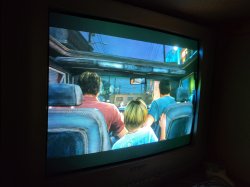
I was finally able to get artifacts like a few years ago.RSX.
A minute later, but connected via RGB...everything is fine.
I have no idea how this is supposed to work.
Attachments
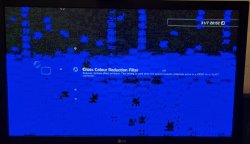
Yes it is a defective RSX. I had 2 Ps3 C consoles a few years ago one looked exactly the same and one had pink artefacts. I did a reflow of the RSX on both and one was successful but the one with a successful reflow had artefacts again after a short time I think it was about a week. These two also sometimes started normally, so yes, the RSX on yours is defective. On one of them, HDMI was also completely dead and composite had artefacts. Or composite ran normally and HDMI had artefacts, but in any case one never managed to display a usable picture via HDMI. I suspect that composite is easier for the RSX, which is why it sometimes still manages to send a usable signal. But I'm not sure why it works normally on composite. But your RSX is definitely broken.I was finally able to get artifacts like a few years ago.
A minute later, but connected via RGB...everything is fine.
I have no idea how this is supposed to work.
I'm also curious about this, why via RGB it worked for 2 hours without problems.I suspect that composite is easier for the RSX, which is why it sometimes still manages to send a usable signal.
Later I will try to set 480p via HDMI and see how it works.
Yes, that would interest me too. You can tell us how it turned out. Or someone else here in the forum can tell us the reason.I'm also curious about this, why via RGB it worked for 2 hours without problems.
Later I will try to set 480p via HDMI and see how it works.
Bertus van Zyl
Member
H
Hello.
Seems I lucked out and it's the HDMI circuit that is faulty according the syscon errorlog
Gonna order the HDMI chip now. Any idea where a good place is to get the AV chip? There is one store on Ali that sells it but their picture for the chip doesn't scream authenticity. Mine uses the CXM4024R.
Yes, you can also read out the Syscon. However, this will probably only show you 1001 and 1004 as these occur when the Ps3 is not switched off. Have you tried resetting the Video Signal? If so, it is probably a GLOD. You could try to start it without the hard disk. With a very small number of Ps3 consoles, a GLOD can come from a defective hard disk to rule this out, simply remove the hard disk as the Ps3 without a hard disk at least displays a picture.
Hello.
Seems I lucked out and it's the HDMI circuit that is faulty according the syscon errorlog
Gonna order the HDMI chip now. Any idea where a good place is to get the AV chip? There is one store on Ali that sells it but their picture for the chip doesn't scream authenticity. Mine uses the CXM4024R.
Great to hear. But why do you need an AV IC if the defect is in the HDMI area? Well, I would get such components from dead motherboards if you can't find any reasonable offers.H
Hello.
Seems I lucked out and it's the HDMI circuit that is faulty according the syscon errorlog
Gonna order the HDMI chip now. Any idea where a good place is to get the AV chip? There is one store on Ali that sells it but their picture for the chip doesn't scream authenticity. Mine uses the CXM4024R.
Bertus van Zyl
Member
Great to hear. But why do you need an AV IC if the defect is in the HDMI area? Well, I would get such components from dead motherboards if you can't find any reasonable offers.
I googled the error codes and read some posts where people reckon it could be the AV chip too but it seems the retimer is the more common culprit. I'll start by just ordering it first. I do have 3 super slims too I have to open and take a look at so one of them might be a donor.
Yes, do that. Otherwise buy a YLOD console of the same model on ebay. I mean, they're not that expensive.I googled the error codes and read some posts where people reckon it could be the AV chip too but it seems the retimer is the more common culprit. I'll start by just ordering it first. I do have 3 super slims too I have to open and take a look at so one of them might be a donor.
Did not work.I will try to set 480p via HDMI and see how it works
I examined the board and nothing unusual.
Looks like it's an RSX.
Hey guys,
Looking for some help with this one board. I got a DIA-001 with a YLOD. I connected to syscon and I got the following:
ERR 00: 00000000 A0003001 FFFFFFFF
ERR 01: 00000000 A0003001 FFFFFFFF
ERR 02: 00000000 A0022110 FFFFFFFF
ERR 03: 00000000 A0022110 FFFFFFFF
ERR 04: 00000000 A0022110 FFFFFFFF
ERR 05: 00000000 A0022110 FFFFFFFF
ERR 06: 00000000 A0022110 FFFFFFFF
ERR 07: 00000000 A0022110 FFFFFFFF
ERR 08: 00000000 A0022110 FFFFFFFF
ERR 09: 00000000 A0022110 FFFFFFFF
ERR 10: 00000000 A0022110 FFFFFFFF
ERR 11: 00000000 A0022110 FFFFFFFF
ERR 12: 00000000 A0022110 FFFFFFFF
ERR 13: 00000000 A0022110 FFFFFFFF
ERR 14: 00000000 A0022110 FFFFFFFF
ERR 15: 00000000 A0022110 FFFFFFFF
ERR 16: 00000000 A0022110 0B488B58
ERR 17: 00000000 A0022110 0B488B3C
ERR 18: 00000000 A0022110 0B48885B
ERR 19: 00000000 A0022110 0B48884F
I can't find a board diagram for this model so I'm not sure where to look. I used my thermal cam when on standby and I can see heat around the top right corner (rx, tx diag area) which is right above the syscon chip if I'm not mistaken. No other heat spots anywhere else. From my understanding it has something to do with IC5001. The wiki refers to C6019 and C6020 but I don't know where they are.
I should also mention that I reflowed the RSX and CPU previously and it turned on but the usb ports weren't working. After investigating I realised the board wasn't plugged so I did the noob thing and plugged it in before unplugging the power. After that I got the YLOD with the errors above. I also replaced the tokin caps on the top side of the board for good measure.
Any help would be greatly appreciated.
Looking for some help with this one board. I got a DIA-001 with a YLOD. I connected to syscon and I got the following:
ERR 00: 00000000 A0003001 FFFFFFFF
ERR 01: 00000000 A0003001 FFFFFFFF
ERR 02: 00000000 A0022110 FFFFFFFF
ERR 03: 00000000 A0022110 FFFFFFFF
ERR 04: 00000000 A0022110 FFFFFFFF
ERR 05: 00000000 A0022110 FFFFFFFF
ERR 06: 00000000 A0022110 FFFFFFFF
ERR 07: 00000000 A0022110 FFFFFFFF
ERR 08: 00000000 A0022110 FFFFFFFF
ERR 09: 00000000 A0022110 FFFFFFFF
ERR 10: 00000000 A0022110 FFFFFFFF
ERR 11: 00000000 A0022110 FFFFFFFF
ERR 12: 00000000 A0022110 FFFFFFFF
ERR 13: 00000000 A0022110 FFFFFFFF
ERR 14: 00000000 A0022110 FFFFFFFF
ERR 15: 00000000 A0022110 FFFFFFFF
ERR 16: 00000000 A0022110 0B488B58
ERR 17: 00000000 A0022110 0B488B3C
ERR 18: 00000000 A0022110 0B48885B
ERR 19: 00000000 A0022110 0B48884F
I can't find a board diagram for this model so I'm not sure where to look. I used my thermal cam when on standby and I can see heat around the top right corner (rx, tx diag area) which is right above the syscon chip if I'm not mistaken. No other heat spots anywhere else. From my understanding it has something to do with IC5001. The wiki refers to C6019 and C6020 but I don't know where they are.
I should also mention that I reflowed the RSX and CPU previously and it turned on but the usb ports weren't working. After investigating I realised the board wasn't plugged so I did the noob thing and plugged it in before unplugging the power. After that I got the YLOD with the errors above. I also replaced the tokin caps on the top side of the board for good measure.
Any help would be greatly appreciated.
Hey guys,
Looking for some help with this one board. I got a DIA-001 with a YLOD. I connected to syscon and I got the following:
ERR 00: 00000000 A0003001 FFFFFFFF
ERR 01: 00000000 A0003001 FFFFFFFF
ERR 02: 00000000 A0022110 FFFFFFFF
ERR 03: 00000000 A0022110 FFFFFFFF
ERR 04: 00000000 A0022110 FFFFFFFF
ERR 05: 00000000 A0022110 FFFFFFFF
ERR 06: 00000000 A0022110 FFFFFFFF
ERR 07: 00000000 A0022110 FFFFFFFF
ERR 08: 00000000 A0022110 FFFFFFFF
ERR 09: 00000000 A0022110 FFFFFFFF
ERR 10: 00000000 A0022110 FFFFFFFF
ERR 11: 00000000 A0022110 FFFFFFFF
ERR 12: 00000000 A0022110 FFFFFFFF
ERR 13: 00000000 A0022110 FFFFFFFF
ERR 14: 00000000 A0022110 FFFFFFFF
ERR 15: 00000000 A0022110 FFFFFFFF
ERR 16: 00000000 A0022110 0B488B58
ERR 17: 00000000 A0022110 0B488B3C
ERR 18: 00000000 A0022110 0B48885B
ERR 19: 00000000 A0022110 0B48884F
I can't find a board diagram for this model so I'm not sure where to look. I used my thermal cam when on standby and I can see heat around the top right corner (rx, tx diag area) which is right above the syscon chip if I'm not mistaken. No other heat spots anywhere else. From my understanding it has something to do with IC5001. The wiki refers to C6019 and C6020 but I don't know where they are.
I should also mention that I reflowed the RSX and CPU previously and it turned on but the usb ports weren't working. After investigating I realised the board wasn't plugged so I did the noob thing and plugged it in before unplugging the power. After that I got the YLOD with the errors above. I also replaced the tokin caps on the top side of the board for good measure.
Any help would be greatly appreciated.
Never mind, I guess trying to find a fault at midnight is not the best idea. F6001 is blown so that is most likely my issue.
Similar threads
-

-
PS3 CECHA00 with several SYSCON errors (3004, 1001,1002, 2120,3011)
- Started by LSL
- Replies: 7
-
 PS3 Interesting PS3 Errors (1802, 1701, 1601) and Capacitor Replacement
- Started by Cheshire UK
- Replies: 2
-