Franco23444
Member
I got one question, I also own most of the PlayStation 1 and 2 based Namco systems and I would like to contribute images to the appropriate PlayStation wikis, would anyone like to help out? I don't know how to upload some images.

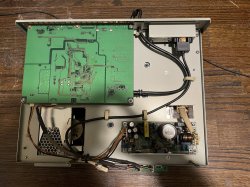
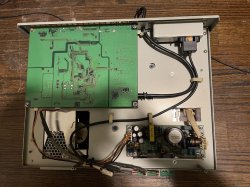
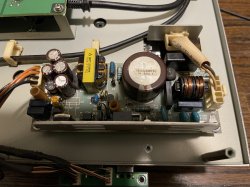
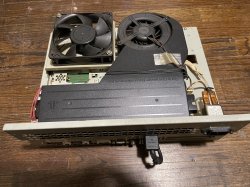
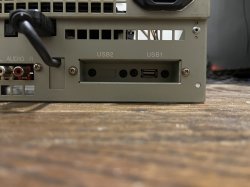
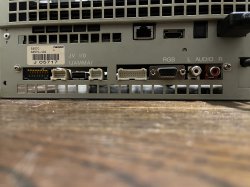
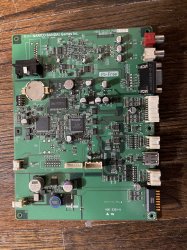
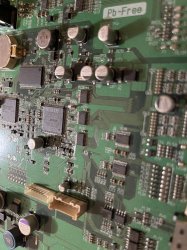
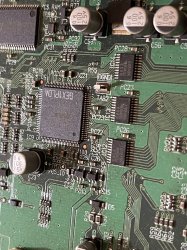
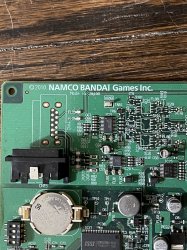
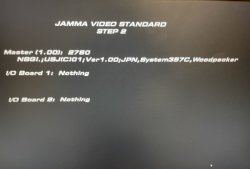
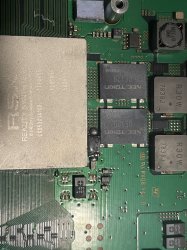
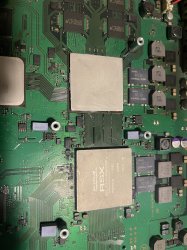
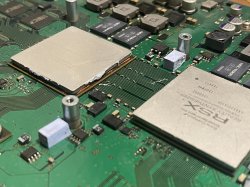
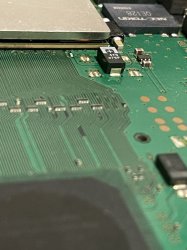
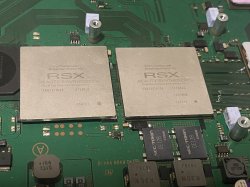
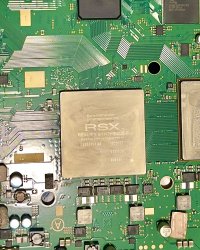
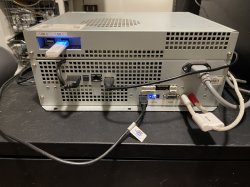

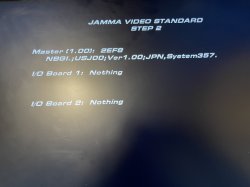
Yes, the Namco System 357A used a COK-002 PS3 motherboard. The replacement board I got is the exact same model.the RSX has been replaced by a CXD5301A1GB
https://www.psdevwiki.com/ps3/CXD5301A1GB
The technician who performed this feat is to be congratulated, it really was a very well done job.
edit:
it's a COK 002 right?
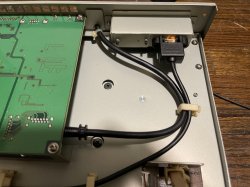
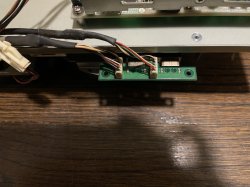
This is from my other Namco System 357, the 357C which is a later, smaller model and is near identical to the 369. It uses a PlayStation 3 slim motherboard. The daughter board is connected to the 2 USB ports on the PS3 slim arcade motherboard.@Franco23444 this daughter board is connected where on the motherboard? I became extremely interested in Namco systems
View attachment 36995
yes, I was looking at your older photos of the 357C and saw that adapter in it.Isto é do meu outro Namco System 357, o 357C, que é um modelo mais recente, menor e quase idêntico ao 369. Ele usa uma placa-mãe slim do PlayStation 3. A placa filha é conectada às 2 portas USB na placa-mãe de arcade slim do PS3.
@sandungas i think he can help you with thatI got one question, I also own most of the PlayStation 1 and 2 based Namco systems and I would like to contribute images to the appropriate PlayStation wikis, would anyone like to help out? I don't know how to upload some images.
Exactly! That's exactly what's happening. One of them goes to the converter and the other is being "broken out" to the front of the system via a usb cable. The 369 did the exact same thing but instead of one usb cable,it used a custom USB hub with 3 USB ports. It still used the same JVS/video converter pcb though.yes, I was looking at your older photos of the 357C and saw that adapter in it.
So it goes connected to the two USB's of the MB and then goes to the video converter that?
wow this is pretty crazy but cool at the same time LOLExactly! That's exactly what's happening. One of them goes to the converter and the other is being "broken out" to the front of the system via a usb cable. The 369 did the exact same thing but instead of one usb cable,it used a custom USB hub with 3 USB ports. It still used the same JVS/video converter pcb though.

Yes, exactly lol! I have actually tried plugging in the converter pcb on a PS3 and while the video converter section does work flawlessly, when I plug in the usb parts to the PS3, it spits out a "unrecognized USB device has been installed" error. I was expecting that as the pcb was designed for the arcade ps3 motherboard.wow this is pretty crazy but cool at the same time LOL
Does this converter board and the MB not have individual coded keys between them? if they don't match, how is the CPU compatible with Flash? because if they are, it won't work at all, but if they aren't it's likely to need a 'video driver' to work, but to be honest it's not worth developing for something so rare.Yes, exactly lol! I have actually tried plugging in the converter pcb on a PS3 and while the video converter section does work flawlessly, when I plug in the usb parts to the PS3, it spits out a "unrecognized USB device has been installed" error. I was expecting that as the pcb was designed for the arcade ps3 motherboard.
The video board will work as it's basically converting video from the PS3 muti AV out and converting it to VGA RGBHV video. Heck, a ps2 and a ps1 work with it as well. I have an earlier post explaining how I think the video portion of the pcb works. It's really nothing too special. However, the 357A-B and the 357C/369 used different converter/JVS pcbs and they used a different set of PLD chips. The original converter pcb will work with many video resolutions as Tekken 6 can output both 640X480p and 1366X768p but the newer ones won't accept any resolution other than 720p. The USB JVS I/O section of the board works differently as a retail PS3 will not fully recognize it, at least without some custom drivers. Like you said though, it's not really worth making custom drivers for this pcb as this board is extremely rare.Does this converter board and the MB not have individual coded keys between them? if they don't match, how is the CPU compatible with Flash? because if they are, it won't work at all, but if they aren't it's likely to need a 'video driver' to work, but to be honest it's not worth developing for something so rare.
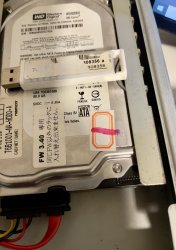
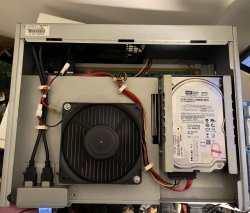
even though this hardware is based on the PlayStation 3, it works completely differently. For starters, the arcade board doesn't have any Wi-Fi/Bluetooth dongles soldered on and doesn't use a Blu-ray Disc drive. The games are pre-installed onto a 3.5 inch hard drive for the 357A and 357B and a 2.5 inch HDD for the 357C and 369. The hard drives are copy protected and used usb dongles as extra security. Only a small selection of games were released on this hardware. I do know that home brew is possible on this hardware although I have no idea how to do it. In theory, possibly retail games could run on the system via CFW but that would mainly turn the system back to a stock PS3.damn that's cool, I didn't know they were so 'complex'. One doubt this 357A only works in the game tekken or if I want to play GTA on it I can? are arcade but this doubt came to me now
I understand, but what if this HD stops working, bye bye console or can you change it for another one?even though this hardware is based on the PlayStation 3, it works completely differently. For starters, the arcade board doesn't have any Wi-Fi/Bluetooth dongles soldered on and doesn't use a Blu-ray Disc drive. The games are pre-installed onto a 3.5 inch hard drive for the 357A and 357B and a 2.5 inch HDD for the 357C and 369. The hard drives are copy protected and used usb dongles as extra security. Only a small selection of games were released on this hardware. I do know that home brew is possible on this hardware although I have no idea how to do it. In theory, possibly retail games could run on the system via CFW but that would mainly turn the system back to a stock PS3.
That would have been the case but I got access to hacked versions that got the HDD protection removed and would allow me to write the image file to any HDD or SSD of my choosing. Like a retail PS3, these systems also have firmware updates and the HDD usually has the firmware,another way to update would be through a secondary USB drive from Namco or the later pcbs that used the Banapassport online service would update via the online connection. Originally, tekken 6 shipped with firmware version 2.59 or older while the monitor versions and Tekken 6 Bloodline Rebellion released with newer firmware. This would of course cause issues like failure to boot the game if trying to interchange a game from one firmware version with another that isn't compatible. Namco did fix this issue with firmware update 3.40 which is the last version that Tekken 6 BL used. This ,in theory, would mean that any game, no matter what firmware revision it had, will work. I am yet to try this as I do want to get my hands on Tekken 6.0 and my board has the 3.40 arcade firmware update installed as I have an original T6BL 3.5" hard drive. In summary: like a PS3, the firmware cannot be downgraded back, and games that required older firmware would not boot on newer firmware. Firmware update 3.40 (and newer) would fix that issue.I understand, but what if this HD stops working, bye bye console or can you change it for another one?