POPSLoader

PS2 POPSLoader v1.0.0 - rev5

El_isra

Developer
POPSLoader
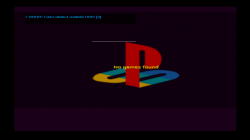
A Highly customizable and flexible standalone POPStarter launcher
Based on Enceladus, completely scripted in Lua.

The UI can be customized in any way you want, the sky is the limit!*

The initial release supports launching games from USB or internal HDD, SMB support is planned for future updates since I haven't had time to learn how to operate SMBMAN.IRX yet

Instructions:
Paste the contents of the bin/ folder from the download package into a location of your preference inside a FAT32/EXFAT USB storage device or any PFS partition of internal HDD (pro tip: while loading games from USB, if POPSLoader is placed on mass:/BOOT.ELF, POPStarter will automatically load it after performing an IGR)

The POPSLDR/ folder must always be on the same location than the POPSLoader ELF.


Extras:
inside the package, you will find a file called PATCH_5.BIN, it contains custom POPStarter IGR textures that match the aspect of the stock UI of POPSLoader.

*Of course, the program is still limited by the hardware...
 
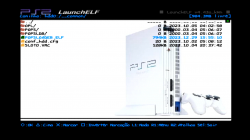
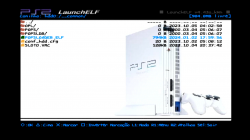
i tryed on my internal hdd and says error Lua
upload_2024-1-1_13-24-43.png
upload_2024-1-1_13-25-12.png
 

Attachments

  • upload_2024-1-1_13-24-43.png
    upload_2024-1-1_13-24-43.png
    499.1 KB · Views: 148
El_isra updated POPSLoader with a new update entry:

Minor fixes

Code:
[v1.0.0 - rev1]
- Remotion of enceladus stock code that changes program behaviour if parameters are passed (fixes booting from OPL apps tab and similar launchers)
- Fixed issue with case mismatch on certain filepaths (fixes booting from HDD)
- disabled debug colors on ELF Loader (forgot to remove them before release ^^)

Read the rest of this update entry...
 
I found a bug in the menu that shows the games I have a USB memory with one hundred games on the first screen it shows 18 games and when I go down from there it shows the names of the last 18 games and you don't see the other games it's missing that's the fault that I found
 
  • Like
Reactions: TnA
funny now if you see the complete game list, I just don't understand something because there is a game that is not shown with the full name like final fantasy 7, 8, 9 comes out with initials and tomp raider only says tompin in tomp raider it only happens with him 1,2,3 the other two games do show their name and there are other games that also happen to them I hope I don't bother you with that
 
Does everybody just know what this does and how to install it?
To a noob's eye, this looks chinese.
No information on what it is, what it does, no how-to?
 
I was just saying that there is a game that is seen with a short name and another is seen with initials and I don't know why my entire game has its name correctly.
 
The solutions already name a lot of games that I have in Spanish like dino crisis Spanish and it should look like this: dino crisis esp now you can see the list the only thing missing is support for cover it would look good on the right side of the screen
 
A noob won't find answers on google if all posts don't explain more.
Had no idea what pops was, and I don't really search elsewhere than PSX place..
Thanks for what you do here.
 
A noob won't find answers on google if all posts don't explain more.
Had no idea what pops was, and I don't really search elsewhere than PSX place..
Noob is just someone who knows little.
But those who know little and do not bother to open the link "Read more about this..." located in the 1st post on the same page and read what is written there, and at the same time tends to distract people with his brilliant questions - is called differently.
 
POPSLoader 1.0.0 rev2 is not loading using a pendrive (32GB MBR EXFAT) and shows the same problem described by Fanhais, just changing HDD for USB.
 
You didn't paste all the needed files
Hi!
Is there any other file apart from the POPSLoader-v1.0.0-rev2.7z that I should use?
I copied the contents inside the bin folder to my USB stick, following the instructions. I even added a copy of PATCH_5.BIN to the POPS folder as instructed on a video from HARD LEVEL. Just to add I'm loading the POPSLoader using "wLaunchELF 4.43X_isr".

POPSLOADER.png
POPSLOADER.png
 
You didn't paste all the needed files
Hi!
I got another USB stick (8GB MBR EXFAT) and it is running POPSLoader fine. Them I copied the exact files structure to my earlier USB stick (the 32GB one) and again it says that can't find "system.lua" on MASS. I did the same to USB external drive and had the same error. Both USB stick and external USB drive loads PS2 .iso without any problem (I know that OPL and POPSloader are different things, it is just for reference). Maybe (and it is a noob guess) POPSLoader is trying to load the .lua files too fast and the USB drive is not ready when asked for the files?
 

Similar threads

Back
Top