
Super slim shuts down after 4min no red light

Hi guys, i need your help.
I am having issues with my super slim
CECH-4004C 500gb, firmware version 4.88 HEN is latest version, 3.0.3 i think.

Console was working great, i took it apart, clean everything with brush (including PSU) model: ADP-160AR, applied new thermal paste MX-2
( not too much, but spread across CPU with plastic card so there are no air pockets) temperature was following:
CPU - 62°C GPU - 59°C in multiman during FTP file transfer. I was transfering games and console was working during whole day and sometimes at night, but after 10 game transfer and install i made sure to turn off the console and let it rest and cool down so next day i could continue.


So, the problem began after i gave console to my friend and he hooked it to an old TV with scart adapter, he said to me that second time when he was launching HEN the console would restart and he needed to press Enable HEN again to launch it. That was odd because it never happened before. After that when i got my console back i tried to play some games on it (dark souls II) the console just froze and shut down, no red light. I tried to power it on and it worked, but now every time console works for about 4 minutes and then freezes and shuts down and no red light, just like blackout.

Things i tried:
-change HDMI cable, power cable.
- swapped PSU with (ADP 160AR) and
(APS 330), the console shuts off right away.
- unplugged bluetooth and wifi connectors and went to disable internet, still shuts down after 4min.
- Removed HDD, console shuts off even in safe mode.

I am really out of ideas what to try guys, and i would really like your opinion and help on this one.
 
Hi guys, i need your help.
I am having issues with my super slim
CECH-4004C 500gb, firmware version 4.88 HEN is latest version, 3.0.3 i think.

Console was working great, i took it apart, clean everything with brush (including PSU) model: ADP-160AR, applied new thermal paste MX-2
( not too much, but spread across CPU with plastic card so there are no air pockets) temperature was following:
CPU - 62°C GPU - 59°C in multiman during FTP file transfer. I was transfering games and console was working during whole day and sometimes at night, but after 10 game transfer and install i made sure to turn off the console and let it rest and cool down so next day i could continue.


So, the problem began after i gave console to my friend and he hooked it to an old TV with scart adapter, he said to me that second time when he was launching HEN the console would restart and he needed to press Enable HEN again to launch it. That was odd because it never happened before. After that when i got my console back i tried to play some games on it (dark souls II) the console just froze and shut down, no red light. I tried to power it on and it worked, but now every time console works for about 4 minutes and then freezes and shuts down and no red light, just like blackout.

Things i tried:
-change HDMI cable, power cable.
- swapped PSU with (ADP 160AR) and
(APS 330), the console shuts off right away.
- unplugged bluetooth and wifi connectors and went to disable internet, still shuts down after 4min.
- Removed HDD, console shuts off even in safe mode.

I am really out of ideas what to try guys, and i would really like your opinion and help on this one.

Hi, you could try to get your PS3's SYSCON error log, this should give you a list of error codes and their history. See Felix's guide here how to do it:- https://www.psx-place.com/threads/r...s-replacement-ylod.25260/page-192#post-295119

Once you get your Syscon error log you can find out what each code means here:- https://www.psdevwiki.com/ps3/Syscon_Error_Codes

Then you can narrow down the problem.
 
Hi guys, i need your help.
I am having issues with my super slim
CECH-4004C 500gb, firmware version 4.88 HEN is latest version, 3.0.3 i think.

Console was working great, i took it apart, clean everything with brush (including PSU) model: ADP-160AR, applied new thermal paste MX-2
( not too much, but spread across CPU with plastic card so there are no air pockets) temperature was following:
CPU - 62°C GPU - 59°C in multiman during FTP file transfer. I was transfering games and console was working during whole day and sometimes at night, but after 10 game transfer and install i made sure to turn off the console and let it rest and cool down so next day i could continue.


So, the problem began after i gave console to my friend and he hooked it to an old TV with scart adapter, he said to me that second time when he was launching HEN the console would restart and he needed to press Enable HEN again to launch it. That was odd because it never happened before. After that when i got my console back i tried to play some games on it (dark souls II) the console just froze and shut down, no red light. I tried to power it on and it worked, but now every time console works for about 4 minutes and then freezes and shuts down and no red light, just like blackout.

Things i tried:
-change HDMI cable, power cable.
- swapped PSU with (ADP 160AR) and
(APS 330), the console shuts off right away.
- unplugged bluetooth and wifi connectors and went to disable internet, still shuts down after 4min.
- Removed HDD, console shuts off even in safe mode.

I am really out of ideas what to try guys, and i would really like your opinion and help on this one.
Well at this point you will need to dig further into diagnosinf your system or get a new one. I suggest giving this a try to find out what the exact issue is going on with you system.


https://www.psx-place.com/threads/p...asser-control-your-ps3-syscon-via-uart.32422/
 
Thank you for your reply, i will try to get that log.

UPDATE: So i was trying to get syscon information as @Workz_777 suggested, and inserted usb stick with advanced tools pkg into right usb port, to install the app that reads it, and console shut down before i could even navigate to package manager. So i pressed the power button again and console turned on for few seconds and then off. I again pressed the power button but this time i pressed my hand on the PSU ( i saw one video on youtube where guy pressed PSU with a wood lol) and behold the console booted to the XMB. Now as soon as i took my hand off of PSU the console froze, i immediately put my hand back, and console resumed and i was able to navigate trough menus and even shut down console. What the hell? Is it losing a contact somewhere, on prongs maybe?
 
UPDATE: So i was trying to get syscon information as @Workz_777 suggested, and inserted usb stick with advanced tools pkg into right usb port, to install the app that reads it, and console shut down before i could even navigate to package manager. So i pressed the power button again and console turned on for few seconds and then off. I again pressed the power button but this time i pressed my hand on the PSU ( i saw one video on youtube where guy pressed PSU with a wood lol) and behold the console booted to the XMB. Now as soon as i took my hand off of PSU the console froze, i immediately put my hand back, and console resumed and i was able to navigate trough menus and even shut down console. What the hell? Is it losing a contact somewhere, on prongs maybe?

Maybe check the soldering for the 12V prongs, the fact pushing down on the PSU makes your PS3 work, and without the pressure it turns off again (also seeing as you changed the PSU already) could mean the problem is there at the 12V pins / prongs on the board?
 
Maybe check the soldering for the 12V prongs, the fact pushing down on the PSU makes your PS3 work, and without the pressure it turns off again (also seeing as you changed the PSU already) could mean the problem is there at the 12V pins / prongs on the board?

Thank you, i will check that and post another update.
 
Ok, another update. I've decided to check the prongs with mulitmeter after inspecting them and found no physical damage, maybe the multimeter will show something wrong with them. So i took off the upper part of PSU made sure the prongs are placed properly and touching the PSU. After i plugged the console i tried to power on, but it shut down instantly. Then i remember i forgot to put two screws that tighten the RSX to the case. After i put them the console boot normal, and just as i was about to take my multimeter, it froze again so i quickly took piece of wood and pressed on prongs, but console shut down. Ok so i powered it again and as it froze again i pressed the wood on part where the RSX screw was, and the console stayed on. As soon as i let go it freezes. So my theory is that maybe the RSX chip got a few solder balls cracked and applying a pressure restores the connection. I will try to put that theory on test and put a little piece of copper somewhere in between ( not directly on RSX!) Because i know what can happen. So just a little bit to see if the console will stay on hour of two. I will attach the photo where i put a piece of wood for better understanding.
 

Attachments

Last edited:
Last update. I tried putting coin between upper part of the case and copper part that presses on RSX, after powering on the console again shuts down unless i put pressure on the PSU with my hand. I even tried puttin a nut and washer between the screw that holds the RSX with the case but no luck, no matter what i put i still need to apply pressure with my hand or something heavier so console can work normal. I still believe the graphics chip is culprit and maybe needs reflow, but at the moment i don't own a rework station, so i will put console aside and if i build or buy rework station i will try to reflow it.

@Workz_777 @atreyu187 thank you guys for support.
 
Last update. I tried putting coin between upper part of the case and copper part that presses on RSX, after powering on the console again shuts down unless i put pressure on the PSU with my hand. I even tried puttin a nut and washer between the screw that holds the RSX with the case but no luck, no matter what i put i still need to apply pressure with my hand or something heavier so console can work normal. I still believe the graphics chip is culprit and maybe needs reflow, but at the moment i don't own a rework station, so i will put console aside and if i build or buy rework station i will try to reflow it.

@Workz_777 @atreyu187 thank you guys for support.

Yeah sounds like it most probably does need a reball on the RSX. However, if you want to be sure, then you could follow the Syscon error log guide by Felix and start where at the sub-title:- "If your console doesn't turn on" ...and take it from there. This would allow you to get your Syscon error log regardless of the PS3 turning on.

Here's that link again:- https://www.psx-place.com/threads/r...s-replacement-ylod.25260/page-192#post-295119

Sometimes it can be other issues that cause the PS3 to not power on, and the Syscon error log will give you a diagnostic of the problem.
 
Yeah sounds like it most probably does need a reball on the RSX. However, if you want to be sure, then you could follow the Syscon error log guide by Felix and start where at the sub-title:- "If your console doesn't turn on" ...and take it from there. This would allow you to get your Syscon error log regardless of the PS3 turning on.

Here's that link again:- https://www.psx-place.com/threads/r...s-replacement-ylod.25260/page-192#post-295119

Sometimes it can be other issues that cause the PS3 to not power on, and the Syscon error log will give you a diagnostic of the problem.


You are right, i should pull out that log and see at least what kind of error was recorded. Thank you again.
 
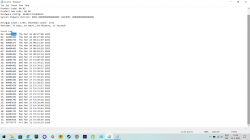
@Workz_777 Ok so i managed to pull out error log and by the looks of it, it really is indeed RSX problem. According to ps3 Developer wiki, it could be a lost connection due to solder balls, just as we disccused the console could be in need of reflow. I will attach another image with log for you to see. This error log stuff is great. It really shows you everything you need to see about console. So for anyone with same or similar problem: try applying pressure on PSU to see if your console will work. PULL OUT ERROR LOG if you can!
 

Attachments

  • syscon error log.png
    syscon error log.png
    172.1 KB · Views: 50
on a side note, since you can get the PS3 working while adding some pressure, I'd suggest that you export and backup all your savegames, licenses, files and anything that you want to keep even if this console dies.

Remember that the HDD is encrypted with unique keys, so once the console is dead you won't be able to recover any data.
 
on a side note, since you can get the PS3 working while adding some pressure, I'd suggest that you export and backup all your savegames, licenses, files and anything that you want to keep even if this console dies.

Remember that the HDD is encrypted with unique keys, so once the console is dead you won't be able to recover any data.

@Snake_Plissken92 ...this is good advise, if you can - export everything.

Yeah looking at your Syscon error log it seems your RSX will need a reball / reflow. Keep in mind a reflow might only last 3 - 9 months, whereas a reball will last much longer / years if done correctly.

Do you live in the USA? If so there are a couple guys here on PSX-Place who have all the equipement and do many PS3 reballs, you could always send your PS3 to them if you don't live in their area. Let me know and i can get you in touch with them for at least a quote. If you don't live in USA then i personally don't know of any friends from here that offer that service with a warranty.

However, to be honest it might just be cheaper to buy another working CECH-4004C from eBay etc and import all your backups from your current PS3 Super Slim to that one, as bucanero mentioned earlier.
 
@Snake_Plissken92 ...this is good advise, if you can - export everything.

Yeah looking at your Syscon error log it seems your RSX will need a reball / reflow. Keep in mind a reflow might only last 3 - 9 months, whereas a reball will last much longer / years if done correctly.

Do you live in the USA? If so there are a couple guys here on PSX-Place who have all the equipement and do many PS3 reballs, you could always send your PS3 to them if you don't live in their area. Let me know and i can get you in touch with them for at least a quote. If you don't live in USA then i personally don't know of any friends from here that offer that service with a warranty.

However, to be honest it might just be cheaper to buy another working CECH-4004C from eBay etc and import all your backups from your current PS3 Super Slim to that one, as bucanero mentioned earlier.

Thank you for everything. I live in Europe more accurately Bosnia and Herzegovina, but i have some friends that own repair shops and will take console to them, i think they will be able to help me. I don't have important saves or games on it (i have all jailbreak files, games and licenses on ext. HDD) so i won't power on the console until i do reballing or reflow. Again thank you all and i won't give up on this console. I also have fat with YLOD so i will do that other tutorial with UART and see what is wrong with it.
 
Thank you for everything. I live in Europe more accurately Bosnia and Herzegovina, but i have some friends that own repair shops and will take console to them, i think they will be able to help me. I don't have important saves or games on it (i have all jailbreak files, games and licenses on ext. HDD) so i won't power on the console until i do reballing or reflow. Again thank you all and i won't give up on this console. I also have fat with YLOD so i will do that other tutorial with UART and see what is wrong with it.

Good luck bro, hope everything goes well for you + your PS3s, ciao for now :encouragement:
 
UPDATE on this thread after 3 years: i now have reballing station, and i have tried to fix this ps3. After seeing error log again, i had assumptions about southbridge and cell. Since every time i put my hand on psu, console works and when i remove it shuts down. I thought maybe southbridge is losing connection to the board, so i reflowed it (i would later do reball, this is just to see if it will work again), but the problem was still there. After that i tried to reflow the CELL. And it looks like it worked! I tried to power it up and it stays on without putting my hand on it. I tried moving the console and its parts, but it won't shut down. I will monitor its behavior, but for now it looks like reflowing the CELL fixed the problem. I know i will have to reball it to put fresh balls under there, i'm just happy it works now. So if anyone had problem like i did, reflowing (but you will have to do reballing so it would last longer) works. Maybe you need to reflow southbridge, but in my case only when i did reflow on CELL it worked.
 
Last edited:

Similar threads

Back
Top