PS3 (TuT) Make your own coldboot logo and sounds

junaid

Member
Decided to make it in a separate thread so it doesn't gets lost. Here is @esc0rtd3w post if you want to know what this is for.

Use these tools to make your own logo and sounds

1. Easy static raf converter just choose any picture and edit it the way you want. you can use the preview function to see how it looks

iIMNaZN.png


2. XVID4PSP use this to make the two sound files

*Open the file you want to use

*Set these options
Untitled_KI.png


and save as these

Untitled_KI.png


After you are done making the files, put the files on your usb stick, go to **ps3xploit.com >Domain no Longer owned by team** (ps3xploit.me =new) and inject them.
This is what the files should be named
Untitled.png


NOTE: USE THIS VIDEO TUT IF YOU DIDN'T UNDERSTAND IT
 
Last edited:
Registered just to say thanks for the guide. Would be cool if people shared the custom logos/sounds they come up with!

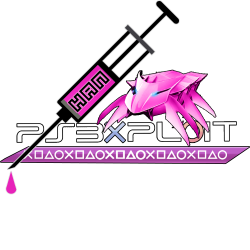
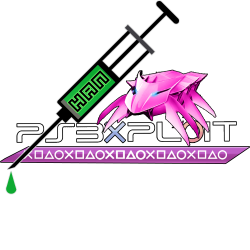
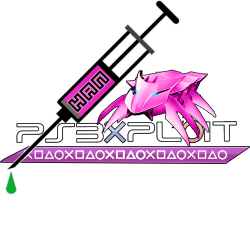
I haven't made any custom sounds, but I did make three pink variants of the v2 Alt Exploit Bug design (as seen on the coldboot announcement post).

Here's a preview of all three:
ps3xploitwithsymbols-pinkmod.pngps3xploitwithsymbols-pinkmod-greenliquid.png ps3xploitwithsymbols-pinkmod-greendrop.png
I've 7zipped the .psd file and the three .png output files and have attached them to this post. I originally uploaded them to TinyUpload, but I'm currently not allowed to post links. o_O

If I do make any custom sounds, I'll post back to share what I make!
 

Attachments

you can extract a coldboot and alter it anyway you see fit. I can't recall if it's 0xCC0 or 0xC30 (think it's one of the two) is the beginning offset with the easy creator. I'm not sure if there's a script either, so scroll down to the bottom of the file. if you see text in the text field, scroll up to before vsmx. copy that to a new file and name it anything.gtf . then use g2d to convert that to a dds file.

this is assuming you can get the coldboot to a manageable state (i.e. decompressed). to do that, delete the first eight bytes in a hex editor, then decompress with simplyzip. you can do this on my psx-place coldboots, and I'm pretty sure the beginning offset with those is 0xCC0. it does have a script also, so do what I said. also, you can find g2d in my tutorials. good luck. :)
 
I forgot to mention that you can alternatively extract the images with ps3extractor. drop the decompress coldboot file into it. it will spit out a bunch of files (including the script and images). then, delete the _1.gim at the end of the image, and use g2d to convert it to a dds. this might be easier really.
 
I eventually figured out how to convert and save my files on my PC and copied them to a USB, but how do I inject the audio files from PS3Xploit?
 
Last edited:
The original coldboot replacer is basically obsolete, so the easiest way is like @Charles_n_town said. You can use HEN or CFW to get ftp access, using webman, multiman, or rebug toolbox.

Well I did the FTP way, stupidly easy and fast. Another guy answered me already, but I honestly didnt expect the dev themself lmao, thanks for the added tips though (Edit: Didnt see the mention, whoops)
 
I learned how to make my own coldboot logo, but how do I make it fade in and out instead of popping in and out?
I don't know if you can with the RAF creator. Their based on themes iirc. The classic RAF is white or grey, 6 images total iirc, in HD and SD in gtf format, converted from DDS. In the past, the images had to be hexed in. Colors look like a mess with a fade in and out RAF. White is opaque, grey is semi transparent, and black is transparent. I'm not really sure how to explain how to do it. It's not hard if you can hex edit. Perhaps, there's a tutorial somewhere?
 
I don't know if you can with the RAF creator. Their based on themes iirc. The classic RAF is white or grey, 6 images total iirc, in HD and SD in gtf format, converted from DDS. In the past, the images had to be hexed in. Colors look like a mess with a fade in and out RAF. White is opaque, grey is semi transparent, and black is transparent. I'm not really sure how to explain how to do it. It's not hard if you can hex edit. Perhaps, there's a tutorial somewhere?

All tutorials are a bit complicated for me, but ig I can just go with the invisible logo coldboot I used before.
 
All tutorials are a bit complicated for me, but ig I can just go with the invisible logo coldboot I used before.
Yeah, you could mess around with a tutorial, because the RAF isn't crucial if you mess up. You could even delete the RAF, and the system would boot up normally, just without the coldboot. There's a second RAF creator now that I think of it, just for the fade in and out coldboots iirc. I don't know the name of it. @LuanTeles ?
 
I learned how to make my own coldboot logo, but how do I make it fade in and out instead of popping in and out?
This is the reason why the default PS3HEN coldboot still is just a static image...its complicated. I made a small effort years ago, but for time sake just made a static one for release. I never did figure that out yet.

I don't know if you can with the RAF creator. Their based on themes iirc. The classic RAF is white or grey, 6 images total iirc, in HD and SD in gtf format, converted from DDS. In the past, the images had to be hexed in. Colors look like a mess with a fade in and out RAF. White is opaque, grey is semi transparent, and black is transparent. I'm not really sure how to explain how to do it. It's not hard if you can hex edit. Perhaps, there's a tutorial somewhere?
If you are up to making one for PS3HEN, we will use it for the default one. Basically in the style of rebug and evilnat.

Dont feel obligated, but it would be nice to have an updated one. ;)
 
Yeah, you could mess around with a tutorial, because the RAF isn't crucial if you mess up. You could even delete the RAF, and the system would boot up normally, just without the coldboot. There's a second RAF creator now that I think of it, just for the fade in and out coldboots iirc. I don't know the name of it. @LuanTeles ?

I don't know of any program that can create a coldboot with the original effect automatically. You need to make one manually, but it's not really complicated, it just requires a few steps, photoshop, Nvidia plugin and hex editing.
 
it took me a while to figure out this new photoshop stuff. I couldn't figure out how to add phatboy slim font to photoshop, but I tried my best as is. here's what it looks like:

upload_2024-8-11_3-18-40.png


I don't know if it worked correctly, because it looks weird in rpcs3. someone is going to need to test it.

edit: nm, I think I've corrected it:
 

Attachments

Last edited:
it took me a while to figure out this new photoshop stuff. I couldn't figure out how to add phatboy slim font to photoshop, but I tried my best as is. here's what it looks like:

View attachment 43837

I don't know if it worked correctly, because it looks weird in rpcs3. someone is going to need to test it.

edit: nm, I think I've corrected it:
Ill test it today. Can I make a suggestion and replace the PS logo with the egg logo? Maybe behind the PS3HEN text or slightly off center. Or if you want to make a few different ones and see which looks better? Or even one without any logos.

EDIT: I will upload the original files i received for the logos so you have access to them. Maybe we could actually use the bug instead or in conjunction with PS3HEN text.

EDIT2:
Here is the zip with original logos
https://www.mediafire.com/file/uw073rfrun2srqs/ps3xploit-logos.zip/file
EDIT3: Here are also the original HEN eggs
https://www.mediafire.com/file/vb1w2tga1b3f31v/hen_eggs.zip/file

and here are the original coldboot eggs
https://www.mediafire.com/file/s7wq6fku5543vlv/coldboot-eggs.zip/file
 
Last edited:
Ill test it today. Can I make a suggestion and replace the PS logo with the egg logo? Maybe behind the PS3HEN text or slightly off center. Or if you want to make a few different ones and see which looks better? Or even one without any logos.

EDIT: I will upload the original files i received for the logos so you have access to them. Maybe we could actually use the bug instead or in conjunction with PS3HEN text.
Sure. It might be a couple days though, which should give you some time. If you could, provide an image that's white, grey, black for ease. It can't be larger than 700x350 pixels. I had to make each image individually, because for some reason they weren't saving right. dds2gpt wanted them a specific way or it wouldn't create the .gpt. I'm not all that great with Photoshop either, and I was using a new one from 2020, because the current Nvidia plugin crashes Photoshop 5 or at least it was for me. That version is like 10+ years old though.
 

Similar threads

Back
Top