webMAN MOD

PS3 webMAN MOD - General Information Thread 1.47.48q

Hi,

I just wanted to suggest you a feature to add in webMAN MOD. It's the remote play PS3 like this one : http://www.psdevwiki.com/ps3/Remote_Play#Remote_Play_with_Playstation_3 but with webMAN mod.

How it works :
- it use the REC functiun of webMAN MOD with a command like this one "/videorec.ps3?path=/dev_hdd0/video/stream.avi"
_ then it read the file with VLC for example "vlc -vvv http://IP/dev_hdd0/video/stream.avi" (or using ftp)

Or perhaps a new command will be better like this one remoteplay.ps3?start also can be read using udp vlc -vvv udp:[@:server_port]

also with the remote pad already included it can be a 'full remote play'.
 
Hi,

I just wanted to suggest you a feature to add in webMAN MOD. It's the remote play PS3 like this one : http://www.psdevwiki.com/ps3/Remote_Play#Remote_Play_with_Playstation_3 but with webMAN mod.

How it works :
- it use the REC functiun of webMAN MOD with a command like this one "/videorec.ps3?path=/dev_hdd0/video/stream.avi"
_ then it read the file with VLC for example "vlc -vvv http://IP/dev_hdd0/video/stream.avi" (or using ftp)

Or perhaps a new command will be better like this one remoteplay.ps3?start also can be read using udp vlc -vvv udp:[@:server_port]

also with the remote pad already included it can be a 'full remote play'.

Do you mean something like /remoteplay.ps3 instead of the current command: /play.ps3?col=network&seg=seg_premo ?

In webPAD http://pad.aldostools.org you can access it pressing F12 in your keyboard or selecting "Remote Play on PS3" in the ☰ menu ;)

Or do you want that the suggested command /remoteplay.ps3 also start recording video using a parameter like /remote.ps3?recpath=<path> ?

I'm not sure about the streaming part. The video recording is just a call to a VSH function, so it is a black box for the plugin.
 
  • Like
Reactions: Zar
@Zar
Nice idea... [emoji5]️ How do you stream though?
FYI there is a "Share your webMAN-MOD code/ideas" thread made for this purpose that you can use. [emoji6]
 
Last edited:
  • Like
Reactions: Zar
Do you mean something like /remoteplay.ps3 instead of the current command: /play.ps3?col=network&seg=seg_premo ?

In webPAD http://pad.aldostools.org you can access it pressing F12 in your keyboard or selecting "Remote Play on PS3" in the ☰ menu ;)

This option allow you to remote the ps3 by using the PSP. Like in this video :
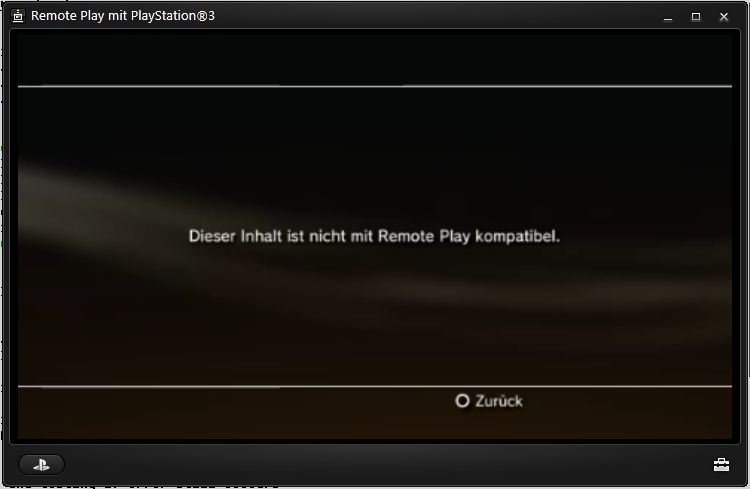
I want something smilar but with the computer. According to psdevwiki this option is available but only with Vaio computers.
Remoteplay.JPG


I'm not sure about the streaming part. The video recording is just a call to a VSH function, so it is a black box for the plugin.
ah, ok i didn't know about this.

Or do you want that the suggested command /remoteplay.ps3 also start recording video using a parameter like /remote.ps3?recpath=<path> ?

Yes, is it posssible ?
 
I want something smilar but with the computer. According to psdevwiki this option is available but only with Vaio computers.
Why not use the official "Remote Play with PlayStation 3" for PC. I use a Vaio and it works very well :)

Here are the patches to use on non-Vaio PCs. Install on Windows 64bit.
https://www.sendspace.com/file/ag67df

WARNING: Use with precaution. Some antivirus report them an virus, but some sites say that they are safe.
I really don't know if they are safe or not: 1-I didn't make them; 2-I don't use them because my laptop is Vaio.
 
I tryed with aldos link and It's working. I hoped something better as it's something "offcial" or perhaps it come from my wifi connection. I just had to map the button of my DS3 to keyboards button.
 
We all hoped for something better.. LMFAO.
You now understand why it never became a big deal... [emoji6] Still it's better than nothing...
 
1. https://github.com/Matsumot0/webMAN-MOD/blob/master/include/_mount.h
2. [gd] = use external usb drive always (it doesn't toggle)


I am wondering if anybody else can chime in and say if adding [gd] to the name still automatically enables external game data.

My game is named: White Knight Chronicles 2 [BCES01085] [gd].iso

And has a file in /tmp/wmtmp/White Knight Chronicles 2 [BCES01085] [gd].ntfs[PS3ISO]

Yet it didn't seem to trigger external game data when I launched it from the XMB.

I had to use the XMB shortcut webman games -> webman setup -> Toggle external gameData .

After I did that, it began to store gamedata to usb000\GAMEI , the fat32 partition of my hard drive reserved for such.

---

EDIT: I think I see what the problem is:

https://github.com/aldostools/webMA...554080b992e668e83c8b55/include/_mount.h#L1268

Code:
else if((extgd == 0) && (strstr(_path, "/PS3ISO")!=NULL) && (strstr(_path, "[gd]")!=NULL))

If I am looking at it right, since it is loading the .ntfs[PS3ISO] file instead of /ntfs/PS3ISO/ and it is located in /tmp/wmtmp which doesn't contain the string "/PS3ISO" in its path, external gamedata won't be enabled.
 
Last edited:
I am wondering if anybody else can chime in and say if adding [gd] to the name still automatically enables external game data.

My game is named: White Knight Chronicles 2 [BCES01085] [gd].iso

And has a file in /tmp/wmtmp/White Knight Chronicles 2 [BCES01085] [gd].ntfs[PS3ISO]

Yet it didn't seem to trigger external game data when I launched it from the XMB.

I had to use the XMB shortcut webman games -> webman setup -> Toggle external gameData .

After I did that, it began to store gamedata to usb000\GAMEI , the fat32 partition of my hard drive reserved for such.

---

EDIT: I think I see what the problem is:

https://github.com/aldostools/webMA...554080b992e668e83c8b55/include/_mount.h#L1268

Code:
else if((extgd == 0) && (strstr(_path, "/PS3ISO")!=NULL) && (strstr(_path, "[gd]")!=NULL))

If I am looking at it right, since it is loading the .ntfs[PS3ISO] file instead of /ntfs/PS3ISO/ and it is located in /tmp/wmtmp which doesn't contain the string "/PS3ISO" in its path, external gamedata won't be enabled.

The easiest way to fix the issue is removing the / in /PS3ISO, like this:
Code:
else if((extgd == 0) && (strstr(_path, "PS3ISO") != NULL) && (strstr(_path, "[gd]") != NULL))
 
Thanks! Now iso's on ntfs can be tagged for automatic external game data. The external game data is enabled.

One thing I noticed though is that if exgamedata is already enabled, webman turns it off when you mount a game:

Code:
else if(extgd)
    set_gamedata_status(0, false);

https://github.com/aldostools/webMAN-MOD/blob/master/include/_mount.h#L1270

Maybe the line above should go like this:

Code:
else if (strstr(_path, "PS3ISO")!=NULL) && (strstr(_path, "[gd]")!=NULL)){
    if((extgd == 0)
    set_gamedata_status(1, false);
}

Though of course it might be much more complicated than my simple view can perceive. Such as it being some type of safeguard. And I can't really test it as I don't have the environment to build it.

---

For some reason it is asking me to reinstall the gamedata again. The only thing i did was upgrade to the new unannouced 1.45.02 release on github (I had the previous 1.45.02 release). This is despite the files being on the usb drive in GAMEI and exgamedata being enabled, as the GAMEI folder is mirrored to hdd0/games .

It seems after I reinstall the game(it creates that _gdata_2016... temp thing, then renames it to the SKU of the game replacing the existing folder) and then it seems to survive powercycles.


No idea what would invalidate the existing installed gamedata.

This might be some unrelated thing I naively some how managed to trigger, but I figure I'd take note of it in case is was useful. If I figure out the exact conditions, I'll certainly comment.

Edit: Seems that toggling gamedata can cause the xmb database to lose all the entries from the external drive. I guess the only way to prevent this is to backup the database.

Would there be any issues if I manually made a backup of the dev_hdd0/mms/db folder or just metadata_db_hdd.idx & metadata_db_hdd every time I install a game, then restored them if the gamedata was lost from the database do to exgamedata toggling, or would it cause things to go awry?
 

Attachments

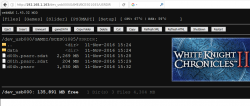
  • webmanfiles.png
    webmanfiles.png
    98.1 KB · Views: 428
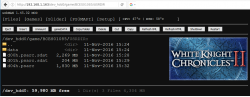
  • webmanfiles.png
    webmanfiles.png
    99.2 KB · Views: 439
Last edited:
Thanks! Now iso's on ntfs can be tagged for automatic external game data. The external game data is enabled.

One thing I noticed though is that if exgamedata is already enabled, webman turns it off when you mount a game:

Code:
else if(extgd)
    set_gamedata_status(0, false);

https://github.com/aldostools/webMAN-MOD/blob/master/include/_mount.h#L1270

Maybe the line above should go like this:

Code:
else if (strstr(_path, "PS3ISO")!=NULL) && (strstr(_path, "[gd]")!=NULL)){
    if((extgd == 0)
    set_gamedata_status(1, false);
}

Though of course it might be much more complicated than my simple view can perceive. Such as it being some type of safeguard. And I can't really test it as I don't have the environment to build it.

---

For some reason it is asking me to reinstall the gamedata again. The only thing i did was upgrade to the new unannouced 1.45.02 release on github (I had the previous 1.45.02 release). This is despite the files being on the usb drive in GAMEI and exgamedata being enabled, as the GAMEI folder is mirrored to hdd0/games .

It seems after I reinstall the game(it creates that _gdata_2016... temp thing, then renames it to the SKU of the game replacing the existing folder) and then it seems to survive powercycles.


No idea what would invalidate the existing installed gamedata.

This might be some unrelated thing I naively some how managed to trigger, but I figure I'd take note of it in case is was useful. If I figure out the exact conditions, I'll certainly comment.

Edit: Seems that toggling gamedata can cause the xmb database to lose all the entries from the external drive. I guess the only way to prevent this is to backup the database.

Would there be any issues if I manually made a backup of the dev_hdd0/mms/db folder or just metadata_db_hdd.idx & metadata_db_hdd every time I install a game, then restored them if the gamedata was lost from the database do to exgamedata toggling, or would it cause things to go awry?

I have updated the binaries with your suggested changes ;)
https://github.com/aldostools/webMAN-MOD/commit/2bf86a4295f45c414f848d5e9498000e0c6cf9c4

Regarding the other issues, I think that if you don't start the game with gameDATA disabled everything should be fine.

So your fix maybe could help to prevent the issue.
 
To prevent the externally installed items from being removed in the xmb metadata_db_hdd database due to exgamedata being disabled either intentionally or unintentionally, after installing game data/dlc/update to the external drive, I disable exgamedata, then copying over the folder name (BCES01085 or NPUB94949_installed for example), the PARAM.SFO and the ico/pngs from usb000/GAMEI to dev_hdd0/games from whatever I installed. Then I re-enable exgamedata. While I don't know enough to say if it is really working, so far it hasn't asked me to reinstall any patches or gigs of game content.
 
Last edited:
To prevent the externally installed items from being removed in the xmb metadata_db_hdd database due to exgamedata being disabled either intentionally or unintentionally, after installing game data to the external drive, I disable exgamedata, then copying over the folder name (BCES01085 or NPUB94949_installed for example), the PARAM.SFO and the ico/pngs from usb000/GAMEI to dev_hdd0/games . Then I re-enable exgamedata. While I don't know enough to say if it is really working, so far it hasn't asked me to reinstall any patches or gigs of game content.

u should check out my first tutorial. hdd0/game is hard coded. it only needs the sfo, not the icon or eboot. I had all of my games on an external hdd, so using robocopy copied the param;sfo only, then rebuilding database. that's built into windows, so u don't have to download anything. it saved me when my hdd failed. I basically installed 5,000 games/dlc/content with only 50Mbs or so.
 
Back
Top